20 Best Review Games and Activities for the Classroom
A review game is a fun activity to prepare students for tests and to help them with their understanding of the content in class. Classroom review games aim to find ways to get students to answer questions correctly in a way that doesn’t make them feel uncomfortable. It allows them to ask questions, score points for the right answers, and create a unique educational environment. Group activities, whereby students work in teams, are a great way to foster team-building and can also help students with test prep. In this article, you will find a list of the best review games that are fun for students and teachers.
Looking for ideas for a specific subject or grade? We also have dedicated guides to math review games, test review games, and review games for high school.
The 20 Best Classroom Review Games
Games are exciting and engaging and make finding the right answer to a question something to strive for. They prepare students for the questions they will find on the exam and make test preparation a social play. Below are our favorite low-prep review games and activities for elementary, middle, and high school.
1. Friendly Feud

Want a fun group review game for your students? Try the classroom version of “Family Feud”! Here is how to play Friendly Feud in your classroom: First, divide the class into two teams. (Each team will compete against the other to answer review questions.) Next, the teacher shows a question from the Friendly Feud game template (don’t forget to download the “Friendly Feud” PowerPoint game!).
One student from each team then tries to guess the answer. If they are right, their team continues guessing; if not, it is the other team’s turn. Teams earn points based on how popular their answer is, and after three wrong guesses, the other team has a chance to steal points. The game ends when one team has the most points, and for an added twist, the winning team can play a bonus round to guess the top answers quickly. The main goal? Guess the most popular answers and enjoy the game!
2. Classroom Jeopardy
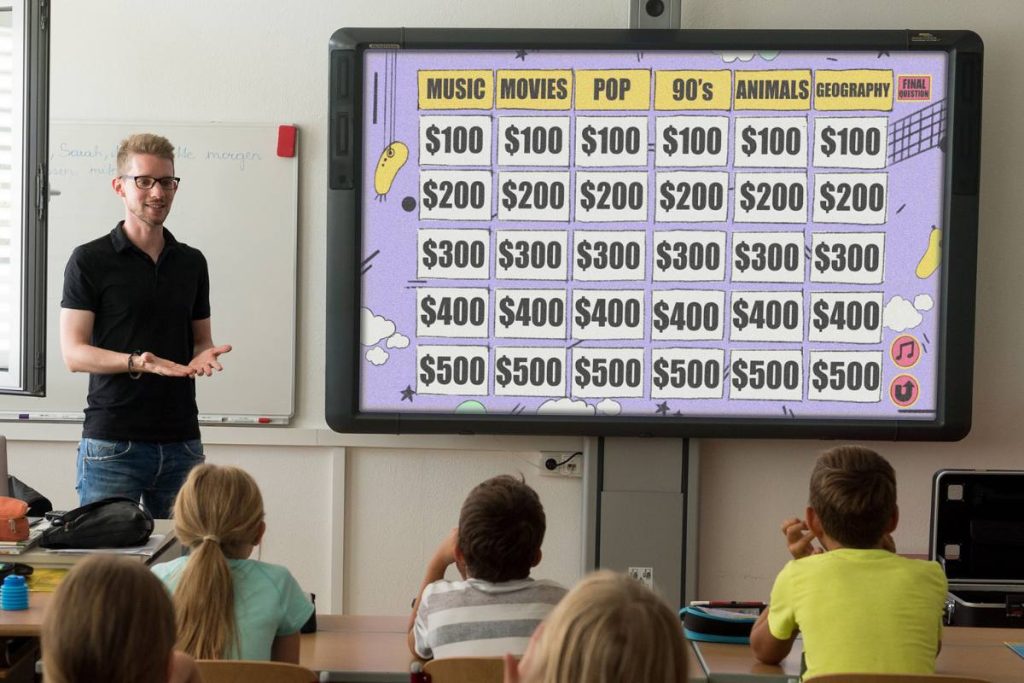
If you have a smartboard or other type of projection, try this classroom Jeopardy template! First, make sure to download the Jeopardy PowerPoint game template. Then, create Jeopardy questions for the game in categories with monetary values. Next, divide the class into teams. It works great whether you are in a classroom or on a video call with screen sharing.
The game rules are simple. A team selects a category and point value, and the teacher reveals a question by clicking on it. Students get a limited time to answer. The teacher can show the correct answer using a button on the slide. If the team’s answer matches, they get the points, and scores are tracked on a scoreboard. After each turn, you will go back to the main question board. Keep playing until all questions are picked. The aim? Answer correctly and rack up points! Watch the video below to see how to customize and use the Jeopardy template, or read our step-by-step guide on how to make your own Jeopardy game in PowerPoint.
3. Classroom Wordle
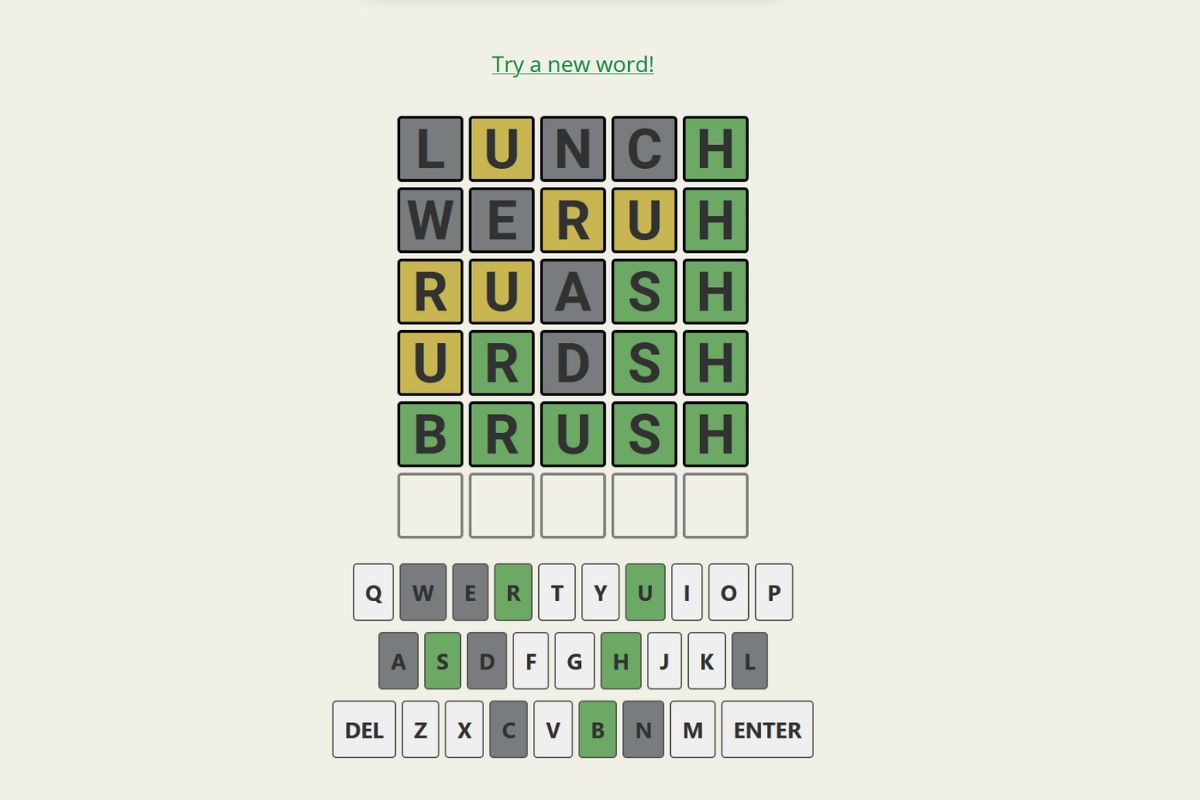
Classroom Wordle is a fun game to test vocabulary, suitable for any grade, and it needs no student devices at all. Grab the Printable Classroom Wordle pack and the whole class can play on paper. Students guess a secret 5-letter word in six tries and mark every letter with a simple key: a square means the letter is in the right spot, a circle means it’s in the word but in the wrong spot, and a line means it’s not in the word.
Pick a secret word from the 96 words included in the pack, or use your own vocabulary and spelling words to turn any unit into a review game. You can play classroom Wordle unlimited times with your students in these three fun ways:
- Whole Class: Students call out guesses, the teacher marks them on the board, and everyone tracks along on their own guess sheet.
- Partner Play: One student hosts and one guesses, then they swap. The speed round sheet fits four quick games on one page.
- The Closest Letters: Assign points for each correct letter guessed; squared letters earn more, circled letters less. The student with the most points wins, even without guessing the word.
4. Mystery Box Game
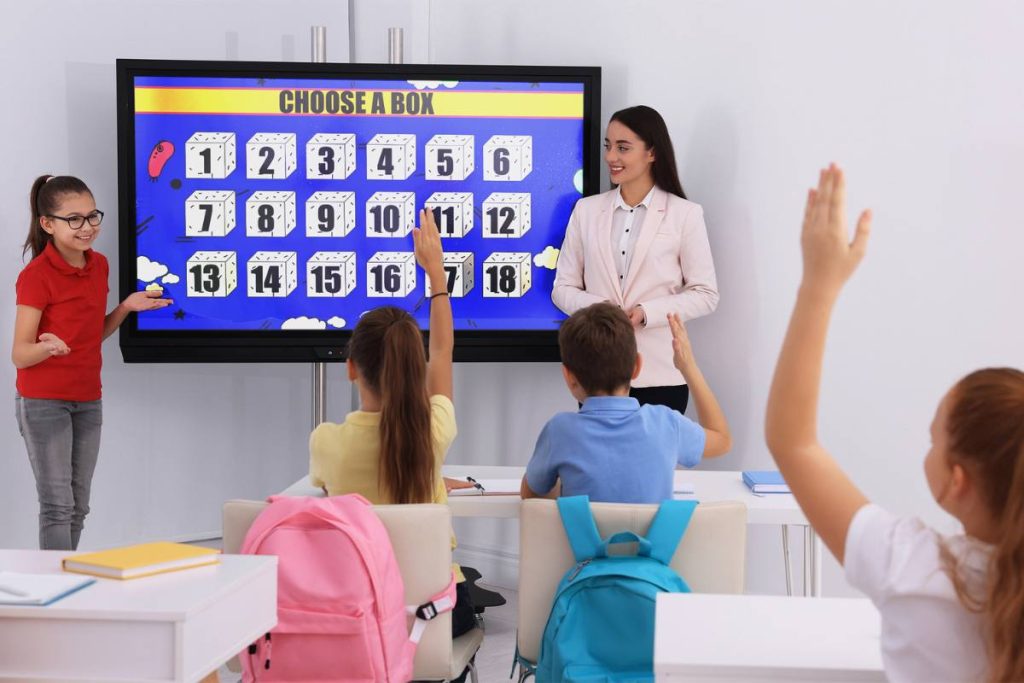
The Mystery Box Game is designed for review sessions and test prep. This game is all about choices and surprises and is perfect for any grade or subject. Before you begin, download the Mystery Box PowerPoint template and customize the questions to suit your lesson or topic before you start playing. Playing the game is easy. Students pick a box and answer its question. If the answer is correct, they decide to keep the box or pass it on. Not all boxes are created equal; some might boost their score, while others could set them back. Watch this video tutorial to understand how to make your own Mystery Box game with this template for your students:
5. Hot Seat
One student sits at the front of the class with their back to the board, unable to see the term written behind them. The rest of the class sees the word and must help the student guess it by giving clues, without saying the word itself. The student in the “hot seat” can call on up to three classmates for hints. If they guess correctly, another student takes the seat, keeping the game moving. If they don’t guess, a new student takes their place.
You can use the Password game template, which provides a structured format for clue-giving and makes it easier to run the game.
6. Pass the Chicken

The class sits in a circle, and one student is asked a question while a rubber chicken (or any object you choose) is passed around the circle. The challenge is for the student to answer before the chicken makes it all the way back to them. If they answer correctly in time, they stay in the game; if not, they may have to try again or pass their turn.
7. Ping Pong
The class is split into two teams, and each team collaborates to answer questions posed by the teacher. If they answer correctly, the student who answered gets a chance to toss a ping pong ball into one of three cups placed at the front of the class. If they successfully land the ball in a cup, their team earns bonus points or a small reward.
8. Bingo
Instead of calling out numbers, the teacher uses vocabulary words, math problems, or key concepts from the lesson. Students mark the correct answers on their Bingo cards, and just like the traditional game, they try to complete a row, column, or full card to win. Some teachers add extra excitement by using small prizes or candy as markers.
9. Beach Ball
The teacher writes review questions all over a light-colored inflatable ball. When the ball is tossed to a student, they must look at where their right thumb lands and answer the question closest to that spot. If they answer correctly, they throw the ball to another student, keeping the game moving.
10. Spin the Wheel
The teacher creates a spinning wheel, either using a physical spinner or a digital version, with different review terms, categories, or challenges written on it. A student takes a turn spinning the wheel and must answer a question based on where it lands. Depending on the class size, the teacher can decide whether students play individually or in teams.
11. Hedbanz
Hedbanz is a guessing game that requires no special materials, just sticky notes and a little creativity! The teacher writes review terms, vocabulary words, or key concepts on sticky notes and places them on students’ foreheads so they can’t see their own word. Students take turns asking their teammates yes-or-no questions to figure out what’s written on their forehead. Depending on the class size, students can play in pairs or be divided into two teams.
12. Monopoly Style Game
Each student starts with a set amount of play money, which they use to bet on their ability to answer correctly. The teacher asks a question, and students who feel confident write their answers on a piece of paper and place a wager. If they answer correctly, they win the pot; if multiple students are correct, the winnings are split evenly. If no one answers correctly, the money rolls over to the next round, increasing the stakes. The game continues until one student runs out of money, and the player with the most at the end wins.
13. Trashketball
All you need is a trash can, a soft ball (or crumpled paper), and your review questions. Split the class into teams. When a student answers a question correctly, they earn a shot at the basket: one point from the close line, two from the middle, three from way back. Suddenly your quietest students are cheering over grammar questions. If you want the game-show version with a question board and team scoring built in, download the Trashketball PowerPoint template and project it while the shots fly.
14. Who Wants to Be a Millionaire
The classic quiz show format is perfect for review: one contestant (or team) climbs a money ladder by answering questions that get progressively harder. Give students the famous lifelines to keep everyone involved: Ask the Class (everyone votes), 50:50 (remove two wrong choices), and Phone a Friend (pick a classmate to help). The Millionaire classroom game template comes with the ladder, the suspense music moments, and editable question slides, so you just type in your own review questions.
15. Cash Bus
Inspired by the Cash Cab TV show, this one turns your review session into a quiz ride. Teams of 2-4 answer questions to earn money, but three wrong answers and they are off the bus. Random Red Light Challenges give teams 60 seconds to brainstorm a multi-part answer for bonus cash with no penalty, and a final bonus question lets brave teams double their winnings or lose it all. Download the Cash Bus PowerPoint game to run the whole thing with sounds and scoring included.
16. Fortune Finders
A no-prep pick-a-box game: when a student or team answers a review question correctly, they choose a spot on the game board to reveal hidden points and surprises. Some picks are jackpots, some are duds, so the leaderboard can flip on the very last turn, which keeps weaker and stronger students equally in the game. The Fortune Finders game template includes six different boards and a built-in scoreboard, and it works with questions from any subject: just ask, answer, and pick.
17. Around the World
A no-materials classic. One student stands next to a seated classmate. The teacher asks a question, and whoever answers first moves on to challenge the next desk; the slower student sits down in that spot. The goal is to travel all the way around the room and back to your own seat. It is fast, needs nothing but your question list, and works brilliantly for math facts, vocabulary, and quick-recall review.
18. Pictionary Relay
Divide the class into teams and give each team a section of the board. Show the first drawer from each team a vocabulary word or concept from your unit. They race to draw it (no letters or numbers allowed) while their team guesses. The first team to shout the correct term wins the round, then the next drawer steps up. It is a fantastic way to review science processes, historical events, and vocabulary that benefits from visualization.
19. Vocabulary Charades
Write review terms on slips of paper and have students act them out silently while their team guesses. Set a 60-second timer per turn and award a point for each correct guess. For younger students, keep the terms concrete; for older students, abstract concepts (photosynthesis, inflation, irony) produce the most creative and most memorable performances. No prep beyond your word list, and it gets the whole class laughing.
20. Grudgeball
Every team starts with ten X marks on the board. Answer a question correctly and your team removes two X marks from any other team, then can shoot a basket to remove a third. The twist: teams can be knocked out of the running but keep playing to take others down, so nobody checks out early. Fair warning: alliances will form, betrayals will happen, and your students will beg to play again next week.
Get All the Ready-Made Review Games in One Bundle
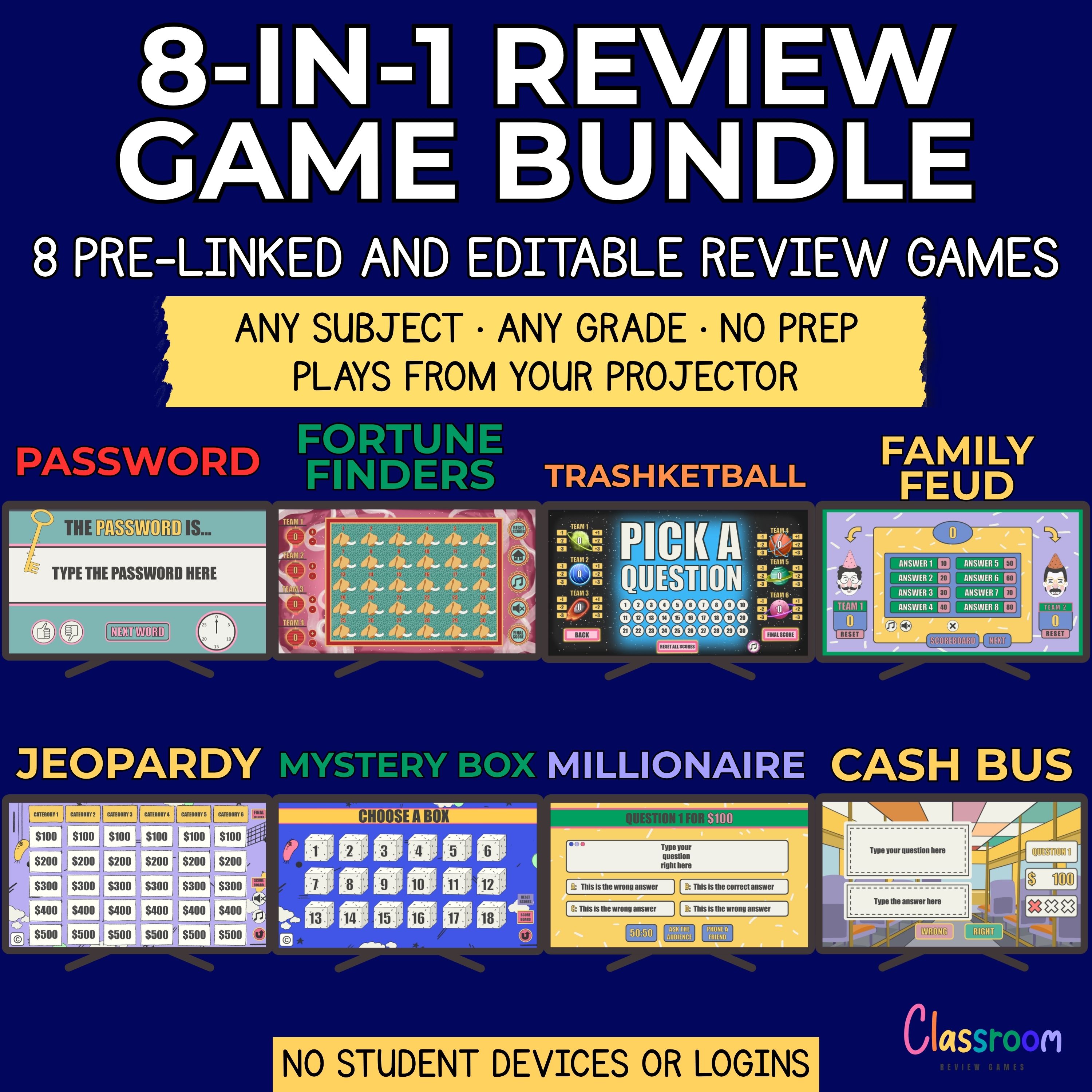
Eight of the games above come as editable PowerPoint templates, so you can type in your own questions and start playing in minutes. The 8-in-1 Review Games Bundle includes all of them: Friendly Feud, Jeopardy, Mystery Box, Password, Trashketball, Millionaire, Cash Bus, and Fortune Finders, for $29.99, about 25% less than buying the games separately. Every game is an instant download, works with any subject and grade, and comes with a full refund guarantee.