Description
See How It Works
In this short video I show how to set up and play the game.
What’s Included
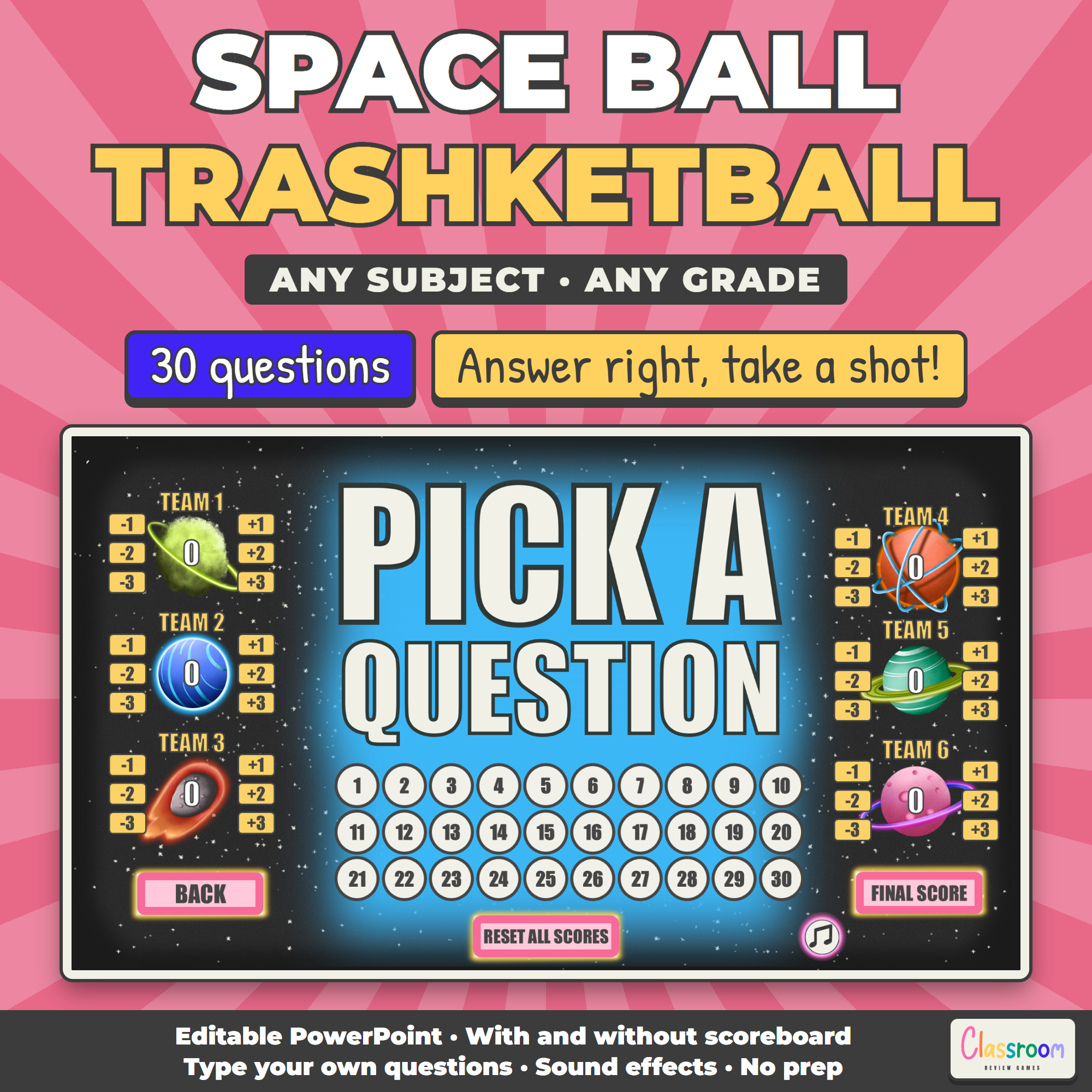
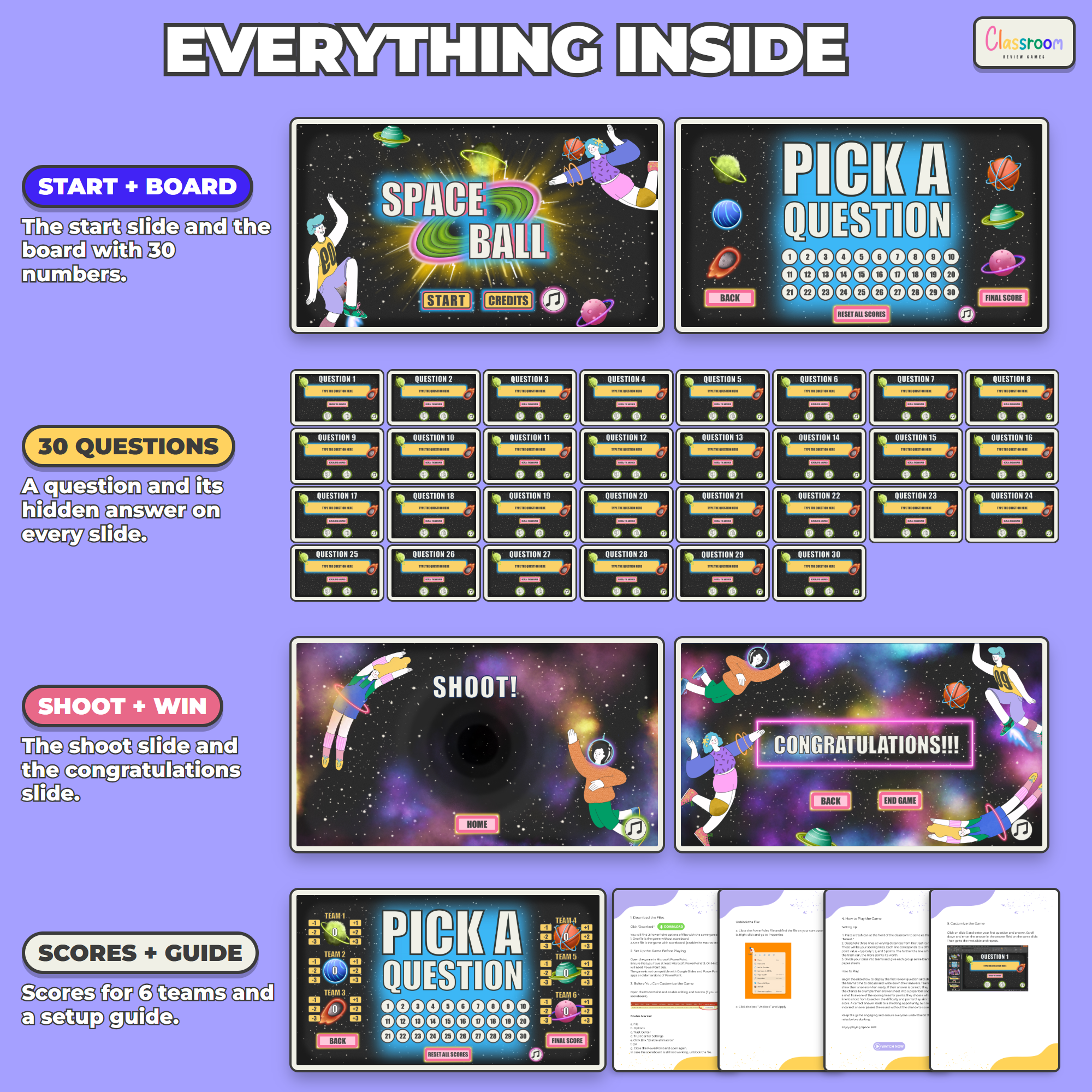
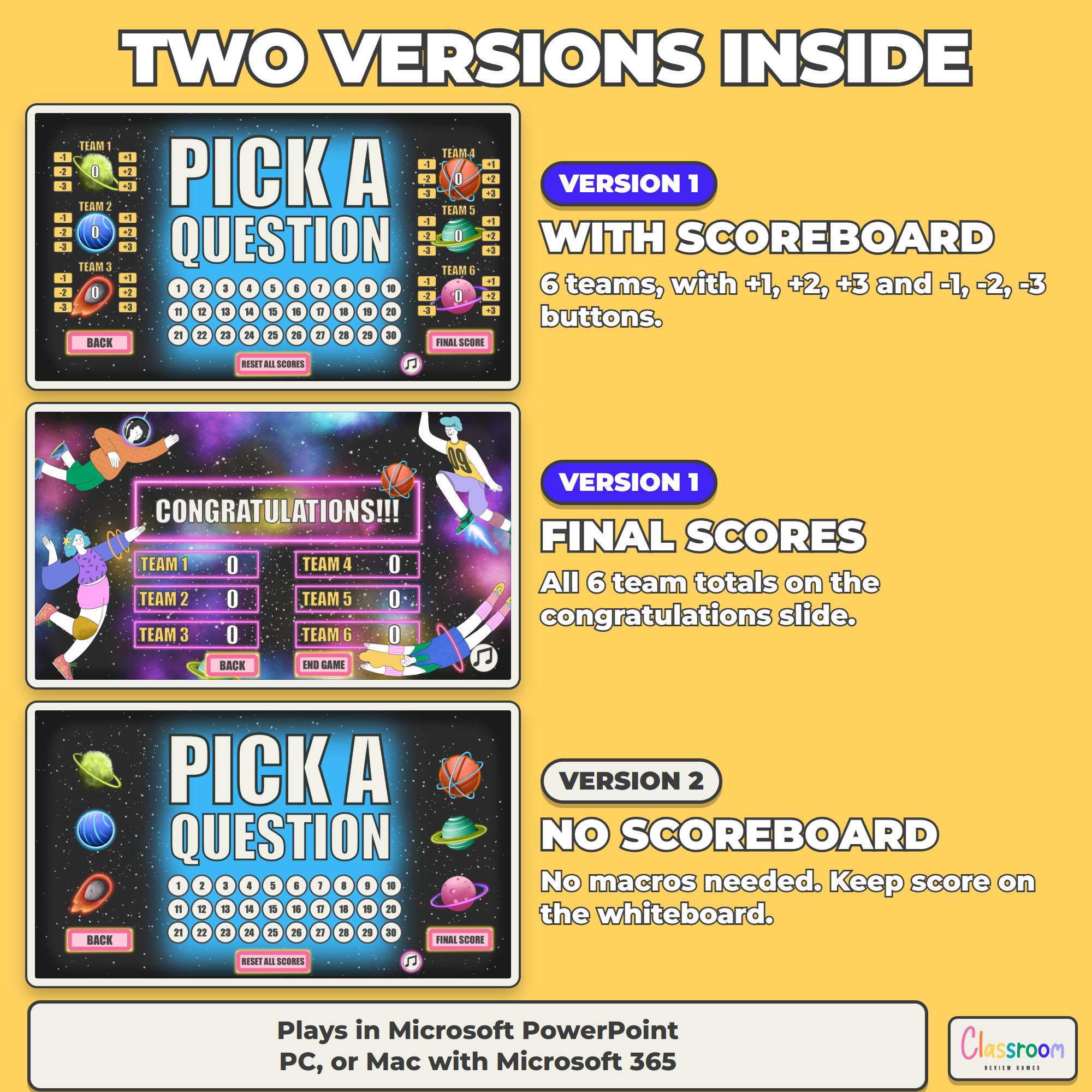
- Version 1, with scoreboard (.pptm): scores for 6 teams with +1 to +3 and -1 to -3 buttons on the board, plus final scores
- Version 2, no scoreboard (.pptx): the same game, no macros needed
- A board with 30 numbered questions, each question slide with an answer that stays hidden until you click
- A shoot slide, an end slide, sound effects, music and a setup guide with pictures
How to Make It Yours
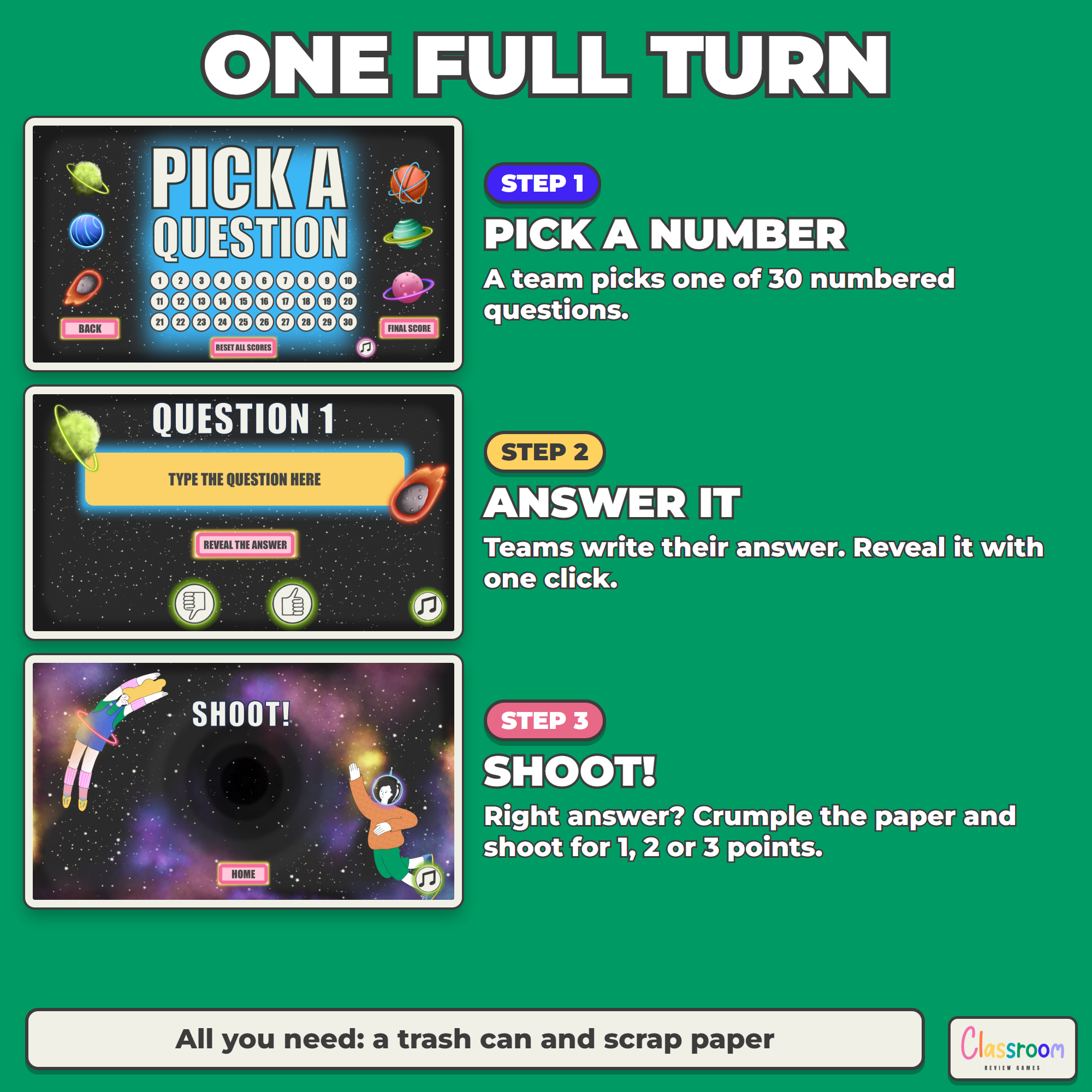
Type a question and its answer on each of the 30 question slides. The answer stays hidden until you click to reveal it. Every number on the board already links to its question.
What You Need
A trash can, some scrap paper, and masking tape or chairs to mark the 3 lines. The farther the line from the trash can, the more points the shot is worth.
Works In
Microsoft PowerPoint on Windows (PowerPoint 2013 or newer) or on a Mac with Microsoft 365. Play it on an interactive whiteboard, a projector or a classroom screen, or share your screen in an online lesson.
This game does not work in Google Slides, on Chromebooks or in the PowerPoint mobile apps, because its buttons, sounds and animations need the desktop version of PowerPoint. The scoreboard version uses macros: the setup guide shows how to turn them on.
Save 25% With the Bundle
This is one of my 8 classic review games. Get all 8 in my PowerPoint Review Games Bundle for $29.99 instead of $39.92.
Help
Email me any time with questions or requests. Thank you for supporting a small teacher-run shop.
Carolin
carolin@classroomreview.games
Morgan Ellis –
This one got a lot of laughs. The throwing part was a big deal in our room.
Casey Miller –
A fun change from our usual review sheets.