Cash Bus: The Ultimate Classroom Review Game

$4.99

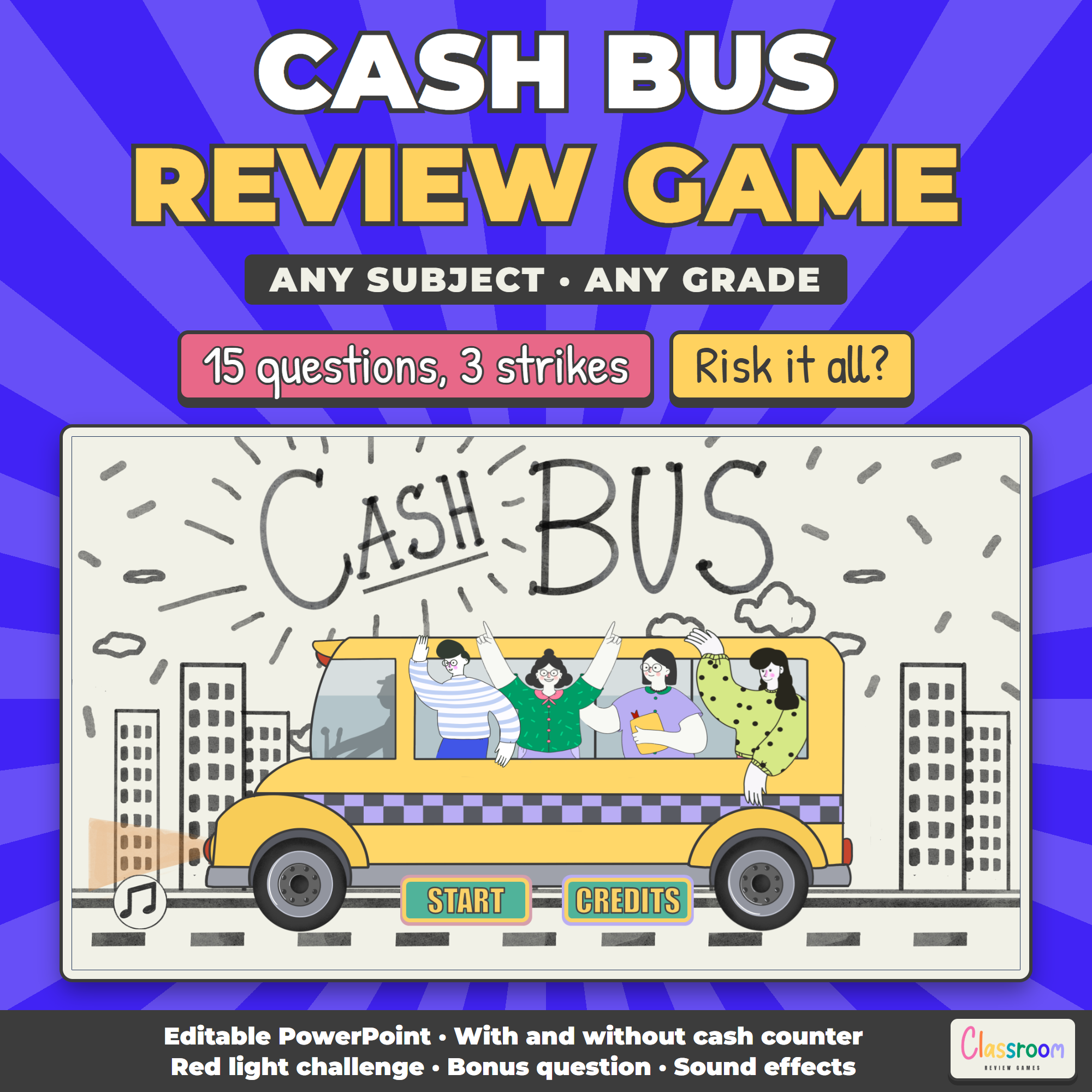
Three wrong answers and your group has to get off the bus. Small groups play this cash cab game for the classroom in PowerPoint at their own pace, great for test prep, stations and centers in any subject.

PowerPoint only: this game does not work in Google Slides or on Chromebooks.

Needs Microsoft PowerPoint on Windows or Mac. The scoreboard needs PowerPoint 2013 or newer (Microsoft 365 on Mac). This game does not work in Google Slides or on Chromebooks.

Mix and match: add any 3 or more resources to your cart and 20% comes off at checkout, automatically.

30-Day Money-Back Guarantee

If this resource does not work for your class, email me and I refund you. No questions asked. How it works

Download the free preview (PDF)

Look through the sample pages before you buy.

How the Game Works

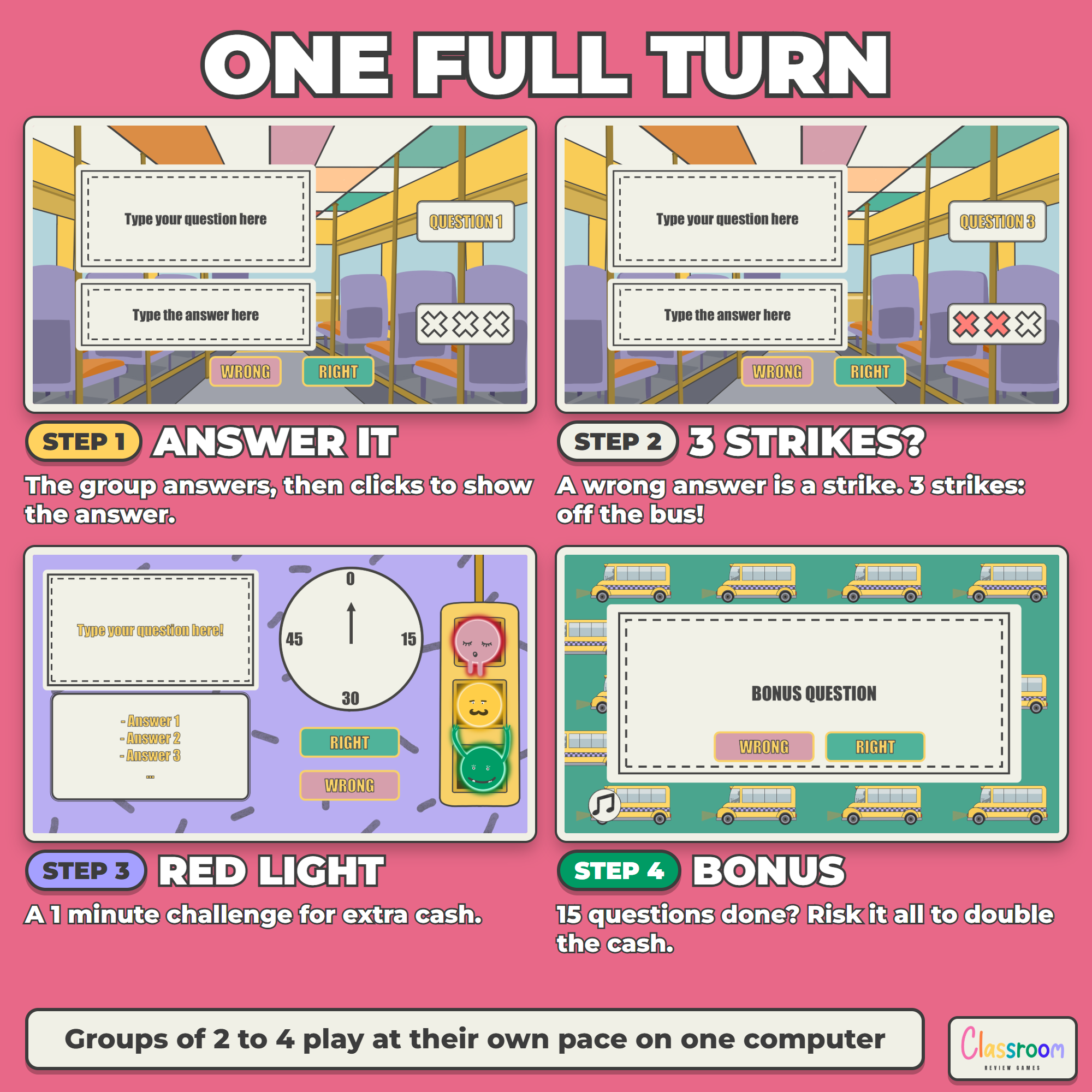
  1. Put students in groups of 2 to 4, one Windows or Mac computer with PowerPoint per group.
  2. A question appears. The group talks it over, answers, then clicks to show the answer.
  3. A right answer wins cash (the cash counter version adds it up on screen). A wrong answer is a strike. Three strikes and the group is off the bus.
  4. In the cash counter version, a red light challenge appears partway through: one minute to answer a question with several parts for extra cash, with no penalty if they miss.
  5. Groups that answer all 15 questions without 3 strikes reach the bonus question: risk it all to double the cash, or keep it.

Perfect For

  • Test prep, stations and review centers
  • Small group work at their own pace
  • Any subject and grade with your own questions
  • Sub days, when groups can run the game themselves

Description

See How It Works

In this short video I show how to set up and play the game.

What’s Included

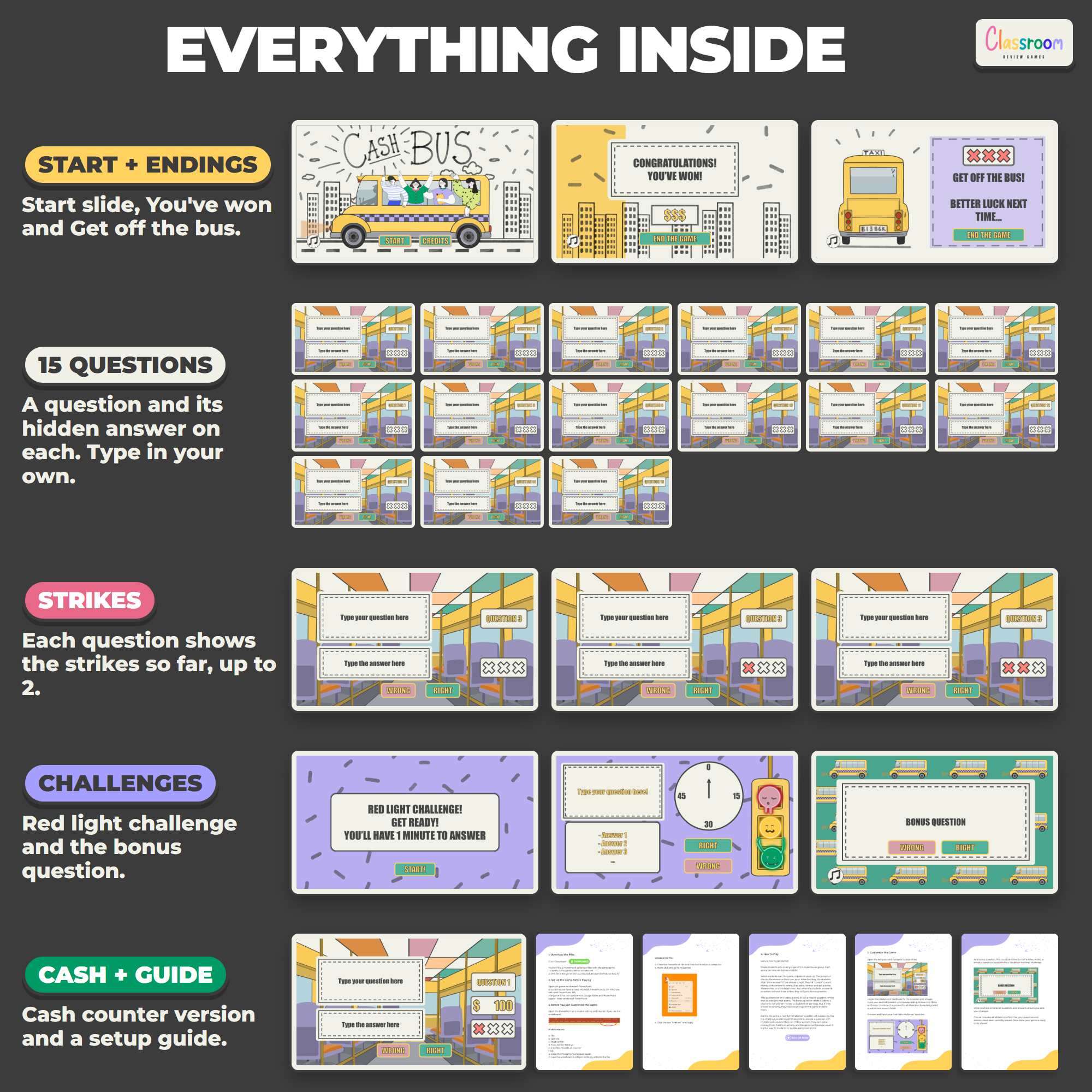
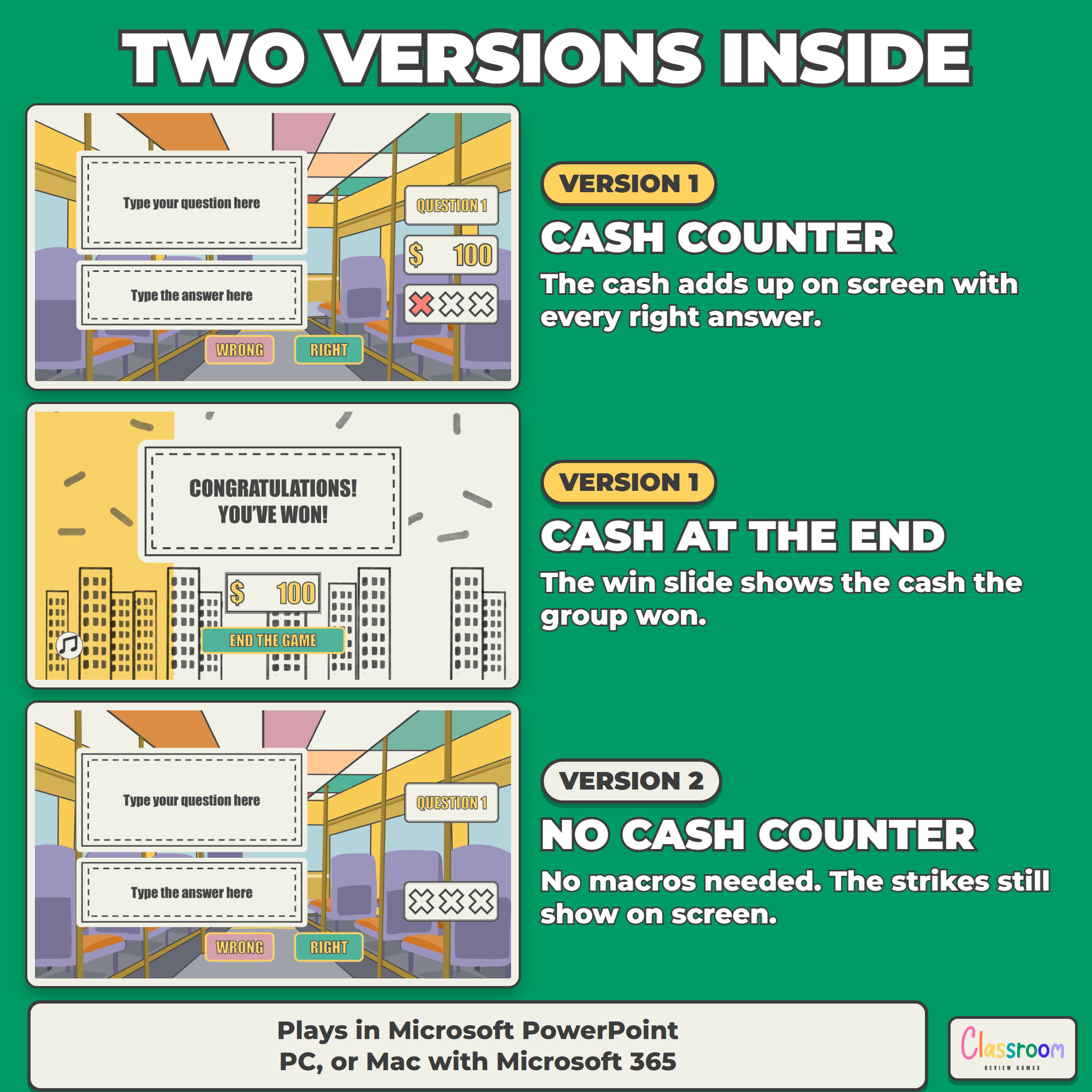
  • Version 1, with cash counter (.pptm): the cash adds up on screen and shows on the win slide
  • Version 2, no cash counter (.pptx): no macros needed. Each question has a copy for every strike count, so the strikes still show on screen
  • 15 question slides, each with a hidden answer
  • A red light challenge with a one minute timer and a double or nothing bonus question
  • You’ve won and Get off the bus endings, sound effects, music and a setup guide with pictures

How to Make It Yours

Type each question and its answer into the boxes on the question slides, then type your red light challenge and your bonus question. The bonus can be a typed question, a song or a short video. In the version without the cash counter, each question has up to 3 slides (one for each strike count), so type the question on each of them.

Works In

Microsoft PowerPoint on Windows (PowerPoint 2013 or newer) or on a Mac with Microsoft 365. Play it on an interactive whiteboard, a projector or a classroom screen, or share your screen in an online lesson.

This game does not work in Google Slides, on Chromebooks or in the PowerPoint mobile apps, because its buttons, sounds and animations need the desktop version of PowerPoint. The cash counter version uses macros: the setup guide shows how to turn them on.

Save 25% With the Bundle

This is one of my 8 classic review games. Get all 8 in my PowerPoint Review Games Bundle for $29.99 instead of $39.92.

Help

Email me any time with questions or requests. Thank you for supporting a small teacher-run shop.

Carolin

carolin@classroomreview.games
Reviews

There are no reviews yet.

Be the first to review “Cash Bus: The Ultimate Classroom Review Game”

Your email address will not be published. Required fields are marked *