Description
See How It Works
In this short video I show how to set up and play the game.
What’s Included
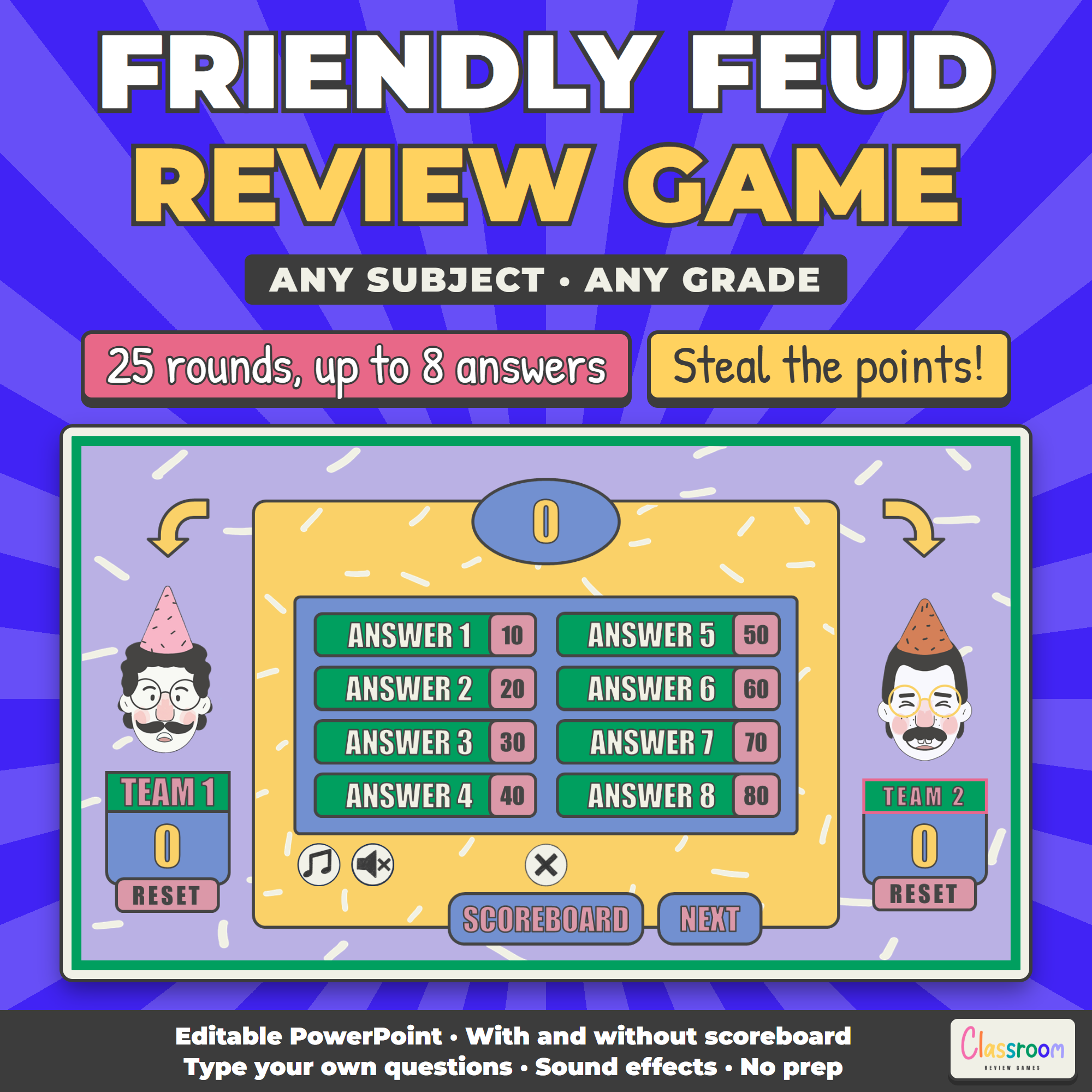
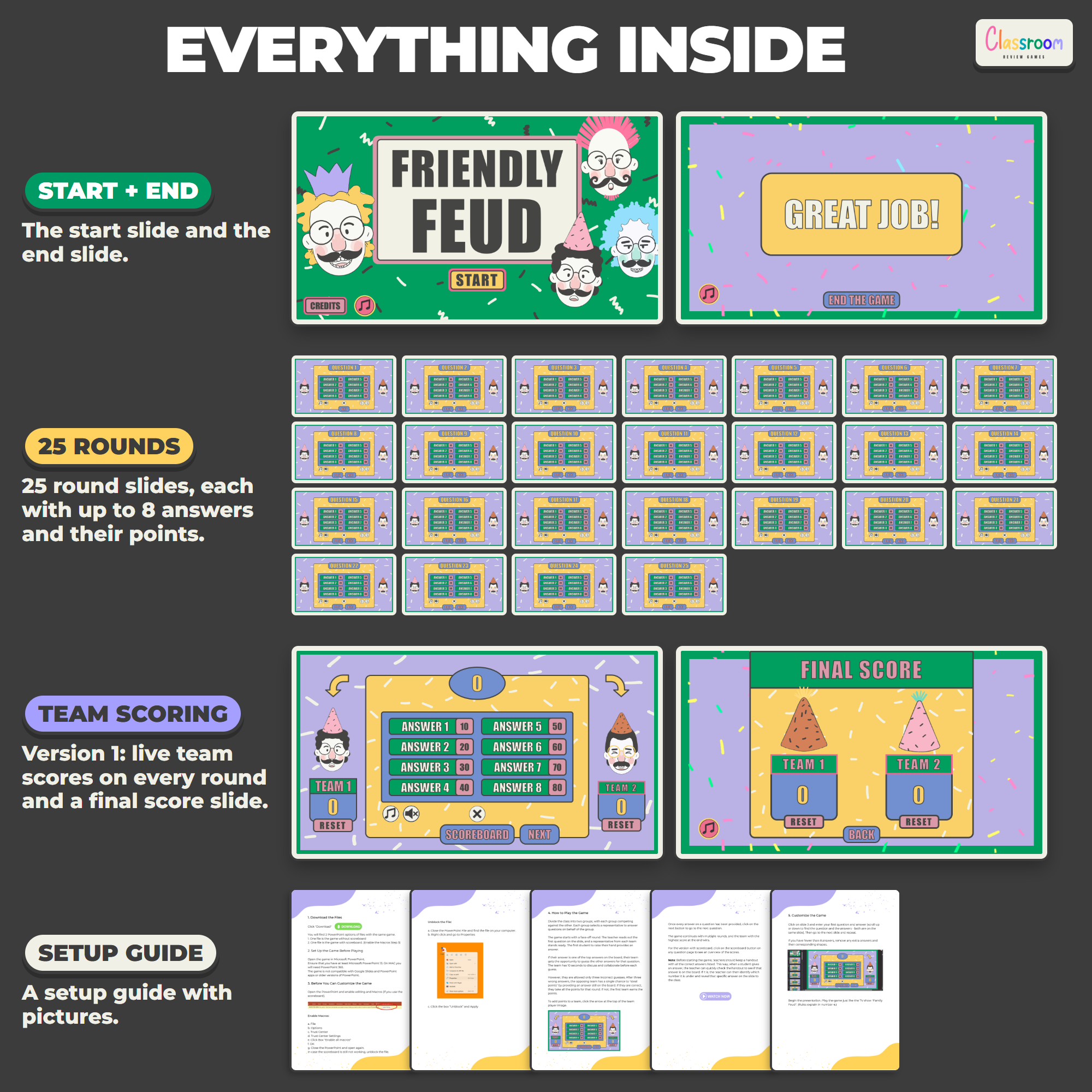
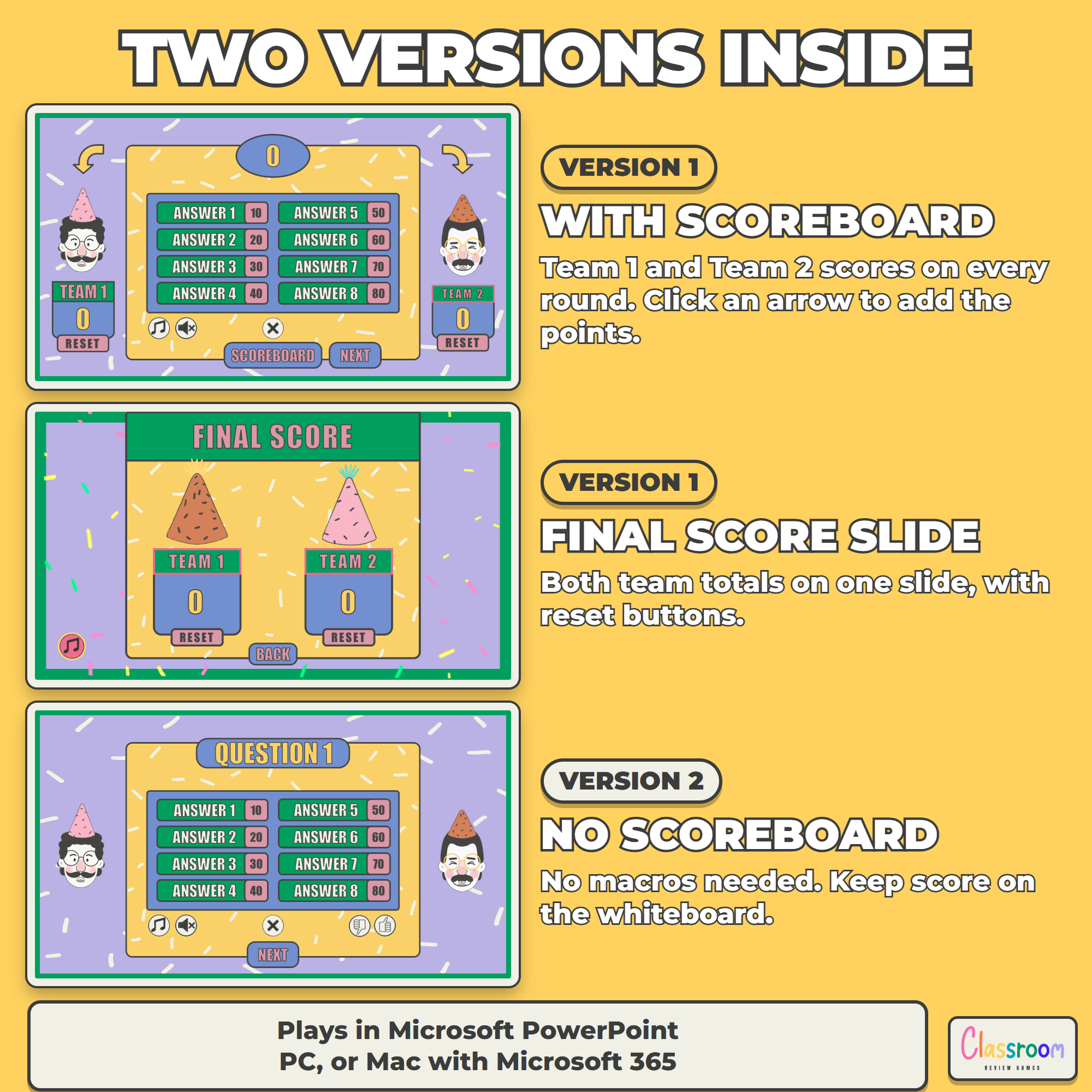
- Version 1, with scoreboard (.pptm): Team 1 and Team 2 scores on every round, plus a final score slide with reset buttons
- Version 2, no scoreboard (.pptx): the same game with thumbs up and thumbs down buttons, no macros needed
- 25 round slides, each with up to 8 answers worth 10 to 80 points
- Game show sound effects, music and a setup guide with pictures
How to Make It Yours
Type your question and up to 8 answers with their points on each round slide. The question and its answers are on the same slide: scroll up or down in the editor to find them. Fewer than 8 answers? Delete the extra tiles. Keep a list of the answers handy so you can find each one quickly when a student calls it out.
How the Points Work
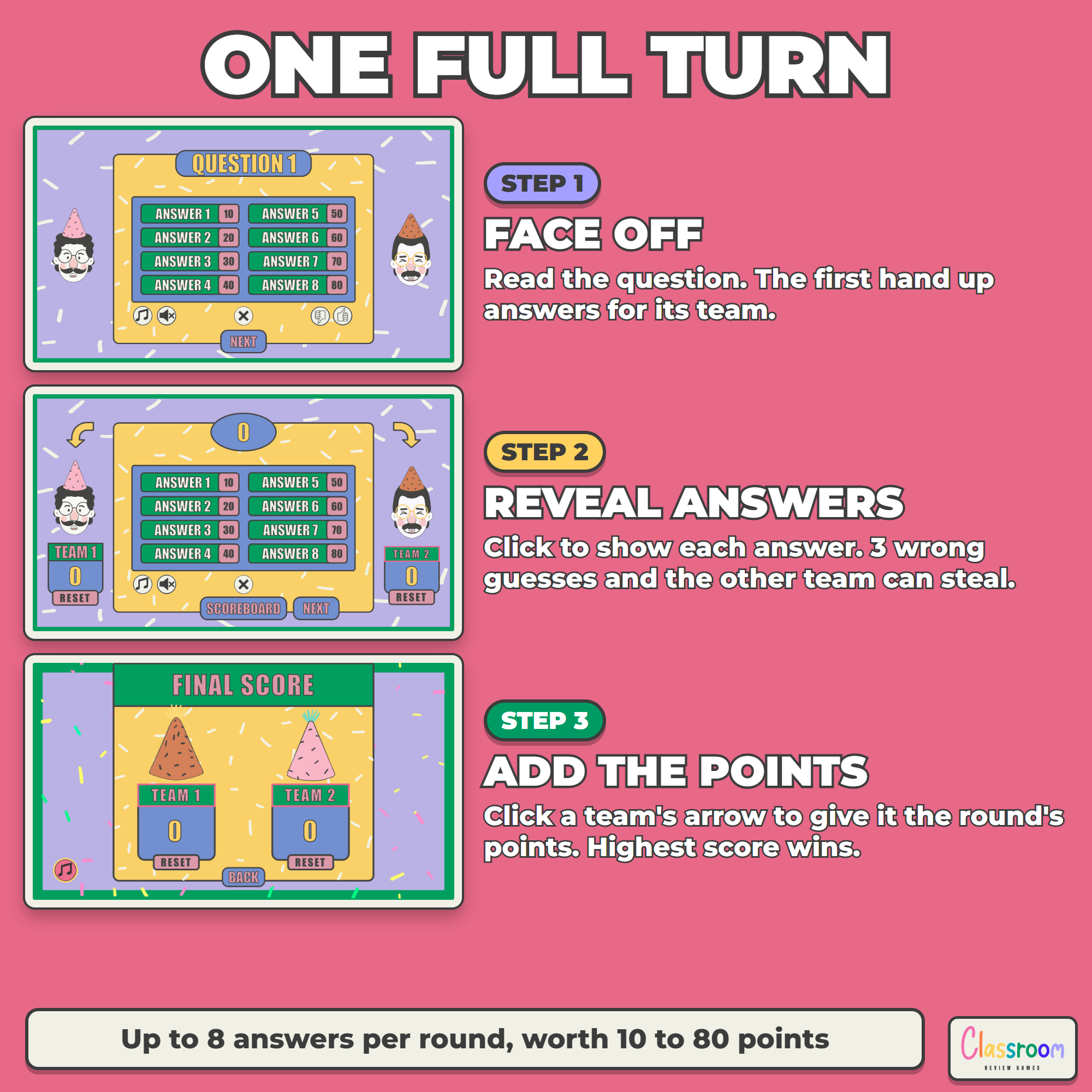
In the scoreboard version, each team has its own score on every round slide. Click the arrow above a team’s player to add the points to that team. After a steal, click the other team’s arrow instead. A final score slide shows both totals at the end.
Works In
Microsoft PowerPoint on Windows (PowerPoint 2013 or newer) or on a Mac with Microsoft 365. Play it on an interactive whiteboard, a projector or a classroom screen, or share your screen in an online lesson.
This game does not work in Google Slides, on Chromebooks or in the PowerPoint mobile apps, because its buttons, sounds and animations need the desktop version of PowerPoint. The scoreboard version uses macros: the setup guide shows how to turn them on.
Save 25% With the Bundle
This is one of my 8 classic review games. Get all 8 in my PowerPoint Review Games Bundle for $29.99 instead of $39.92.
Help
Email me any time with questions or requests. Thank you for supporting a small teacher-run shop.
Carolin
carolin@classroomreview.games
Reviews
There are no reviews yet.