
How to Create Free Printable Word Ladders PDF Worksheets for Your Classroom
Word ladders work well for grades 2-8, with younger students (grades 2-4) using simpler three to four-letter words and older students tackling…
Read the article
No-prep review games for Google Slides, PowerPoint and print, plus week long sub plans, for any subject and grade.
Shop ResourcesMy no-prep classroom review games turn test prep, vocabulary practice and end-of-unit review into a team game the whole class plays together. Pick an editable review game show in Google Slides or PowerPoint and add your own questions, or choose a ready-made review game for your subject and grade. Prefer paper? My printable review games need no devices and no logins. And for the days you are out, my week long sub plans and emergency sub binders give your substitute everything to run. Every product is an instant download.
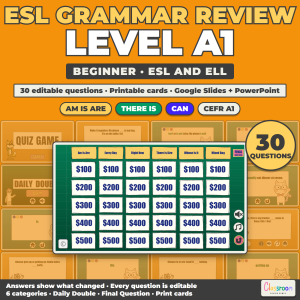 ESL Grammar Review Game A1, Beginner Grammar Quiz Game for ESL and ELL, Google Slides and PowerPoint
$4.99
ESL Grammar Review Game A1, Beginner Grammar Quiz Game for ESL and ELL, Google Slides and PowerPoint
$4.99
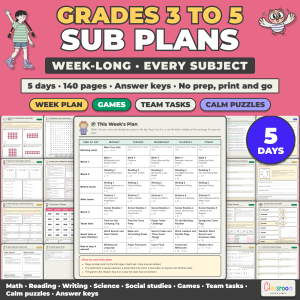 Week Long Sub Plans for Grades 3 to 5, Emergency Sub Plans for Every Subject, No Prep, 5 Days, 140 Pages
$14.99
Week Long Sub Plans for Grades 3 to 5, Emergency Sub Plans for Every Subject, No Prep, 5 Days, 140 Pages
$14.99
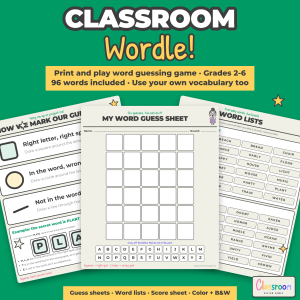 Printable Classroom Wordle: Word Guessing Review Game for Any Subject, Grades 2-6
$2.99
Printable Classroom Wordle: Word Guessing Review Game for Any Subject, Grades 2-6
$2.99
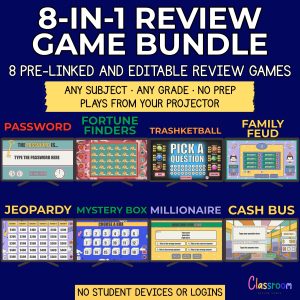 PowerPoint Review Games Bundle | 8 Editable Templates
Original price was: $39.92.$29.99Current price is: $29.99.
PowerPoint Review Games Bundle | 8 Editable Templates
Original price was: $39.92.$29.99Current price is: $29.99.
Filter by grade, subject, topic or game type.
Your files arrive right after checkout.
Open in Google Slides or PowerPoint, or print and play.

I create fun, unique classroom review games that teachers can customize in minutes, plus printable games and no-prep sub plans for the days you are out.
My game shows work in Google Slides and PowerPoint and are fully editable, so you can reuse them for any subject and grade all year. Everything is an instant download, and if a resource is not right for your class, I offer a full refund.
Word ladders work well for grades 2-8, with younger students (grades 2-4) using simpler three to four-letter words and older students tackling…
Read the articleYes, as long as the puzzles are explicitly offered as free resources for educational use.
Read the articleNot when you scale it appropriately. Elementary students can handle simple choice mechanics like deciding whether to answer a hard question for…
Read the article