

Off-Brand Blooket Games That Work Without Wi-Fi
Download free PowerPoint game templates that mirror Blooket’s question-and-answer format—they work offline, require no student accounts, and let you customize every question for your curriculum. These alternatives run on any classroom computer without internet or login barriers that often frustrate schools with strict firewalls.
Explore Kahoot-style alternatives like Quizizz, Gimkit, or Quizlet Live that offer free tiers with similar competitive gameplay. While these still need internet, they provide more generous free features than Blooket’s limited daily plays. For truly offline options, print-based review games using the same fast-paced, team-competition structure keep students just as engaged without any tech requirements.
Create your own Blooket-style games using Google Slides with answer reveal animations and point-tracking systems. This gives you complete control over content, eliminates subscription costs entirely, and works on school networks that block gaming sites. The customization possibilities are endless, and you can reuse templates across multiple units.
The magic of Blooket isn’t the platform itself—it’s the combination of immediate feedback, friendly competition, and varied question formats. Any tool delivering these three elements will capture that same student excitement. Whether you choose downloadable templates, alternative platforms, or DIY solutions, you can recreate the engagement without the headaches. Your students won’t notice the difference when they’re having fun learning, and you’ll have reliable tools that work every single time you need them.
Why Teachers Are Ditching Online-Only Game Platforms
We’ve all been there. You’ve planned the perfect review game, your students are buzzing with excitement, and then… the internet decides to take a break. Or maybe your school’s firewall blocks the site you need. Perhaps half your class can’t log in because they’ve forgotten their passwords (again), or the platform is running frustratingly slow because everyone in the building is online.
These aren’t occasional hiccups anymore. They’re daily realities that can derail your best-laid lesson plans.
Online-only platforms like Blooket have amazing features, but they come with strings attached. When you’re dependent on a stable internet connection, you’re also dependent on factors completely outside your control. That Wi-Fi outage? It doesn’t care that you have 28 eager fourth graders ready to review multiplication facts.
Then there’s the issue of access. Many schools block gaming sites entirely, even educational ones. You might spend your prep period creating the perfect game set, only to discover it’s completely inaccessible from your classroom computers. And let’s not forget about students who lack reliable internet at home, making these platforms unusable for homework or remote learning days.
Account management adds another layer of frustration. Creating and managing student accounts takes precious time, and troubleshooting login issues can eat into your actual teaching minutes. Plus, with data privacy concerns growing, some districts are limiting which platforms teachers can use with student information.
The solution? Having reliable offline alternatives in your teaching toolkit means you’re always ready to engage your students, regardless of technical difficulties. When your lesson doesn’t depend on internet connectivity, you stay in control of your classroom experience.
What Makes a Game ‘Blooket-Style’ (And Why Kids Love It)
Ever wonder why students practically beg to play Blooket? It’s not magic—it’s smart game design that you can absolutely replicate with offline alternatives!
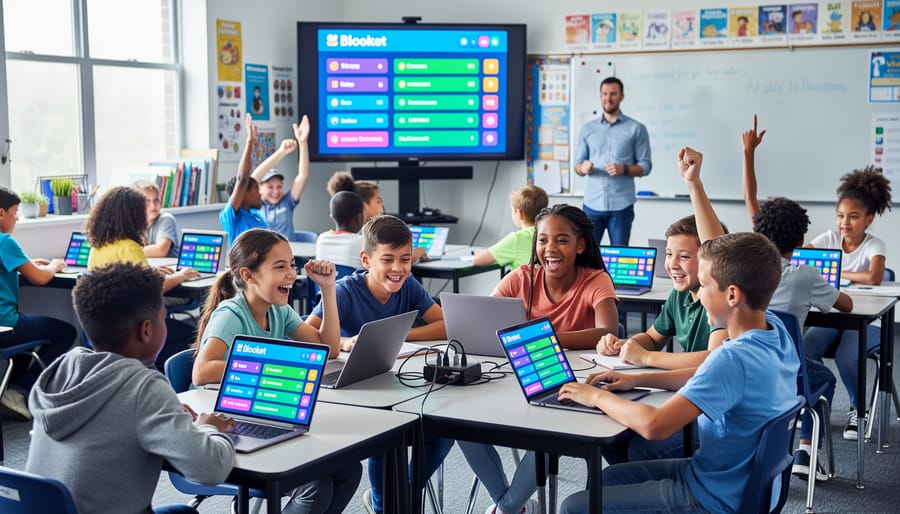
At its heart, Blooket nails a few key ingredients that make learning feel like pure fun. First up is speed. The fast-paced gameplay keeps every student on their toes, with quick rounds that maintain energy and prevent wandering minds. When you’re creating or choosing off-brand versions, look for templates that keep that same zippy momentum.
Competition is another secret sauce. Whether students are racing against classmates or battling to stay in the game, that friendly rivalry creates incredible engagement. The beauty of downloadable templates is you can adjust competitive elements to fit your classroom culture—dial it up for groups that thrive on challenge or soften it for collaborative learning.
Variety matters too. Blooket shines because it offers multiple game modes, preventing the dreaded “we’ve played this too many times” complaint. Quality offline alternatives should give you similar flexibility with different formats and themes to rotate through.
Don’t underestimate visual appeal. Bright colors, fun characters, and clean interfaces aren’t just pretty—they signal to students that learning can be enjoyable. When selecting printable or PowerPoint-based games, choose ones with eye-catching designs that feel modern and playful.
Finally, instant feedback keeps students motivated. They know immediately if they’re right or wrong, earning points or advancing without delays. Your offline versions should preserve this immediacy, whether through quick teacher reveals or self-checking answer keys.
The good news? You don’t need expensive subscriptions to capture these elements. Well-designed templates deliver the same engagement without the internet dependency or access barriers.
Top Offline Blooket Alternatives You Can Download Today
Tower Defense-Style Review Games
If you loved Blooket’s Tower Defense mode, you’ll be thrilled to discover these exciting alternatives that bring the same strategic gameplay to your classroom. These games let students answer questions correctly to earn resources, build defensive towers, or launch attacks against opponents, keeping everyone on the edge of their seats.
Gimkit’s Tower Takeover offers a fantastic tower defense experience where students race to answer questions and strategically place towers. The best part? You can create custom question sets that align perfectly with your curriculum. Quizizz also features a similar mode where correct answers translate into defensive power, making review sessions genuinely exciting.
For offline options, consider Quizlet Live’s team-based challenges or create your own PowerPoint-based tower defense game using free templates available online. These downloadable options work without internet, perfect for schools with connectivity issues or budget constraints.
The real magic happens when you customize these games with your own content. Most platforms let you import question banks, adjust difficulty levels, and even set time limits to match your students’ needs. Your learners get the same adrenaline rush as Blooket without the subscription fees or access restrictions.
Gold Quest and Collection Games
Gold-based games are absolute winners for keeping students motivated! These templates let kids earn virtual currency or collectibles every time they answer correctly, and watching their treasure grow is incredibly rewarding.
The beauty of these games is their built-in incentive system. Students aren’t just answering questions—they’re working toward something tangible (even if it’s virtual). You can create simple PowerPoint-based treasure hunts where correct answers reveal hidden gold coins, or design printable game boards where students collect stickers or tokens as they progress through your review material.
For offline options, consider using physical gold coins (available at dollar stores) that students exchange for prizes at the end. Digital alternatives work great too—Excel spreadsheets can track virtual gold, and free template sites offer customizable collection games you can download and personalize with your specific content.
The customization possibilities are endless! Adjust the difficulty of questions to control how quickly students accumulate their treasures, or create themed collections around your current unit (gems for geology, artifacts for history). These games work brilliantly for both quick reviews and extended learning sessions, giving you flexibility while keeping engagement sky-high.
Racing and Competition Formats
Nothing gets students fired up quite like a good race! These competitive game formats bring that heart-pounding excitement to your classroom while keeping learning front and center.
Quizizz is a fantastic free alternative that lets students race through questions at their own pace. You can customize question sets, add memes and fun visuals, and students love watching their avatars zoom ahead as they answer correctly. The best part? It works offline with their mobile app when you download content ahead of time.
Kahoot offers a classic racing experience where everyone answers simultaneously, creating an electric atmosphere in your classroom. While the free version has some limitations, it still provides plenty of customization options for your questions and supports both virtual and in-person competitions.
For something different, try Quizlet Live. Students work in randomized teams, racing to match terms and definitions. This collaborative twist on racing keeps every student engaged since teams only succeed when everyone participates. It’s completely free and requires minimal setup time.
Each platform lets you import your own content, adjust difficulty levels, and track student progress. The competitive format naturally motivates students to stay focused and actually enjoy practicing material they might otherwise find tedious.
Battle Royale and Elimination Styles
Nothing gets students more excited than a last-one-standing challenge! Battle royale and elimination games create that edge-of-your-seat tension that keeps everyone engaged from start to finish.
These formats work brilliantly because they combine quick thinking with a bit of healthy competition. Students answer questions to stay in the game while others are gradually eliminated for incorrect answers. The pressure builds as the field narrows, making even review sessions feel like exciting events your class will actually look forward to.
Quizizz offers a fantastic elimination mode where incorrect answers knock students out of the running. The best part? You can customize how forgiving it is by adjusting lives or second chances, perfect for differentiating based on your class needs.
Kahoot has a similar feature that eliminates players after wrong answers while keeping eliminated students engaged by letting them continue answering questions for points. This prevents the dreaded “I’m out, so I’m done paying attention” problem.
For offline options, you can create PowerPoint-based elimination games where students hold up answer cards and sit down when incorrect. It captures that same thrilling atmosphere without needing any tech at all, making it ideal for schools with limited internet access or device availability.
How to Customize Your Offline Game Templates (It’s Easier Than You Think)
Here’s the exciting part – customizing these templates is way simpler than you might imagine! You don’t need any special tech skills, just a few minutes and your awesome teaching brain.
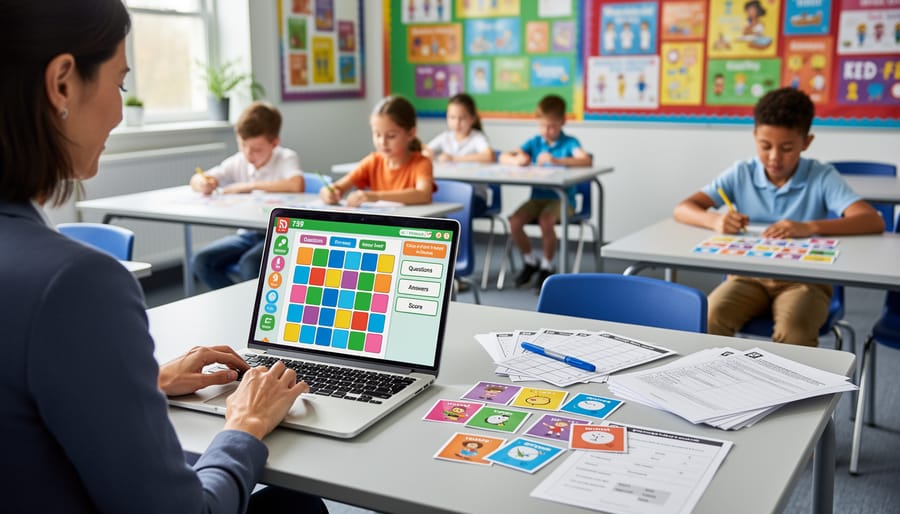
Start by opening your PowerPoint template and clicking through the slides to see how everything works. Most templates have a “question slide” format you’ll duplicate for each new question. Simply click on the text boxes and type in your own questions and answer choices. That’s it! No coding, no complicated menus.
Want to match your classroom theme or upcoming unit? Head to the “Design” tab in PowerPoint and browse the built-in themes. You can change colors, fonts, and backgrounds with just one click. If your class has a favorite color scheme or you’re studying ocean life, make your game look the part! Students absolutely love seeing their interests reflected in the games.
Adjusting difficulty is equally straightforward. Mix easy recall questions with challenging critical thinking ones by simply editing the text. Pro tip: color-code your questions by difficulty level using different slide backgrounds so you can quickly choose appropriate questions during gameplay.
Here’s where the magic happens – personalize with inside jokes, student names (in appropriate ways), or references to recent classroom moments. Change “What’s the capital of France?” to “Where would Mrs. Johnson’s cat Pierre say he’s from?” Students light up when they see themselves in the game!
Most templates include an instruction slide at the beginning explaining how the game mechanics work. Read this carefully before making changes. You can even add your own class rules or point values by editing these slides.
Don’t forget to save your customized version with a clear name like “Multiplication Facts Game – Level 2” so you can reuse it throughout the year. You can create multiple versions for different units without starting from scratch each time.
When to Use Offline Games vs. Online Platforms
Here’s the truth: both offline games and online platforms have their superpower moments in your classroom! Understanding when to reach for each option will save you from tech headaches and keep your students engaged no matter what surprises the school day brings.
Offline games shine during field trips when internet access is spotty or nonexistent. They’re lifesavers for tech-free days when you want students focusing purely on content without screen distractions. If your school struggles with low connectivity or blocks educational gaming sites, printed or downloadable offline alternatives become your best friends. They’re also perfect for emergency sub plans since substitute teachers can run them without logging into accounts or troubleshooting tech issues.
Test prep sessions often work better with offline games because you can control pacing without worrying about platform glitches right before assessments. Plus, having offline backups means you’re never caught empty-handed when the Wi-Fi crashes during your perfectly planned lesson.
Online platforms like Blooket work wonderfully when you have reliable internet and want real-time data tracking. They’re fantastic for homework assignments students can access from home and for collaborative competitions between classes.
The winning strategy? Keep both options in your teaching toolkit! Download and customize a few offline games as your emergency backup, but don’t hesitate to use online platforms when technology cooperates. This dual approach means you’re prepared for anything while keeping student engagement consistently high.

Here’s the empowering truth: you don’t need a perfect internet connection to create an amazing review experience for your students. By building your own library of offline game templates now, you’re giving yourself the gift of flexibility and peace of mind. No more crossing your fingers during class, hoping the Wi-Fi holds up. No more scrambling for backup plans when technology doesn’t cooperate.
Start small if you need to. Download one or two templates this week, customize them for your upcoming unit, and keep them ready in a folder on your desktop. As you discover which game formats your students love most, gradually expand your collection. Before you know it, you’ll have a reliable toolkit that works anytime, anywhere, without depending on district budgets or internet speed.
Remember, the magic isn’t in fancy platforms or expensive subscriptions. The magic happens when students are engaged, competing in friendly challenges, and reviewing content without realizing they’re studying. These simple game templates deliver exactly that. They put you back in control of your classroom activities, letting you focus on what matters most: helping your students learn and succeed. So go ahead and build that game library. Your future self, standing confidently in front of an excited classroom, will thank you.
For a downloadable alternative to Blooket-style review, the PowerPoint review games bundle runs from one classroom screen and can be edited for any subject. For assessment prep, compare these test review games.