

How to Create Free Printable Word Ladders PDF Worksheets for Your Classroom
Creating your own word ladder worksheets takes just 15 minutes with a word processor and PDF converter, and free downloadable sets are available across multiple educational sites for immediate classroom use. Word ladders are phonics-based puzzles where students change one letter at a time to transform one word into another, building spelling skills and vocabulary simultaneously.
Whether you grab a ready-made PDF or design custom ladders tailored to your students’ reading levels, these worksheets have become classroom favorites for good reason. They work brilliantly as warm-up activities, early finisher tasks, or differentiated practice for mixed-ability groups. The beauty of word ladders lies in their flexibility: you can create themed sets around science vocabulary, sight words, or seasonal topics in minutes.
The demand for printable versions has skyrocketed because they’re printer-friendly, easy to distribute, and require zero prep time beyond hitting print. Many teachers keep a folder of word ladder PDFs on hand for substitute teacher plans or last-minute lesson gaps. The best part? Once you understand the simple structure, you’ll be able to whip up custom ladders that perfectly match your curriculum, student interests, and instructional goals. This guide walks you through both finding quality free resources and creating your own professional-looking word ladder worksheets that your students will actually enjoy completing.
What You’ll Need to Create Word Ladder PDFs
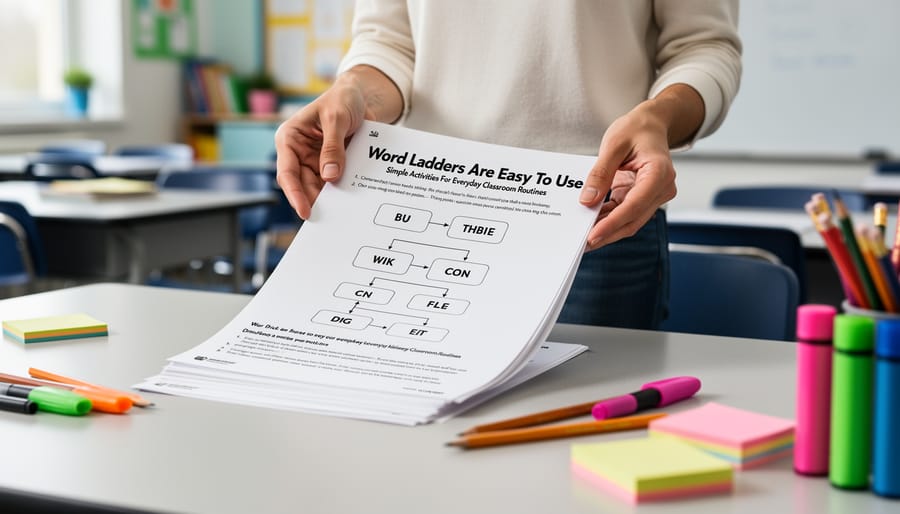
You don’t need fancy software or design skills to create word ladder PDFs. Most teachers already have everything required on their school computer or personal device.
Here’s what you’ll need to get started:
Document Creation Tools
– Google Docs (free with a Google account, works on any device with internet)
– Microsoft Word (if you have Office already installed)
– Canva Free (drag-and-drop design option for teachers who want more visual control)
PDF Conversion
– Built-in PDF export in Google Docs or Word (no separate tool needed)
– Free online converters like Smallpdf or PDF24 if your software lacks export options
Optional Design Elements
– Free clip art from sites like Openclipart or Pixabay
– Basic shapes and text boxes in your document program
– Simple borders or frames to make worksheets more visually appealing
The simplest approach uses Google Docs with its built-in table feature to create the ladder structure, then saves directly as PDF through File > Download > PDF. This method works on Chromebooks, tablets, and any computer with internet access.
Teachers comfortable with more design control might prefer Canva, which offers pre-made worksheet templates you can adapt. The free version provides plenty of fonts, shapes, and layout options without watermarks.
You can also go hybrid: create your word ladder in a document program, print it, add hand-drawn elements or stickers, then scan it back as a PDF. This works well for primary grade teachers who want a more personal, handcrafted feel to their worksheets.
Before You Start: Planning Your Word Ladder

Before diving into the creation process, invest a few minutes in planning to avoid common pitfalls that turn fun puzzles into frustrating dead-ends. Start by selecting age-appropriate vocabulary, third graders need different word pairs than high schoolers. Choose familiar words your students already know rather than introducing new vocabulary at both ends of the ladder, and verify that every rung in between uses words within their reading level.
The cardinal rule of word ladders is that each step must change one letter at a time while forming a valid English word. Map out your entire path before creating the worksheet, work backwards from your ending word to ensure a legitimate route exists without gaps. Many first-time creators discover halfway through that their chosen word pair has no connecting path, or worse, multiple possible solutions that confuse students.
Difficulty progression matters tremendously. Beginners need ladders with obvious clues and three to five rungs, while advanced students can handle eight to ten steps with trickier vocabulary shifts. When you write classroom clues for each rung, make them clear enough to guide without giving away the answer. Avoid proper nouns, slang, and archaic words that create guessing games rather than logical problem-solving.
Step-by-Step: Creating Your Word Ladder Worksheet
Choose Your Word Pair and Map the Path
Start by picking a word pair that makes sense for your students’ reading level. Your bottom word should be familiar vocabulary they already know, while your top word can stretch them slightly. For third graders, “cat” to “dog” works well. For fifth graders, try “read” to “book” or “cold” to “warm.”
Here’s the crucial part: work backwards from your ending word to verify a path actually exists. Write your target word, then change one letter at a time until you reach your starting word. Each step must create a real word. If you get stuck, swap your word pair or adjust your path.
Test your route on paper first. For “cat” to “dog,” you might go: cat → cot → dot → dog. That’s three steps, perfect for beginners. Longer paths (five to eight rungs) suit older students who need more challenge.
Count the rungs before you commit. Fewer than four steps feels too easy for most grades, while more than ten can frustrate even strong readers. Aim for five to seven rungs as your sweet spot for engaging difficulty that builds confidence without overwhelming your class.
Design Your Worksheet Layout
Start with the ladder itself: create a simple vertical table with one column and enough rows for each word (typically 5-8 rungs). Make each cell tall enough for students to write clearly, about 0.8 inches works well. Add thick borders so the ladder shape is obvious at a glance.
At the top of your page, include a box for the student’s name and date. Below that, add a clear instruction section that states the starting word, ending word, and the basic rule (change one letter per rung). Use a larger, bold font for these critical details so they stand out immediately.
Leave generous margins, at least 0.75 inches on all sides, so nothing gets cut off when printing. Consider adding a small box beside each rung where students can write their thinking or cross out rejected letters.
For visual appeal, use simple elements: a border around the entire worksheet, subtle shading on alternating rows, or small clipart related to your theme. Don’t overdo it, the ladder should remain the clear focal point. A clean, uncluttered design means students focus on the word puzzle, not deciphering busy graphics.
Add Clues and Instructions
Write clear, age-appropriate clues that guide students to each word change without giving away the answer. For younger students, use simple definitions or fill-in-the-blank sentences: “A feline pet that says meow” works better than “domestic mammal.” Older students can handle synonyms, antonyms, or context clues.
Place your instructions at the top of the worksheet in a distinct box. Keep them short: “Change one letter at a time to climb from START to END. Use the clues to help you.” Number each clue to match its rung position.
Create your answer key on a separate page so students can’t accidentally see solutions. Simply duplicate your worksheet and fill in the correct answers, then add this page after your blank version before converting to PDF.
Convert and Save as PDF
Once your word ladder worksheet looks exactly how you want it, you’re ready to create the PDF that you’ll print and use repeatedly.
In Google Docs or Word, go to File > Download (or Save As) and select PDF. Before clicking save, quickly review the preview to catch any formatting issues, spacing that looked fine on screen sometimes shifts slightly in PDF form. If you spot problems, cancel, fix them in your document, and export again.
Name your file descriptively so you can find it later: “Word_Ladder_Short_A_Grade2.pdf” beats “Untitled.pdf” when you’re searching your downloads folder six months from now.
Save your PDF in a dedicated folder on your computer or cloud storage like Google Drive or Dropbox. This makes sharing with colleagues simple and ensures you won’t lose your hard work. Keep the original editable document too, you’ll want it when you decide to create similar ladders or adjust difficulty levels.
Print one copy first to verify everything looks right before making 25 classroom copies. Check that margins aren’t cut off and text is readable.
Testing and Using Your Word Ladder PDFs
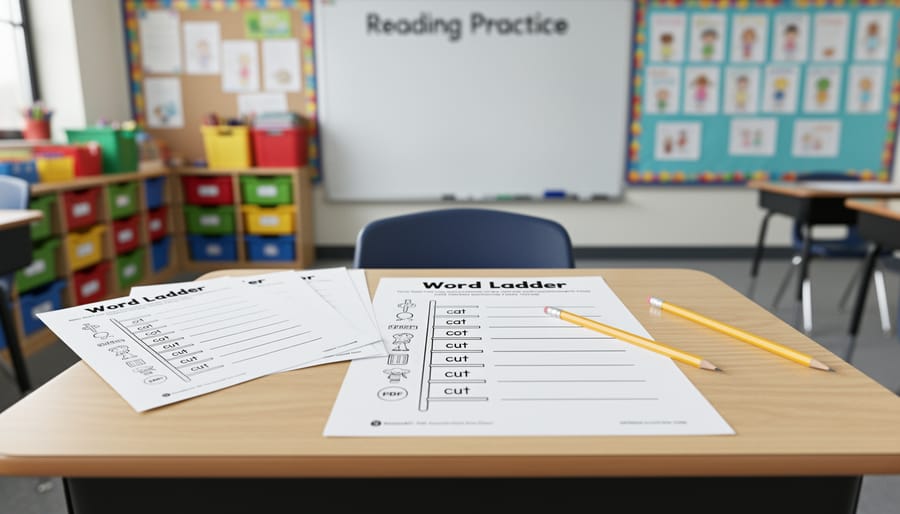
Before printing 30 copies, walk through your word ladder yourself. Change one letter at a time from start to finish, confirming each step works and that you haven’t accidentally created impossible jumps. If you get stuck, students definitely will.
Hand your worksheet to a colleague or a student at the appropriate grade level for a quick test run. Watch where they pause or struggle, that’s valuable feedback. If they breeze through in two minutes when you expected ten, you need tougher clues. If they’re completely stumped halfway through, simplify your word choices or add hint clues.
For implementation, consider your classroom dynamics. Word ladders work beautifully as morning warm-ups (5-10 minutes), early finisher activities, or offline vocabulary games when technology fails. Whole-class projection lets you model the thinking process for struggling learners, while individual work builds independent problem-solving skills.
Differentiate by offering hint cards to students who need support or creating “challenge ladders” with fewer clues for advanced learners. You can also assign the same ladder to everyone but vary expectations, some students complete it independently while others work with partners. Keep answer keys handy but resist giving them out too quickly. The productive struggle is where the learning happens.
Where to Find Free Printable Word Ladder PDFs
When you need ready-made word ladders right now, several trusted educational sites offer quality free printable word ladder PDFs that you can download and use immediately. These resources save you time while still delivering the engaging vocabulary practice your students need.
Here are the most reliable sources for free offline worksheets and word ladder PDFs:
- Teachers Pay Teachers (free section), offers word ladders for specific grade levels and themed collections
- provides differentiated sets organized by difficulty with answer keys included
- Super Teacher Worksheets, features seasonal and subject-specific word ladders with clear formatting
- has straightforward word ladder PDFs focused on vocabulary building
- K5 Learning, offers well-designed sets for elementary grades with consistent structure
When evaluating pre-made worksheets, look for clear instructions at the top, age-appropriate vocabulary, and legible fonts large enough for your students to read comfortably. The best free resources include answer keys on a separate page and offer both color and black-and-white versions. Check that each ladder actually works, occasionally you’ll find errors in user-submitted content, so test a few rungs yourself before printing multiple copies. Many sites let you preview before downloading, which helps you assess whether the difficulty matches your classroom needs.
Customization Ideas to Make Word Ladders More Engaging
Once you’ve mastered the basics, try these creative twists to keep your word ladder worksheets fresh and exciting.
Subject-Specific Vocabulary Sets: Create science-themed ladders that move from “cell” to “bone” or “atom” to “iron,” reinforcing content vocabulary while students practice word manipulation. Social studies ladders can progress from “west” to “east” or “vote” to “rule.” These targeted sets turn vocabulary review into a puzzle-solving adventure.
Seasonal and Holiday Themes: Build October ladders from “fear” to “bats” or December ones from “snow” to “gift.” Students love the relevance, and you can reuse these themed sets year after year.
Competitive Team Challenges: Turn word ladders into a printable review game by timing teams or creating ladder relay races where each student completes one rung before passing to a teammate. Award points for speed and accuracy.
Differentiation Through Difficulty Levels: Create three versions of the same ladder with varying clue complexity. Advanced students get minimal hints while struggling readers receive detailed definitions. You can even color-code difficulty levels for easy classroom distribution.
Mix and match these ideas to match your teaching style and watch engagement soar.
Common Questions About Word Ladder Worksheets
Teachers often have similar questions when they first explore word ladders, so let’s address the most common ones to help you get started with confidence.
What grade levels are word ladders appropriate for?
Word ladders work well for grades 2-8, with younger students (grades 2-4) using simpler three to four-letter words and older students tackling longer, more complex vocabulary. The key is matching the word difficulty and clue complexity to your students’ reading levels.
How long does it take to create a word ladder from scratch?
Once you’re familiar with the process, creating a basic 5-7 rung word ladder takes about 15-20 minutes. Your first few might take longer as you learn to map valid paths, but you’ll develop a collection of reliable word pairs that speeds up future creation.
What if I can’t find a path between my chosen words?
Not all word pairs connect through single-letter changes. If you’re stuck, try working backward from your target word or choose a different ending word with similar letters to your starting word.
How many word ladders should I use in one lesson?
Start with one word ladder per session, which typically takes 10-15 minutes to complete. As students become more skilled, you can introduce multiple ladders or longer challenges.
Can I reuse the same word ladder with different classes?
Absolutely! Once you’ve created and saved a PDF, you can print it repeatedly for different classes, years, or as makeup work for absent students.
Do I need to provide answer keys?
Yes, always include an answer key on a separate page. This helps you quickly check student work and allows students to self-correct, which reinforces learning and builds independence.
Remember that your first attempts don’t need to be perfect. Many teachers start with simple three-letter word ladders and gradually build more complex puzzles as they become comfortable with the format. The beauty of creating your own is that you can adjust difficulty on the fly based on how your students respond.
Creating your own free printable word ladder PDFs is simpler than you might think. With just a word processor and a PDF converter, you can design custom worksheets that perfectly match your students’ needs and your lesson objectives. Start with straightforward three- or four-rung ladders using familiar vocabulary, then gradually increase complexity as you gain confidence in the process.
The beauty of DIY word ladders lies in their flexibility. You control the difficulty, choose vocabulary that reinforces your current units, and design layouts that work for your classroom. Your students gain valuable word-building practice while developing critical thinking skills through each letter change.
Whether you create your own or use free resources from educational websites, word ladder worksheets offer an engaging way to strengthen vocabulary. Experiment with different themes, add seasonal twists, or create subject-specific ladders. The possibilities are endless, and your students will love the puzzle-like challenge of climbing each word ladder you design.