

How to Bring Kingdom Sudoku Into Your Classroom (Inspired by Sudoku Kingdom)
Sudoku Kingdom is a free-to-download Android app from Ninja Web Solutions, available on Google Play, with live multiplayer matches, global tournament leaderboards, and daily, weekly, and special events. Its daily challenge drops a fresh puzzle every 24 hours, which is exactly the kind of built-in routine busy teachers love.
Here’s the fun part for your classroom. You don’t need the app to borrow the idea. A “kingdom sudoku” activity turns a plain puzzle into a team adventure: students claim territories, race friendly rivals, and climb their own class leaderboard. It takes about 20 minutes to set up, needs only paper and pencils, and works for almost any grade level.
The real magic is customization. Swap in numbers, letters, shapes, or vocabulary words. Shrink the grid for younger learners or add tougher puzzles for your sharpest thinkers. Below, you’ll find the materials, step-by-step setup, and a few tips to keep play fair, friendly, and focused.
What Is Kingdom Sudoku (and Where Does Sudoku Kingdom Fit In)?

So, what exactly is kingdom sudoku? Think of it as classic sudoku with a friendly, team-based twist. Students work in groups to solve a puzzle, and each time a team correctly completes a region of the grid, they “claim” it for their kingdom. The team that rules the most regions by the end wears the crown. It’s still the same number-logic puzzle your students may already know, just with a little extra drama and a lot more cheering.
The spark for this idea comes from Sudoku Kingdom, a free-to-download app from Ninja Web Solutions that you can find on Google Play. It’s known for its competitive spirit, with live multiplayer matches and a daily challenge. That kingdom-building, head-to-head energy is exactly what makes it such a fun thing to borrow for a classroom.
Here’s the good news: you don’t need the app to play. Your students won’t need phones, tablets, or logins. This activity simply takes the competitive, claim-your-territory feel and brings it into your room with printed or projected grids, pencils, and a scoreboard. You stay in control of the difficulty, the teams, and even the subject matter, which makes it easy to tailor to your own class.
Sudoku Kingdom at a Glance: Key Details for Teachers
Curious about the app that sparked all this? Here’s a quick rundown of what’s been confirmed about Sudoku Kingdom, so you can decide whether it’s worth a look for your classroom.
Sudoku Kingdom is available on Google Play and comes from Ninja Web Solutions. It’s free to download, which is always a win for a teacher’s budget. If you’re checking Android versions, APKPure currently lists version 1.19.0.
Here’s what the app offers:
– Live multiplayer matches, so players can face off against others
– Global tournament leaderboards for ranking players
– Daily, weekly, and special events to keep things fresh
– A new daily challenge puzzle every 24 hours
That daily challenge is the feature we’ll borrow in a low-tech way later in this article. It’s a great model for a quick warm-up puzzle.
A friendly reminder before you share any app with students: preview it yourself first. Play a few rounds, see how the multiplayer and leaderboard features work, and decide whether it fits your learners. Then check your school’s device and privacy policies, since live matches and public leaderboards can mean students interacting with other players online.
Good news if the app isn’t a fit for your room: you don’t need it at all. The classroom version of kingdom sudoku runs on paper, a whiteboard, or a PowerPoint template, so you can borrow the fun without worrying about devices or accounts.
What You’ll Need: Tools, Materials, and Prep Time
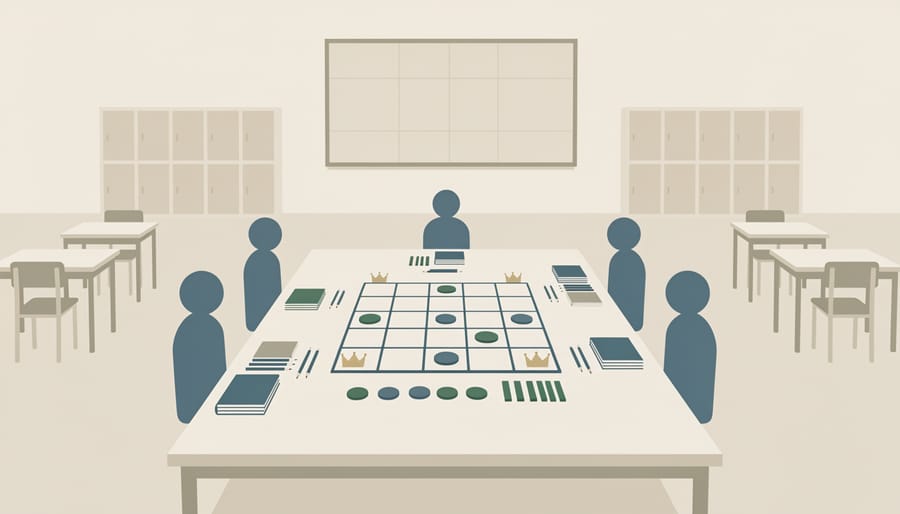
Good news: kingdom sudoku doesn’t need much, and you probably have most of it already. Here’s your quick checklist:
- Sudoku grids, printed or projected: 4×4 for younger students, 6×6 for middle grades, 9×9 for older students.
- Pencils and erasers, because mistakes are part of puzzle-solving and nobody should fear them.
- A whiteboard or mini whiteboards so teams can sketch ideas and show their thinking.
- A customizable PowerPoint game template with a built-in scoreboard and sound effects.
- Optional team crowns or name cards to make each kingdom feel real.
The template is where the fun really kicks in. You can swap in your own subject questions, so a team earns the right to place a number by answering a review question first. You can adjust the difficulty by choosing a smaller grid or giving teams a few numbers up front. And you get to pick the team names, so let students vote on silly kingdom titles if you’re feeling generous.
As for prep time, plan on about 15 to 20 minutes the first go-round. That covers printing your grids, loading the template, and typing in your questions. After that, you can reuse the same setup again and again, just swapping in new puzzles and questions whenever you want a fresh challenge.
Safety and Fair-Play Tips Before You Start
Before the first puzzle goes up on the screen, a few ground rules keep kingdom sudoku fun for everyone. If you’re sharing the Sudoku Kingdom app, which is free to download on Google Play, keep device time short and age-appropriate. Its live multiplayer and global leaderboards are public-facing, so never put student names or personal details on them. Use fun nicknames or team names instead, and check out these ideas to protect student identity during games.
Keep the mood supportive, too. Build mixed-ability teams so every student has a role, and cheer for effort, clever strategies, and great teamwork, not just speed. Watch for frustration, sulking, or students who feel left out. If teams get too rowdy, take a quick breather, reset the rules together, and jump back in. A kingdom works best when everybody feels like they belong!
How to Run a Kingdom Sudoku Game: Step-by-Step
Adapting the Game for Different Grades and Subjects
One of the best things about a customizable template is that one game can fit every classroom. For early learners, shrink the puzzle to a 4×4 grid so the rules stay simple and everyone can finish a round. Older students can move up to 6×6 or full 9×9 puzzles.
You can also theme the puzzles. Swap numbers for science vocabulary icons, historical figures, or math facts so the grid feels like part of your unit. The real magic happens when you tie correct answers to review questions, so teams earn the right to place numbers on the board. It turns the game into team-based review that students actually look forward to, and the PowerPoint template lets you swap questions in minutes for any subject or grade.
Adding a clock helps keep rounds snappy, and scoreboard timers make turns feel fair and exciting.
Here’s how a customized round flows:
- Split students into mixed-ability teams and let them pick kingdom names.
- Choose your grid size and theme to match your grade level and subject.
- Load your own review questions into the template.
- Ask a question; a correct team answer earns the right to place a number.
- Track points on the scoreboard after every region is claimed.
- Count up regions at the end and crown the winning kingdom.
Tweak any step to suit your class, and enjoy the cheering!
Borrowing Ideas From the App: Daily Challenges and Leaderboards in Your Room
The Sudoku Kingdom app offers daily challenges, weekly and special events, and leaderboards, and you can borrow all three without a single device.
Start with a daily challenge warm-up. The app drops a fresh puzzle every 24 hours, so try posting one new sudoku on the board as students walk in. Give them five minutes, pencils ready, and let them work solo or with a neighbor. It’s a calm, focused start that signals class has begun.
Next, add a weekly or special event feel. Maybe Friday becomes Themed Puzzle Day, with a holiday grid, a mystery number, or a subject-review twist where correct answers earn the right to place a digit. A little novelty keeps the routine from going stale.
Then build a class leaderboard, but make it kind. The app has global tournament leaderboards; yours can celebrate more than speed. Try these categories:
– Most improved solver
– Best strategy explained out loud
– Neatest notes
– Most encouraging teammate
Use first names or team names only, and rotate the spotlight so everyone gets a turn. When effort earns cheers, students keep trying, and that’s the real win.
How to Check It’s Working and What to Try Next
How do you know your kingdom sudoku game is landing? Start by listening. When students explain why they placed a number, not just where, that’s strategy talking. Look for steady engagement, quieter teams leaning in, and review questions getting answered more accurately from round to round.
A few quick reflection prompts you can use at the end of class:
– What strategy helped your kingdom the most today?
– Which part of the grid was trickiest, and why?
– How did your team share the work?
Once the basics feel comfortable, try a new grid size, let students design their own puzzles for classmates, or hold a tournament week with daily challenges. This is learning through play at its best, and every tweak makes the game more yours.
Don’t worry about getting it perfect the first time. Notice what sparks excitement, adjust what doesn’t, and keep what works.
Kingdom Sudoku and Sudoku Kingdom: Common Questions
Is Sudoku Kingdom free, and is it on Google Play?
Yes to both! The app from Ninja Web Solutions is free to download and available on Google Play.
Does it have multiplayer?
It does. Sudoku Kingdom offers live multiplayer matches, plus global tournament leaderboards and daily, weekly, and special events.
Do I need the app to play kingdom sudoku in class?
Not at all. The classroom version only borrows the competitive, kingdom-building spirit, so printed grids, a projector, and a PowerPoint game template are all you need.
Can younger students play, and how long should a round take?
Absolutely. Try 4×4 grids for early learners and save 6×6 or 9×9 for older students. A short round of about 10 to 15 minutes tends to work well, but adjust it to your class and puzzle size.
Still wondering about something that isn’t covered here? Start small, run one round, and see how your students react. You’ll quickly learn what pace and grid size feel just right for your room, and you can tweak from there.
Ready to give it a try? Kingdom sudoku is one of those activities that feels like a party but sneaks in real thinking. Students lean in, swap strategies, and cheer each other on while they’re quietly practicing logic and patience.
The best part is how flexible it is. With a customizable PowerPoint game template, you can swap in your own questions, shrink or grow the grid, and pick team names your class will love. Five minutes of prep can turn any review day into something students actually look forward to.
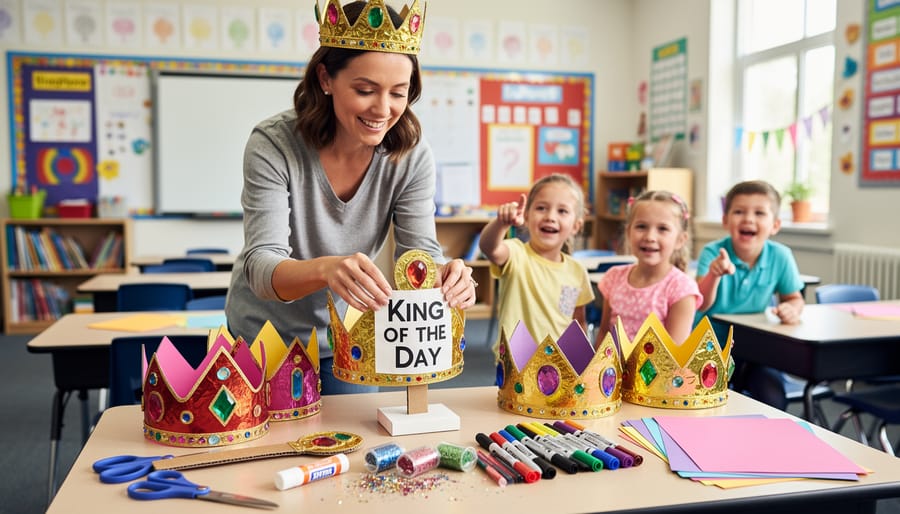
Start small. Run one round, see what sparks, then tweak it to fit your room. Maybe you’ll crown a “Kingdom of the Day” or let students design their own puzzles next week. Either way, you’re building a classroom full of curious puzzle-solvers, and that’s a kingdom worth ruling.