

Top 10 Games Like Blooket
Blooket is an online educational game platform where teachers create question sets and students play interactive games to review content. The name “Blooket” is a blend of “blocks” and “booklet,” combining learning elements (like a booklet) with interactive, game-like features (like blocks).
If you’re looking to mix up your interactive classroom games with something other than BlooketI’ve found the best alternatives for you. I focused on ease of use and how effectively they engage students. The games similar to Blooket featured below include quiz-based platforms such as Quizizz and Kahoot, collaborative tools like Gimkit, and creative options that bring variety to your review sessions.
My top pick for a game similar to Blooket is Cash Bus. I find it incredibly user-friendly and excellent for team-building. It’s a fantastic choice for engaging students in review sessions or test prep.
1. Cash Bus
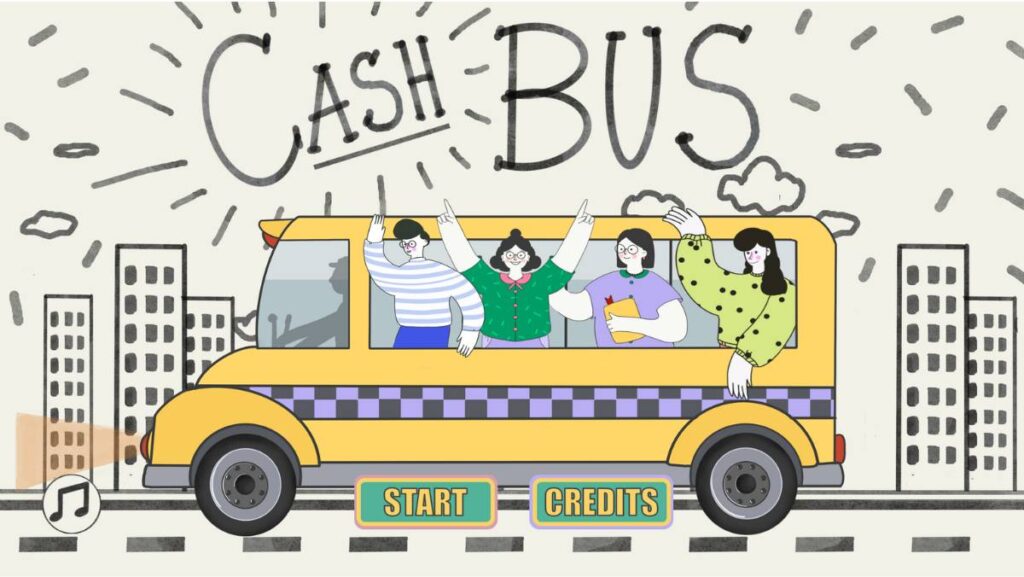
Cash Bus is a dynamic team-building game inspired by the game show “Cash Cab.” It’s designed to be a fun review activity that any grade level and subject can enjoy. The game encourages collaboration as students work in small groups to answer questions at their own pace, discussing and deciding on answers together. Playing cash bus promotes communication skills and team decision-making. With features like the “red light challenge” for quick, intense bursts of extra points and a high-stakes bonus question that could double their earnings or wipe them out, Cash Bus keeps the excitement high and the stakes engaging. If you are looking for a team-based learning environment, somewhat different from Blooket’s typically competitive, this is it!
Pros:
- Increases student’s teamwork and collaborative skills.
- Allows for paced learning and group discussion.
- Adds excitement with high-stakes bonus rounds and challenges.
Cons:
- Requires careful monitoring to ensure all students are participating equally.
- The risk element of the bonus question may be stressful for some students.
- Dependence on technology can be a barrier in less equipped classrooms.
2. Kahoot!
Kahoot! really energizes the classroom with its vibrant, fast-paced quizzes. Research supports this observation, showing a positive effect on engagement when game-based platforms like Kahoot! are integrated into lessons. I’ve used it many times, and it’s perfect for those sessions where you want high energy and competitive excitement. The platform’s time-pressure elements and leaderboard displays create an electric atmosphere that gets students invested in even dry review material. When comparing Kahoot vs Blooket, both engage a whole class at once, but Kahoot offers a wider variety of question formats, many ready-to-play games, and a more gamified feel while still focusing on education. That extensive library means less prep time, though it comes at a cost that many educators find steep.
The game-based learning platform brings engagement and fun to more than a billion players every year at school, at work, and at home. A mobile app makes it easy to play on any device, and the free starter option lets you test the platform before committing. For individuals, teachers, and students, pricing starts from $3/mo, while the all-in-one solution runs $19/mo for the total Kahoot! experience. Evaluating Blooket vs Kahoot often comes down to budget and teaching style. Kahoot’s polished interface and vast content library justify the price for many, but if you’re looking for games like Kahoot and Blooket without recurring fees, the cost difference becomes significant.
Pros:
- Familiar to most students, which reduces confusion
- Large library of ready-to-play games reduces preparation time
- Highly versatile, suitable for a range of educational and corporate settings
- Rich customization options to tailor content to your specific needs
- Mobile app available for playing on any device
Cons:
- Pricing can be expensive and feels predatory compared to alternatives
- The competitive aspect might be stressful for some students
- The interface can be overwhelming due to its many features
3. Quizizz
Quizizz feels a lot smoother for situations where you want students to proceed at their own pace, which is a different approach compared to Blooket’s more synchronous game play. The platform’s homework and asynchronous options make it particularly useful when you need flexibility beyond live classroom sessions. The design is clean, and it offers a less pressured quiz environment with fun elements like power-ups and memes.
Pros:
- User-friendly interface that’s easy for both teachers and students to navigate.
- Allows for self-paced learning, accommodating different student needs.
- Homework mode supports asynchronous learning outside class time.
- Integration with Google Classroom enhances classroom management.
Cons:
- Limited customization options for visuals and audio.
- Some advanced features require a paid subscription.
4. Mystery Box
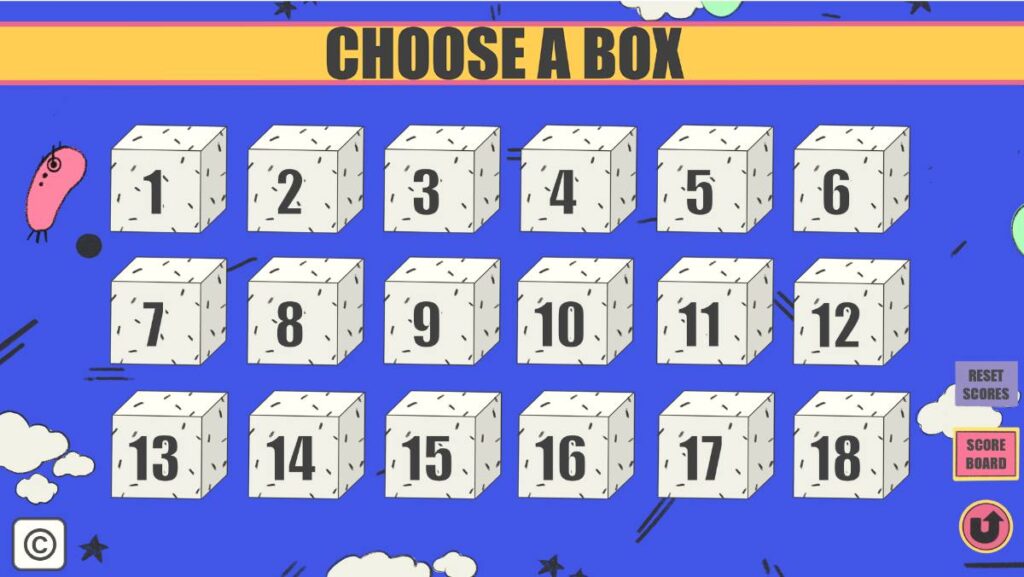
Mystery Box turns the classroom into a game of strategic choices with a bit of mystery. In this classroom game, students or teams select a box and answer the question inside. If they answer correctly, they face a strategic decision: keep their points or risk passing the box and its potential points to another team. This adds an element of suspense and strategy that’s different from the straightforward quiz format of Blooket, where students answer questions and immediately see results. The Mystery Box game is perfect for engaging students in critical thinking and decision-making.
Here is how to play the game:
Pros:
- Encourages strategic thinking and risk assessment.
- Engages students with a fun, mystery element.
- Promotes interaction and competition between teams.
Cons:
- Can create uneven participation if some students dominate decision-making.
- The random element of box contents may frustrate students seeking more straightforward knowledge tests.
- Requires a balance to ensure the game remains fair and engaging for all participants.
5. Edpuzzle
Edpuzzle is ideal for integrating videos into lessons, which is something Blooket doesn’t focus on. You can take any video and turn it into an interactive learning experience by embedding questions. This tool is fantastic for ‘flipping the classroom’ and ensuring students engage with video content actively.
Pros:
- Makes any video an interactive lesson with embedded questions.
- Supports a wide range of video sources, including direct uploads.
- Excellent for homework assignments and flipped classroom approaches.
Cons:
- Initial setup of videos with questions can be time-consuming.
- Limited editing capabilities for videos once they are uploaded.
6. Quizlet
Quizlet provides a more straightforward, flashcard-based approach to learning compared to Blooket’s game-centric style. The platform makes AI-powered learning tools that let you study anything, from language vocabulary to scientific terms. It’s particularly effective for subjects requiring memorization, and millions of students rely on it for exam prep and daily study routines.
Unlike many memorization tools that feel rigid, Quizlet offers flexibility through multiple study modes that adapt to how you learn best. You can flip through online flashcards, take practice tests, or play matching games. The platform also provides expert-written solutions alongside its user-generated content.
Pros:
- Wide variety of study modes that cater to different learning preferences.
- AI-powered tools enhance personalized learning.
- Extremely user-friendly, making it easy for anyone to create and use flashcards.
- Great for individual study sessions or group challenges.
Cons:
- Some of the most useful features are behind a paywall.
- Content accuracy can vary since much of it is user-generated.
7. Nearpod
Nearpod allows you to make any lesson interactive and is a great way to incorporate multimedia and assessments seamlessly. Unlike Blooket, which is primarily a quiz game platform, Nearpod lets you transform traditional presentations into engaging, interactive sessions.
Pros:
- Versatile presentation and assessment tool that enhances student engagement.
- Supports both synchronous and asynchronous learning environments.
- Strong integration with other educational tools and platforms.
Cons:
- Can be expensive, especially for individual teachers without institutional support.
- Some users find the platform less intuitive when it comes to creating engaging content.
8. Gimkit
Created by a high school student, Gimkit introduces a refreshing mix of strategy and learning. According to Gimkit the platform originated as a student project and has grown into one of the leading game-based learning platforms for classrooms. Similar to Blooket, it uses a game show-style format but adds in a layer of strategy through in-game currency and power-ups. Students answer questions to earn virtual cash, which they can then invest in upgrades and power-ups that help them earn even more. It’s fantastic for keeping the energy high and making learning addictive.
When weighing gimkit vs blooket, the key difference lies in their core mechanics. Blooket leans toward variety with its multiple game modes (Tower Defense, Gold Quest, Racing, etc.), while Gimkit doubles down on a single strategic economy system that rewards both knowledge and smart decision-making. The two platforms are very similar to each other in their game-based approach, but this distinction matters. Many teachers searching for gimkit like games appreciate having both options available: Blooket for quick, varied game sessions and Gimkit when they want students to think strategically over longer periods. Teachers often look for games like gimkit when the subscription cost becomes a barrier or when they need more diverse game formats for different learning objectives.
Gimkit also excels at repeated content exposure. Because students keep answering the same question set to earn more currency, they naturally review material multiple times without it feeling repetitive. This makes it particularly effective for test prep and vocabulary retention. The platform’s economy mechanics create a gameplay loop that few educational tools can match, which is why teachers comparing Blooket and Gimkit often end up using both rather than choosing one over the other. Each serves a distinct purpose in the classroom toolkit.
Pros:
- Game-like feel that’s highly engaging for students.
- Encourages strategic thinking alongside knowledge recall.
- Supports repeated exposure to content, which is great for reinforcement.
- The economy-based progression system keeps students motivated longer than many quiz platforms.
Cons:
- The game’s mechanics can be complex for new users to grasp.
- Some of the most engaging features require a paid subscription.
- Less game mode variety compared to Blooket’s diverse options.
9. ClassQuiz
ClassQuiz is a newer entrant that closely mirrors Blooket’s gameplay but focuses more on real-time feedback and adaptability in questions based on student performance. It’s fantastic for adaptive learning, adjusting the difficulty level according to the student’s responses, which is not a common feature in Blooket.
Pros:
- Adaptive learning technology tailors questions to student ability, enhancing personalized learning.
- Real-time feedback helps both students and teachers monitor progress instantly.
Intuitive design makes it easy to set up and play.
Cons:
- As a newer platform, it might not have as extensive a content library as older platforms like Kahoot or Blooket.
- May require some orientation for students and teachers to fully utilize its adaptive features.
10. Pear Deck
Pear Deck offers a unique approach by integrating interactive questions and formative assessments directly into Google Slides or PowerPoint presentations. Unlike Blooket, which is mainly quiz-based, Pear Deck is perfect for interactive lessons that require student input throughout the presentation. According to Pear Deck’s official site their platform transforms traditional slide decks into dynamic learning experiences, making it especially effective for keeping students engaged during more detailed or lengthy presentations.
Pros:
- Enhances standard presentations by making them interactive presentation tools that encourage real-time participation.
- Supports a wide variety of question types, including drag-and-drop and free response.
- Easily integrates with Google and Microsoft Office suites, making it a breeze for schools already using these tools.
Cons:
- Some of its best features are locked behind a premium plan.
- Requires a bit of a learning curve to fully utilize its interactive features.
Blooket Alternatives
| Game | Main Features | Pros | Cons |
|---|---|---|---|
| Cash Bus | Team-based, pace-controlled, high-stakes challenges | Promotes teamwork and communication, engaging with bonus rounds and challenges, allows for group-paced learning | Requires monitoring for equal participation, risk elements may stress some students, relies on technology |
| Kahoot! | Fast-paced quizzes, wide variety of game types | Familiar and versatile, extensive customization options, engages entire class | Can be expensive for full features, highly competitive environment, interface may overwhelm new users |
| Quizizz | Self-paced quizzes, integration with Google Classroom | User-friendly interface, supports individual pacing, enhances classroom management | Limited visual and audio customization, advanced features need subscription |
| Mystery Box | Strategic choice game, mystery elements | Encourages strategic thinking, adds suspense and fun with mystery elements, promotes team interaction | Can lead to uneven participation, random element of box contents may frustrate students, requires a balance to ensure fairness |
| Edpuzzle | Video-based lessons with embedded questions | Makes any video an interactive lesson, supports a wide range of video sources, excellent for flipped classroom approaches | Initial setup of videos with questions can be time-consuming, limited editing capabilities for videos once uploaded |
| Quizlet | Flashcard-based study tools, various learning modes | Wide variety of study modes, extremely user-friendly, great for individual or group challenges | Some useful features are behind a paywall, content accuracy can vary as it’s largely user-generated |
| Nearpod | Interactive presentations, formative assessment tools | Versatile presentation and assessment tool, supports synchronous and asynchronous learning, strong integration with other tools | Can be expensive without institutional support, some users find it less intuitive for creating engaging content |
| Gimkit | Game show-style quizzes, in-game currency system | Game-like feel, encourages strategic thinking, supports repeated exposure to content | Game mechanics can be complex for new users, some engaging features require a paid subscription |
| ClassQuiz | Real-time feedback, adaptive questions based on student performance | Adaptive learning technology tailors questions to ability, real-time feedback, intuitive design | As a newer platform, may lack extensive content, orientation needed for full utilization |
| Pear Deck | Interactive questions integrated into Google Slides or PowerPoint | Enhances standard presentations by making them interactive, supports a variety of question types, integrates easily with major office suites | Best features are premium, requires learning curve to fully utilize interactive features |
Tip
Whether you’re organizing a competitive quiz on Kahoot! or setting up a collaborative challenge on Cash Bus, using a well-structured question set planning worksheet will streamline the process of planning your review sessions.
For a downloadable alternative that does not require student accounts, the PowerPoint review games bundle includes editable templates for Blooket-style review sessions on a projector.
For older classes, these review games for high school are built around team discussion, projector play, and editable content.