Description
What’s Included
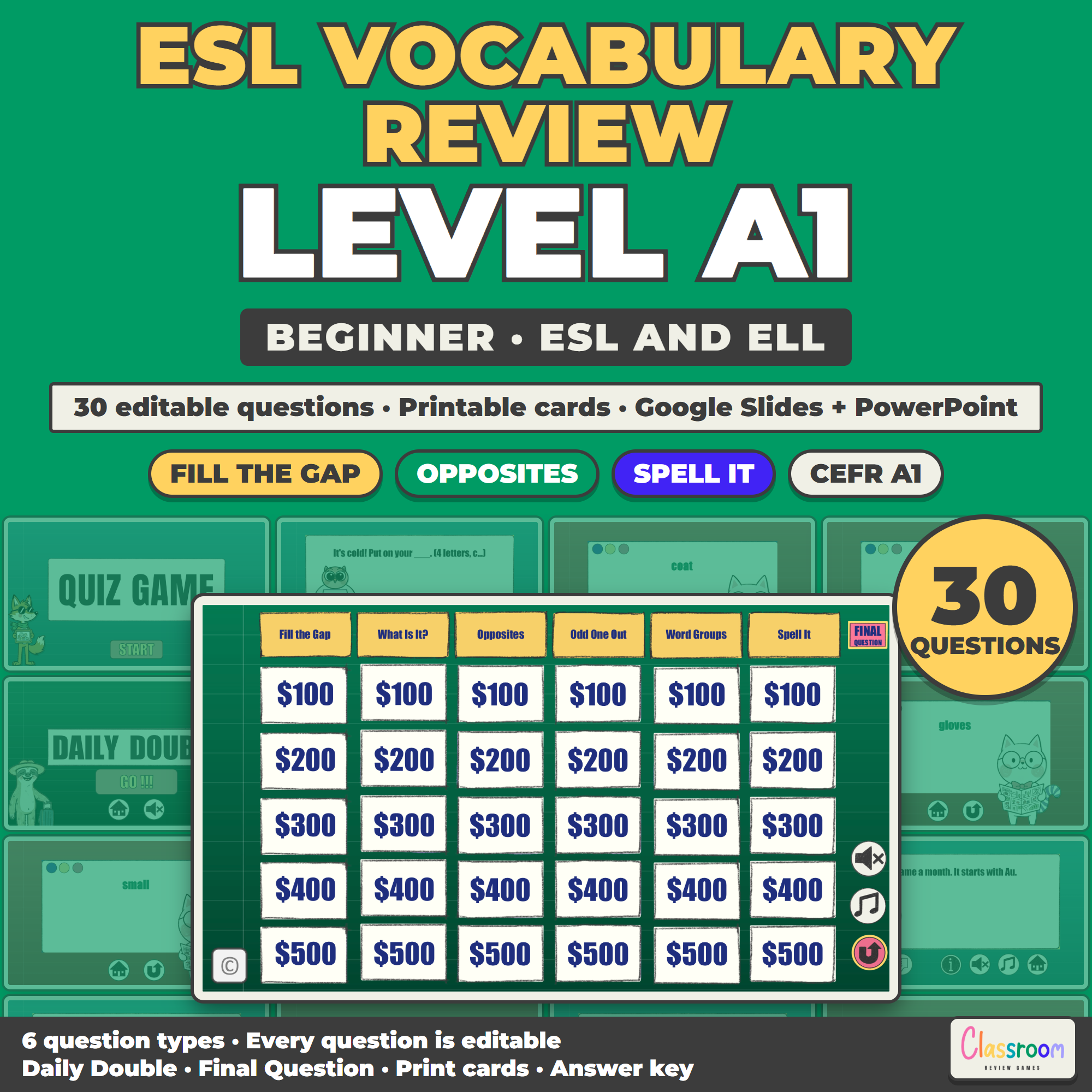
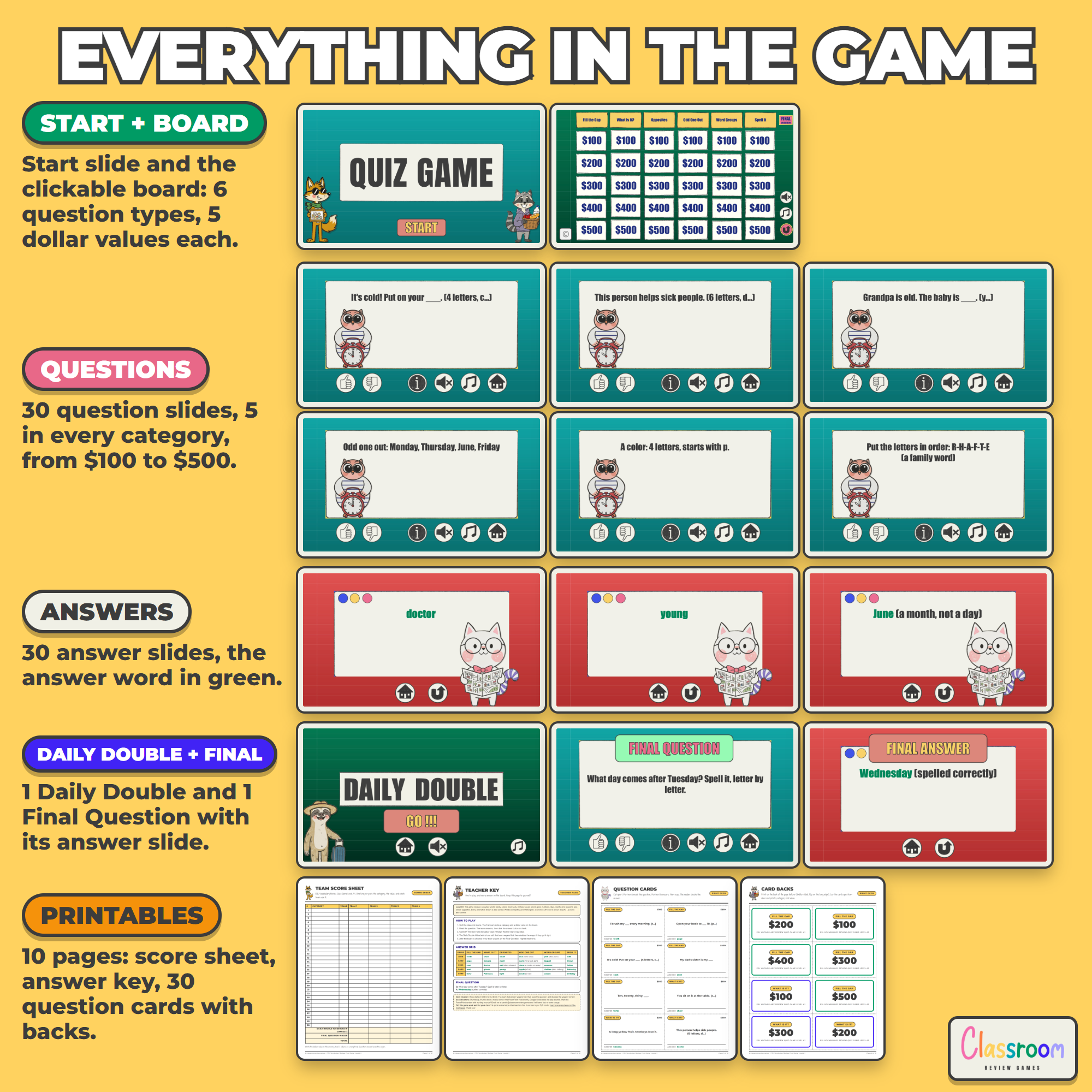
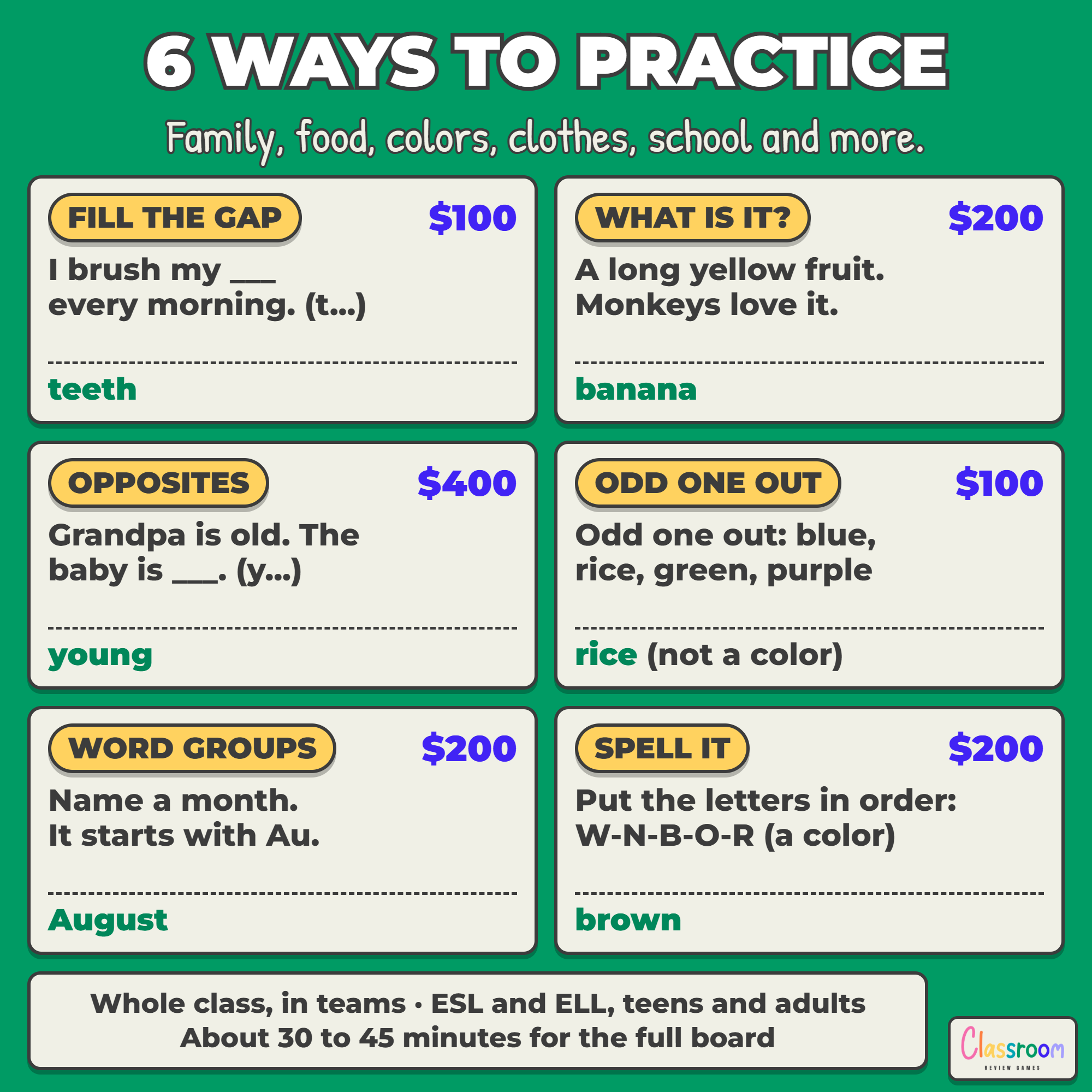
- Editable quiz game board (6 question types x 5 values, 30 question slides with answer slides, a Daily Double, and a Final Question) in Google Slides or PowerPoint
- 30 A1 vocabulary questions with answers in six question types: Fill the Gap, What Is It?, Opposites, Odd One Out, Word Groups, and Spell It
- 30 printable question cards plus 2 blank cards, with the question type and dollar value on the back for double-sided printing
- Printable four-team score sheet with Daily Double and Final Question wager lines
- Teacher key with how to play, the full answer grid, and the final answer
- Color and ink-saver black and white, US Letter and A4
The Six Question Types
- Fill the Gap: a sentence with one missing word, usually with its first letter as a hint
- What Is It?: a short description, and students name the thing or the person
- Opposites: students give the opposite of a word, often inside a sentence
- Odd One Out: four words, and students find the one that does not belong and say why
- Word Groups: students name a word from a group, like a color, a month or a family member
- Spell It: scrambled letters that students put in order to spell the word
Every column mixes the topics of the level, so one board covers them all.
What Level A1 Covers
Everyday words: family, colors, food, body, clothes, house, school, jobs, numbers, days, months and seasons, plus simple opposites. This game is one of five levels (A1, A2, B1, B2 and C1), each with its own 30 questions, and no answer repeats between levels.
Clear Answers
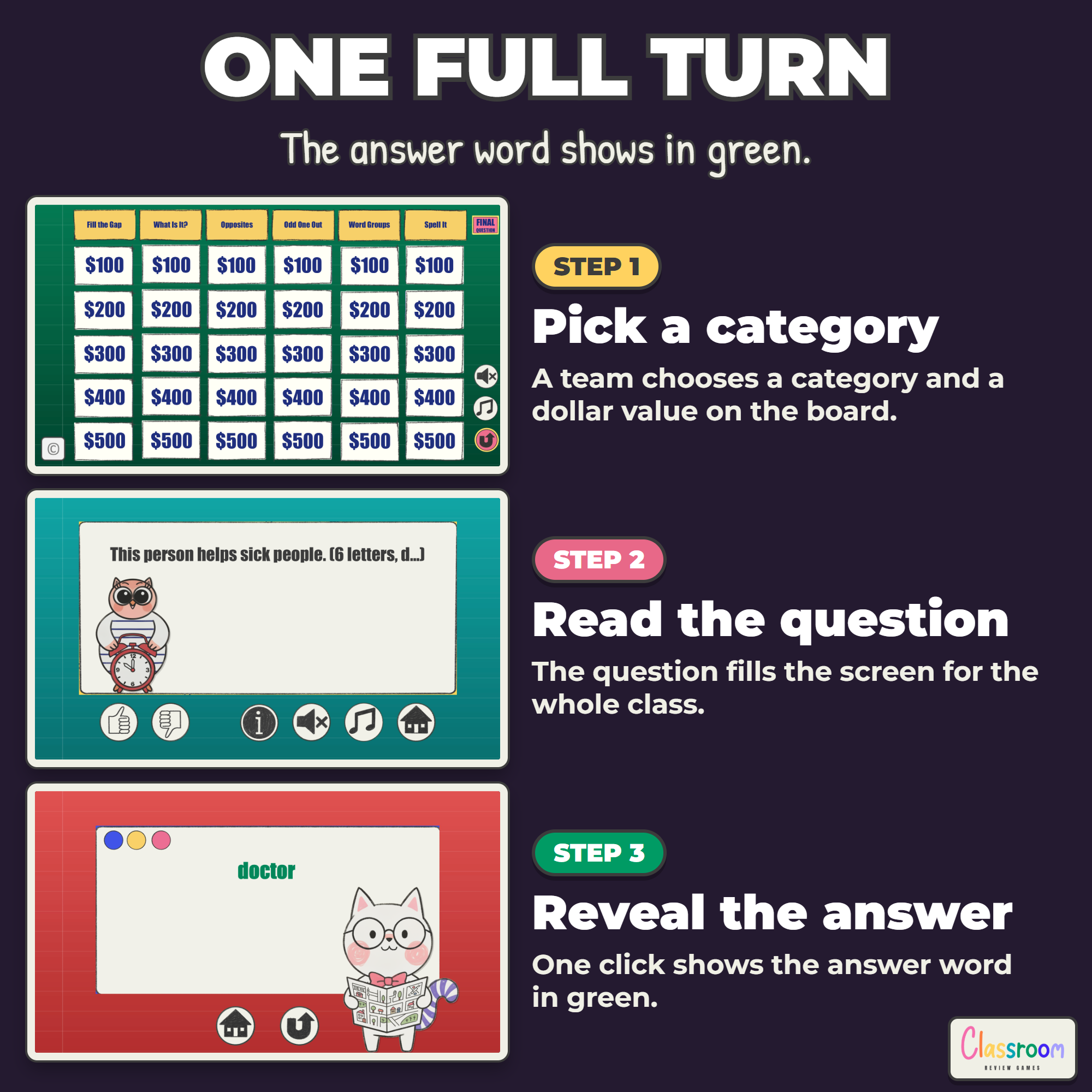
On every answer slide the answer word is bold and green. Where a second word is also right, it is shown next to it (also: …), and the words are US English with a common UK word in brackets, so you can accept both. The printable cards and the teacher key use the same highlight (bold black in the ink-saver version).
Vocabulary and Grammar Together
It goes hand in hand with my ESL Grammar Review Quiz Game Level A1: the same board and the same level, so one game reviews the words and the other the grammar of A1.
Play It Without a Projector
Print the question cards double-sided and cut them apart. Lay them question-down on the table so students see only the question type and the dollar value, just like the board. A student picks a card, a partner reads the question and checks the answer printed on the card. The same cards work for pair drills, stations and one-to-one tutoring.
Daily Double and Final Question
The Daily Double hides behind one cell on the board. The team that picks it wagers any amount up to their total before seeing the question, and doubles that wager if they answer correctly. When the board is cleared, every team writes down a Final Question wager, the question is shown, and teams add or lose their wager. Highest total wins.
Works On
Windows, Mac, and Chromebooks. Project the slides. No student devices or logins required.
Important
Play in Slideshow (Present) mode so every cell, button, and link works. The sound buttons (thumbs up, thumbs down, and music) work in the PowerPoint version, which is included here. Google Slides does not play sounds, so those buttons are simply decorative in the Slides version.
Help
Email me any time with questions or requests. Thank you for supporting a small teacher-run shop.
Carolin
carolin@classroomreview.games
Reviews
There are no reviews yet.