

Interactive Tools That Make Your Students Actually Want to Learn
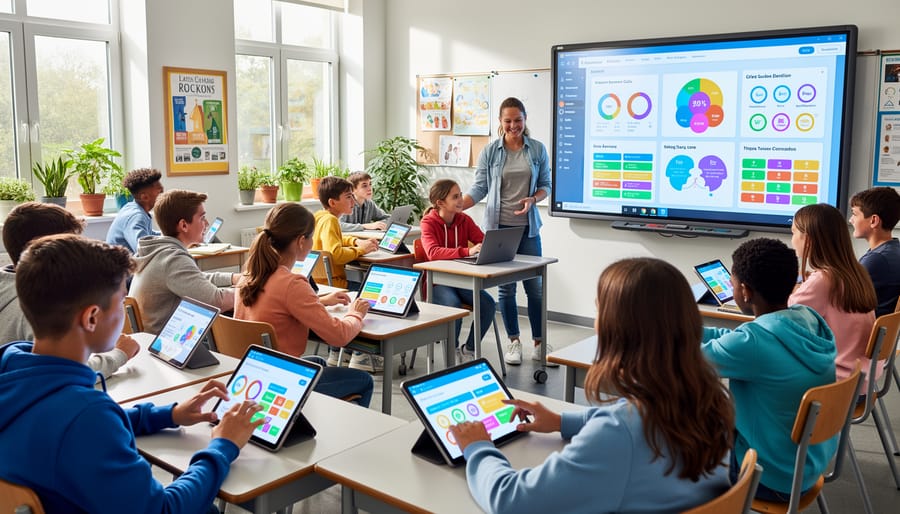
Transform passive listeners into active learners by incorporating interactive tools that spark curiosity and boost participation from the moment students walk through your door. These digital solutions require minimal setup time while delivering maximum engagement—perfect for busy teachers who want to energize their classrooms without spending hours learning complicated software.
Start by replacing traditional worksheets with game-based activities that students actually enjoy completing. Choose tools with pre-made templates you can customize in minutes, adjusting difficulty levels and content to match your lesson objectives. The key is finding platforms that let you personalize quizzes, polls, and challenges without technical expertise.
Focus on interactive formats that provide instant feedback to students, helping them identify knowledge gaps while they’re still engaged with the material. Real-time results also give you immediate insight into class understanding, allowing you to adjust your teaching on the spot rather than waiting until test day to discover confusion.
Prioritize tools that work seamlessly on any device—smartphones, tablets, or computers—so every student can participate regardless of available technology. The best interactive tools save your customized activities for future use, building your resource library while reducing prep time for next semester.
Success comes from starting small with one or two tools that align with your teaching style, then gradually expanding your toolkit as you gain confidence. Your students will respond to the energy and variety these interactive elements bring to daily lessons.
Why Interactive EdTech Tools Are Game-Changers for Your Classroom
Remember when teaching meant standing at the front of the classroom, talking at rows of students who may or may not be paying attention? Those days are quickly fading, and for good reason. Interactive EdTech tools are transforming classrooms into dynamic learning spaces where students actually want to participate.
The shift from traditional lectures to interactive approaches isn’t just about keeping up with technology. It’s about meeting students where they are and tapping into what naturally motivates them. When you incorporate interactive tools into your lessons, you’re not just teaching differently—you’re teaching better.
Here’s what makes these tools true game-changers: students stay engaged. Instead of passively listening, they’re actively participating, making choices, and seeing immediate results. Research shows that games increase student engagement significantly, turning even reluctant learners into eager participants. That energy translates directly into better retention. When students interact with content rather than just hear about it, they remember it longer.
But perhaps the biggest win is how these tools naturally accommodate different learning styles. Your visual learners get graphics and animations. Your kinesthetic learners get hands-on interaction. Your competitive students thrive on leaderboards, while your collaborative ones shine in team challenges. One tool can reach all of them simultaneously.
The real classroom impact goes beyond test scores. Teachers report fewer behavior issues because students are too engaged to cause disruptions. Class time feels more productive because you’re spending less energy trying to capture attention and more time actually teaching. And the best part? Students often don’t even realize they’re learning—they’re too busy having fun.
You don’t need a computer science degree or hours of prep time to make this happen. Today’s interactive tools are designed with busy teachers in mind, offering customizable templates that let you create engaging activities in minutes, not hours.
Game-Based Learning Tools That Students Love
Why PowerPoint Games Work So Well
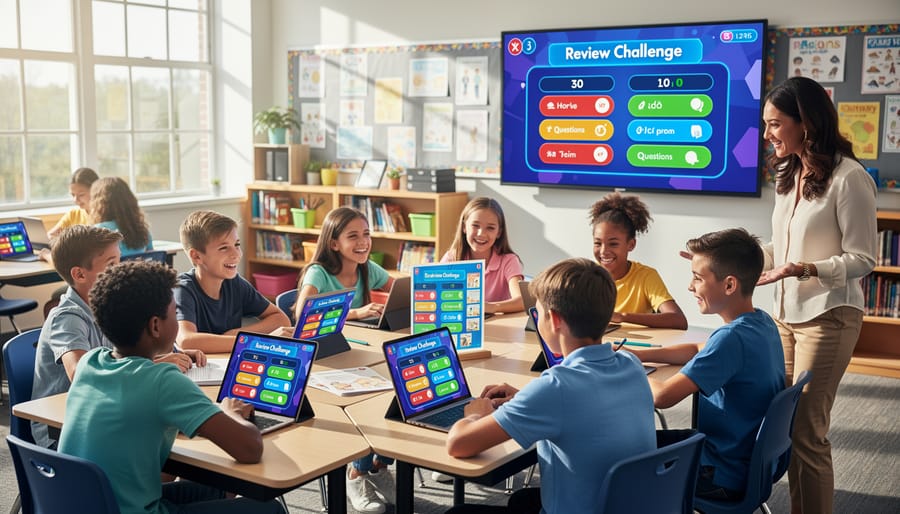
Here’s the thing about PowerPoint games—they tap into something powerful. When you turn review into a competition, even your most reluctant learners suddenly perk up. The psychology behind game-based learning shows that students engage more deeply when there’s a fun challenge involved. They’re processing the same information, but now it feels like play instead of work.
The competitive element motivates students to actually want to participate. Whether it’s teams racing to answer questions or individuals trying to beat their personal best, that friendly rivalry gets everyone invested in the content. Plus, the immediate feedback keeps the energy high and helps students learn from mistakes right away.
Here’s the best part for you—PowerPoint is already on your computer. No new platforms to master, no IT department approval needed, and no student login issues to troubleshoot. You know how to click through slides, which means you’re already 90 percent of the way there. This familiar format means less tech anxiety and more time focusing on what matters: engaging your students and reinforcing learning.
Getting Started Without the Tech Headache
Here’s the truth: you don’t need to be a tech wizard to bring amazing interactive tools into your classroom. Most game templates are designed with busy teachers in mind, which means you can be up and running in minutes, not hours.
Start by browsing collections of pre-made templates that match your subject and grade level. Look for options that let you simply plug in your content without building anything from scratch. The beauty of quality templates is that someone else has already done the design work for you.
Once you’ve found a template you like, customization is usually as simple as typing your questions into ready-made boxes. Think of it like filling out a form rather than creating something new. Want to review multiplication facts? Type them in. Teaching vocabulary? Add your words and definitions. Most platforms use drag-and-drop features or basic text editing that feels just like using a word processor.
Here’s a time-saving tip: start with one template and use it for an entire week with different content. Your students will already know how to play, so you skip the explanation phase and jump straight into learning.
Set aside just 15 minutes to customize your first game. Many teachers do this during lunch or planning periods. Download it, project it on your screen, and watch your classroom transform. No special training required, no complicated setup, just instant engagement that makes learning stick.
Interactive Assessment Tools That Actually Show You What Students Know
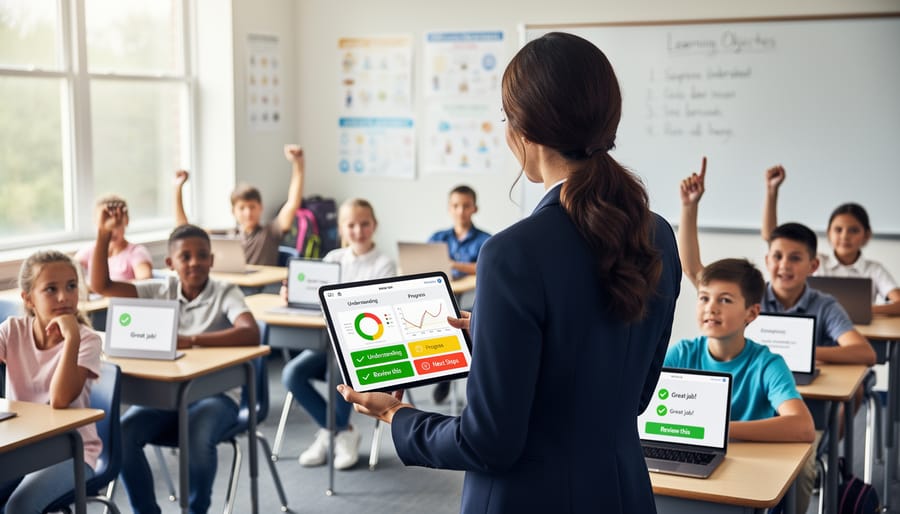
Gone are the days of waiting until test day to discover what your students actually understand. Interactive assessment tools give you instant insights that help you adjust your teaching right when it matters most.
Real-time polling tools like Mentimeter and Poll Everywhere transform formative assessment into something your students will actually enjoy. Throw up a quick multiple-choice question mid-lesson, and within seconds, you’ll see exactly who gets it and who needs more support. The best part? Students can respond anonymously from their devices, which means even your quietest learners will share their thinking. No more awkward silences when you ask “Does everyone understand?”
Quiz platforms such as Kahoot, Quizizz, and Blooket have completely changed the game for checking understanding. These aren’t your traditional boring assessments. They turn review into an experience students look forward to, complete with music, competition, and instant feedback. You can customize questions to match exactly what you’ve been teaching, and the data dashboard shows you which concepts need reteaching before you move forward.
Formative assessment tools like Nearpod and Peardeck let you embed checks for understanding right into your lessons. Students respond to open-ended questions, draw diagrams, or drag and drop answers while you watch their submissions appear in real time. This immediate feedback loop means you can adjust your pacing, reteach a tricky concept, or move ahead when everyone’s ready.
The magic happens when you use these tools consistently. Quick three-question polls at lesson starts reveal what students remember. Mid-lesson checks show if your explanation landed. End-of-class exit tickets tell you who’s ready to move on and who needs extra support tomorrow. You’re not guessing anymore, you’re making informed decisions based on actual evidence of learning.
Collaboration Tools That Turn Your Class Into a Team
Remember when group work meant pushing desks together and hoping for the best? Digital collaboration tools have completely transformed how students work together, making teamwork more engaging and productive than ever before.
Digital whiteboards like Miro and Jamboard are game-changers for group projects. Students can brainstorm together in real-time, adding sticky notes, drawings, and images all in one shared space. The best part? Everyone can contribute simultaneously, so no one’s left waiting their turn. You can customize templates to match your lesson objectives, whether it’s a mind map for literature analysis or a flowchart for science concepts.
Google Workspace (formerly G Suite) remains a classroom favorite for good reason. When students collaborate on shared documents, presentations, or spreadsheets, they’re building essential teamwork skills while you watch their progress in real-time. The comment feature turns assignments into conversations, encouraging peer feedback and deeper learning.
Padlet creates virtual bulletin boards where students post ideas, images, and videos. It’s perfect for gallery walks, KWL charts, or collecting research. You can customize the layout to match your activity—choose a grid for organized displays or a stream for ongoing discussions.
For team-building that feels like play, try ClassDojo’s class story feature or Flipgrid’s video responses. Students see themselves as part of a learning community, not just individuals completing assignments.
The magic happens when collaboration tools become your classroom’s daily routine. Start with one tool, let students explore its features, and watch as they naturally begin supporting each other’s learning. You’re not just teaching content anymore—you’re building a team.
Making Any Subject Interactive (Yes, Even That One)
Think interactive tools only work for certain subjects? Think again! The beauty of modern classroom technology is that you can transform literally any topic into an engaging, hands-on experience.
In math class, turn equation solving into a competitive game show where students race to answer problems correctly. Use digital spinners for probability lessons or create interactive number lines that students manipulate on their devices. Even abstract concepts like fractions become crystal clear when students can visually split and combine pizza slices on screen.
Language arts teachers are having a blast with interactive tools too. Build vocabulary games where students match words to definitions in timed challenges. Create story-building activities where each student contributes to a collaborative narrative. Grammar practice becomes genuinely fun when it’s disguised as a treasure hunt where correct answers unlock the next clue.
Science teachers can design virtual lab experiments, interactive diagrams of the water cycle, or quiz games about the periodic table. Students love exploring cause-and-effect relationships through simulations they can control themselves.
Social studies comes alive with interactive timelines, map challenges, and historical role-playing scenarios. Students can match historical figures to their accomplishments or test their geography knowledge through gameified quizzes.
The secret is customization. Most interactive tools let you plug in your specific content, whether you’re teaching kindergarten sight words or high school chemistry. You’re not stuck with generic templates—you’re creating targeted interactive learning examples that match exactly what your students need to learn.
Start by identifying one concept your students typically struggle with. Then choose an interactive format that makes that content more concrete and engaging. The versatility means you can use the same tool structure across multiple subjects, just swapping out the content. Once you create one successful interactive activity, you’ll see endless possibilities for every lesson plan.
Your Quick Start Action Plan
Ready to transform your classroom with interactive tools? Here’s your practical plan to get started tomorrow.
Start with just one tool and one lesson. Seriously, that’s it. Pick your most challenging class period or that lesson you’ve taught a hundred times. This low-pressure approach lets you experiment without overwhelming yourself or your students.
Choose a tool that matches your comfort level. If you’re tech-savvy, dive into anything that excites you. If technology makes you nervous, start with something simple like a digital spinner or quick poll. The best tool is the one you’ll actually use, not the fanciest option available.
Before class, spend 10 minutes exploring your chosen tool. Click around, test features, and create a simple version of what you want to use. Most interactive tools are incredibly intuitive, but this preview time builds your confidence and helps you troubleshoot any surprises.
Get students excited by framing it as something special. Try saying, “We’re trying something different today” or “I found a cool way to review this material.” Your enthusiasm is contagious, and students love when teachers shake things up.
When technical hiccups happen (and they will), stay calm and have a backup plan. Sometimes that means switching to plan B, and that’s perfectly fine. Students are surprisingly forgiving when they see you trying new things.
Track what works by keeping simple notes after class. What did students enjoy? What flopped? This feedback helps you refine your approach and choose better tools next time.
Remember, every expert teacher started exactly where you are now. Give yourself permission to learn alongside your students.
You’ve got this! Bringing interactive tools into your classroom doesn’t mean overhauling everything you do or spending hours learning complicated software. The beauty of today’s EdTech tools is that they’re designed with real teachers in mind—simple to use, quick to customize, and genuinely effective at boosting student engagement.
Start small. Pick one tool that excites you, whether it’s a game-based template or a quick digital quiz, and try it with one lesson. You’ll immediately see the difference in your students’ eyes when learning becomes active and fun. The energy shifts, participation increases, and suddenly those tough concepts become memorable moments.
Remember, you don’t need to be a tech expert to transform your classroom. The tools we’ve explored are proven, teacher-friendly, and ready to go when you are. Your willingness to try something new is already making a difference.
Every interactive activity you create is an investment in deeper learning, stronger connections, and those lightbulb moments that remind us why we teach. Your students are waiting to be amazed—and you have everything you need to make it happen. Take that first step today and watch your classroom come alive!