

How to Play Word Search Online for Free in Your Classroom
Finding free word search puzzles online in 2026 is simple: open your browser, choose a site that offers free, no-download word searches, pick your difficulty level and category, and start playing. The best part? Many platforms designed for classroom use let you customize puzzles by topic, adjust grid sizes for different grade levels, and even switch languages to support diverse learners.
For teachers, free online word searches solve a common challenge: how do you quickly grab students’ attention while reinforcing vocabulary, spelling, or subject-specific terms? These digital puzzles work beautifully as warm-up activities, early-finisher tasks, or brain breaks between lessons. Unlike printable versions that require paper and prep time, browser-based word searches are instant. Students can play on any device, the puzzles auto-check answers, and you can easily tie the activity to whatever you’re teaching that week.
The variety available is genuinely impressive. You’ll find puzzles ranging from simple 7×7 grids perfect for younger students to challenging 10×10 layouts that engage older learners. Categories span everything from science and history to seasonal themes and foreign language practice. Some platforms offer thousands of puzzles across more than 50 categories in eight different languages, making them practical tools whether you’re teaching second graders or high schoolers studying Spanish. Best of all, these educational games require zero downloads, no sign-ups, and absolutely no cost to you or your students.
What You’ll Need to Get Started
Getting started with free online word search puzzles is incredibly simple. You won’t need to download software, install apps, or purchase materials. The beauty of these browser-based games is that they can be played instantly in-browser with just a few basic items you probably already have in your classroom.
Here’s what you’ll need:
- An internet-connected device such as a computer, laptop, tablet, or smartphone
- A current web browser like Chrome, Firefox, Safari, or Edge
- A projector or interactive whiteboard for whole-class activities (optional but helpful)
- Student devices if you want kids working independently or in small groups (optional)
That’s it. No sign-ups, no credit cards, and no waiting for downloads. Most free word search platforms load in seconds and let you start playing immediately. This makes them perfect for spontaneous brain breaks or quick vocabulary reviews when you have a few extra minutes. If you’re planning a whole-class activity, projecting the puzzle lets everyone search together, which turns word hunting into a collaborative, energizing experience.
Before You Start: Quick Safety and Access Checks
Before you dive into free online word searches with your students, take a moment to ensure a smooth, safe experience for everyone. A quick check now prevents disruptions and keeps learning on track.
First, visit the platform yourself to confirm it’s student-appropriate. Look for clean interfaces without distracting ads or inappropriate pop-ups. Most reputable free word search sites focus solely on puzzles, but it’s worth verifying before sharing with your class.
Next, test access through your school’s network. Some internet filters block gaming sites by default, even educational ones. If you encounter restrictions, reach out to your IT department with the specific URL, they can usually whitelist approved learning tools quickly.
Consider your internet reliability too. If your school experiences frequent connectivity issues, platforms like Word Search Explorer that offer offline play become invaluable. You can load puzzles while connected, then students continue working even if the network drops.
Finally, confirm browser compatibility. Most free word search sites work on any modern browser (Chrome, Safari, Firefox, Edge), and they’re responsive enough for tablets and smartphones. This flexibility means you can use classroom computers, student devices, or even project puzzles onto a smartboard for whole-class activities.
These simple checks take just five minutes but ensure your word search activities run smoothly from day one.
How to Play Word Search Online for Free: Step-by-Step
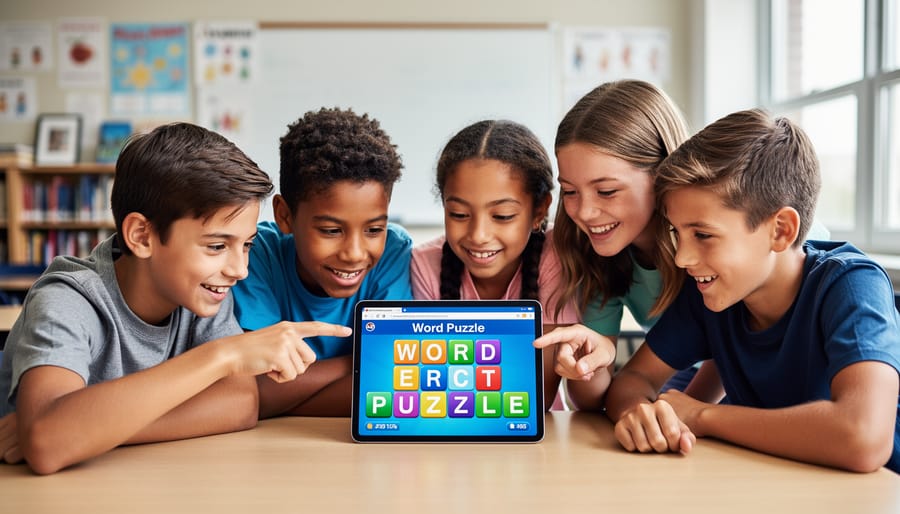
Step 1: Open Your Browser and Navigate to a Free Word Search Site
Getting started is incredibly straightforward. Open any web browser on your computer, tablet, or smartphone, Chrome, Safari, Firefox, Edge, whatever you have handy. In the address bar, type the name of a free word search platform or search for “word search online for free” and choose a site from the results. No downloads, no installations, no waiting for files to load onto your device.
The game appears right in your browser window within seconds. You’ll typically land on a homepage showing puzzle options, difficulty levels, and categories. Everything runs instantly because these platforms are web-based tools designed for quick classroom access. That’s it, you’re ready to start playing. If you’re using Word Search Explorer, you can even bookmark the site for faster access next time, and it works offline once loaded, which is perfect for schools with spotty internet.
Step 2: Choose Your Puzzle Difficulty and Category
Once you’re on your chosen word search site, you’ll see options that let you tailor the puzzle to your classroom needs. Most free platforms offer four difficulty levels based on grid size: 7×7 grids work great for younger students or quick warmups, 8×8 suits mid-elementary learners, 9×9 challenges upper elementary and middle schoolers, and 10×10 keeps high schoolers and advanced students engaged. Pick a size that matches your students’ reading level and attention span.
Next, browse the category menu. You’ll typically find over 50 word categories ranging from science and geography to holidays, animals, sports, and literature. This variety means you can align puzzles directly with what you’re teaching. Studying ecosystems? Choose an animals or nature category. Reviewing vocabulary for a unit on ancient civilizations? Look for history themes. The categories make it easy to reinforce subject-specific terms without creating puzzles from scratch.
Many platforms also offer puzzles in multiple languages, including Spanish, Portuguese, English, French, Russian, Italian, Indonesian, and German. If you teach a world language class or have multilingual learners, this feature turns word searches into authentic vocabulary practice.
Take a moment to preview the word list before starting. Ensure the terms fit your lesson and your students’ current abilities. Choosing the right combination of difficulty, category, and language sets everyone up for success and keeps the activity both educational and enjoyable.
Step 3: Start Searching for Hidden Words
Once you’ve selected your puzzle, it’s time to dive into the grid. Your job, and your students’ job, is to locate every word from the list hidden in the jumble of letters. Words can appear horizontally, vertically, diagonally, or even in reverse, so encourage students to scan in all directions.
Most free online word searches work with simple click-and-drag or tap gestures. On a computer, click the first letter of a word, hold down the mouse, and drag to the last letter. On tablets and smartphones, just tap and swipe. The game will highlight the word if you’ve found it correctly, then cross it off the list.
Teach students a few quick strategies to boost their success. Start by scanning for uncommon letters like Q, Z, or X, they’re easier to spot. Look for the first letter of each word, then trace outward in every direction. Some students prefer working methodically row by row, while others jump straight to the longest words first.
These simple techniques help students work independently and increase engagement turning what could feel like busywork into an active, focused challenge. As they get comfortable with the mechanics, they’ll speed up and tackle harder puzzles with confidence.
Step 4: Use Hints and Offline Features When Needed
When students hit a tough puzzle, most free online word search platforms offer a hint button that reveals the location of one word at a time. It’s a lifesaver for younger learners or struggling readers who need a confidence boost without giving away the entire solution. Let your students know hints are there if they’re stuck for more than a minute or two, it keeps frustration low and engagement high.
If your school’s internet connection is spotty or you want students working during offline time, platforms like Word Search Explorer can be played without an internet connection. Just load the page once while you’re online, and the puzzles are accessible even when the Wi-Fi drops. This is perfect for classrooms with unreliable connectivity or teachers who want backup activities that don’t depend on streaming.
You control the challenge level by choosing puzzle size and category before students start. If a student breezes through a 7×7 grid in seconds, bump them up to 9×9 or 10×10 next time. If another struggles with advanced vocabulary, stick with simpler categories and use hints liberally. The goal is to keep every student working in that sweet spot where they’re challenged but not overwhelmed.
Step 5: Complete the Puzzle and Review Results
When the final word is highlighted, most free online word search platforms automatically celebrate your success with a cheerful animation or completion message, your students will know they’ve won! This is your cue to pause and turn a simple puzzle victory into a learning moment.
Take a quick look at the completed grid together. Ask students which words were easiest to spot and which ones hid the longest. Those tricky words, especially ones hidden diagonally or in reverse, are perfect conversation starters. “Why was ‘photosynthesis’ harder to find than ‘plant’?” This quick reflection helps reinforce vocabulary in a low-pressure way.
If a student struggled or missed words, most platforms let you review the solution grid. Use this to show where hidden words were lurking and discuss strategies: Did they scan systematically or jump around? Did they check all directions? These mini-debriefs build problem-solving skills without feeling like a test.
Once you’ve wrapped up the discussion, it’s incredibly easy to jump into another puzzle, thousands of challenges are available across difficulty levels and categories, so you can keep the momentum going or save the next round for tomorrow’s warmup.
How to Know You’re Doing It Right
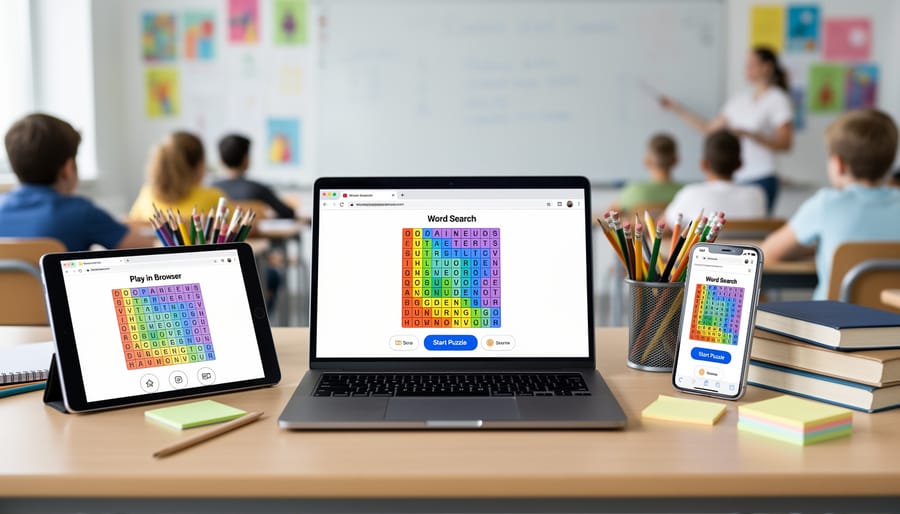
You’ll know your free online word search activity is hitting the mark when students dive in without constant questions or tech support. Look around the room: engaged students work steadily through the grid, pointing at screens or quietly mouthing words as they scan. They’re completing puzzles on their own and asking for another round instead of switching to something else.
Pay attention to completion rates and body language. If most students finish a 7×7 grid quickly and look bored, bump up to 8×8 or 9×9. Conversely, if you see frustration or students randomly clicking around without strategy, scale back the difficulty or choose a category with more familiar vocabulary. The sweet spot is when kids concentrate hard but experience small wins along the way.
Check that the platform itself cooperates with your workflow. You should be able to launch new puzzles with just a click or two, switch categories on the fly, and restart without hassle. If you’re spending more time troubleshooting the site than students spend solving puzzles, try a different free platform. The tool should fade into the background while learning and engagement take center stage.
What to Do Next: Classroom Ideas and Extensions
Now that your students can confidently navigate free online word searches, it’s time to maximize their classroom impact. These versatile tools work as a secret weapon for engagement across your teaching day.
Start your morning with a five-minute word search warmup tied to the day’s lesson. Science class? Pull up a biology-themed puzzle. History period? Choose vocabulary from your current unit. With over 50 categories available, you’ll find relevant content for any subject.
Turn puzzles into team challenges by projecting a 9×9 or 10×10 grid on your board. Split the class into groups and race to find words first. This collaborative approach builds camaraderie while reinforcing vocabulary in a low-pressure setting.
Track individual progress by assigning difficulty levels based on student readiness. Struggling readers might start with 7×7 grids, while advanced learners tackle 10×10 puzzles with words hidden diagonally or in reverse. Note which students master puzzles quickly and adjust accordingly.
Create custom classroom competitions: Who can complete the most puzzles in a week? Which team finds all words fastest? Simple tracking on a whiteboard adds motivation without extra prep.
Mix word searches with other review games to maintain variety. Alternate between puzzles, quizzes, and interactive activities so students stay engaged without format fatigue. The key is strategic rotation that keeps learning fresh while building vocabulary consistently.
Common Questions About Free Online Word Searches
Do I need to create an account to use free online word searches?
No, most free platforms let you jump straight into puzzles without signing up. This makes classroom setup quick and hassle-free, especially when working with multiple students.
Can students play these games on tablets?
Yes! Free online word searches work on computers, tablets, and smartphones. Students can tap and drag on touchscreens just as easily as they’d click and drag with a mouse.
Will there be ads interrupting my students?
This varies by platform. Some sites display minimal ads, while others are completely ad-free. Test the site beforehand to ensure it’s appropriate for your classroom environment.
What if my school’s internet is unreliable?
Word Search Explorer can be played offline, so you can load it once and use it without an active connection. This is perfect for schools with connectivity issues or for taking puzzles on field trips.
Choosing age-appropriate puzzles is straightforward. Start with the 7×7 grid for younger students or those new to word searches, then move up to 8×8, 9×9, or 10×10 as their skills develop. The 50-plus categories let you match puzzles to whatever subject you’re teaching, whether that’s science vocabulary, historical figures, or seasonal themes. You’ll quickly get a feel for what keeps your class challenged but not frustrated.
Playing word search puzzles online for free really is that simple. You don’t need special software, you don’t need to spend a dime, and you definitely don’t need hours of setup time. Just open a browser, pick a puzzle that matches your lesson, and watch your students dive in.
With thousands of challenges available across multiple difficulty levels and over 50 categories, you’ll always find something that fits. Teaching science vocabulary? There’s a category for that. Need Spanish practice? Choose from 8 language options. Want to challenge advanced students while supporting struggling readers? Adjust the grid size from 7×7 to 10×10 in seconds.
The real beauty lies in how flexible these tools are. Use them as warmups, wrap-up activities, or brain breaks between lessons. Pair them with other interactive review games to keep variety high and engagement even higher. And because platforms like Word Search Explorer work offline, even spotty internet won’t derail your plans.
Your classroom deserves tools that are fun, accessible, and actually work. Free online word searches deliver all three. Start exploring today and see how quickly these puzzles become a student favorite.