
Word Search Online Is Your Secret Weapon for Classroom Engagement
Word search puzzles have gone digital, and the shift is a win for your classroom. Online word search platforms save you prep time, engage students on devices they already love, and often cost nothing to use. Instead of photocopying sheets or worrying about lost pencils, you can pull up a puzzle in seconds, customize it to match your current lesson, and have students working independently or competing in real time.
The best part? You’re not just swapping paper for screens. Digital word searches adapt to different devices, offer multiple difficulty levels, and include features like hints and timers that keep students challenged without frustration. Platforms like Puzzle Cheer and apps designed for iPhone and iPad make it easy to find age-appropriate puzzles or create your own vocabulary lists in minutes. Many tools are free with optional upgrades, so you can test them out without committing your budget.
This guide walks you through what makes online word searches work in real classrooms, which platforms deliver the features teachers actually need, and how to weave them into your daily routine for quick vocabulary wins and engaging brain breaks.
Why Teachers Are Switching to Digital Word Searches

Teachers who once spent Sunday evenings hunched over copy machines are discovering a simpler path. Digital word searches solve the practical headaches that make classroom prep feel endless. No more scrambling for printer access, wrestling with paper jams, or rationing copies because the budget ran dry in October.
The time savings alone make the switch worthwhile. Instead of creating puzzles from scratch or searching workbook pages that don’t quite match your vocabulary list, you can generate custom word searches in minutes. Need a puzzle for tomorrow’s science terms? Done. Want to review spelling words from last week? A few clicks and you’re ready. That’s time you get back for actual teaching instead of administrative busywork.
But the real magic happens when students engage with these puzzles on their devices. Watch a classroom of fourth graders lean into their screens, racing to find words, and you’ll see the difference. The interactive format naturally draws kids in, there’s something about the digital experience that makes the same activity feel fresh. These platforms increase engagement precisely because students already live in a screen-based world.
Modern word search platforms adapt to whatever devices your students have. Whether your school runs on iPads, Chromebooks, or a mix of hand-me-down laptops, the puzzles automatically adjust to fit each screen. One teacher creates the activity, and thirty different devices display it perfectly.
Perhaps most valuable for diverse classrooms: you can differentiate without creating multiple versions by hand. Offering seven difficulty levels means advanced readers tackle complex grids while struggling students work appropriate challenges, all from the same assignment. Everyone participates at their level, and you maintain your sanity.
What Makes a Great Online Word Search Platform
Device Compatibility That Actually Works
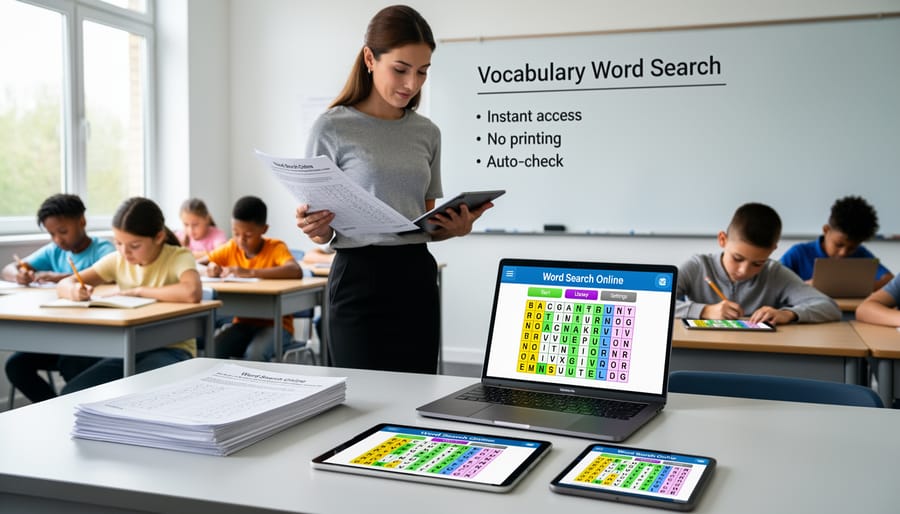
Nothing derails a perfectly planned lesson faster than discovering half your students can’t access the activity. In 2026 classrooms, where one student might pull out a Chromebook, another an iPad, and a third their phone, device compatibility isn’t a bonus feature, it’s essential.
The best word search online platforms automatically resize and reformat themselves to whatever screen your students are using. Look for tools that offer automatic grid adjustment, ensuring puzzles remain readable whether viewed on a laptop’s wide screen or an iPhone’s narrow display. This responsive design means you won’t waste precious instructional time troubleshooting technical issues or fielding “I can’t see it” complaints.
Touch-friendly interfaces matter too. Students using tablets should be able to select words with simple swipes, not struggle with tiny click targets designed for mouse cursors. The platform’s controls should adapt naturally, what works with a trackpad on a Chromebook should feel equally intuitive using touch on an iPad.
Before committing to any platform, test it on the actual devices your students use. Open the same puzzle on different screens and check that words remain clear, controls stay accessible, and the interface doesn’t require zooming or awkward scrolling. When technology just works across all devices, you spend more time teaching and less time troubleshooting.
Customization: Making Word Searches Fit Your Curriculum
The real power of online word searches emerges when you stop using generic puzzles and start building your own. Most quality platforms let you input custom word lists in minutes, no design skills required. Type your vocabulary words, hit generate, and you’ve got a puzzle perfectly aligned to Monday’s spelling test or this week’s science unit on ecosystems.
This customization transforms word searches from time-fillers into targeted learning tools. Teaching fractions? Create a puzzle with “numerator,” “denominator,” “equivalent,” and “simplify.” Studying the Revolutionary War? Build one around “Yorktown,” “patriots,” “taxation,” and “independence.” The words become review opportunities embedded in an engaging format students actually want to complete.
The best platforms automatically format your custom lists into clean, properly-sized grids that work on any device, you focus on the content, they handle the layout. Some offer difficulty adjustments too, so your custom third-grade sight words appear in an easier grid than your custom eighth-grade Latin roots. You’re not just using someone else’s puzzle; you’re creating assessment-aligned practice that feels like play.
Creative Ways to Use Word Search Online in Your Classroom
Turning Solo Puzzles into Team Competitions
Traditional word searches work well for independent practice, but online platforms unlock something even more powerful: the chance to turn solitary puzzles into exciting classroom competitions. Platforms like Word Search – Battle Online let students compete head-to-head with classmates or even challenge opponents from around the world, transforming quiet seatwork into an energizing social experience.
The competitive format taps into students’ natural drive to win while reinforcing the same vocabulary review you’d get from solo practice. Instead of quietly circling words alone, students race against the clock and each other, instantly seeing how their speed and accuracy stack up. That real-time feedback creates urgency and focus that paper worksheets can’t match.
You can structure these battles in multiple ways depending on your classroom goals. Pair students for quick one-on-one matchups during transitions, organize tournament brackets for Friday review sessions, or let early finishers challenge peers who’ve already completed their work. The multiplayer element also makes word searches work naturally as play-based assessment where you’re evaluating vocabulary retention through authentic engagement rather than traditional testing pressure.
Differentiation Made Simple
Meeting every student exactly where they are academically sounds like a teacher fantasy, until you discover that online word search platforms actually make it happen. Modern tools featuring seven distinct difficulty levels transform a single classroom activity into a perfectly tailored learning experience for every child in your room.
Your gifted reader who devours chapter books? Set them up with expert-level puzzles featuring diagonal words, backwards spellings, and intersecting patterns. Meanwhile, your struggling reader who’s still building confidence tackles a beginner grid with simple left-to-right words and generous spacing. Same activity, same vocabulary list, zero prep time creating separate worksheets.
The beauty lies in how seamlessly you can adjust on the fly. Notice a student breezing through medium level? Bump them up a notch immediately. Another child frustrated? Drop them down without making a big deal of it. Students choose their own challenge level, which builds metacognition and self-advocacy skills while you avoid the awkwardness of publicly sorting kids by ability.
This approach works brilliantly during vocabulary review sessions when you need everyone engaged with this week’s spelling words but can’t feasibly create three different paper versions. Launch the same word list at multiple difficulty settings, and suddenly differentiation becomes your easiest task of the day.
Getting Started: From Setup to Student Success
Getting started with online word searches is simpler than you might think, and the payoff in student engagement happens fast. First, explore a few platforms to see which fits your teaching style. Visit sites like Puzzle Cheer’s Play Word Search Online section or check out Cokogames’ WORD SEARCH Games collection. Download apps like Word Search Online on your iPhone or iPad to test the interface yourself before introducing it to students. Spend ten minutes playing through different difficulty levels so you understand what your students will experience.
Once you’ve chosen a platform, decide whether you’ll use pre-made puzzles or create custom ones. Pre-made options, including themed printable collections from Word Search Hero, work perfectly for quick classroom activities. Most free platforms let you build basic puzzles, though some customization features may require in-app purchases.
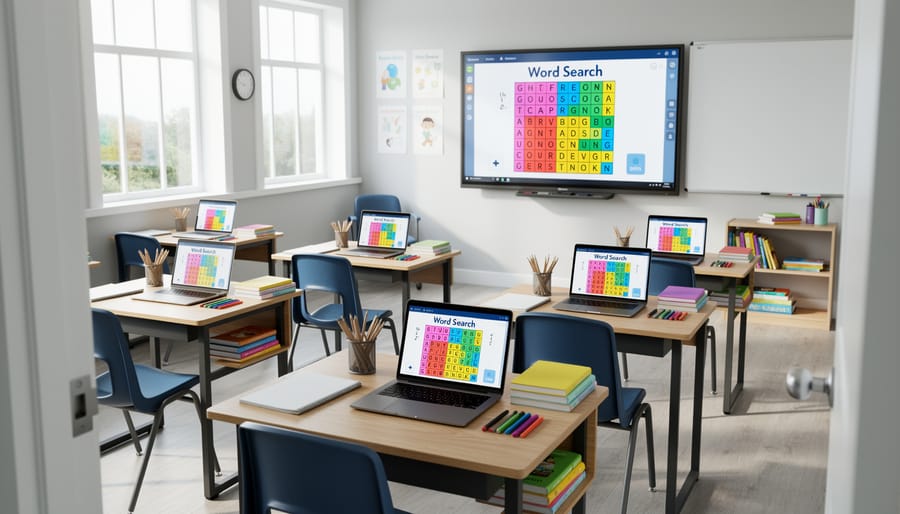
Before unleashing the activity, introduce it clearly. Project the word search on your interactive board and walk students through the interface together. Show them how to select words, use hints if available (most platforms include hint functions), and navigate the grid. Set clear expectations: Is this timed? Can they help each other? What happens when they finish early? For first-timers, start with an easier level to build confidence.
During the activity, circulate and watch for common hiccups. If the grid doesn’t display properly on a device, check that automatic grid adjustment is working, most quality platforms adapt to different screen sizes automatically. If students rush through without reading words carefully, require them to write down definitions or use each word in a sentence afterward.
Track participation informally at first. Notice which students thrive with independent puzzle work versus those who need a team setting. This insight helps you adjust future implementations and differentiate effectively across your classroom’s varied learning needs.
Making the Most of Free vs. Premium Features
Most word search online platforms follow a freemium model, you can start using them immediately without spending a dime, then upgrade later if you want more. For classroom use, the free tier typically covers what you need: unlimited puzzles, automatic device adjustment for all your students’ screens, and multiple difficulty levels to match different reading abilities. You’ll get a clean interface, a hint function when students get stuck, and the ability to play solo puzzles anytime.
Premium features usually unlock advanced customization (like importing your own word lists), removing ads for distraction-free gameplay, accessing themed puzzle collections, or enabling multiplayer modes where students compete against classmates or global opponents. Some platforms bundle language support beyond English in their paid tiers, which matters if you teach multilingual learners.
Pros
- Free versions provide unlimited puzzles with automatic device compatibility across all classroom technology.
- Core features like multiple difficulty levels and hint systems work perfectly without payment.
- Zero upfront cost means you can test platforms with your students before committing.
Cons
- Free tiers often include ads that can distract younger students or slow down transitions.
- Custom word list creation may be locked behind premium, limiting curriculum alignment.
- Multiplayer battle modes that boost engagement sometimes require in-app purchases.
The smart approach? Start with free versions to see which platforms your students enjoy and which interfaces work smoothly on your classroom devices. If you find yourself wishing for ad-free sessions during testing days or wanting to create vocabulary-specific puzzles every week, that’s when premium makes sense. Many teachers discover that one $2.99 in-app purchase eliminates enough friction to justify the cost, while others happily use free versions all year without feeling limited.
Word search online tools aren’t replacing your teaching, they’re amplifying it. These platforms slot right into your existing toolkit, working alongside physical manipulatives, interactive whiteboards, and other digital resources you already trust. The beauty lies in their flexibility: use them as a five-minute bell ringer, a vocabulary reinforcement activity, or a collaborative team challenge that transforms your classroom energy.
You don’t need specialized training or a hefty budget to get started. Most platforms are free, require no downloads, and work on whatever devices your students already use. Pick a tool, create a quick puzzle with your current spelling list, and watch how students who usually tune out during traditional review suddenly lean in. The engagement boost is real.
Your classroom is unique, and these tools bend to fit your style rather than forcing you into a template. Start small, try one puzzle this week with your most restless period. Adjust the difficulty, customize the word list, and notice what works. The low barrier to entry means you can experiment without risk, and the high engagement payoff means you’ll likely stick with it. Give your students that screen time that actually teaches.