

Transform Your Reviews into the Best Part of Class (Without Creating Games from Scratch)
Transform your lessons into engaging experiences by choosing a classroom game website that offers customizable activities matching your curriculum goals. Look for platforms where you can adjust difficulty levels, add your own questions, and align games with specific learning objectives—this flexibility ensures every student stays challenged without feeling overwhelmed.
Integrate game-based learning during transition times, as review sessions before assessments, or as reward activities that still reinforce concepts. The key is making games purposeful rather than just filler. Select websites offering progress tracking so you can identify which students need extra support and which concepts require reteaching.
Start small by introducing one game type your students will love, whether it’s competitive quiz shows, collaborative puzzles, or individual challenges. Observe what resonates with your class—some groups thrive on team competition while others prefer self-paced exploration. Once you’ve established routines around gaming, expand your repertoire.
Classroom game websites solve the persistent challenge of maintaining student engagement while covering required content. They provide instant feedback that helps learners correct mistakes in real-time, reducing the frustration that often accompanies traditional worksheets. Students who typically disengage during standard instruction often surprise teachers with their focus and retention during game-based activities.
The best platforms require minimal technical expertise, allowing you to create or customize games in minutes rather than hours. This efficiency means you’ll actually use the tool consistently instead of abandoning it after initial enthusiasm fades. When learning feels like play, students participate more actively, remember concepts longer, and develop positive associations with challenging material.
Why Game-Based Learning Works (Even When You’re Short on Time)
You already know your students light up when learning feels like play rather than work. That’s the magic of game-based learning, and here’s the good news: it doesn’t require fancy tech skills or hours of preparation.
When students play educational games, something wonderful happens in their brains. They’re actively participating instead of passively listening, which means they’re processing and retaining information more effectively. Games naturally increase engagement because they tap into our love of challenge, competition, and achievement. Even reluctant learners often participate enthusiastically when the format feels like fun.
The benefits extend beyond just capturing attention. Games provide immediate feedback, letting students know right away if they’ve mastered a concept or need more practice. This instant response helps build confidence and encourages a growth mindset. Plus, the friendly competition and collaborative elements create positive classroom energy that carries over into other activities.
Here’s what makes classroom game websites particularly practical: they do the heavy lifting for you. You don’t need to design complex activities from scratch or troubleshoot technical issues. Most platforms let you customize existing games with your own content in just minutes. Need a vocabulary review for tomorrow’s lesson? You can create an engaging game during your lunch break.
The best part? You can start small. Try one game as a Friday review activity or a quick warmup. Once you see how students respond and how simple the process is, you’ll naturally find more opportunities to incorporate these tools into your teaching routine.

What Makes a Great Classroom Review Game
Not all review games are created equal! The best classroom game websites share certain features that make them truly effective learning tools. First and foremost, easy customization is key. You want a platform where you can quickly input your own questions, vocabulary words, or math problems without spending hours figuring out complicated settings. The simpler the setup, the more likely you’ll use it regularly.
Built-in scoring systems add a layer of excitement and healthy competition. When students can track their progress in real-time, they stay more engaged and motivated to participate. Look for games that automatically calculate points and display leaderboards, saving you the hassle of manual scorekeeping.
Sound effects and visual animations might seem like small touches, but they make a huge difference! That celebratory “ding” when students answer correctly or the suspenseful music during timed challenges creates an energetic atmosphere that keeps everyone on their toes.
Adaptability is another crucial element. The most valuable platforms work seamlessly across subjects, whether you’re teaching multiplication facts, Spanish vocabulary, science concepts, or literature terms. They should also accommodate different grade levels, from elementary to high school, with adjustable difficulty settings.
Finally, great review games are flexible enough for whole-class participation, small groups, or individual practice. This versatility means you can use the same tool in multiple ways throughout your teaching day, maximizing your investment of time and effort.
PowerPoint Game Templates: Your Secret Weapon for Instant Engagement
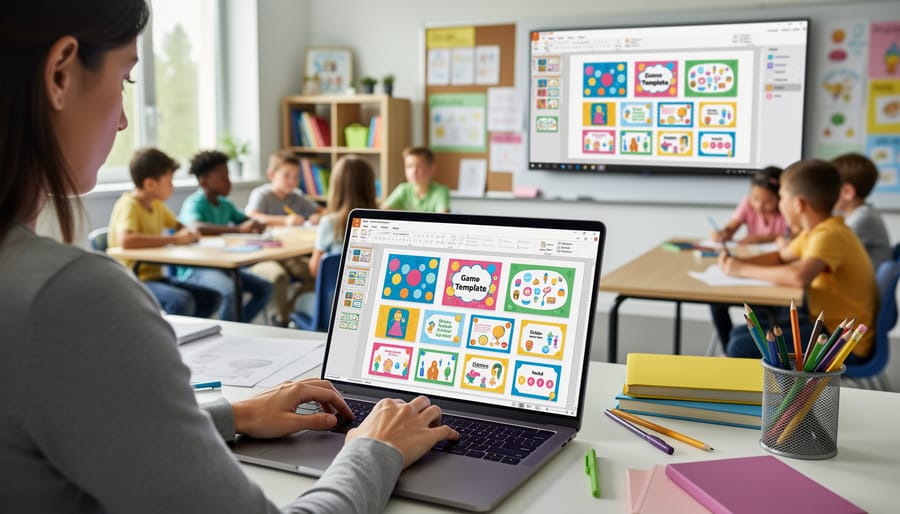
Let’s be honest—you barely have time to grade papers, let alone design elaborate game activities from scratch. That’s where PowerPoint game templates become your absolute lifesaver. These ready-to-use templates transform the familiar presentation software already sitting on your computer into an instant engagement powerhouse.
The beauty of PowerPoint templates is their simplicity. You don’t need special software, complicated logins, or tech support on speed dial. Just download, customize with your content, and you’re ready to play. Since most teachers already know their way around PowerPoint, there’s virtually no learning curve. You can focus on what matters—your students and your content—instead of wrestling with unfamiliar technology.
Pre-made templates come packed with built-in features that would take hours to create yourself. Think animated scoreboards, clickable game boards, sound effects, and interactive question slides all working seamlessly together. Someone else has done the heavy lifting, testing the mechanics and perfecting the animations so you don’t have to.
The time savings are incredible. What might take you two hours to build from scratch takes maybe fifteen minutes to customize. Just swap out the sample questions with your vocabulary words, math problems, or review questions, and you’re good to go. Many templates work across subjects and grade levels, meaning that Jeopardy-style template you use for science vocab can easily become next week’s history review game.
Plus, customization is super straightforward. Change colors to match your classroom theme, add images that resonate with your students, or adjust difficulty levels on the fly. These templates adapt to your teaching style, not the other way around.
Getting Started with Classroom Review Games
Choosing the Right Game for Your Classroom
Finding the perfect game for your classroom is easier than you think! Start by considering your class size—some games work wonderfully with small groups, while others thrive with larger crowds. Think about what gets your students excited and engaged.
Your subject matter plays a huge role too. Vocabulary games are fantastic for language arts, while math-focused templates help reinforce number skills. The beauty of classroom game websites is that you can customize content to match exactly what you’re teaching this week.
Age appropriateness matters! Younger students love colorful, simple formats like matching games, while older learners enjoy competitive quiz-style challenges. Always align your game choice with your learning objectives—whether you’re reviewing material, introducing new concepts, or assessing understanding.
Don’t be afraid to experiment! Try different game templates to discover what resonates with your students. Many teachers find that rotating between game styles keeps the excitement fresh. Remember, the best game is one that makes learning feel like play while helping your students master important skills. You’ll quickly develop favorites that become classroom staples.
Customization Made Simple
The best part? You don’t need any special tech skills to make these games your own! Most classroom game websites offer intuitive editors where you can simply click and type to add your own questions. Whether you’re teaching multiplication facts, vocabulary words, or historical dates, you can swap out the default content with material that perfectly matches your current unit.
Adjusting difficulty levels is just as straightforward. Many platforms let you choose settings like question complexity, time limits, or point values with simple dropdown menus or sliders. Want to challenge your advanced learners? Increase the difficulty. Need to support struggling students? Dial it back a notch.
Visual customization is often included too. You can typically change color schemes, add images that relate to your subject matter, or upload your own graphics to make games more engaging and relevant. Some sites even let you insert subject-specific icons or themes, turning a generic quiz into a science-themed adventure or a math challenge with your class mascot.
The whole process usually takes just minutes, and templates save your work so you can reuse and refine games throughout the year. It’s personalization without the hassle!
Beyond Review: Creative Ways to Use Game Templates
While reviewing content is the most common use for classroom games, these templates can do so much more! Let’s explore some creative applications that’ll keep your students engaged throughout the year.
Start your school year strong with icebreakers that help students get to know each other. Transform a simple quiz template into a “Two Truths and a Lie” game about classmates, or use a matching game to pair students with similar interests. These activities build community while students have fun learning about their peers.
Team-building activities become effortless when you customize game templates with collaboration challenges. Create scavenger hunt-style games where groups work together to solve clues, or design relay-style competitions that require every team member’s contribution.
Here’s a game-changer: introduce new concepts through gameplay instead of traditional lectures. Before diving into a unit on ecosystems, for example, use a game template to present vocabulary terms and basic concepts. Students explore the content through interactive play, making those initial lessons more memorable.
Assessment alternatives offer students different ways to demonstrate understanding. Rather than another written test, let them complete a comprehensive game that covers unit objectives. You’ll gather the same data while reducing test anxiety.
End-of-unit celebrations deserve something special! Design custom games that recap everything students learned, turning review into a festive competition. Add fun sound effects and celebratory messages to mark their achievements.
For more inspiration, check out these game-based learning examples that showcase different applications. The key is thinking beyond traditional review and letting your creativity guide how you use these versatile templates throughout your teaching.
Making Game-Based Learning Work for Every Student
The beauty of classroom game websites is that they can work for everyone when you approach them thoughtfully. Here’s how to make sure every student feels included and challenged.
For mixed-ability classrooms, take advantage of customization features. Create different versions of the same game with varying difficulty levels, or organize students into flexible groups where they can support each other. You can also use games as station activities, allowing students to work at their own pace while you circulate and provide targeted support.
Shy students often blossom in game-based environments because the focus shifts from individual performance to gameplay. Try team-based games where quieter students can contribute without being in the spotlight, or use anonymous participation modes where everyone submits answers privately. Digital games naturally level the playing field since responses feel less public than traditional hand-raising.
Creating positive competition is key. Emphasize personal growth over winning by celebrating improvement and effort. Frame competition as “challenging ourselves” rather than “beating others.” You can also incorporate collaborative games where the whole class works together toward a common goal, building community while still maintaining that engaging game energy.
Remember to establish clear expectations about good sportsmanship before diving in. Teach students that games are learning tools, not just prizes and points. When everyone understands the purpose and feels supported, game-based learning becomes an inclusive, motivating experience that truly works for all learners.
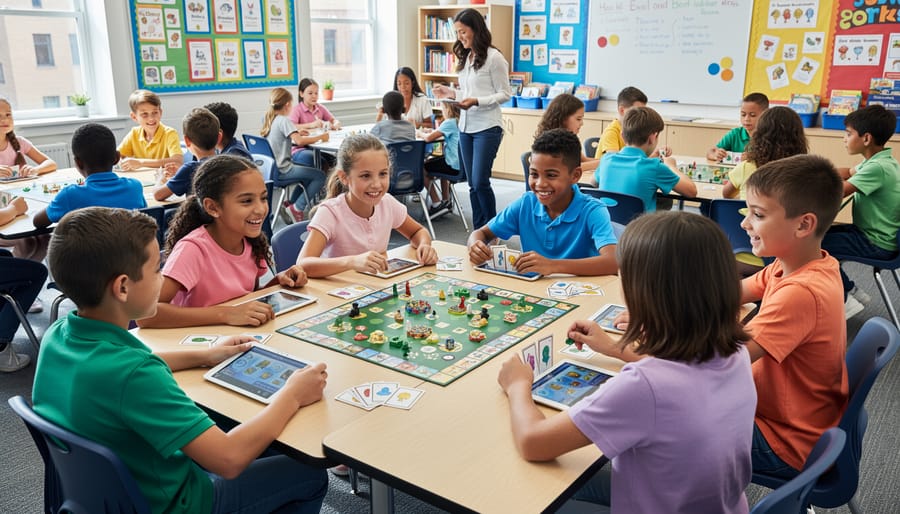
Ready to transform your classroom? Game-based learning doesn’t have to be complicated or time-consuming. With the right classroom game templates at your fingertips, you can turn any review session into an exciting experience that students actually look forward to.
The best part? You don’t need to be tech-savvy or spend hours creating materials from scratch. These ready-made game templates remove all the usual barriers that might hold you back. Simply customize them with your content, and you’re ready to go in minutes. No special training required, no frustrating setup process, just straightforward tools that work.
Think about what this means for your teaching day. More engaged students who retain information better. Less time spent on prep work and more time connecting with your class. Review sessions that energize rather than drain. Students who leave your classroom smiling, excited to come back tomorrow.
You’ve already put in the hard work planning your lessons and creating quality content. Now it’s time to deliver that content in a way that resonates with today’s learners. Your next review session is the perfect opportunity to try something new. Pick a game template, add your questions, and watch your students light up with enthusiasm. They’ll be learning without even realizing it, and you’ll wonder why you didn’t start sooner. Your classroom transformation begins with just one game.