

Free Exit Ticket PDFs That Actually Work in Your Classroom
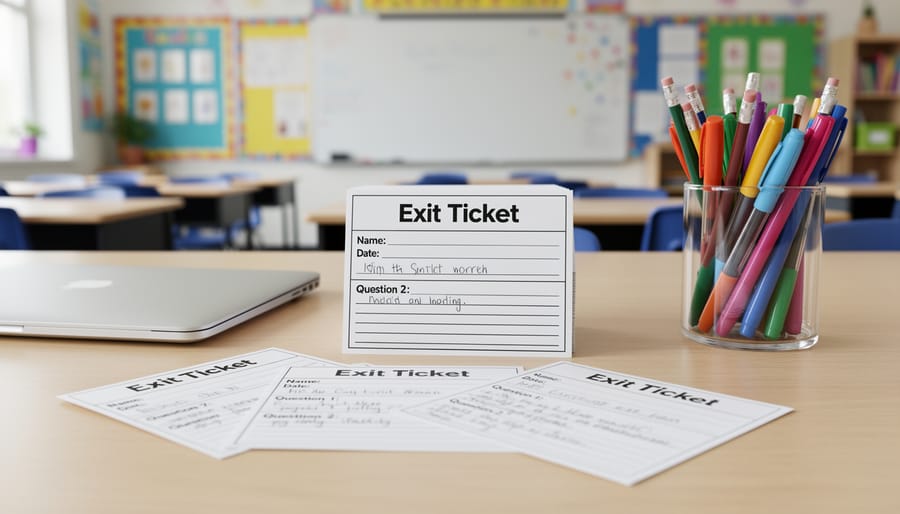
Download a ready-made exit ticket PDF template that matches your lesson objective—whether you need quick checks for understanding, reflection prompts, or subject-specific assessments. Print 30 copies on Monday morning, cut them into individual slips, and keep a stack ready on your desk for that crucial last five minutes of class.
Choose templates with open-ended questions like “What’s one thing that confused you today?” or “How will you use this skill outside of school?” rather than simple yes/no formats. These PDF versions let students write directly on the paper, creating a permanent record you can review later to identify learning gaps and plan tomorrow’s instruction.
Customize your downloaded PDFs by adding your school logo, adjusting font sizes for younger learners, or incorporating visual elements like emoji scales for quick sentiment checks. Most templates work beautifully when laminated and paired with dry-erase markers, transforming single-use worksheets into reusable classroom tools that save paper and prep time.
Implement various exit ticket strategies by rotating between different PDF formats weekly—try the 3-2-1 method on Mondays, multiple-choice quick checks on Wednesdays, and creative reflection prompts on Fridays. This variety keeps students engaged while giving you diverse assessment data throughout the week, all from printable resources you can organize in a simple binder system.
Why Exit Ticket PDFs Make Your Life Easier
Let’s be honest—creating fresh assessment materials every single day can feel overwhelming. Between lesson planning, grading, and everything else on your plate, who has time to design exit tickets from scratch? That’s exactly where PDF exit tickets become your new classroom best friend.
First off, the time-saving factor is incredible. Instead of spending 20-30 minutes designing questions and formatting them nicely, you can download a ready-made PDF and have it printed in minutes. That’s time you can spend actually planning engaging lessons or, you know, enjoying your lunch break!
Consistency is another huge win. When you use PDF templates regularly, students know exactly what to expect. This familiar format helps them focus on demonstrating their learning rather than figuring out what you’re asking. Plus, it makes tracking progress over time much simpler when you’re comparing apples to apples.
The professional appearance matters more than you might think. Clean, well-designed exit tickets communicate that you value student feedback and take formative assessment seriously. No more rushed handwritten questions or misaligned photocopies—just polished materials that make your classroom look organized and intentional.
Printing and distribution couldn’t be simpler. PDF exit tickets work perfectly whether you’re printing a class set, making copies for different periods, or even sharing digitally with students who need accommodations. They fit seamlessly into those final five minutes of class without requiring special technology or setup.
The beauty of PDF exit tickets is how effortlessly they integrate into your daily routine. Keep a folder of your favorites, grab what you need for tomorrow’s lesson, and you’re done. It’s classroom efficiency at its finest, giving you more energy for what really matters—connecting with your students.
The Must-Have Types of Exit Ticket PDFs
Quick Check-In Templates
Sometimes you just need a super quick pulse check on how your students are doing, and that’s where these speedy templates shine! Rating scale exit tickets let students circle a number from 1-5 or mark how confident they feel about the day’s lesson. They’re perfect for those jam-packed days when you have just two minutes before the bell rings.
Emoji response templates are absolute favorites with younger learners! Students simply circle or color the face that matches their understanding—happy face means “I’ve got this,” thinking face means “I’m getting there,” and confused face means “I need more help.” These visual cues give you instant feedback at a glance, and kids love expressing themselves through fun symbols.
Traffic light assessments work like magic across all grade levels. Students color or check a box showing green for “I understand completely,” yellow for “I’m a bit unsure,” or red for “I need help.” You can sort these lightning-fast and know exactly who needs extra support tomorrow. Print a stack of these templates at the beginning of the month, and you’ll have quick assessments ready whenever you need them. They’re simple, effective, and give you the information you need without eating into precious instructional time!
Reflection and Self-Assessment PDFs
These templates are absolute game-changers for fostering metacognition in your classroom! Reflection and self-assessment exit tickets invite students to pause and truly think about what they’ve learned, what clicked, and where they’re still feeling stuck.
You’ll find templates with prompts like “Today I learned…”, “I’m still confused about…”, and “One question I have is…” These simple yet powerful questions help students become active participants in their learning journey. The beauty of these PDFs is that they create a safe space for students to express uncertainty without feeling judged.
Try using sentence starters like “The most challenging part was…” or rating scales where students assess their confidence level from 1 to 5. Some templates include sections for goal-setting, letting students identify what they want to focus on next class.
The best part? You get immediate insight into who needs extra support and which concepts require reteaching. Print these templates in bulk at the beginning of the week, and you’ll have a ready supply for quick check-ins. Students appreciate having structured ways to communicate their learning experiences, and you’ll love the honest feedback that drives your instructional decisions forward!
Subject-Specific Exit Tickets
Tailoring exit tickets to specific subjects makes assessment even more powerful! For math classrooms, problem-solving PDFs let students demonstrate their understanding of the day’s concept through quick equations or word problems. You can create templates with blank spaces for students to show their work, making it easy to spot where misconceptions might be happening.
Reading comprehension exit tickets work beautifully for language arts classes. These PDFs might ask students to identify the main idea, make predictions, or explain character motivations in just a few sentences. Keep questions open-ended to encourage critical thinking!
Science teachers love observation sheet templates where students can sketch diagrams, record data, or explain cause-and-effect relationships from experiments. These visual exit tickets capture learning in authentic ways that match how scientists actually work.
Social studies PDFs can include timeline activities, map skills checks, or quick reflection prompts about historical events. The key is matching the exit ticket format to your content while keeping it brief enough to complete in three to five minutes.
Mix and match different subject-specific templates throughout the week to keep things fresh and engaging for your students!
Open-Ended Response Templates
Open-ended templates give students freedom to express their thinking in their own words, making them perfect for gauging deeper understanding. These prompts encourage reflection and critical thinking beyond simple recall.
The popular 3-2-1 exit ticket format is a fantastic starter: students list 3 things they learned, 2 questions they have, and 1 thing they want to explore further. You can easily customize the numbers and prompts to fit your lesson.
Sentence starters work wonders for building confidence. Try templates with prompts like “Today I discovered…”, “I’m still wondering about…”, or “The most important thing I learned was…”. These help students organize their thoughts, especially those who struggle with blank pages.
Other effective open-ended formats include “What surprised you today?”, “How would you explain this to a friend?”, and “What connection can you make to your life?”. These questions push students beyond surface-level thinking.
The beauty of these templates is their flexibility. You can adjust the complexity for different grade levels and customize them for any subject, from math problem-solving strategies to reading comprehension reflections.
How to Customize Exit Ticket PDFs for Your Classroom
Good news! You don’t need to be a tech wizard to make exit ticket PDFs work perfectly for your classroom. With just a few simple tweaks, you can transform any template into the ideal assessment tool for your students.
Start by printing blank templates and adding your own questions by hand. This low-tech approach is perfect when you need something quick, and honestly, students often appreciate the personal touch of handwritten prompts. Use colorful pens or markers to make them visually appealing and highlight key instructions.
If you prefer digital customization, most PDF readers have basic text and annotation tools built right in. Add text boxes with your specific questions, insert checkboxes for quick responses, or use the highlight tool to emphasize important sections. Many free PDF editors let you save these customized versions for future use, saving you time in the long run.
Think about your students’ ages and abilities when customizing. For younger learners, add visual cues like emoji faces for self-assessment or picture prompts alongside text questions. Older students might benefit from extended response boxes or space for more detailed reflections. You can even adjust font sizes to accommodate different reading levels or visual needs.
Consider laminating frequently used exit tickets and pairing them with dry-erase markers. This eco-friendly option works beautifully for daily quick checks and saves paper over time. Students can complete them, you snap a quick photo for records, and they’re ready to reuse the next day.
Don’t forget to match the complexity of questions to your lesson objectives. Swap out generic prompts with subject-specific vocabulary or concepts you’ve just taught. For math class, include space for showing work. In English, add sentence starters to support struggling writers. Science teachers might add small diagrams for labeling.
The best part? Once you’ve customized a template you love, save it as your go-to version and build a personal collection organized by unit or topic.
Building Exit Tickets into Your Daily Routine
Making exit tickets a seamless part of your teaching day doesn’t have to be complicated! The secret is treating them like any other essential classroom routines—with consistency and a simple system that works for you.
Start by choosing your timing. The last 3-5 minutes of class is the sweet spot. Set a timer on your phone or classroom clock to remind yourself when it’s exit ticket time. This buffer ensures students aren’t rushing and you’re not cutting into dismissal. If you tend to lose track of time during lessons, build in an extra minute or two as a cushion.
Next, establish a collection method that fits your style. Some teachers love the classic basket-by-the-door approach—students drop their tickets on the way out, and you’re done! Others prefer collecting them directly while students pack up, which gives you a quick pulse-check of the room. Digital options work wonderfully too if you’re using PDF exit tickets on devices. Students can submit responses through Google Classroom or email them directly.
Here’s a game-changer: don’t wait until after school to review responses. Dedicate just 5-10 minutes right after class or during your prep period to skim through the tickets. Sort them into three quick piles: got it, almost there, and needs help. This simple sorting gives you instant data for tomorrow’s lesson planning. You’ll know exactly which concepts need reviewing and which students might benefit from a quick check-in.
Keep your PDF templates organized in a dedicated folder on your computer or in a physical binder. Label them by subject and week so you can grab what you need without hunting. Many teachers print a week’s worth on Monday morning, keeping them clipped together and ready to go.
Customize your routine to match your energy level too. Some days you might use a simple reflection prompt, while other days call for content-specific questions. The beauty of having PDF templates is the flexibility to mix and match based on your lesson’s needs. Remember, consistency beats perfection—even a quick one-question exit ticket provides valuable insight into student learning!

Making Exit Tickets Fun and Interactive
Exit tickets don’t have to feel like just another assessment tool. With a few creative tweaks, you can transform them into activities your students actually get excited about!
One of the easiest ways to boost engagement is through gamification. Try creating exit ticket challenges where students earn points for thoughtful responses or creative answers. You might set up a classroom leaderboard or offer small rewards when the whole class completes their exit tickets with effort and care. The competitive element (kept friendly, of course!) can turn a routine task into something students look forward to.
Consider using themed exit tickets that tie into your current unit. Studying space? Create rocket-shaped exit tickets where students write what they’ve “launched” into their brains that day. Learning about history? Design tickets that look like postcards from the past. These visual connections make the activity feel special and memorable.
Connect your exit tickets to popular classroom review games. For instance, use exit ticket responses as questions for the next day’s quiz game, or have students create questions on their tickets that become part of a team competition. When students know their contributions will be used in fun ways, they invest more effort.
Try interactive formats beyond the standard written response. Include quick sketches, emoji reactions to rate their understanding, or fill-in-the-blank Mad Libs style sentences. Mix up the format regularly so students never know quite what to expect.
You can also incorporate partner sharing before submission. Give students two minutes to discuss their answers with a neighbor, then refine their responses. This adds a social element while deepening their thinking, making exit tickets feel more collaborative than evaluative.
What to Do With Exit Ticket Results
Collecting exit tickets is just the first step—the real magic happens when you actually use that valuable data! The good news? You don’t need to spend hours analyzing responses. Here’s how to make exit tickets work for you without adding to your workload.
Start by quickly sorting responses into three simple piles: got it, almost there, and needs help. This takes just a few minutes and gives you an instant snapshot of where your class stands. No complicated spreadsheets required!
Use this information to group students for tomorrow’s lesson. Students who mastered the concept can dive into enrichment activities or become peer tutors. Those in the middle might benefit from guided practice with some scaffolding. Students who need extra support can work with you in a small group for targeted reteaching.
Exit tickets also help you decide if you’re ready to move forward or need to adjust your plans. If most students are struggling with the same concept, that’s your cue to reteach it in a different way before moving on. No need to power through when the foundation isn’t solid!
For students who demonstrate mastery, provide challenging extension activities to keep your fast finishers engaged while you support others. This creates a win-win situation where everyone gets what they need.
Keep it simple by focusing on patterns rather than individual perfection. Look for common misconceptions or trends across multiple students. This approach saves time while giving you actionable insights to strengthen your instruction and meet every learner where they are.

Exit ticket PDFs are game-changers for busy teachers who want meaningful assessment without the overwhelm. These simple tools save you precious planning time while giving you real insights into what your students truly understand. The beauty of exit tickets is that they work for any subject, any grade level, and any teaching style. You get to customize them to fit your classroom perfectly.
Ready to give it a try? Start small. Pick just one class or one day of the week to experiment with exit tickets. Download a template that speaks to you, print a few copies, and see what happens. You might be surprised at how quickly this becomes your favorite part of the day. Those few minutes of student reflection can reveal so much about their learning journey.
Remember, consistency matters more than perfection. Even using exit tickets once or twice a week creates a powerful routine that helps students reflect and helps you teach more effectively. Your students will start to expect these check-ins, and you’ll wonder how you ever taught without them. The positive impact on student learning is worth every minute invested. You’ve got this!