Description
What’s Included
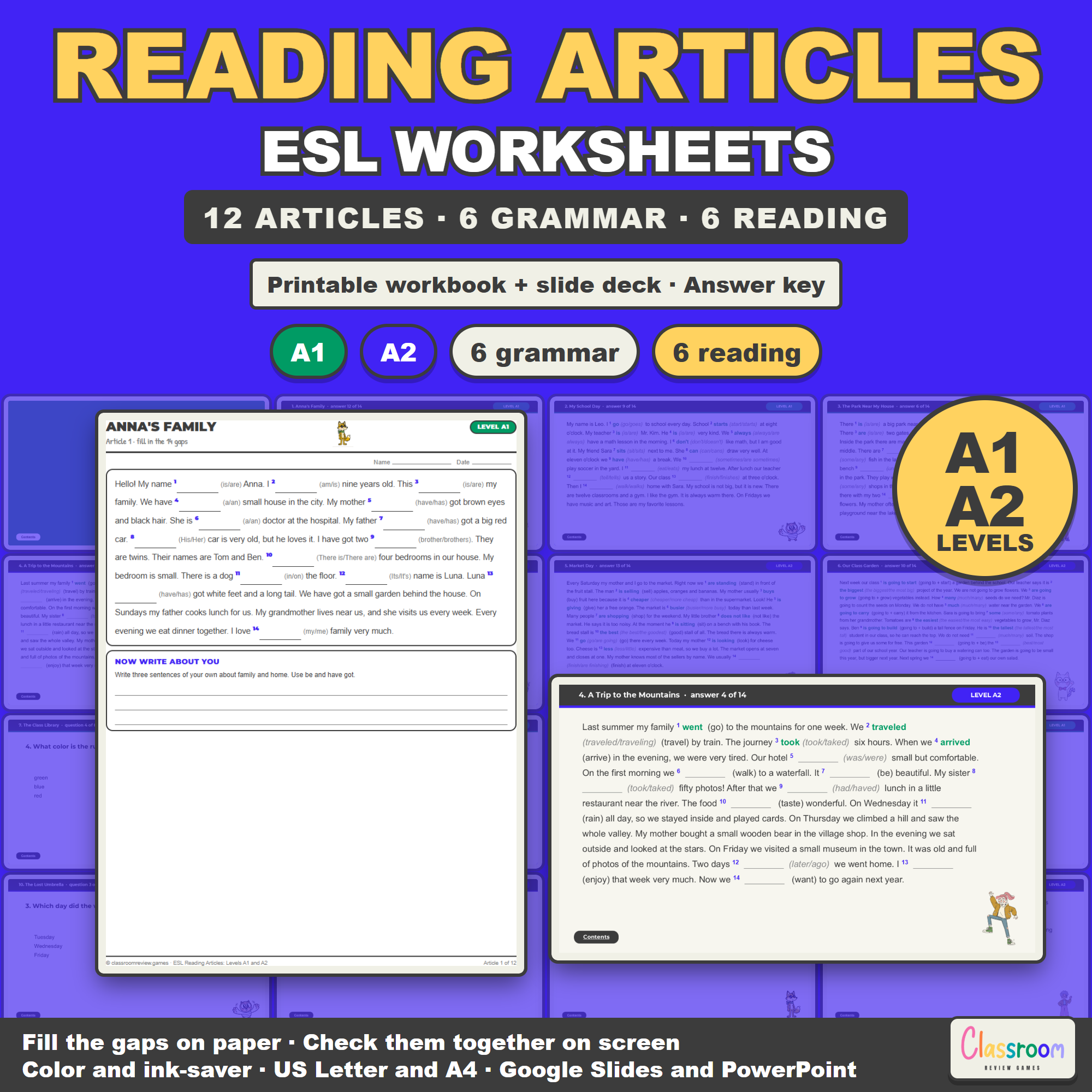
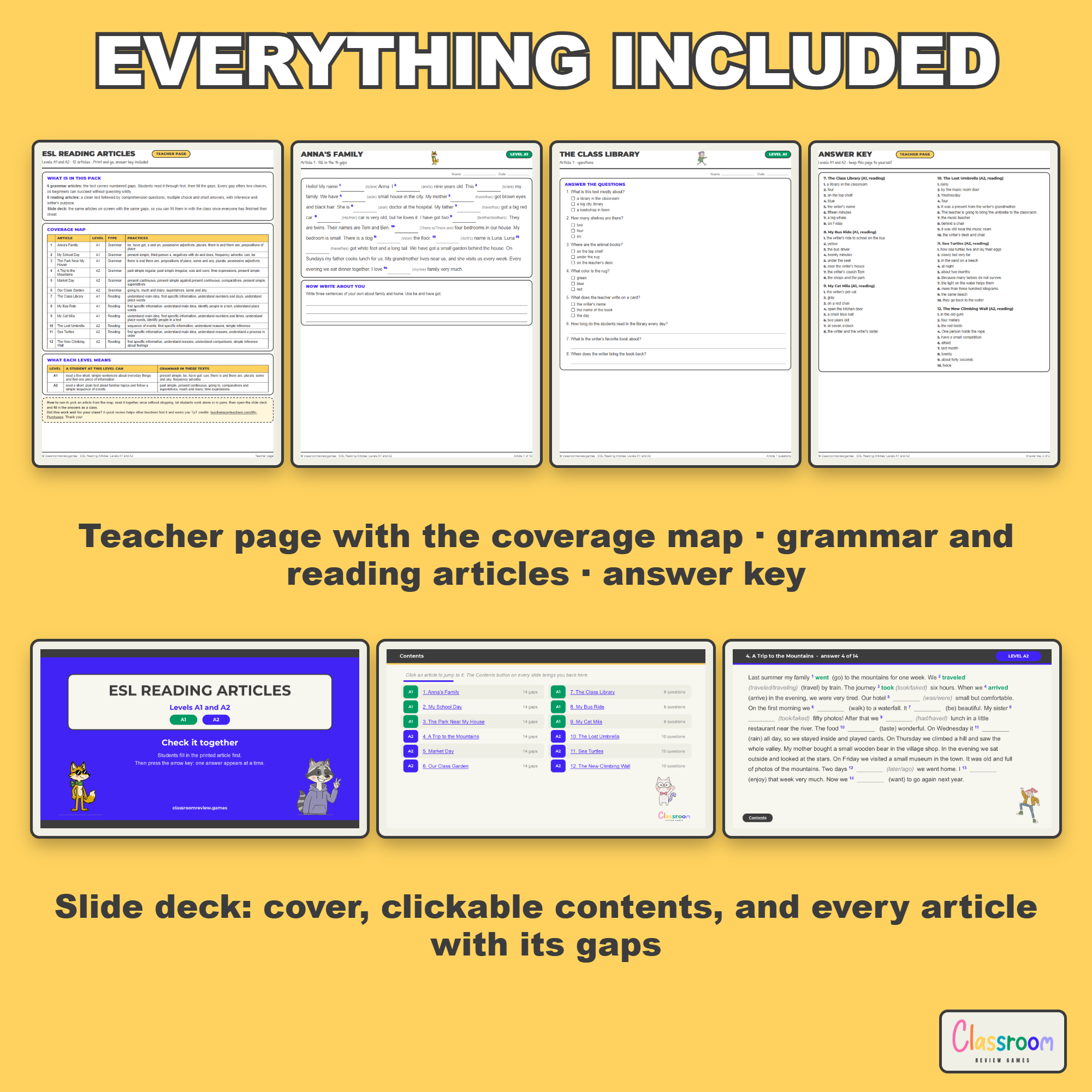
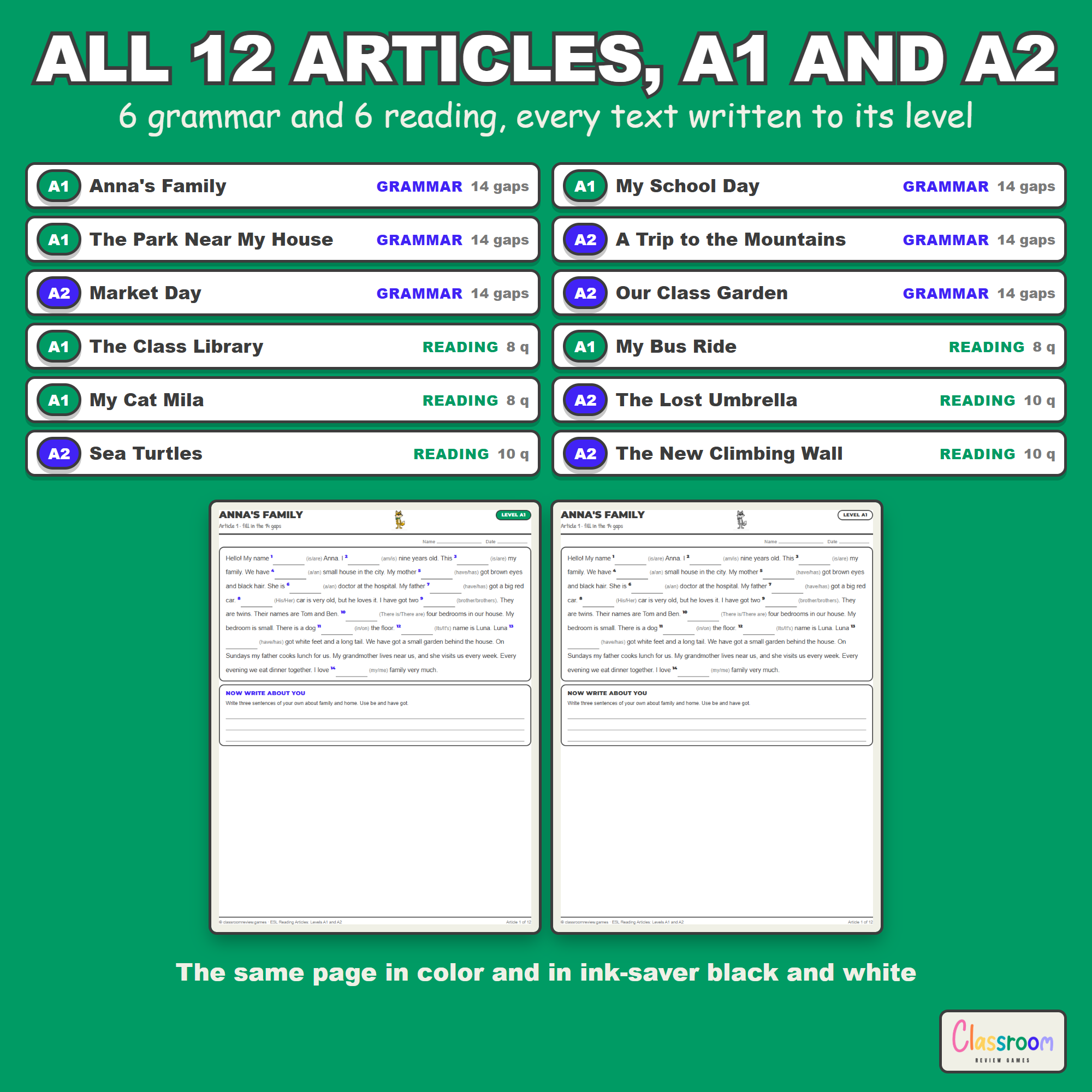
- Printable workbook PDF: a teacher page with the coverage map and a what each level means table, one page for each of the 6 grammar articles, two pages for each of the 6 reading articles, and a full answer key
- 6 grammar articles at A1 and A2 with 14 numbered gaps each, 84 gaps in total, every gap offering two choices in brackets, plus a short write about you task at the end of each page
- 6 reading articles at A1 and A2 with 54 comprehension questions in total, multiple choice and short answer, on the clean text
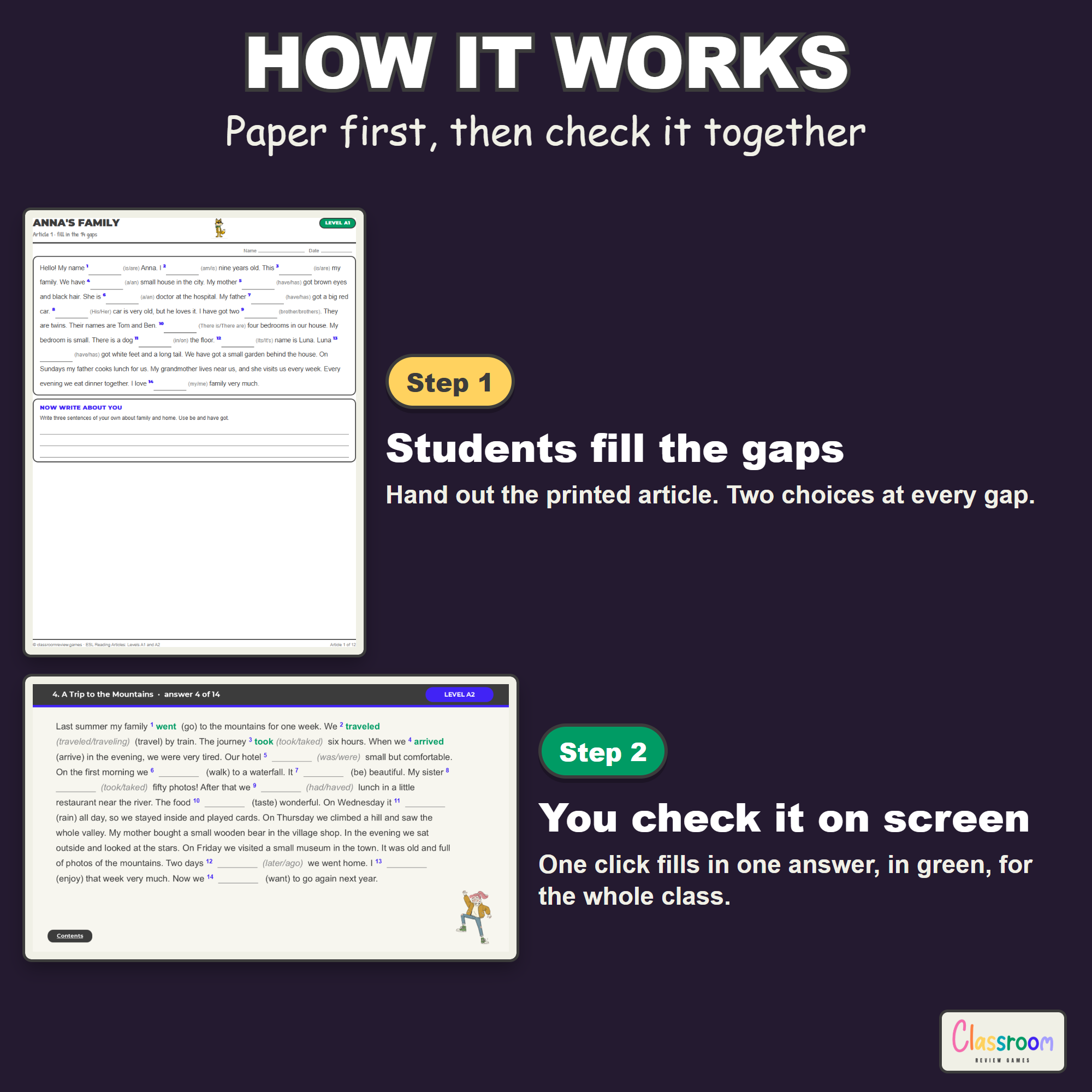
- Answer deck in Google Slides or PowerPoint: the same articles on screen with the same numbered gaps, one answer per click in green, a how to use this deck slide, a clickable contents page and a Contents button on every slide
- Answer key with the alternative answers that are also worth accepting
- Color and ink-saver black and white, US Letter and A4
Written At the Level, Not Cut Down
Every article was written to its CEFR band from the first word. The A1 texts stay inside present simple, be, have got, can, there is and there are, plurals and prepositions of place, with sentences of five to eleven words. The A2 texts add present continuous, past simple, going to, comparatives and superlatives, and longer sentences. Nothing in here is a harder article with the difficult words swapped out, which is why students can finish one in a single lesson.
What the Articles Are About
Grammar articles: Anna’s Family, My School Day, The Park Near My House, A Trip to the Mountains, Market Day and Our Class Garden. Reading articles: The Class Library, My Bus Ride, My Cat Mila, The Lost Umbrella, Sea Turtles and The New Climbing Wall. Everyday topics, classroom safe, and written to be understood anywhere in the world.
Marking Together on Screen
The deck is built for the moment after students have written on paper. Open the article in Present mode and click. Gap one fills in, in green. Click again for gap two. Students mark their own sheet as you go, so you are not reading out twenty answers while half the room loses its place. The contents page links to every article and the Contents button on every slide brings you back.
Works On
Windows, Mac, and Chromebooks. Print the PDFs, project the slides, or do both. No student devices or logins required.
Important
Play the deck in Slideshow (Present) mode so the click through answers and the contents links work. The printable workbook is the same in the Google Slides and the PowerPoint route, so you only choose how you want to show the answers.
Help
Email me any time with questions or requests. Thank you for supporting a small teacher-run shop.
Carolin
carolin@classroomreview.games
Reviews
There are no reviews yet.