
Keywords Localization: Making Your Classroom Games Work in Any Language
Keywords localization lets you adapt a single game template to multiple languages or subject-specific vocabularies, saving you hours of rebuild time while keeping the same engaging format students already love. Instead of recreating the entire game structure when you want to teach Spanish verb conjugations one week and English literary terms the next, you simply swap out the question set and answers. The template handles the mechanics, and you handle the content.
This approach transforms how you prepare review activities. Once you understand how to make a Blooket game or build any digital review template, you can repurpose that same framework across grade levels, languages, and subjects. A biology teacher might localize a matching game for anatomical terms in both English and Spanish for dual-language learners. An ESL instructor could take one quiz template and localize it for beginner, intermediate, and advanced vocabulary sets.
The real classroom win? You’re not starting over every time your content changes. Your prep time drops dramatically because you’re editing, not building from scratch. Students get consistency in game mechanics while the content stays fresh and relevant to what they’re learning right now. Whether you’re teaching world languages, supporting multilingual learners, or just differentiating content for various skill levels, keywords localization gives you the flexibility to meet diverse classroom needs without the overwhelm of constant game creation.
What Is Keywords Localization (And Why Teachers Love It)
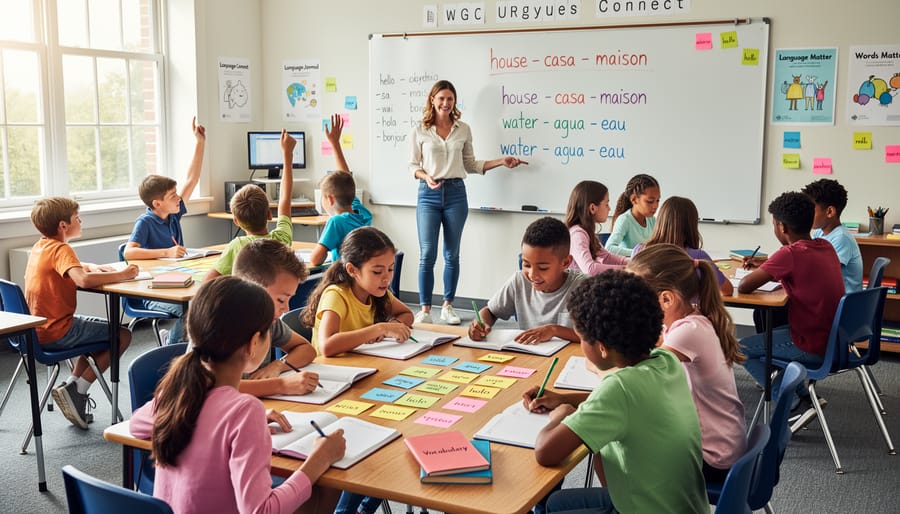
Keywords localization is simpler than it sounds. It’s the ability to swap out vocabulary words, instructions, and game prompts in a template with terms that match your specific teaching needs, whether that’s Spanish verbs instead of English, biology terminology instead of history dates, or simplified vocabulary for younger learners. When you work with a localization-ready template, you’re not locked into one language or subject. You can build a Blooket template once and adapt it dozens of ways throughout the school year.
Teachers love this feature because it respects the time you’ve already invested. Instead of creating separate games for your French 1 class, your ESL students, and your gifted learners reviewing advanced science concepts, you customize one template three different ways. Change the words, keep the engaging game mechanics your students already know.
The real beauty shows up in multilingual and diverse classrooms. A fifth-grade teacher might use the same quiz game template for English vocabulary on Monday, Spanish practice on Wednesday, and math terms on Friday. An ESL instructor can adjust difficulty by switching between beginner and advanced word sets without rebuilding the entire activity. A world language teacher preparing for multiple proficiency levels doesn’t need four different game files, just one template with localized keywords for each group.
This flexibility means your prep time shrinks while your teaching options expand. You’re working smarter, not reinventing the wheel every time your content focus shifts.
How Localization-Ready Templates Save You Hours of Prep Time

Think back to the last time you found a great classroom game template. You probably spent the next hour, maybe two, wrestling with locked text boxes, reformatting slides, or worse, rebuilding the whole thing in a different language. That’s where localization-ready templates change the game completely.
Regular templates look polished, but they’re often designed for one specific purpose. Want to switch from English vocabulary to Spanish? You’ll need to unlock layers, adjust text boxes, fix broken formatting, and hope nothing shifts out of place. Need to add accented characters or non-Latin scripts? Good luck if the fonts don’t support them.
Localization-ready templates skip all that headache. They’re built from the ground up with flexibility in mind. Every text element is editable, fonts automatically handle special characters, and the layout stays clean no matter what language you drop in. Instead of spending your planning period fixing formatting issues, you spend five minutes swapping in your vocabulary list and you’re done.
| Feature | Regular Template | Localization-Ready Template |
|---|---|---|
| Text fields | Often locked or hard-coded | Fully editable everywhere |
| Special characters | May break or display incorrectly | Unicode support for all languages |
| Layout flexibility | Fixed formatting, breaks easily | Auto-adjusts for text length |
| Font compatibility | Limited to basic Latin characters | Supports accents, diacritics, non-Latin scripts |
Here’s a real scenario: You’re teaching a unit on body parts. Monday, you run a matching game in English for your mainstream class. Wednesday, you need the same game in Spanish for your dual-language students. Friday, you want simplified vocabulary for your intervention group. With a regular template, that’s three separate prep sessions. With a localization-ready template, you copy the file twice, swap the word lists, and you’re set for the week.
The time savings add up fast. Teachers who switch to localization-ready templates report cutting game prep time by 70% or more when adapting content across languages or subjects. That’s time back in your day for actual teaching, not formatting frustration.
What Makes a Word Game Template Truly Localization-Ready
Not all game templates are created equal when it comes to language flexibility. A truly localization-ready template has specific built-in features that make switching languages or subject vocabulary effortless. Here’s what to look for when choosing templates that support keywords localization.
Editable text boxes everywhere that matters. The best templates let you click and type directly into every text element, question cards, answer spaces, instructions, point values, and even button labels. If you have to dig through settings menus or can’t change certain text, that template will frustrate you fast. Look for drag-and-drop or simple click-to-edit functionality that respects your time.
Unicode and special character support is non-negotiable. Your template needs to handle accents, tildes, umlauts, Cyrillic letters, Chinese characters, Arabic script, and any other writing system without breaking. Test this before committing: type “ñ,” “é,” “ü,” or a few characters in your target language into a text box. If they display correctly and don’t vanish when you save, you’re good to go. Templates that strip special characters or turn them into question marks won’t work for world language classes.
Scalable fonts that adjust without ugliness. Different languages take up different amounts of space. German compound words run long, while Chinese characters pack meaning into small spaces. A localization-ready template automatically adjusts font size or text box dimensions to fit your content without overlapping, cutting off words, or creating awkward gaps. Look for responsive design that keeps things readable whether you’re typing “cat” or “Hauskatze.”
Culture-neutral graphics and design elements. The visuals should work for any classroom context. Generic shapes, universal symbols, and simple color schemes adapt better than templates loaded with culture-specific clipart or American football metaphors. Clean, minimal designs give you flexibility to add your own cultural touches if needed.
Adaptable scoring systems and game mechanics. Point values, timers, and round structures should be easy to modify. Some languages or subjects need longer response times, and certain classroom groups benefit from adjusted point scales. Templates that let you tweak these mechanics without redesigning the entire game give you real control over how keywords localization works in practice.
When a template checks all these boxes, you’ve found a tool that truly supports multilingual and multi-subject flexibility.
Real Classroom Wins: When to Use Keywords Localization
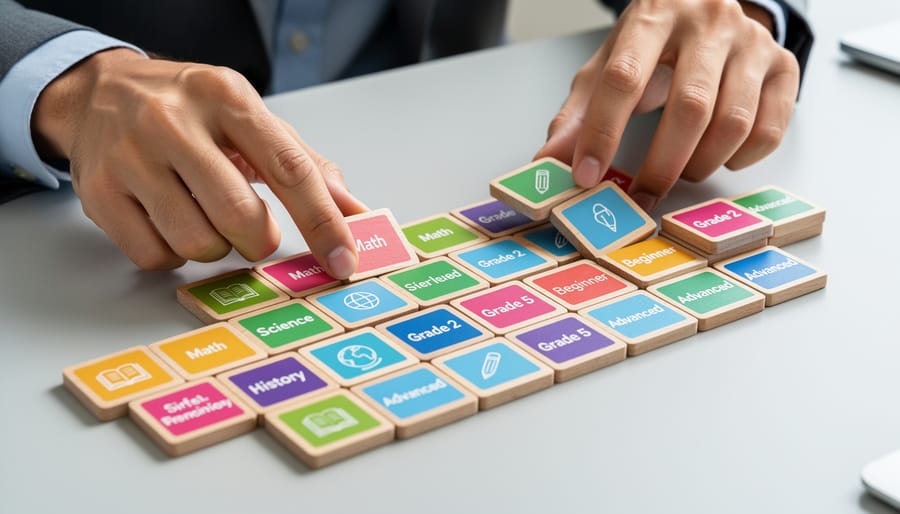
Keywords localization works magic in specific teaching situations. Here’s when you’ll get the biggest payoff from localization-ready templates.
ESL and EFL Classes
Students learning English need repeated exposure to new vocabulary in engaging ways. Rather than drilling words on flashcards, you can create vocabulary games that use their native language alongside English terms. One day you’re reviewing food vocabulary with Spanish speakers; the next day, you’re helping Vietnamese students practice verb tenses. The same game template adapts instantly.
World Language Instruction
Teaching French, Mandarin, or German? Swap English placeholders for target-language terms without reformatting. Your students practice authentic vocabulary while still enjoying the competitive game format they love. Special characters, accents, and non-Latin alphabets display perfectly in localization-ready templates.
Bilingual and Dual-Language Programs
Teachers in these settings need materials that genuinely reflect both languages, not cobbled-together translations. Keywords localization lets you create parallel versions, a Spanish science review game and an English one, from the same template, ensuring consistency across your curriculum.
Subject-Specific Vocabulary Review
Science teachers can replace general terms with domain vocabulary like “mitochondria” and “photosynthesis.” Math teachers can customize templates with “hypotenuse” and “coefficient.” History instructors can plug in “Magna Carta” and “suffrage.” One game template becomes your go-to for any unit’s key terms.
Differentiated Instruction
Your advanced learners can tackle complex terminology while struggling students review foundational concepts, all using the same game structure. Simply adjust the keywords to match each group’s level. You’re not creating three different games; you’re localizing one template three ways.
The best part? You can prepare all these variations during one prep period instead of spending your weekend building separate games from scratch.
Quick Tips for Customizing Your Localized Game Templates
Ready to customize your first localized game template? Follow these 5 simple steps to transform any template into the perfect vocabulary review game for your class:
- Open the template and locate all editable text fields, usually marked with placeholder words like “WORD 1” or “VOCABULARY TERM.”
- Replace each placeholder with your target vocabulary, typing directly into the text boxes. If you’re teaching Spanish, German, or any language with special characters (like ñ, ü, or é), test them immediately to confirm they display correctly.
- Preview your game and check for text overflow. Longer words in languages like German or Finnish might not fit in spaces designed for English. Adjust font sizes or abbreviate where necessary while keeping terms recognizable.
- Review the visual balance, make sure your customized words don’t cover important graphics or push elements off-screen. Most templates let you resize text boxes or reposition elements.
- Run a quick test round with a few sample questions before game day. This catches any missed translations, formatting issues, or confusing prompts.
Keep your original vocabulary list handy in a separate document so you can quickly copy and paste terms rather than retyping everything. This saves time and reduces typos, especially when working with unfamiliar alphabets or special characters.
If you’re switching between subjects frequently, save multiple versions of the same template with different file names (like “Biology_Terms_Spanish” or “Math_Vocab_French”). You’ll build a personal library of ready-to-go games without starting from scratch each time.
One last tip: when adapting for languages that read right-to-left (like Arabic or Hebrew), check whether your template supports text direction changes. Not all do, so this feature is worth confirming before you invest time customizing.
Keywords localization isn’t just a feature, it’s your ticket to unlimited review games from a single template. Think about it: one well-designed game can serve your Spanish class today, your science vocabulary tomorrow, and your ESL students next week. No rebuilding. No starting over. Just swap in the words you need and you’re ready to go.
That’s real prep time saved, and more importantly, it’s energy you can redirect where it matters most, your students. When you can quickly adapt materials to meet different needs, you’re not just teaching efficiently. You’re creating engaging, relevant experiences that stick.
Ready to see the difference? Grab a localization-ready template for your next vocabulary review. Customize it once, then watch how easily it adapts to whatever subject or language you’re teaching. Your students will love the interactive format, and you’ll love reclaiming those precious planning hours.
The best part? Every game you create becomes a reusable resource. Build your library once, then adapt and remix as your curriculum evolves. That’s the power of keywords localization, transforming single-use activities into evergreen teaching tools that grow with you.