

Teach Programming Logic Without a Single Computer (Unplugged Coding Games That Work)
Teaching coding without screens might sound impossible, but unplugged coding games bring programming concepts to life through hands-on activities that kids actually understand. These screen-free games teach the same computational thinking skills as computer-based coding—sequencing, loops, conditionals, debugging—but with materials you already have in your classroom.
Start with simple activities like having students create step-by-step instructions for a classroom task, revealing how computers need precise, sequential commands. Move students through your classroom using directional cards (forward, turn left, turn right) to demonstrate basic programming sequences and introduce the concept of debugging when they bump into desks.
Use grid-based board games where students plan routes before moving pieces, teaching them to think ahead and recognize patterns—the foundation of loops and algorithms. Create if-then scenarios with everyday classroom situations, helping students grasp conditional logic without touching a keyboard.
The beauty of unplugged coding lies in its accessibility. You need minimal materials—paper, markers, tape for floor grids—and zero tech budget. Students engage physically, making abstract concepts concrete. They collaborate naturally, discussing solutions and catching errors together.
These games work across grade levels with simple customization. Kindergarteners navigate obstacle courses while fifth graders tackle complex multi-step challenges. Best of all, you can print activities once and reuse them year after year, making unplugged coding both educationally powerful and budget-friendly for your classroom.
Why Unplugged Coding Games Belong in Every Classroom
Here’s some exciting news: you don’t need a classroom full of computers to teach coding concepts! Unplugged coding games bring computational thinking to life in ways that screens simply can’t match, and they create learning opportunities for every single student in your classroom.
Think about accessibility for a moment. Not every school has the budget for devices, reliable internet, or updated technology. Unplugged games level the playing field beautifully. Whether you’re working with kindergarteners or middle schoolers, students in urban schools or rural classrooms, everyone can participate with just paper, markers, and a bit of floor space.
The kinesthetic element is pure magic. When students physically move through sequences, arrange cards to create algorithms, or use their bodies to demonstrate loops, they’re building muscle memory alongside mental understanding. This hands-on approach helps concepts stick in ways that clicking a mouse never could. Your active learners and students who struggle to sit still? They’ll absolutely thrive.
Collaboration happens naturally with unplugged activities. Students work together to solve problems, debug sequences, and celebrate successes as a team. You’ll notice quieter students finding their voice and tech-anxious kids relaxing when the pressure of “getting it right” on a computer disappears.
Speaking of technology anxiety, unplugged games remove that barrier entirely. Students who might feel intimidated by coding on screens discover they already understand the logic behind programming. This confidence-building foundation makes the eventual transition to digital coding feel like a natural next step rather than a scary leap.
Best of all? You can customize these activities to match your students’ needs, your available time, and your classroom space. No special training required, just your enthusiasm and creativity!
Essential Coding Concepts You Can Teach Unplugged
Sequencing and Algorithms
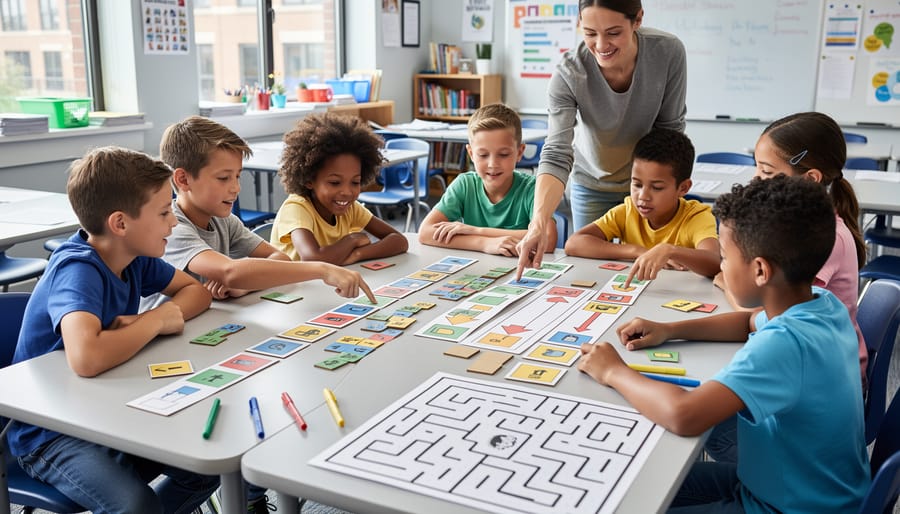
Sequencing and algorithms form the foundation of computational thinking, and the good news is that you can teach these concepts with simple, engaging activities that get students moving and thinking! Start with card-based sequencing games where students arrange instruction cards in the correct order to complete a task. For example, create cards with steps like “walk forward,” “turn right,” or “clap hands,” and challenge learners to sequence them to reach a specific goal.
Movement-based algorithm games work wonderfully for kinesthetic learners. Try human robot activities where one student acts as the “programmer” giving precise step-by-step instructions while another becomes the “robot” following commands exactly as stated. This quickly reveals how computers need crystal-clear directions—no assumptions allowed!
You can easily customize these games to match your grade level and curriculum. Younger students might sequence daily routines like making a sandwich, while older learners tackle more complex multi-step challenges. The beauty of these activities is their flexibility. Use different colored cards, adjust difficulty levels, or incorporate themes from your current lessons. These hands-on experiences help students understand that coding is really just breaking down problems into manageable steps—a life skill that extends far beyond computer science!
Loops and Patterns
Loops are all about doing things again and again, and they’re a coding superstar! Help your students grasp this essential concept with printable pattern cards that make repetition visual and fun.
Create simple activity cards showing sequences like “clap, stomp, clap, stomp” or arrow patterns that repeat. Students identify what repeats and predict what comes next. You can easily customize these patterns based on your grade level—use shapes for younger learners or complex directional sequences for older students.
Try a “Robot Dance” game where students follow pattern cards with repeated movements. They’ll quickly see how loops make instructions shorter and more efficient. Instead of writing “step forward” four times, they learn to say “repeat step forward 4 times.”
Print different difficulty levels so every student finds their perfect challenge. Start with two-step patterns and gradually introduce nested loops where patterns exist within patterns. This hands-on approach builds pattern recognition skills while teaching computational thinking—no screens required!
Conditionals and Decision-Making
Bring decision-making to life with choice cards and branching path activities! Create scenario cards where students follow if-then logic: “If the character finds a key, then move forward three spaces. If not, try again next turn.” This mirrors how real programs make decisions based on conditions.
Set up simple story-based games where students draw choice cards and follow the rules. For example, “If it’s raining, take the umbrella path. If it’s sunny, take the park path.” You can customize these scenarios to match your current curriculum topics, making them doubly valuable for learning.
Try a treasure hunt game where students navigate a grid using conditional statements written on cards. Each decision point offers multiple paths, teaching kids how programs evaluate conditions and respond accordingly. The best part? You can adjust the complexity for any grade level, from simple yes-no choices for younger students to multi-layered decisions for older ones. Students love seeing how their choices create different outcomes, just like in real coding!
Ready-to-Play Unplugged Coding Game Ideas
Robot Commands (Sequencing Game)
Transform your classroom floor into a giant game board with this hands-on sequencing adventure! Set up a simple grid using tape or chalk, and designate starting and ending points. One student becomes the robot who can only follow exact commands, while others work together to create instruction cards featuring directional arrows (forward, backward, left turn, right turn).
Here’s the fun part: students arrange their command cards in sequence before the robot executes them. This teaches them that computers follow instructions precisely and in order. If the robot doesn’t reach the goal, no problem! Discuss what went wrong and rearrange the cards to try again.
Want to level up? Add obstacles to navigate around, require students to use the fewest cards possible, or introduce loops by creating repeat cards. You can even customize the grid size based on your available space and student age. This game brilliantly demonstrates sequencing, debugging, and algorithmic thinking while getting kids moving and laughing together. Perfect for kinesthetic learners who thrive with physical activity!
Bug Hunt (Debugging Challenge)
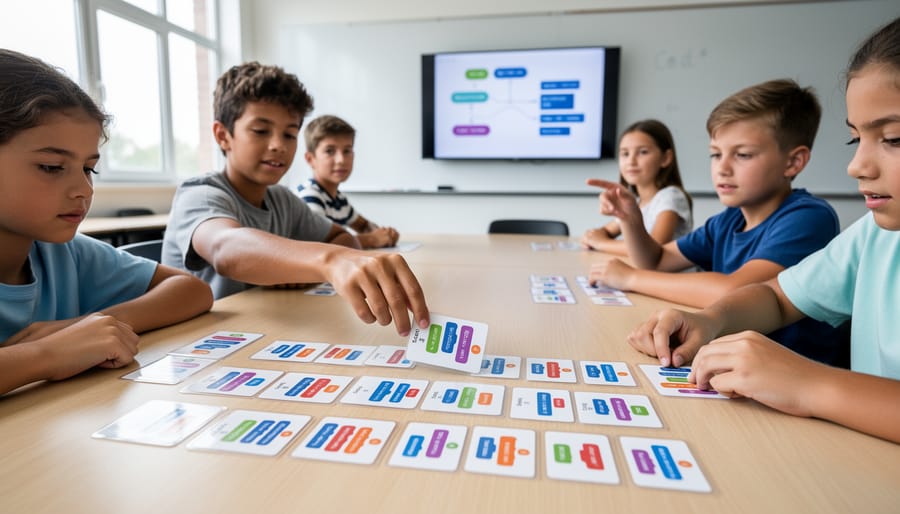
Turn your students into code detectives with this engaging debugging challenge! Create a series of instruction cards that form a sequence with intentional errors—maybe a step is out of order, a direction is wrong, or a crucial command is missing. Students work individually or in small groups to spot the bugs and fix them.
Start simple with sequences containing one obvious error, then gradually increase difficulty by adding multiple bugs or more subtle mistakes. This activity brilliantly mirrors real-world programming, where debugging is a critical skill. Students learn to read code carefully, think logically about what should happen, and develop problem-solving persistence.
You can customize the challenge level for different grade ranges—use picture-based cards for younger learners or text-based algorithms for older students. Consider creating themed bug hunts around current classroom topics to reinforce other subject areas. The satisfaction students feel when they crack the code and identify all errors builds confidence and analytical thinking skills that extend far beyond coding concepts.
Loop-de-Loop (Pattern Building)
Get ready to introduce loops—one of coding’s most powerful concepts—through this engaging card game! Loop-de-Loop uses special cards to help students discover how programmers make code more efficient by repeating actions instead of writing them out multiple times.
Here’s how it works: Create a deck with instruction cards (move forward, turn left, pick up object) and loop cards that show numbers like “repeat 3x” or “repeat 5x.” Students draw a challenge card showing a path or pattern they need to complete. Their goal? Use the fewest cards possible by incorporating loops!
For example, instead of using six “move forward” cards, they can use one “move forward” card with a “repeat 6x” loop card. This simple switch teaches optimization—a real programmer’s skill!
You can customize difficulty levels easily. Beginners might work with simple straight paths, while advanced students tackle complex patterns requiring nested loops (loops inside loops). Add a competitive element by having students compare their solutions to see who used the most efficient sequence.
This game beautifully demonstrates why loops matter in coding while building logical thinking and problem-solving skills. Plus, watching students’ faces light up when they discover a more efficient solution is absolutely priceless!
Conditional Quest (If-Then Adventure)
Bring coding logic to life with this exciting choose-your-own-adventure game that teaches conditional statements! Create simple scenario cards where students make decisions using if-then thinking. For example, “If you see a locked door, then find the key” or “If the path is blocked, then climb over the wall.”
Set up stations around your classroom representing different scenes in the adventure. Students work in pairs or small groups, reading situation cards and deciding which action to take based on the conditions they encounter. Each choice leads them to a new station with fresh challenges.
You can easily customize the adventure theme to match your current curriculum topics. Turn it into a treasure hunt, space exploration, or mystery-solving mission. The beauty of this activity is its flexibility—adjust difficulty levels by adding multiple conditions or creating branching storylines.
This hands-on approach helps students grasp how computers make decisions while developing critical thinking skills. Plus, watching them collaborate and problem-solve together is incredibly rewarding! Print the cards, set up your stations, and let the adventure begin.
Setting Up Your Print-and-Play Coding Toolkit
Getting your classroom ready for unplugged coding adventures is easier than you might think! The beauty of these activities is that you can create a durable, reusable toolkit with minimal investment. Let’s walk through setting up your materials so they’re ready whenever inspiration strikes.
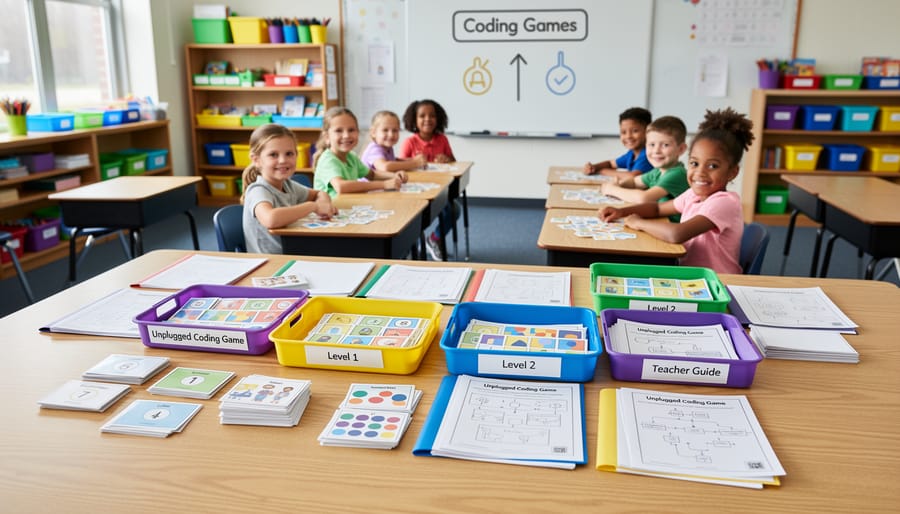
Start by gathering basic supplies you likely already have: cardstock or heavyweight paper, scissors, markers, and clear page protectors or laminating sheets. These simple materials transform into powerful learning tools. You can easily create print-and-play game components that withstand enthusiastic student handling throughout the school year.
Here’s your quick setup process:
- Print your game components on cardstock for extra durability. Regular paper works too, but heavier stock lasts longer with repeated use.
- Laminate or slip pieces into page protectors to protect against spills and wear. This step saves you from reprinting constantly.
- Cut out game pieces carefully and store similar items together. Use sandwich bags, envelopes, or small containers labeled by game type.
- Create a master folder or binder with instructions and blank templates for quick reference and easy replacement.
- Designate a storage bin or shelf space specifically for your unplugged coding materials so everything stays organized.
Consider customizing your materials to match your classroom themes or student interests. Add colors, characters, or subjects that resonate with your learners. You might create robot-themed direction cards for one group and animal-themed ones for another.
Keep a small repair kit handy with extra copies, tape, and spare markers. Students can even help maintain the toolkit, turning organization into another learning opportunity. With everything prepared and accessible, you’ll be ready to launch engaging coding lessons at a moment’s notice.
Tips for Running Unplugged Coding Games Successfully
Ready to make your unplugged coding games a classroom hit? Here are some tried-and-true strategies to keep everyone engaged and learning!
Start with crystal-clear instructions. Demonstrate the game yourself first, walking through one complete example before students dive in. This visual modeling prevents confusion and gets everyone on the same page quickly.
Group students strategically by mixing ability levels or pairing experienced coders with newcomers. This creates natural peer teaching moments where students learn from each other. For even more support, check out these differentiation ideas to ensure every learner succeeds.
Keep rounds short and sweet—5 to 10 minutes works perfectly. This maintains high energy and allows you to debrief frequently, reinforcing those coding concepts while they’re fresh in students’ minds.
Customize game complexity on the fly. Struggling students can work with fewer cards or simpler sequences, while advanced learners can tackle bonus challenges like creating reverse algorithms or debugging intentionally flawed sequences.
Don’t forget about assessment opportunities! Circulate during gameplay with a simple checklist to observe who grasps sequencing, debugging, or pattern recognition. Student explanations during debriefs reveal deep understanding better than any worksheet.
Finally, celebrate creativity! Encourage students to design their own game variations or challenges. This ownership transforms good activities into unforgettable learning experiences that students will ask to repeat again and again.
Unplugged coding games offer an incredible opportunity to introduce computer science concepts without the barriers of screens, devices, or expensive technology. These hands-on activities make programming accessible to every student, regardless of your school’s budget or tech resources. The beauty lies in their simplicity—with just paper, markers, and creativity, you can transform your classroom into a dynamic learning space where kids actively engage with algorithms, logic, and computational thinking.
Starting small is the key to success. Pick one simple game that aligns with your current curriculum and try it out. Notice what resonates with your students, then adapt and expand from there. Building a print-and-play toolkit doesn’t happen overnight, but each activity you add becomes a valuable resource you’ll use year after year.
The best part? These games grow with you. Customize them for different skill levels, incorporate them across subjects, and watch as your students develop problem-solving skills that extend far beyond coding. You’re not just teaching programming—you’re building confident thinkers ready for tomorrow’s challenges. So grab some paper, rally your students, and discover just how powerful unplugged learning can be.