

Why Your Classroom Game Data Should Talk to Other Tools (And How to Make It Happen)
Imagine creating amazing assessment games in your classroom, only to find the valuable data they generate sits trapped in one platform, unable to connect with your school’s learning management system or student information database. Interoperability standards solve this frustrating problem by creating a common language that allows different educational technology tools to share data seamlessly.
Think of these standards as universal adapters for your educational game data. Just as USB-C cables work across different devices, interoperability standards like xAPI and LTI ensure your game-based assessment results flow smoothly into gradebooks, portfolio systems, and analytics dashboards without manual data entry or complicated workarounds.
For you as an educator, this means less time wrestling with spreadsheets and more time understanding how your students actually learn through play. When your quiz games, interactive simulations, and gamified activities all speak the same data language, you gain powerful insights into student progress across platforms. You can finally see the complete picture of how games support learning goals, track engagement patterns, and make informed instructional decisions based on comprehensive evidence rather than isolated snapshots.
The best part? You don’t need to become a tech expert to benefit from these standards—understanding the basics empowers you to ask the right questions when choosing educational tools.
What Interoperability Standards Actually Mean for Your Classroom
Think of interoperability standards like a universal translator for your classroom technology. You know how frustrating it is when you find an amazing educational game, but the assessment data gets stuck inside that single platform? That’s exactly what interoperability standards solve.
Here’s a simple way to understand it: imagine your classroom tools as friends who speak different languages. Your learning management system speaks one language, your game-based assessment tool speaks another, and your gradebook speaks yet another. Interoperability standards are like teaching all these tools to speak the same language, so they can share information smoothly.
When you use games to assess student learning, you’re collecting valuable data about their progress, problem-solving skills, and understanding of concepts. Without interoperability standards, that data stays trapped in the game. But with these standards in place, the information flows freely into your grade book, learning management system, or anywhere else you need it.
Think of it like this: remember when you couldn’t text between different phone carriers? Interoperability standards fixed that problem for phones, and now they’re doing the same thing for educational technology. When your classroom tools follow the same standards, you can mix and match the best games and platforms without worrying about data getting lost in translation.
The best part? You don’t need to be a tech expert to benefit from this. Once your school or district adopts tools that use these standards, everything just works together behind the scenes. You focus on teaching, while your technology handles the data sharing automatically.
The Real Problem: When Your Game Data Gets Stuck
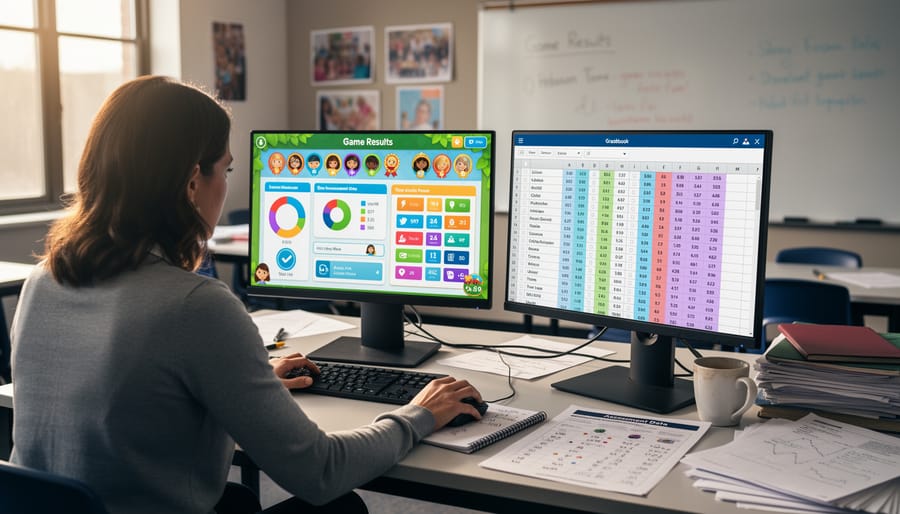
Picture this: Your students just wrapped up an exciting review game, and you can see from their faces they were totally engaged. But here’s where the frustration kicks in. That valuable game assessment data showing who mastered fractions and who needs extra help? It’s trapped in one platform, completely isolated from your gradebook and learning management system.
So what happens next? You’re stuck manually typing scores into spreadsheets, one student at a time. Maybe you snap screenshots of results to remember later, or worse, you rely on memory alone. By the time you’re ready to plan tomorrow’s lesson, those insights about learning gaps have already faded.
This data disconnect means you’re doing double or triple the work. You’re entering the same information into multiple systems, switching between tabs, and losing precious planning time. Meanwhile, rich details about student performance—like which questions stumped everyone or how long learners took to answer—get lost completely.
It’s not just about inconvenience. When data can’t flow between your favorite tools, you miss opportunities to spot patterns, track growth over time, and make informed decisions about instruction. You chose those interactive games to save time and boost engagement, but without interoperability, you’re stuck with extra administrative busywork instead.
How Interoperability Standards Work Their Magic
xAPI: The Storyteller for Learning Activities
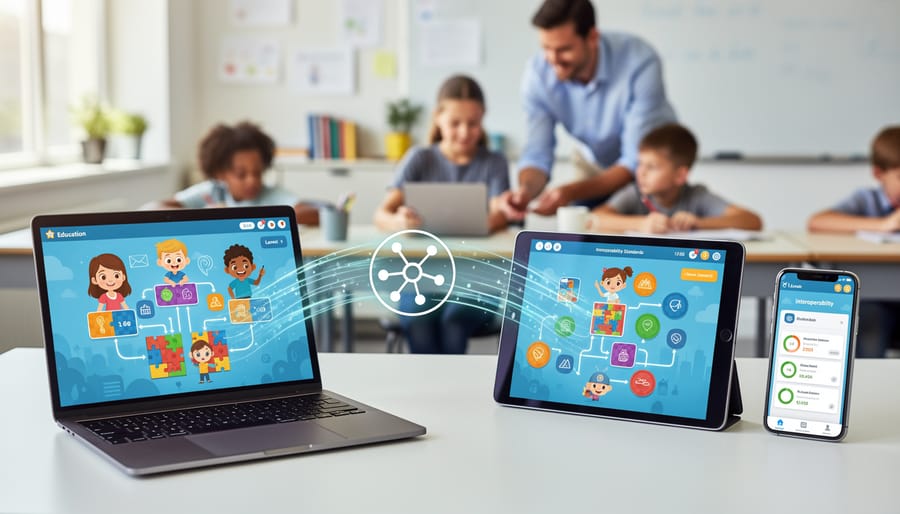
Think of xAPI as your classroom’s personal storyteller, capturing every exciting moment of your students’ learning journey during game-based activities. Instead of just recording final scores, xAPI tracks the rich details that matter most: who attempted the challenge, what strategies they tried, which questions stumped them, and how they bounced back from mistakes. It’s like having a detailed diary that follows each student’s progress through every level, puzzle, and activity. This incredibly detailed information helps you understand not just what students learned, but how they learned it. You’ll discover patterns like when Sarah finally mastered fractions after her third attempt or how Marcus improved his problem-solving speed over time. The best part? This data can travel with your students across different platforms and tools, creating a complete picture of their learning adventure that grows throughout the school year.
LTI: Your Universal Connector
Think of LTI (Learning Tools Interoperability) as the universal adapter for your classroom tech toolkit. Just like USB ports let you plug any device into your computer without worrying about compatibility, LTI allows different educational apps and platforms to connect and share information smoothly. When you’re using a fun game-based assessment tool, LTI ensures it can talk directly to your learning management system, automatically transferring scores and progress data without you lifting a finger. No more manual grade entry or switching between multiple platforms! This plug-and-play standard means you can pick the best tools for your students without stressing about whether they’ll work together. You get to focus on what matters most: creating engaging, customized learning experiences that excite your students and make your teaching life easier.
Caliper: The Data Translator
Think of Caliper as your classroom’s universal translator for assessment data. When students play educational games, complete quizzes, or interact with learning apps, each tool tracks their progress differently. Caliper steps in to make sure all these different systems speak the same language about what students accomplished.
Here’s what makes it valuable for you: Caliper creates a common vocabulary for describing learning activities. Whether a student earns points in a math game or completes a reading assessment, Caliper helps translate that information into a format every system understands. This means you won’t lose important details when data moves between platforms.
The best part? You don’t need to become a tech expert to benefit from Caliper. When your tools are Caliper-compliant, they automatically share clean, organized data about student performance, saving you from manual data entry and giving you more accurate insights into how your students are really doing.
What This Means for Your Review Games
Here’s the exciting part: interoperability standards can transform how you use review games in your classroom! Think about what happens right now when students finish a Jeopardy-style review or a vocabulary matching game. You probably have to manually record scores, remember who’s improving, and somehow connect that information to your gradebook. It’s time-consuming and, let’s be honest, not always at the top of your to-do list.
With interoperability standards in place, imagine this scenario instead. Students complete a review game on fractions, and their scores automatically sync with your digital gradebook. No copying numbers. No forgetting to record results. The data just flows where it needs to go. Even better, you can track each student’s progress over time without creating complicated spreadsheets. You’ll see patterns like “Maya struggled with improper fractions three weeks ago but has improved significantly” without digging through piles of paper or multiple apps.
These standards also mean your favorite review games can play nicely with the other tech tools you’re already using. Whether you’re working with Google Classroom, Canvas, or another learning management system, assessment data flows freely between platforms. No more toggling between five different tabs or manually entering the same information in multiple places.
The real magic happens when you can spend less time on administrative tasks and more time doing what you love: teaching and connecting with your students. You’ll have instant insights into who needs extra support, which concepts need review, and which students are ready for more challenging material. Your review games become powerful assessment tools that work seamlessly with your existing classroom technology, giving you back precious time while providing better insights into student learning.
Making Interoperability Work in Your Classroom
Ready to make interoperability work for you? Let’s turn these technical concepts into practical classroom wins! Here are simple steps to ensure your educational tools play nicely together.
Start by asking the right questions when choosing game platforms. Does the tool support LTI connections? Can it export data in common formats like xAPI or Caliper? These questions might sound technical, but they’re actually your gateway to hassle-free integration. Don’t be shy about asking vendors directly—good companies will be happy to explain their compatibility features.
Look for platforms that explicitly mention integration with your existing systems. If you’re using Google Classroom, Canvas, or Schoology, check whether the game tool has a direct plugin or integration option. The best tools make this information easy to find on their websites.
Here’s your advocacy toolkit: When meeting with administrators or tech coordinators, emphasize how interoperability saves time and improves student outcomes. Point out that integrated systems mean less manual data entry for you and more cohesive learning experiences for students. Request demonstrations that show actual data flowing between systems—not just promotional promises.
Create a simple checklist for evaluation: Does it connect to our learning management system? Can we export student progress easily? Will data transfer automatically or require manual work? Does it meet privacy standards like FERPA?
Remember, you’re not just choosing a single tool—you’re building an ecosystem that supports your students. When everything works together seamlessly, you spend less time wrestling with technology and more time doing what you love: teaching. Push for solutions that respect your time and amplify your impact.

The Future: Your Games Working Smarter, Not Harder
Imagine a classroom where your games truly talk to each other! When assessment data flows freely, exciting possibilities emerge that’ll make your teaching life easier and your students’ learning experiences richer.
First up: personalized learning paths that actually work. Instead of manually tracking each student’s progress across different games, the system does it for you. Sarah struggles with fractions? The system automatically recommends games that target exactly what she needs. Meanwhile, Michael races ahead with multiplication challenges perfectly matched to his level.
You’ll also gain comprehensive progress tracking without the headache. Picture seeing all your students’ game data in one dashboard—no more toggling between five different websites or spreadsheets. You’ll spot learning gaps quickly and celebrate victories faster.
Best of all? Less busywork for you! When systems share data smoothly, you’ll spend less time on administrative tasks and more time doing what you love—actually teaching. No more re-entering grades, manually creating reports, or hunting for student progress across platforms. Your games work smarter, so you don’t have to work harder.