

Transform Your Review Games Into Smart Teaching Moments With Learning Analytics
You’re already collecting learning analytics every time you run a classroom game—you just might not realize it. When you notice which students struggle with specific questions, track participation patterns, or adjust your review games based on how the class responds, you’re gathering valuable data that reveals exactly what your students know and where they need support.
Learning analytics sounds technical, but it’s simply the practice of paying attention to the right signals during learning activities and using that information to help students succeed. The digital tools you already use, especially interactive review games, generate incredible insights about comprehension, engagement, and knowledge gaps—without requiring spreadsheets or complicated systems.
Transform your game-based review sessions into powerful assessment opportunities by intentionally observing student responses, noting common misconceptions, and tracking which concepts need reteaching. The beauty of game-based learning analytics is that students stay motivated and engaged while you gather authentic evidence of their understanding in real-time.
This approach works because it meets you where you are: using activities your students already love while becoming more strategic about what you notice and how you respond. Learning analytics isn’t about adding more work to your plate—it’s about making your existing classroom practices more intentional and effective.
What Learning Analytics Actually Means for Your Classroom
Here’s the good news: learning analytics isn’t as complicated as it sounds! Think of it simply as using information from classroom activities to understand how your students learn. When you notice that half your class struggles with fractions or that your morning groups seem more engaged than afternoon ones, you’re already doing learning analytics. You’re observing, gathering information, and making teaching decisions based on what you see.
The magic happens when you apply this same approach to your interactive classroom activities and PowerPoint review games. Every time students participate in a quiz game or competitive review session, they’re creating a trail of valuable information. Which questions stumped most students? Who needed extra time? Which topics sparked the most excitement?
Learning analytics in your classroom doesn’t require fancy dashboards or complicated software. It’s about being intentional with the activities you’re already using. When you run a Jeopardy-style review game, pay attention to patterns. Notice which categories students avoid or which point values they gravitate toward. After a team-based trivia game, take a quick mental snapshot of which concepts caused confusion and which ones students nailed confidently.
The best part? You can customize your approach based on what matters most to your students. Maybe you focus on identifying struggling learners who need extra support. Or perhaps you’re looking for ways to challenge your advanced students. Learning analytics simply gives you a framework to make these observations more purposeful and actionable, turning fun classroom games into powerful teaching tools that inform your instruction.

The Data Your Review Games Are Already Giving You
Student Participation Patterns
Here’s a simple truth: the students who raise their hands aren’t always the ones who need your attention most. When you’re running review games in your classroom, paying attention to who’s participating gives you incredible insights into engagement and confidence levels.
Think about it. During a typical game round, you’ll notice certain students eagerly jumping in while others hang back. This pattern tells a story. Students who consistently answer are likely confident in the material, while those who rarely participate might be struggling or feeling unsure.
The good news? You don’t need fancy software to track this. Start simple. Keep a quick tally sheet with student names, marking each time they answer during your game. After a few rounds, patterns emerge naturally. You might discover that Sarah always answers math questions but goes quiet during vocabulary rounds, or that Marcus needs a confidence boost in specific areas.
This information is gold for tailoring your instruction. You can gently encourage quieter students to participate in areas where they’re stronger, building their confidence gradually. You can also mix up your game format, using team-based activities that give less confident students a safety net while still tracking individual contributions.
Common Wrong Answers That Tell a Story
Here’s where things get really interesting! When you notice multiple students choosing the same wrong answer during your review game, that’s gold. It’s like getting a peek into their thinking process. Maybe half the class keeps selecting “photosynthesis” when you ask about cellular respiration—that’s not random guessing. It’s showing you they’re mixing up two related concepts that need clarification.
These patterns are your roadmap for what to revisit. Instead of moving forward, take a moment to address these specific misconceptions right away. You might say, “I noticed many of you picked this answer—let’s talk about why that’s so tempting and what makes the correct answer different.” This immediate feedback loop is what makes game-based learning so powerful.
The beauty is that you don’t need fancy software to spot these trends. Simply jotting down which questions stumped most students gives you actionable insights. Then you can customize your next lesson, create targeted small group activities, or even design a follow-up game focusing specifically on those tricky concepts. Your students’ wrong answers aren’t failures—they’re telling you exactly what they need to succeed.
Team Performance Insights
Team games reveal so much more than individual scores! When you run PowerPoint review games with teams, you’re gathering valuable insights about how your students work together. Notice which groups communicate effectively, who naturally takes leadership roles, and how students support each other’s learning. These collaboration patterns are gold for understanding your classroom dynamics.
Pay attention to teams that struggle initially but improve over rounds—that’s peer learning in action! You might spot students teaching concepts to teammates or creative problem-solving strategies emerging. Try rotating team members between games to mix collaboration styles and give everyone chances to learn from different peers. Keep simple notes on team dynamics, like “Group 3 really helped each other explain answers” or “Sarah became the encourager today.” These observations help you identify which students work well together and who might benefit from strategic pairing in future activities.
Simple Ways to Track Learning During Your PowerPoint Games
Quick Note-Taking Methods
The best note-taking systems are the ones you’ll actually use during the excitement of gameplay! Keep it simple with a quick checklist on your clipboard or tablet. Create a grid with student names down the side and key concepts across the top, then just add checkmarks or quick symbols as you observe. You can use plus signs for strong understanding, question marks for concepts needing review, or stars for students who helped others.
Another favorite method is sticky note sorting. Grab different colored sticky notes and assign each color a meaning, like pink for students who need extra support or yellow for those ready for challenges. Jot down names quickly during the game and stick them in the appropriate category on your desk. Later, you can transfer these observations to your gradebook or lesson plans.
Voice memos work wonderfully too! Between game rounds, quickly record your observations on your phone. Something like “Table 3 struggled with fractions” takes five seconds but captures valuable information. The key is choosing whatever feels natural so you stay present and keep the energy flowing in your classroom.

Using Your Built-In Scoreboard as a Learning Tool
Your game’s scoreboard can be so much more than just a point tracker—it’s actually a sneaky-smart data collection tool! Instead of only tallying up overall scores, think about customizing your scoreboard to track different learning dimensions. For example, you could create columns for different question categories like “Vocabulary,” “Math Facts,” or “Critical Thinking.” This way, you’ll instantly see which skill areas your students are crushing and which ones need more practice time.
Try color-coding your scoreboard sections to make patterns even easier to spot. You might use green for mastered concepts and yellow for skills that need reinforcement. Some teachers even track individual student contributions within team scores, which helps identify students who might be holding back or those ready for extra challenges.
The beauty of customizing your scoreboard is that it turns every game session into a mini-assessment without the testing stress. Your students stay focused on the fun and competition, while you’re gathering valuable insights about their learning progress. Plus, sharing these customized scoreboards with students helps them understand their own growth areas, making them active participants in their learning journey.
Post-Game Reflection Questions
The magic happens after the game ends! Instead of jumping straight to the next activity, take just a few minutes to ask your students some simple questions. These quick conversations give you incredible insights into what they actually learned and how they’re thinking.
Try questions like: “What strategy helped you answer the questions?” or “Which topics felt easiest or hardest during the game?” You might also ask, “If you played again tomorrow, what would you do differently?” These prompts encourage students to reflect on their own learning process.
Keep it casual and conversational. You can do this as a whole class discussion, have students turn and talk to a partner, or even collect responses on sticky notes. The key is making it quick and low-pressure so students feel comfortable sharing honestly.
Pay attention to patterns in their responses. If multiple students mention struggling with the same concept, that’s your signal to revisit that topic. When students share successful strategies, encourage them to explain their thinking to classmates. This peer learning is valuable for everyone and helps you understand which approaches resonate most with your class.
Turning Game Data Into Better Teaching Decisions
You’ve collected all this great information during your review games—now let’s put it to work! The real magic happens when you turn those observations into teaching moves that help your students succeed.
Start by looking for patterns in your game data. Did most students struggle with the same few questions? That’s your signal to revisit that concept with a different approach. Maybe it needs more visual examples, hands-on practice, or just breaking it down into smaller chunks. When you notice three or four students consistently nailing the challenging questions, you’ve identified learners who might be ready for enrichment activities.
Create simple groupings based on what you noticed. If half your class missed questions about fractions but aced geometry, consider splitting into stations where each group works on their growth areas. This doesn’t mean complicated tracking systems—just use sticky notes, a quick spreadsheet, or even mental notes about who needs what.
Try the “next day adjustment” strategy. After each game session, pick one thing you’ll change for tomorrow’s lesson based on what happened. Did students confuse two similar concepts? Plan a comparison activity. Were they bored with certain question types? Switch up your format next time.
The beauty of game-based learning is that you’re gathering this information naturally while students are having fun. You’re not adding extra assessments or paperwork—you’re simply being intentional about noticing what the game reveals and responding to it. Even small adjustments based on your observations can make a big difference in student understanding. Trust what you’re seeing, and don’t be afraid to pivot your plans based on what your students show you they need.
Keeping Learning Analytics Fun and Student-Friendly
Here’s the thing: games are supposed to be fun! The last thing you want is to turn your exciting Jeopardy-style review into a stressful data collection marathon. The goal isn’t to analyze every single answer from every student until the joy gets sucked right out of the room.
Think of learning analytics as a helpful sidekick, not the main event. Your review games should still feel like games. Students should still be excited, energized, and maybe even a little competitive. The analytics part? That’s just you being a little more thoughtful about what you notice and how you use those observations to help your students grow.
The sweet spot is balance. Maybe you track responses during one round but let the next round fly free. Perhaps you focus on gathering insights from one game per week rather than every single activity. You might jot down quick notes after the game instead of during it, so you can stay present and keep the energy high.
Remember, customization is your friend here. Choose the analytics strategies that fit your teaching style and your students’ needs. If something feels forced or takes away from the fun, skip it. The magic happens when you blend intentional observation with genuine enjoyment. Your students will learn more when they’re engaged and having a blast, and you’ll gather better insights when the atmosphere stays positive and playful.
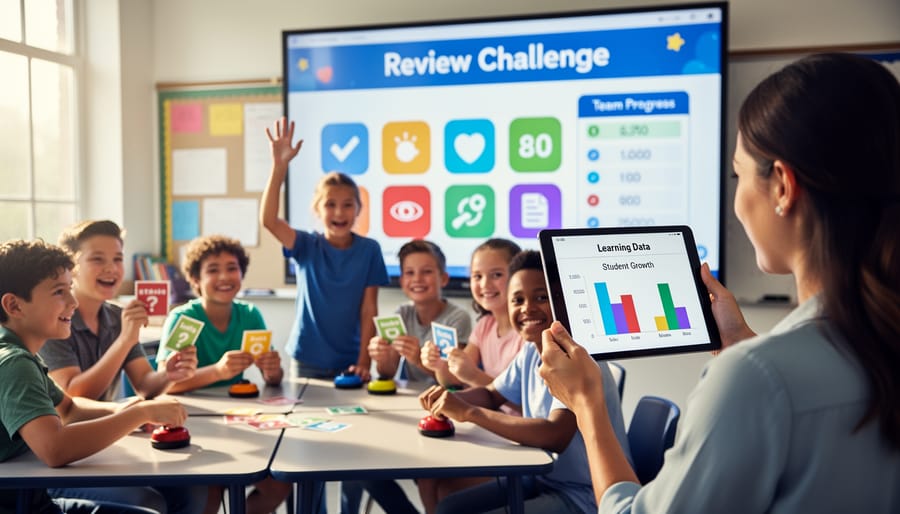
Ready to give learning analytics a try? Here’s the good news: you don’t need fancy dashboards or complicated spreadsheets to get started. Pick just one simple tracking method for your next review game—maybe tally marks on a sticky note for tricky questions, or jotting down which teams struggled with specific topics. That’s it! Learning analytics isn’t about adding more work to your plate. It’s about being intentional with the information that’s already happening in your classroom. Those observations you’re already making? You’re capturing valuable data that can shape tomorrow’s lesson. Start small, keep it simple, and watch how even tiny bits of information can make a big difference in supporting your students’ learning journey.