

Transform Your Classroom Reviews with Drag-and-Drop Game Templates That Work
Transform your review sessions into interactive experiences by choosing a drag and drop template that matches your lesson objective. Whether you need vocabulary matching, timeline sequencing, or categorization activities, these templates eliminate hours of preparation while keeping students actively engaged. Simply select your template type, replace the placeholder text with your content, and launch the game in minutes—no coding or design skills required.
Customize colors, fonts, and backgrounds to match your classroom theme or subject area, making each activity feel fresh and purposeful. Add images or emojis to support visual learners and increase motivation. Most templates allow you to adjust difficulty levels by changing the number of items students must sort or match, perfect for differentiating instruction across ability levels.
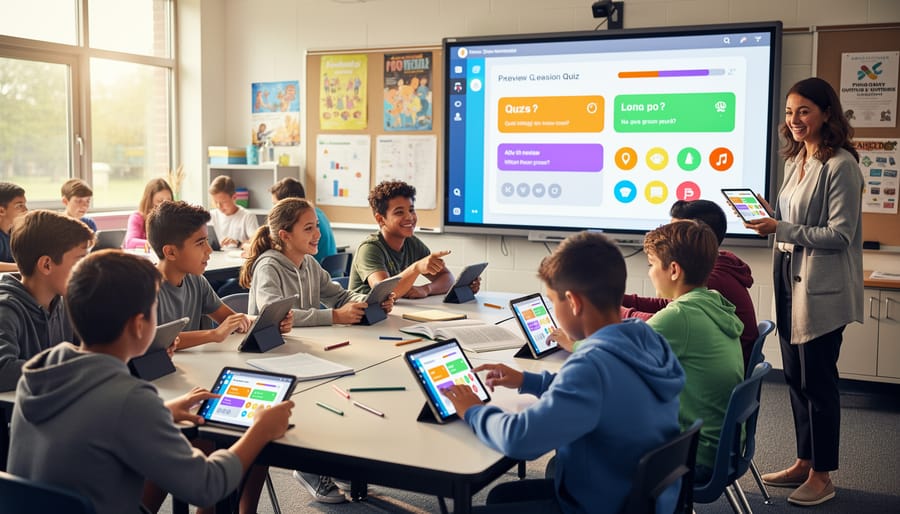
Deploy these templates on interactive whiteboards for whole-class competitions, assign them as individual review stations, or send links home for independent practice. Students receive immediate feedback as they drag items into place, reinforcing correct answers and building confidence. The best part? Once you create a template, save it and reuse it throughout the year with updated content, maximizing your time investment while maintaining that high-energy learning environment your students love.
What Makes Drag-and-Drop Templates So Effective in the Classroom
There’s something almost magical about watching students lean forward in their seats when you introduce a drag-and-drop activity. These templates work because they tap into how learners naturally want to interact with content, especially in our increasingly digital world.
The biggest advantage? Drag-and-drop templates engage kinesthetic learning in a digital space. Even though students aren’t physically handling objects, the act of clicking, dragging, and dropping creates a sense of physical interaction that helps cement learning. This tactile element makes abstract concepts feel more concrete and manageable.
Immediate feedback is another game-changer. When students drop an answer into place and instantly see if they’re correct, they can self-correct and try again without waiting. This instant response loop keeps frustration low and motivation high. Students aren’t raising their hands waiting for confirmation—they’re actively problem-solving and adjusting their thinking in real time.
Let’s be honest: today’s students have grown up swiping, tapping, and dragging across screens since before they could write. These templates speak their language. The familiar interface reduces the learning curve for the technology itself, letting students focus entirely on the educational content instead of figuring out how to use the tool.
The interactive nature also combats that glazed-over look you sometimes see during traditional review sessions. Students stay focused because they’re actively participating rather than passively watching or listening. Whether working independently or collaborating in pairs, the hands-on element maintains engagement throughout the activity.
Best of all, you can customize these templates to match any subject or skill level, making them work harder for you across different lessons and student needs.
Types of Drag-and-Drop Game Templates You Can Use Today
Matching and Sorting Games
Matching and sorting games are absolute game-changers for helping students categorize information and make connections. These templates let kids drag vocabulary words to their definitions, match math problems to answers, or sort animals by habitat—all with satisfying click-and-drop simplicity.
The beauty of these templates is their incredible flexibility. Use them for language arts to pair synonyms and antonyms, in math class to match fractions with their visual representations, or during science to classify living things by characteristics. They work brilliantly for foreign language vocabulary matching too, pairing English words with their translations.
Similar to interactive Q&A templates, matching games give instant feedback that keeps students motivated. When items snap into place correctly, kids get that rewarding sense of accomplishment that builds confidence.
Customization takes just minutes. Simply type in your categories and items, choose colors that match your classroom theme, and you’re ready to go. These templates shine during review sessions, centers, or as quick formative assessments. Students can work independently or compete in teams, making differentiation effortless for mixed-ability classrooms.

Puzzle and Sequencing Activities
These templates are absolute game-changers for teaching sequences and order! Your students will love the hands-on feel of dragging elements into the right spots, whether they’re organizing historical events on a timeline, putting story events in order, or arranging the steps of the scientific method.
The beauty of sequencing templates is their flexibility. Use them for arranging the life cycle of a butterfly, ordering fractions from least to greatest, or sequencing the events leading up to a major historical moment. They work wonderfully for teaching cause and effect, too—students can drag causes to match their effects or arrange a chain of events.
What makes these templates so effective is the immediate visual feedback. When students drag an item to the correct position, they can see the complete sequence taking shape. This builds confidence and reinforces learning patterns naturally.
Customization is super simple! Just swap out the images or text boxes with your own content. Add colorful backgrounds to make timelines pop, or include character illustrations for story sequencing activities. You can even create multi-level challenges by mixing up difficulty levels—perfect for differentiated instruction in mixed-ability classrooms.
Interactive Board Game Templates
Remember the excitement of classic board games in your classroom? Now imagine that same energy amplified with digital interactivity! Drag-and-drop board game templates bring beloved formats like path games, spinner boards, and challenge tracks into the digital space while maintaining all the fun your students love.
These templates let students move game pieces across virtual boards, draw cards, and advance through spaces just like physical games, but with added benefits. You can customize the board spaces with your own questions, vocabulary words, or math problems. Students simply drag their game piece from space to space, click on squares to reveal challenges, and collect virtual rewards as they progress.
The beauty of these templates is their flexibility. Use them for vocabulary practice where students move forward by defining words correctly, create multiplication fact races, or design review games for any subject. Many templates include built-in timers, score trackers, and randomizers that handle the game mechanics for you, meaning less prep time and more playing time.
Best of all, students stay motivated because the familiar board game format feels like play rather than work. You’re turning review sessions into engaging competitions that students actually look forward to!
How to Customize Your Drag-and-Drop Template in Minutes
The best part about drag-and-drop templates? You can make them completely your own in just a few minutes. No design degree required, and definitely no late nights wrestling with complicated software.
Start by choosing a template that fits your teaching goal. Once you’ve selected one, the customization process is wonderfully straightforward. Most templates let you click directly on existing text to replace it with your own content. Simply type in your questions, vocabulary words, or review concepts exactly as they appear in your lesson plans. If you’re preparing engaging game show questions, you can paste them right into the template fields.
Next, personalize the visual elements to match your classroom vibe. Change colors to align with your subject area or season. Many templates offer theme options like space adventures for science class or historical themes for social studies. These visual touches take seconds but make students feel like the game was created just for them.
Adjusting difficulty levels is equally simple. For younger students, use fewer items or simpler matching tasks. Challenge older learners by adding more categories or introducing trickier concepts that require critical thinking. The drag-and-drop format works across all grade levels because you control the complexity.
Don’t forget to add those personal touches that make learning memorable. Include inside jokes from your classroom, reference recent lessons, or use student names in example problems. These small customizations transform a generic template into something students genuinely connect with.
The entire process typically takes five to ten minutes once you know what content you want to include. Save your customized template for future use, and you’ve got a ready-to-go resource whenever you need a quick review activity. The time you invest upfront pays dividends every time you pull out that perfectly tailored game that gets your students excited about learning.
Getting Started: Your First Drag-and-Drop Review Game
Ready to jump in? Creating your first drag-and-drop review game is easier than you think! Let’s walk through the process step by step.
Start by choosing a template that matches your review goals. If you’re reinforcing vocabulary or definitions, go with a simple matching game. For categorization practice, pick a sorting template where students drag items into different buckets. Browse a few options and select one that feels intuitive to you—if it’s easy for you to understand, your students will breeze through it too.
Next, prepare your content. Open your template and look for the editable areas. Most drag-and-drop templates have clearly marked spaces where you’ll type your questions, answers, or category labels. Keep your text short and clear. For example, if you’re creating a science sorting game about animal habitats, you might have categories like “Ocean,” “Forest,” and “Desert” with draggable animal names. Pro tip: Start small with just 8-10 items for your first game to keep setup time quick.
Before game day, introduce the activity to your students. Show them how to drag items using a projector or interactive board. Demonstrate one or two examples together, so everyone understands the mechanics. This preview builds excitement and prevents confusion during gameplay.
When it’s time to play, decide whether students will work individually, in pairs, or as teams. Pair work often works beautifully for first-timers because students can support each other. Set clear expectations for managing classroom participation before you begin.
Remember, your first game doesn’t need to be perfect. Students are incredibly forgiving and just appreciate the interactive change of pace. You’ll discover what works best for your classroom as you go!
Quick Tips to Maximize Student Engagement
Ready to transform your drag-and-drop templates from good to amazing? Start by dividing your class into teams of 3-4 students. This sweet spot keeps everyone involved without letting anyone hide in the background. Assign roles like “answer selector,” “team captain,” and “encourager” so each student has a purpose during gameplay.
Differentiation becomes super simple with these templates. Create multiple versions of the same game with varying difficulty levels, then let students choose their challenge level or assign them based on readiness. You can also modify on the fly by giving struggling teams hints or offering bonus rounds for advanced learners who finish early.
Sound effects are your secret weapon for excitement. Add a satisfying “ding” for correct answers and a friendly “whoops” sound for mistakes. Just keep them subtle enough that they enhance rather than distract. Pair these with scoreboard timers to create friendly competition and urgency that keeps energy levels high.
Make it even more engaging by letting students contribute content. Have them create questions for the next review session or suggest categories. This ownership increases investment and gives you insight into what they’re actually learning.
Finally, celebrate progress visibly. Display team scores prominently, offer small rewards like homework passes or extra computer time, and always end with a quick reflection where students share what they learned. These small touches turn review time into something students genuinely look forward to.

Drag-and-drop templates aren’t just convenient—they’re game-changers for your classroom. By removing technical barriers and design headaches, these templates let you focus on what matters most: creating meaningful learning experiences for your students. You’ve seen how easy they are to customize, how quickly they grab attention, and how effectively they boost participation. The best part? You don’t need special skills or hours of prep time to see real results.
Ready to transform those sleepy review sessions into energetic, interactive moments your students actually look forward to? Grab a drag-and-drop template and give it a try tomorrow. Your future self will thank you when you see those hands shooting up and hear the excited chatter filling your classroom. Turn review time from mundane to memorable—your students are ready for the challenge!