

The Timer Buzzer Sound Effect That Makes Your Students Actually Listen
Add timer buzzer sound effects to your PowerPoint game templates to instantly signal correct or incorrect answers, keeping students engaged and creating that exciting game-show atmosphere they love. Choose short, punchy buzzer sounds under two seconds that cut through classroom noise without startling younger learners—a classic “ding” works perfectly for correct answers while a gentle “buzz” indicates wrong responses. Insert these sounds directly into your interactive slides by clicking Insert, Audio, Audio on My PC, then set them to play automatically when advancing slides or tie them to specific clickable buttons for student-controlled gameplay. Pair your buzzer sounds with classroom timers to add urgency during quiz games, team challenges, or fast-paced review sessions where students race against the clock. The combination transforms ordinary review activities into dynamic competitions that boost participation and help reinforce learning through positive audio feedback. Test your sound levels before class starts and keep volume moderate enough that students stay focused rather than distracted. Remember, you can customize these sound effects to match different themes or seasons, swapping in playful sounds for holiday games or serious tones for high-stakes review sessions.
Why Timer Buzzer Sounds Work Better Than Your Voice
Here’s something you might find fascinating: your voice is probably one of the hardest-working tools in your classroom, but it’s not always the most effective signal for transitions and time management. Let’s talk about why timer buzzer sounds can actually do a better job than verbal cues.
When you repeatedly tell students “time’s up” or “two more minutes,” you’re adding to something researchers call teacher vocal fatigue. Plus, each time you speak, students have to interpret your tone, volume, and mood. Are you frustrated? Just reminding them? Getting impatient? That’s a lot of mental processing during a busy classroom day.
Timer buzzer sounds eliminate this guesswork. They’re completely neutral, carrying no emotional weight. The sound is the same whether it’s the first activity of the morning or the last transition before dismissal. This consistency creates clear expectations. Students quickly learn that when the buzzer sounds, it’s time to wrap up, no negotiations needed.
Here’s where the psychology gets really interesting. Auditory cues trigger what’s called an automatic response. After hearing the same buzzer sound a few times, students’ brains start associating that specific sound with a specific action. It becomes almost reflexive, like stopping at a red light. You’re not commanding them to stop working, the sound itself becomes the cue.
This automation has a bonus effect for you. Instead of monitoring the clock and verbally redirecting students multiple times, you set the timer and let the sound do the heavy lifting. This frees up your attention for what really matters during activities, like observing student progress, answering questions, and providing support. Your energy stays focused on teaching rather than timekeeping, and your classroom runs more smoothly with less effort.
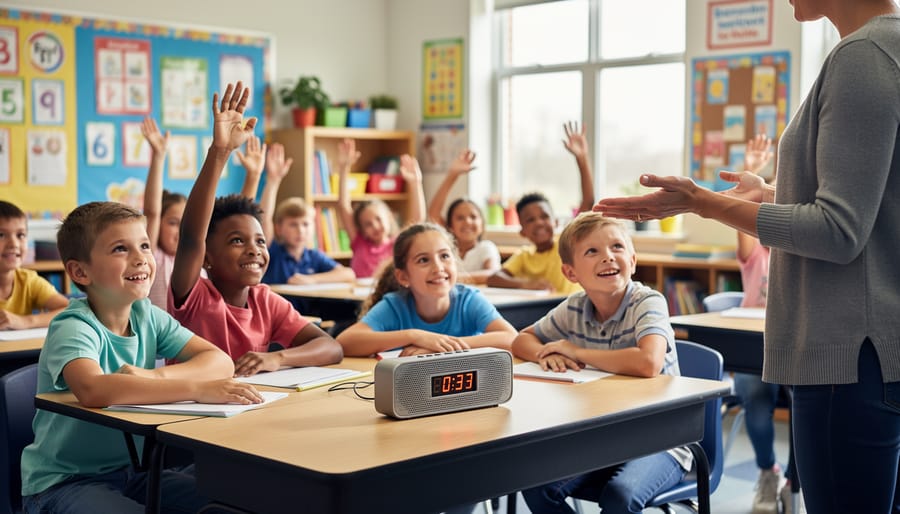
Types of Timer Buzzer Sound Effects for Different Classroom Needs
Classic Game Show Buzzers
Remember those classic game shows where contestants hit their buzzers at lightning speed? Those iconic sounds aren’t just for TV anymore! Traditional buzzer sound effects bring that same excitement and competitive energy straight into your classroom. These familiar sounds work beautifully for quiz games, team competitions, and review activities.
The beauty of classic buzzers is their instant recognition factor. Students immediately understand what they mean, whether it’s signaling a wrong answer, time’s up, or their turn to respond. You’ll find these sounds perfect for spelling bees, math competitions, or any activity where you want to acknowledge incorrect answers without feeling negative.
Most classic buzzers come in friendly variations, from gentle “oops” tones to more dramatic game show styles. Choose softer versions for younger students or save the dramatic ones for high-energy review sessions. The best part? These sounds add an element of fun that transforms ordinary classroom activities into engaging learning games students actually look forward to playing.
Gentle Chime Timers
Not every classroom moment needs a loud, attention-grabbing sound! Gentle chime timers are your go-to choice when you want students to stay focused without startling them. These softer sounds work beautifully during independent reading time, silent work periods, or when students are deep in concentration. Think soft bells, calming wind chimes, or subtle dings that signal a transition without disrupting the peaceful learning environment you’ve created.
The beauty of gentle chimes is their flexibility. You can customize the volume to match your classroom’s needs—barely audible for test-taking sessions or slightly louder for group work rotations. Students appreciate these softer alerts because they provide structure without stress. Try using different gentle chime sounds for different activities to help students recognize what comes next without you saying a word. Your learners will transition smoothly while maintaining their focus and calm energy throughout the day.
High-Energy Alert Sounds
When you need to pump up the energy in your classroom, high-energy alert sounds are your secret weapon! These attention-grabbing buzzer effects work wonders during fast-paced review games, quick-fire quiz rounds, and exciting classroom competitions. Think of sharp, punchy sounds that make students sit up and pay attention instantly.
These buzzers are perfect for signaling transitions between activities or announcing when time’s up during timed challenges. The key is choosing sounds with quick, sharp bursts that cut through classroom chatter without being harsh or startling. Popular options include upbeat beeps, electronic whooshes, and zippy digital tones that feel fun rather than intimidating.
Try layering different high-energy sounds throughout a single game to build anticipation. Start with a moderate alert for the first warning, then switch to a more intense buzzer when time expires. This creates excitement and keeps students engaged right until the final second. Remember, the best high-energy sounds energize your classroom while maintaining a positive, motivating atmosphere that encourages participation and friendly competition.
Custom Sound Effects
Making your timer sounds match your classroom theme brings extra excitement and engagement to your lessons! Think about choosing a spaceship whoosh for your science unit or a whistle blast for sports-themed activities. The beauty of customization is that it helps create a cohesive learning experience that students remember.
When selecting sounds for specific subjects, consider what naturally fits. A bell chime works wonderfully for history lessons about town criers, while a gong adds drama to social studies discussions about ancient civilizations. For math games, try a cash register ding when students solve problems correctly, or use animal sounds during biology review sessions.
Your game templates deserve sound effects that enhance the experience too. Quiz show formats shine with classic game show buzzers, while escape room activities benefit from mysterious clock ticks or suspenseful tones. Adventure-themed templates come alive with treasure chest sounds or magical chimes.
Don’t hesitate to ask your students for input! They often have creative ideas about which sounds would make activities more fun. Plus, giving them a voice in classroom decisions increases their investment in learning. Test different options and notice which sounds generate the most positive energy and focus in your room.
How to Use Timer Buzzers in Your PowerPoint Game Templates
Setting Up Automatic Timers with Buzzers
Ready to take your timers to the next level? Setting up automatic buzzers is easier than you think and adds that perfect finishing touch to your classroom review games!
Most timer tools and PowerPoint templates allow you to link sound effects to trigger automatically when the countdown hits zero. Start by selecting your timer slide and navigating to the animations panel. Add your buzzer sound effect to the slide, then adjust the timing settings to play after your countdown animation completes.
Here’s a quick tip: test your timer before using it with students to ensure the buzzer plays at the right moment and volume. Nothing disrupts the flow like a silent buzzer or one that plays too early!
Want to mix things up? Consider using different buzzer sounds for various activities. A quick beep works great for fast-paced rounds, while a longer alarm suits extended thinking time. You can even let students vote on their favorite buzzer sounds to boost engagement.
The beauty of automatic timers is they free you up to focus on facilitating rather than watching the clock. Set it, forget it, and let the buzzer do the work!

Manual Buzzer Triggers for Interactive Games
Setting up manual buzzers takes your interactive games to the next level! Instead of relying solely on timers, you can add click-activated buzzers that respond instantly to student actions. This feature is perfect for game shows, quiz competitions, and fast-paced review sessions.
To create manual triggers, insert your buzzer sound effect into your PowerPoint slide. Select the sound icon, then navigate to the Animations tab. Under “Start,” choose “On Click” instead of “Automatically.” Now your buzzer only plays when you click it, giving you complete control over when students hear that satisfying (or playfully disappointing) sound.
Here’s where it gets fun: assign different buzzers for different purposes. Use a sharp, quick buzz for incorrect answers, a cheerful ding for correct responses, and maybe a game-show style buzzer for time’s up moments. Color-code your sound icons or place them in specific corners of your slide so you can quickly find the right sound during heated game moments.
Want to involve students directly? Create clickable buttons with attached buzzer sounds that students can activate themselves during team competitions. This adds an extra layer of engagement and makes everyone feel like they’re part of the action. The key is experimenting with different setups until you find what energizes your classroom best!
Volume and Timing Tips
Finding the sweet spot for your buzzer volume is key! You want it loud enough to grab attention, but not so jarring that it startles your students. Test different volume levels before class starts, and consider your classroom size and acoustics. For younger learners, slightly softer sounds work best to avoid overwhelming them.
Timing matters just as much as volume. Keep buzzer sounds short and crisp, typically 1-2 seconds maximum. Longer sounds can become distracting and pull focus away from the learning activity. For fast-paced review games, quick buzzes create excitement and maintain energy. For transitions or cleanup time, a single pleasant chime works wonderfully.
Here’s a pro tip: customize your sound choices based on the activity type. High-energy game show buzzers pump up competitive review sessions, while gentler tones suit independent work timers. Remember, you can always adjust as you go. Pay attention to your students’ reactions and fine-tune your settings to match their comfort level and your classroom vibe!
Creative Ways to Use Buzzer Sounds Beyond Games
Timer buzzer sounds aren’t just for games! These versatile audio cues can transform your classroom management in ways you might not have considered. Let’s explore some creative applications that’ll make your teaching day smoother and more engaging.
Use buzzers as transition signals between activities. A quick beep helps students know it’s time to wrap up one task and move to the next without you having to raise your voice. Try different sounds for different transitions—one for cleaning up, another for lining up, and a third for switching centers. This variety keeps students alert and responsive.
Turn buzzers into attention-getters during noisy group work. When you need everyone’s eyes on you, a distinctive sound cuts through the chatter more effectively than shouting. It’s especially helpful during hands-on activities when students are deeply engaged and might not hear verbal cues.
For behavior management, timer buzzers work wonders as positive reinforcement tools. Challenge your class to complete tasks before the buzzer sounds, or use them to signal earning a reward. The sound becomes associated with achievement and celebration rather than pressure.
Daily routine cues help younger students transition smoothly throughout the day. Use specific sounds for morning meeting, snack time, recess, or pack-up time. This auditory structure provides comfort and predictability, especially for students who thrive on routine.
Mix buzzers with other interactive classroom tools to create a multi-sensory learning environment. The key is customization—choose sounds that fit your classroom vibe and adjust volume levels to match your space. With a little creativity, buzzer sounds become powerful classroom companions that save your voice and keep students engaged throughout the day.
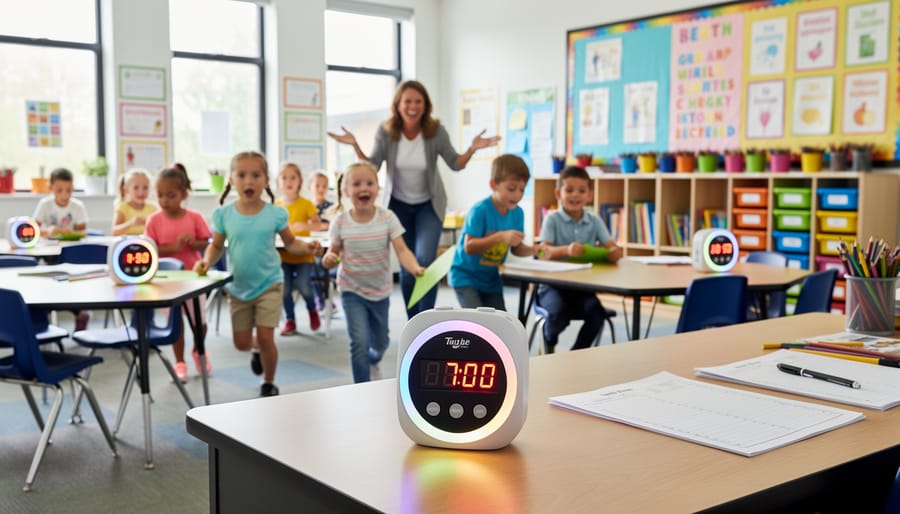
Common Mistakes Teachers Make with Timer Buzzers
Even the best classroom tools can backfire when not used thoughtfully, and timer buzzers are no exception. Let’s explore some common missteps so you can avoid them!
One of the biggest mistakes is buzzer overload. When you use timer sounds for every single activity throughout the day, they lose their special appeal and students start tuning them out. Think of timer buzzers as your secret weapon, not your everyday routine. Save them for key moments when you really want to energize your class or mark important transitions.
Volume mishaps can quickly derail your lesson plans. A buzzer set too loud might startle students or disrupt neighboring classrooms, while one that’s too quiet defeats the purpose entirely. Test your volume before class starts and adjust based on your room size and background noise levels.
Inconsistent application confuses students and undermines your classroom management. If you use a buzzer to signal the end of group work on Monday but forget about it on Tuesday, kids won’t know what to expect. Create a consistent pattern so students understand exactly what each sound means.
Another pitfall is choosing sounds that don’t match your activity’s mood. Using an intense game show buzzer during a calm reading activity creates the wrong energy. Match your sound effects to the vibe you want to create.
Finally, forgetting to explain the rules is a recipe for chaos. Always preview what the buzzer means before starting an activity. When students understand expectations upfront, timer buzzers become powerful tools for smooth, engaging classroom experiences.
The right timer buzzer sound effect can truly revolutionize your classroom dynamics! By adding these simple audio cues to your activities, you’ll notice how quickly students stay focused, transitions become smoother, and your teaching becomes more streamlined. The beauty of buzzer sounds is that there’s no one-size-fits-all solution. What energizes your third graders might be different from what resonates with your high schoolers. Don’t be afraid to mix things up and try various sounds throughout the week. Pay attention to how your students respond to different buzzer styles. Maybe they love the classic game show buzz, or perhaps a gentle chime works better for your classroom vibe. The key is experimentation and customization. Start with one or two sounds, gather feedback from your students, and adjust accordingly. Remember, these audio tools are here to support you and make your teaching life easier while keeping students engaged and excited about learning.