

Q&A Templates That Make Every Student Want to Participate
Transform your classroom review sessions into engaging, accessible experiences by choosing Q&A templates designed for every learner. These ready-to-use formats combine game-style interaction with universal design principles, ensuring students of all abilities can participate fully and confidently.
Start by identifying templates with built-in accessibility features: high-contrast color schemes for visual clarity, screen reader compatibility for students using assistive technology, and simple navigation that works across devices. Look for formats offering multiple input methods—keyboard controls, touch-screen options, and voice commands—so every student can respond in the way that works best for them.
Select from diverse template styles to match your lesson goals. Quiz show formats energize competitive learners, while collaborative team challenges build classroom community. Rapid-fire rounds work perfectly for vocabulary review, and timed challenges add excitement to math practice. The key is finding templates you can customize quickly with your own questions and content.
Personalize each template with your classroom’s specific needs in mind. Adjust font sizes for better readability, modify time limits to reduce pressure, and add visual cues or audio prompts for students who benefit from multi-sensory learning. Most templates allow you to save customized versions, creating a growing library of accessible review games ready to deploy whenever you need them.
What Makes a Q&A Template ‘Accessibility-Ready’?
An accessibility-ready Q&A template is designed so every student can participate fully, regardless of their learning needs or abilities. Think of it as creating a welcoming space where all your students can shine!
Here’s what makes these templates so special. First, visual clarity matters tremendously. This means using clear fonts, high-contrast color combinations, and clean layouts that don’t overwhelm students. When text is easy to read and questions are well-spaced, everyone benefits, especially students with visual processing challenges or dyslexia.
Screen reader compatibility is another game-changer. Students who use assistive technology need templates that work seamlessly with their devices. Accessibility-ready templates are structured so screen readers can navigate questions in the correct order and announce all content properly.
Customizable fonts and colors give you flexibility to adjust templates for different needs. Maybe you have a student who reads better with larger text, or another who benefits from a specific color scheme. Being able to tweak these elements means you’re not stuck with a one-size-fits-all approach.
Keyboard navigation is essential for students who can’t use a mouse or touchscreen. Templates should allow full participation using just keyboard commands, making sure everyone can select answers and move through questions independently.
Finally, alternative text options for images ensure that students using screen readers understand visual content. When every image has a descriptive text alternative, you’re creating an inclusive experience.
These features matter because diverse learners deserve equal opportunities to demonstrate their knowledge. When your Q&A activities are accessible from the start, you save time, reduce frustration, and create a more equitable classroom where every student feels valued and capable.

Top Q&A Template Formats for Every Classroom Need
Quiz Show Style Templates
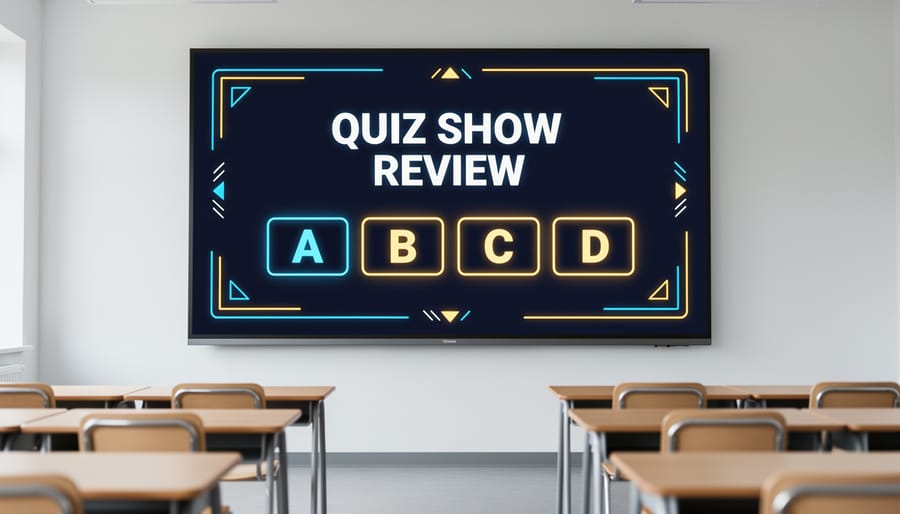
Bring the excitement of television game shows right into your classroom with quiz show style templates! These formats work wonderfully for whole-class review sessions where everyone can participate together. Think Jeopardy-style boards with categories and point values, or classic game show setups that let teams compete head-to-head.
The key features that make these templates so effective are their large, easy-to-read text that students can see from anywhere in the room, clear scoring systems that keep everyone motivated, and high-contrast color schemes that ensure visibility for all learners. These designs eliminate confusion and keep the focus on learning.
When you’re crafting engaging game show questions for these templates, you’ll love how the format naturally builds energy and friendly competition. Students stay alert, waiting for their turn, while reviewing important content without it feeling like traditional study time.
These templates are particularly fantastic for end-of-unit reviews or test preparation because they transform potentially stressful review sessions into something students actually look forward to. Plus, the familiar game show format means minimal explanation needed, so you can jump right into the learning fun!
Interactive Panel Templates
Interactive panel templates bring an exciting twist to Q&A sessions with their engaging click-to-reveal format! These templates are perfect for self-paced learning environments and small group activities where students can control their learning speed.
The beauty of these templates lies in their visual cues. Color-coded panels, animated reveals, and progress indicators help students navigate questions independently. When learners click to reveal answers, they get instant visual feedback that keeps them motivated and engaged throughout the activity.
Want to take it further? Many interactive panel templates include optional audio feedback features. Students can hear encouraging sounds when they reveal correct answers or gentle prompts when they need to try again. This multisensory approach supports different learning styles and keeps energy levels high.
These templates shine brightest during station rotations, homework assignments, or review sessions where students work at their own pace. You can easily customize panel colors, question difficulty, and feedback styles to match your classroom needs. Plus, the self-checking nature means you can circulate and support students who need extra help while independent learners forge ahead confidently.
Team Challenge Templates
Team Challenge Templates bring excitement and collaboration into your classroom through cooperative Q&A formats that make learning a group adventure! These templates include scoreboard and timer features that track team progress and keep everyone engaged.
The beauty of team templates is their turn-taking structure, ensuring every student participates. Set up teams of 3-5 students, and watch as they work together to answer questions, earning points collectively. The built-in scoreboard displays real-time progress, creating friendly competition while promoting teamwork.
These templates work wonderfully for review sessions, vocabulary practice, or problem-solving activities. You can customize point values based on question difficulty and add bonus rounds to keep energy high. Some versions include rotation features that automatically switch which team answers next, maintaining fairness throughout the game.
For differentiated instruction, team formats allow mixed-ability groupings where students support each other’s learning. Stronger students can mentor peers while reinforcing their own understanding. The collaborative nature reduces anxiety for hesitant learners who feel more confident contributing within a supportive team environment.

Rapid-Fire Question Templates
Ready to supercharge your review sessions? Rapid-fire Q&A templates bring an exciting energy to your classroom that keeps students on their toes and fully engaged! These fast-paced formats work wonderfully for quick knowledge checks, vocabulary drills, or end-of-unit reviews.
The key to successful rapid-fire games is building in timer options that create just the right amount of pressure without overwhelming students. Most templates let you adjust time limits from 5 to 30 seconds per question, so you can match the pace to your students’ needs and the difficulty of your content.
Sound effects add another layer of excitement. Think buzzer noises for incorrect answers, cheerful dings for correct responses, and countdown ticks as time winds down. These audio cues help students with visual processing differences stay connected to the game flow.
Clear visual indicators are essential too. Large, colorful countdown displays ensure everyone can see how much time remains, while bold answer reveals keep the whole class focused on learning outcomes rather than just speed. Consider adding point values that appear on screen to maintain motivation and celebrate quick thinking throughout your review session.
Customizing Q&A Templates for Your Students
Good news! Making Q&A templates work perfectly for your unique classroom takes just a few simple tweaks, and you don’t need to be tech-savvy to do it.
Let’s start with the basics that make the biggest impact. Text size adjustments are your best friend when students have different visual needs. Most templates let you click directly on text boxes to enlarge fonts. Aim for at least 18-point font as your starting baseline, and go bigger if needed. Your students will thank you for reducing eye strain during those longer review sessions.
Color schemes deserve special attention too. While bright colors look fun, they can be challenging for students with visual processing differences. Try high-contrast combinations like dark blue text on pale yellow backgrounds, or stick with classic black on white. The key is making sure there’s plenty of contrast between your text and background. Quick tip: squint at your screen from across the room. If you can still read the questions, you’re on the right track.
Adding visual and audio elements brings your templates to life while supporting different learning styles. Drop in relevant images next to questions to provide context clues for visual learners. Many templates have simple drag-and-drop features for this. Audio cues work wonders too. Record yourself reading questions aloud, or add sound effects for correct and incorrect answers. These small touches help students who benefit from multisensory learning.
Timing features need flexibility built in. Some students race through questions while others need extra processing time. Look for templates that let you adjust or completely remove time limits. You can also set different timing for individual questions, giving more time for complex problems and keeping simple recall questions snappy.
The beauty of modern Q&A templates is that all these customizations happen through simple clicks and selections. No coding required! Spend fifteen minutes personalizing a template once, and you’ll have an accessible resource ready whenever you need it.
Getting Started: Your First Q&A Template Session
Ready to bring your first Q&A template to life? Let’s walk through it together!
Start by downloading a template that matches your lesson goals. Most platforms offer accessibility-ready options designed for all learners. Once you’ve got your template, open it and take a moment to explore the layout. Notice how questions are organized and where student responses will appear.
Now comes the fun part: customization! Replace the sample questions with content from your upcoming lesson. Keep questions clear and concise, mixing different difficulty levels to engage every student. Add images or color coding to support visual learners, and include audio options if available. This is where your creativity shines, so don’t be afraid to make it uniquely yours.
Before game day, test your accessibility features. Check that screen readers work properly, verify text size is adjustable, and ensure color contrast meets visibility standards. If you’re new to game design planning, starting simple helps you build confidence.
Run a quick trial with a colleague or small student group. Ask for honest feedback about navigation and clarity. Are instructions easy to follow? Can students with different abilities participate fully?
When you’re ready to launch, start with your first question and watch the magic happen. Encourage participation by celebrating all attempts, not just correct answers. Remember, your enthusiasm sets the tone. The more excited you are about the activity, the more engaged your students will be!
Accessibility-ready Q&A templates aren’t just nice to have—they’re essential for creating classrooms where every student feels empowered to participate. When your review games include features like adjustable text sizes, clear visuals, and flexible response options, you’re removing barriers and opening doors. Students who might have felt left behind can now jump in with confidence, and that energy transforms the entire learning environment.
The beauty of these templates is how they naturally encourage engagement from all learners. By building inclusivity into your game design from the start, you’re sending a powerful message: everyone’s participation matters here. Your review sessions become more dynamic, more interactive, and genuinely fun for the whole class.
Ready to get started? Explore the game catalog to discover templates that fit your teaching style and student needs. With just a few customizations, you’ll transform ordinary review time into accessible, exciting learning experiences that celebrate every student’s unique strengths.