

How to Protect Student Privacy When Using Game-Based Assessments in Your Classroom
Review your PowerPoint game templates before using them in class by checking what student data they collect—names, scores, or responses—and ask yourself if you truly need that information for learning goals. Most classroom games work perfectly well without storing personal details beyond the current session.
Check the privacy settings in any digital tools you’re using alongside your games. If you’re collecting assessment data through interactive activities, ensure you’re only gathering what’s necessary, storing it securely on school-approved platforms, and deleting it when you no longer need it. GDPR requires this “data minimization” approach, which simply means don’t collect more than you actually use.
Get clear consent from parents when games involve anything beyond basic classroom participation. A simple permission slip explaining what data the game collects and how you’ll use it covers your bases. For younger students, this is especially important since GDPR has stricter rules for children’s data.
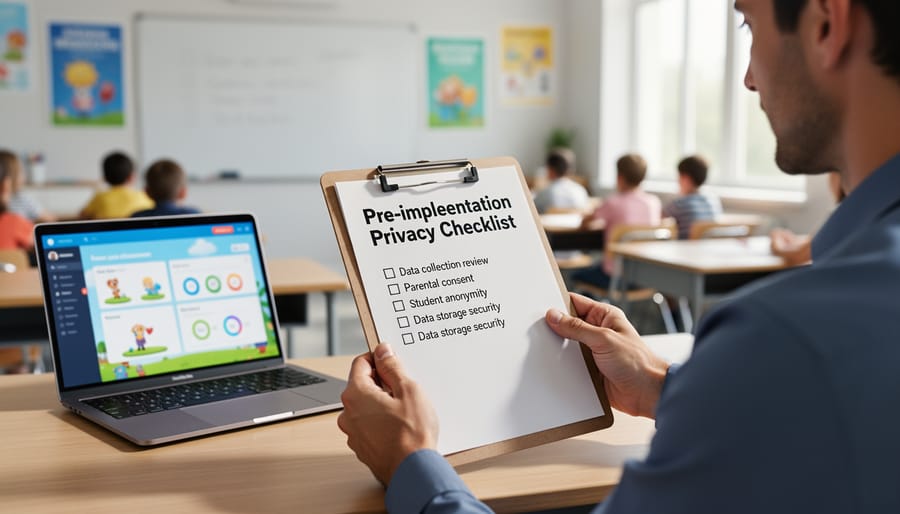
Create a quick privacy checklist for yourself: Does this game store data outside my classroom? Can students participate anonymously or with nicknames? Where does the information go after class ends? Is my school’s IT department aware of the tool? These four questions catch most privacy issues before they become problems.
The good news? Most interactive PowerPoint games you customize yourself don’t create privacy headaches because the data stays on your computer. Focus your energy on third-party apps and online platforms where student information travels beyond your classroom walls. You’re already protecting your students by asking these questions—now let’s make compliance simple and stress-free.
What GDPR Means for Your Classroom Games
The Student Data You’re Actually Collecting
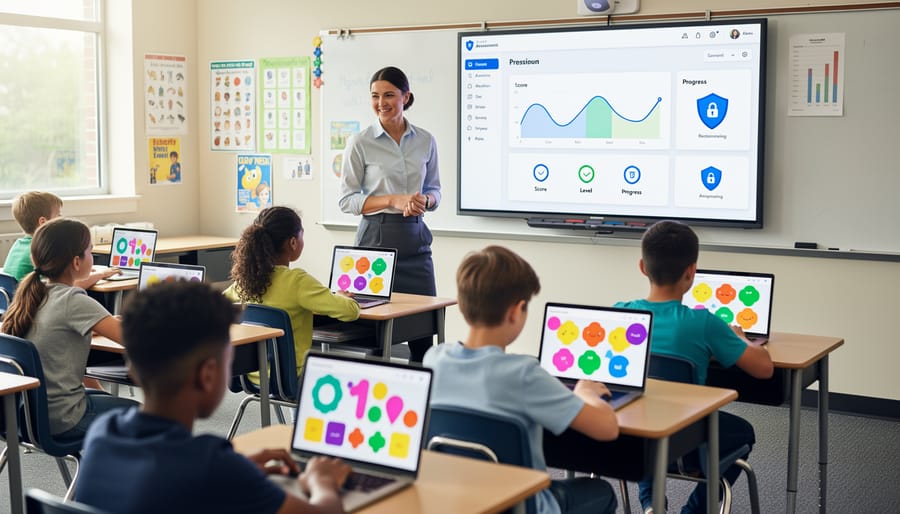
Let’s talk about what information you’re actually gathering when students play those fun review games in your classroom. You might think you’re just tracking quiz scores, but GDPR considers quite a bit of that information as “personal data.”
The most obvious data point is student names. Whether you’re displaying a leaderboard on your PowerPoint game or simply recording who participated, those names are personal identifiers. Alongside names, you’re likely collecting performance metrics—correct answers, wrong answers, response times, and final scores. These scores become game-based assessment data that reveals how individual students are learning.
But here’s what surprises many teachers: participation records count too. Even a simple list of who played which game on what date is personal information under GDPR. Add in team assignments, behavioral observations during gameplay, or notes about student engagement levels, and you’ve got even more data to protect.
Think about your digital setup as well. Are students logging in with email addresses or student ID numbers? Does your game template automatically timestamp activities? All of these details matter.
The good news? Recognizing what counts as personal data is the first step toward protecting it properly. Once you know what you’re collecting, you can make informed decisions about how to store it, who can access it, and how long to keep it—all while keeping those engaging classroom games running smoothly.
Your Legal Responsibilities Made Simple
Good news: following GDPR in your classroom doesn’t require a law degree! Let’s break down what you actually need to do when using review games with student data.
First things first: understand what counts as personal data. This includes student names, photos, grades, and even usernames if they reveal identity. When you create game-based assessments, you’re likely collecting this information, so you need to handle it responsibly.
Here’s your simple action plan. Before using any review game, ask yourself three quick questions: What student information am I collecting? Why do I need it? How long will I keep it? If you’re only tracking scores for formative assessment, you probably don’t need full names—team names or numbers work great and reduce privacy concerns.
Next up: storage matters. Keep game results on your school-approved devices or platforms rather than personal computers or free cloud services. When you’re done reviewing the data, delete it. GDPR loves minimalism—only keep what you need for as long as you need it.
Communication is your friend here. Let parents know how you’re using games in class and what information you’re collecting. A simple note home or mention at back-to-school night covers this requirement. Most parents appreciate knowing you’re making learning fun while staying secure.
When using PowerPoint game templates, customize them to collect minimal information. Instead of having students enter full names, use team numbers or classroom codes. This approach keeps games engaging while protecting privacy.
Remember: GDPR isn’t about eliminating fun classroom activities—it’s about being thoughtful with student information. You’ve got this!
Running a Quick Privacy Assessment Before Game Day
Five Questions Every Teacher Should Ask
Before you implement any game or assessment tool in your classroom, take a moment to run through these five essential questions. Think of this as your quick privacy health check—simple, straightforward, and designed to keep you and your students safe.
First, ask yourself: What data is collected? Look beyond just names and scores. Does the tool track login times, answers to specific questions, or even how long students take to complete tasks? Make a list of everything captured, because understanding what information you’re gathering is your starting point for responsible use.
Next up: Where is it stored? Is student data saved on your local computer, a school server, or uploaded to cloud storage? The location matters tremendously for GDPR compliance. Tools that keep everything offline or within your school’s secure systems typically present fewer privacy concerns than those sharing information with external platforms.
Third question: Who can see it? Can other students view each other’s scores? Do external companies have access? Will anyone outside your classroom see this information? Clear visibility into data sharing practices helps you maintain control and transparency with parents.
Question four: How long is it kept? GDPR emphasizes keeping data only as long as necessary. If you’re storing assessment results indefinitely, consider whether you actually need historical records or if periodic deletion makes more sense.
Finally: Can students and parents access it? Families have the right to view, correct, or request deletion of their data. Make sure you can easily provide this information when asked. This transparency builds trust and demonstrates your commitment to privacy protection.
Red Flags to Watch For
Before choosing a game template or platform for your classroom, watch out for these warning signs that could put student privacy at risk.
First, be cautious if a tool asks for excessive personal information beyond what’s needed for basic functionality. If a simple quiz game requests home addresses, parent contact details, or birthday information, that’s a red flag. The best platforms only collect essential data tied to your assessment design decisions.
Next, avoid platforms with unclear or missing privacy policies. If you can’t easily find information about how student data is stored, shared, or deleted, look elsewhere. GDPR-compliant tools proudly display their privacy commitments in plain language.
Watch for automatic data sharing with third parties. Some platforms sell student information to advertisers or share it with partner companies without clear consent. Always check whether the platform transfers data outside your region, especially beyond the EU.
Finally, steer clear of tools that make data deletion difficult or impossible. You should be able to remove student information quickly and completely whenever needed. If a platform doesn’t offer simple deletion options or transparency about data retention periods, it’s not worth the compliance risk.
Privacy-Smart Ways to Use PowerPoint Game Templates
Keep Student Data Local and Secure
Here’s the great news: offline PowerPoint games give you a natural privacy advantage right from the start. Since these games run directly on your computer without internet connectivity, student data stays exactly where it belongs—on your secure school devices. No cloud uploads, no third-party servers, and no external data transfers to worry about.
When you create game-based assessments in PowerPoint, student responses and scores remain in local files that you control completely. This setup makes GDPR compliance much simpler because you’re not sharing information with outside vendors or platforms. However, you still need to handle these files responsibly.
Start by saving all game files and student data on password-protected school devices rather than personal computers or USB drives that could get lost. Create a dedicated folder with restricted access for assessment materials. When you streamline assessment workflows, organize files by class and date so you can easily locate and delete old records when they’re no longer needed.
Remember to avoid including full student names in file titles—use student ID numbers or first names only. If you need to share results with colleagues, remove identifying information first or ensure the transfer happens through secure school networks.
At the end of each school year, follow your school’s data retention policy. Delete outdated game files and assessment records that no longer serve an educational purpose. This regular cleanup protects student privacy and keeps your digital workspace organized and compliant.
Smart Customization for Privacy Protection
Good news: you can enjoy game-based learning while keeping student data safe through smart customization choices! The key is minimizing what information you collect in the first place.
Instead of having students enter their individual names into game templates, try using team names like “Red Rockets” or “Blue Lightning.” This approach creates all the excitement and competition without creating personal data records. Your students still get the full engagement benefits, but you’ve eliminated a major privacy concern right from the start.
Consider removing or disabling built-in score tracking features that automatically save results. While it’s tempting to keep detailed records of every game session, these logs create unnecessary data storage issues. Instead, use games for formative assessment where you observe learning in real-time without generating permanent digital records.
When customization is needed, ask yourself: “Do I really need to collect this information?” Often, the answer is no. Simple modifications like using student numbers instead of names, or having students play anonymously in groups, can transform a data-heavy game into a privacy-friendly learning tool. These small tweaks protect your students while preserving the fun and educational value that makes game-based learning so effective in your classroom.
Getting Parent Consent the Right Way

What to Tell Parents About Your Classroom Games
Parents appreciate transparency about how you’re using games in your classroom, especially when it comes to their child’s information. Here’s a simple communication approach that builds trust.
Start with the positives: explain how game-based learning makes assessment engaging and helps students show what they know in a fun, low-pressure environment. Parents love hearing that their kids are excited about learning.
For your privacy message, keep it straightforward. Let parents know that your classroom games are designed with student safety in mind. If you’re using PowerPoint-based games that run offline on classroom computers, emphasize this huge privacy advantage—no student data leaves the classroom or gets stored online.
Here’s a template you can adapt: “We use interactive game templates for review and assessment. These games run directly on classroom devices and don’t collect, store, or share any personal information online. Student responses stay in our classroom, just like traditional paper assessments.”
If parents ask questions about data protection, reassure them that you’ve reviewed your tools for GDPR compliance and chosen options that minimize data collection. Share that you’re using the same privacy standards whether games are digital or paper-based.
Keep communication channels open. Invite parents to contact you with any privacy concerns, showing you take their child’s information security seriously while creating an engaging learning environment.
When You Need Consent (And When You Don’t)
Good news! You don’t need parental consent for everyday classroom activities, including most game-based assessments used for learning purposes. GDPR recognizes that schools have a legitimate educational interest in tracking student progress and customizing instruction. When you’re using interactive PowerPoint games to assess vocabulary, math facts, or comprehension during normal lessons, you’re typically covered under this legitimate interest provision.
However, you do need explicit parental consent in specific situations. If you’re sharing student data with third-party platforms outside your school’s approved systems, collecting information beyond what’s educationally necessary, or using student responses for purposes unrelated to learning outcomes, consent becomes essential. The same applies when students create accounts on external websites or when assessment data leaves your school’s secure environment.
Here’s your quick guideline: If the assessment happens within your classroom ecosystem and serves a clear educational purpose directly related to your curriculum, you’re generally fine. If data travels beyond your school’s control or serves non-educational purposes like marketing research, pause and get permission first. When in doubt, check with your school’s data protection officer before introducing new tools.
Building Ethical Assessment Practices Into Your Game Routine
Teaching Privacy While You Play
Game time is the perfect moment to weave privacy lessons into your classroom naturally! As students engage with interactive assessments, pause to spark conversations about how their information is being used. Ask questions like “What data do you think this game collects?” or “Why is it important to keep your answers private?” These simple discussions help students connect the dots between fun activities and real-world digital citizenship.
Turn game setup into a teaching opportunity by showing students how you’re protecting their data. Explain why you’re using nicknames instead of full names, or why their scores stay within the classroom. This transparency builds trust and models responsible technology use.
When using game data effectively, involve students in the process. Show them how you review results to improve learning without sharing individual performance publicly. This demonstrates how data can be helpful and respectful simultaneously.
Create a classroom privacy promise together where students agree to respect each other’s game answers and scores. This collaborative approach empowers them to become privacy advocates both in school and online, making GDPR principles relatable and memorable.
Respecting Student Choices in Game Participation
Not every student will feel comfortable participating in game-based assessments, especially those involving leaderboards, shared screens, or personal data collection. Respecting these choices isn’t just good teaching practice—it’s also part of honoring student privacy rights under GDPR.
Always offer alternative assessment options that achieve the same learning objectives. For example, if you’re running a competitive quiz game, provide a paper version or a private digital assessment for students who prefer it. Make it clear that choosing the alternative won’t affect their grade or standing in class.
When introducing games, explain what data will be collected and how it will be used. Give students (and parents, for younger learners) the opportunity to opt out without pressure or penalty. This transparency builds trust and creates an inclusive classroom environment.
Consider offering customization options within your games too. Some students might enjoy participating without their names appearing on public leaderboards, or they might prefer working in small groups rather than individually. These adjustments make game-based learning accessible to everyone while maintaining the fun and engagement you’re aiming for. Remember, choice empowers students and demonstrates your commitment to their comfort and privacy.
Here’s the wonderful news: prioritizing student privacy doesn’t mean sacrificing the fun and excitement of game-based learning! In fact, when you implement privacy-conscious assessment practices, you’re actually creating a safer, more trusting classroom environment where students can fully engage without worry.
You’ve now got the knowledge and practical tools to confidently use interactive game templates while keeping your students’ information secure. Remember, GDPR compliance isn’t about adding complicated barriers to your teaching—it’s simply about being thoughtful with student data, just as you would with any other aspect of classroom care.
The beauty of using customizable PowerPoint game assessments is that you control exactly what information gets collected and shared. You can create incredibly engaging, motivating learning experiences without needing to connect to third-party platforms or store sensitive data online. Your students get all the excitement of game-based learning, and you get peace of mind knowing their privacy is protected.
Don’t let privacy concerns hold you back from exploring interactive assessment tools. Start small, use the checklists provided, and gradually build your confidence. Your enthusiasm for creative teaching methods combined with smart privacy practices creates the ideal learning environment—one where students feel both excited and safe. You’ve got this, and your students will benefit tremendously from your thoughtful approach to modern classroom assessment!