
How to Build a 7 Step Lesson Plan Template That Aligns With Standards
A 7-step lesson plan template gives you a structured framework to organize your teaching objectives, instructional activities, and assessment methods in one clear document. This systematic approach ensures every lesson hits essential learning goals while keeping students engaged from start to finish.
Planning effective lessons doesn’t have to mean starting from scratch every time. The beauty of a standardized 7-step template is that it walks you through the critical components of great instruction, from hooking student attention at the start to verifying understanding at the end. You’ll spend less time wondering what to include and more time focusing on what makes your content shine.
What makes this particular framework so powerful? It builds in checkpoints that keep you aligned with standards while leaving plenty of room for your teaching personality and student needs. Whether you’re teaching second-grade math or high school history, the seven steps remain consistent: anticipatory set, objective and purpose, input, modeling, guided practice, independent practice, and closure.
The template works because it mirrors how students actually learn best. Each step flows naturally into the next, creating a rhythm that feels intuitive rather than rigid. You won’t need to memorize complex educational theory or chase down different formats for different subjects. Once you’ve got the template down, customizing it for any lesson becomes second nature.
Ready to build lesson plans that deliver real results without eating up your entire weekend? Let’s walk through exactly how to use each step, what to prepare before you start, and how to tweak the template to match your unique classroom style.
What You’ll Need to Create Your 7 Step Lesson Plan
Getting started with a 7 step lesson plan template doesn’t require fancy tools or expensive software. You probably already have most of what you need, and the rest is freely available online. Here’s what to gather before you begin building your template.
Essential Materials:
- Your grade-level or subject-area standards documentation (Common Core, state standards, NGSS, etc.)
- Your school or district’s curriculum guide and pacing documents
- Template software: PowerPoint, Google Slides, Microsoft Word, or Google Docs
- Assessment tools or rubric templates you currently use
- A list of your typical classroom resources (textbooks, manipulatives, technology access)
Optional but Helpful:
- Downloadable lesson plan templates from teacher resource sites
- Sample lesson plans from colleagues or your curriculum provider
- Planning apps like Planbook or Common Curriculum (many offer free versions)
- Collections of standards-aligned materials you’ve already vetted
If you’re working digitally, Google Slides or Docs work beautifully because you can duplicate and share templates with your team. They’re free, cloud-based, and accessible from any device. PowerPoint and Word offer more formatting control if you prefer those platforms.
The key is choosing tools that fit your workflow. Don’t overthink it. A simple Word document can be just as effective as a beautifully designed template if it helps you plan consistently. Start with what you know, and you can always upgrade later as your template evolves.
Before You Start: Aligning Your Template With Standards
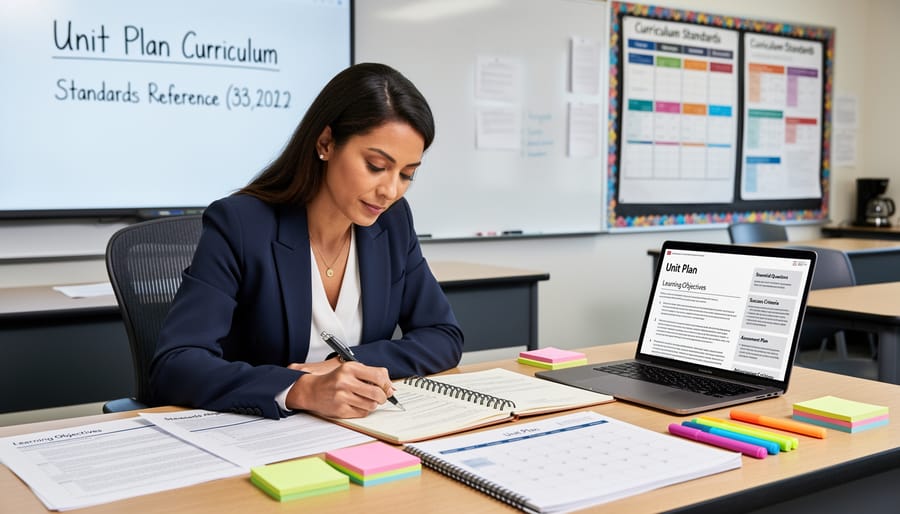
Before you dive into building your template, take a moment to lay the groundwork. The most common mistake teachers make is designing a beautiful lesson plan format and then trying to shoehorn standards in afterward. That approach wastes time and often results in lessons that look aligned on paper but miss the mark in practice.
Start by identifying the exact standards you need to address. Pull up your state standards, Common Core benchmarks, or district curriculum guides and choose the specific objectives for this lesson. Write them down clearly before you touch the template. This step matters because your entire lesson will build from these standards, and if you skip it or rush through, you’ll end up with activities that feel engaging but don’t actually move students toward mastery.
Next, think about measurable outcomes from the start. Backwards design aligns learning by beginning with the end in mind: what will students be able to do by the end of this lesson? How will you know they’ve learned it? Answering these questions before you fill in Step 1 of your template keeps everything focused and purposeful.
Resist the urge to overcomplicate things. Your template should clarify your teaching, not add layers of bureaucracy. If you’re spending more time formatting boxes than planning instruction, you’ve gone off track. Keep it simple and functional.
The 7 Steps: Building Your Lesson Plan Template
Step 1: Identify Learning Objectives and Standards
Start by pinpointing the standard your lesson must address. Open your state’s curriculum framework or Common Core documentation and write down the exact code and wording, for example, “CCSS.MATH.CONTENT.3.OA.A.1: Interpret products of whole numbers.” This specificity keeps your lesson focused.
Next, translate that standard into a student-friendly learning objective. Ask yourself: What will students be able to do by the end of this lesson? Your objective should start with “Students will be able to…” followed by an action verb like identify, explain, solve, or create. Instead of “understand multiplication,” write “Students will be able to solve multiplication word problems using arrays.”
Make your objective SMART: Specific, Measurable, Achievable, Relevant, and Time-bound. SMART objectives are measurable meaning you can assess whether students achieved them. “Students will correctly solve three out of four multiplication word problems using visual models” is far better than a vague goal.
Finally, connect your objective to the broader unit theme. If you’re teaching a multiplication unit, this lesson might build toward understanding area or introduce problem-solving strategies students will use all month. Write that connection directly in your template so you remember why this lesson matters.
Step 2: Plan Your Assessment and Success Criteria
Start by deciding how you’ll know students have mastered the objective. Before you plan any activity, ask yourself: What will success look like? Your assessment should directly measure the learning goal you identified in Step 1. For a standards-aligned assessment match the task to the verb in your standard, if it says “analyze,” don’t just ask students to list facts.
Choose both formative and summative options. Formative checks improve instruction because they happen during the lesson: think exit tickets, quick polls, thumbs-up/thumbs-down, or a short practice problem. Your summative assessment comes at the end, a quiz, project, presentation, or written response that shows mastery of the whole objective.
Create clear success criteria students can understand. Write a simple rubric or checklist that spells out what “proficient” looks like. For example: “I can identify three causes of the event and explain one effect using evidence.” This transparency helps students self-assess and gives you consistency when grading.
Step 3: Design the Hook or Engagement Activity

Start by planning an opening that immediately pulls students into the lesson and taps into what they already know. Your hook should create curiosity, spark interest, or present a challenge that makes the learning objectives feel relevant and urgent.
Choose a format that matches your content and students’ energy levels. Ask a provocative question that doesn’t have an obvious answer. Show a short video clip, image, or news headline that connects the lesson to current events or student interests. Present a quick puzzle, riddle, or real-world problem students can’t yet solve but will understand by lesson’s end.
Games work exceptionally well here. A fast-paced review game using prior knowledge gets everyone participating and primes their brains for new information. Even a two-minute “turn and talk” where students predict what they’ll learn can activate thinking.
Document your hook in the template with clear timing, usually three to five minutes. Note any materials needed and how you’ll transition from the hook into direct instruction. The best engagement activities create a clear “before” state that your lesson will transform into an “after.”
Step 4: Outline Direct Instruction and Modeling
Direct instruction is where you explicitly teach the new concept or skill. Start by listing the key content points students need to learn, break complex topics into digestible chunks rather than overwhelming them with everything at once. Think of this as your “I do” phase.
Next, decide how you’ll model the skill or thinking process. Will you demonstrate solving a problem step-by-step on the board? Walk through an example with a think-aloud? Show a short video that illustrates the concept? Effective modeling makes your thought process visible, so students see exactly how an expert approaches the task.
Document the resources you’ll use in your template: presentation slides, anchor charts, manipulatives, videos, or physical demonstrations. Keep this section flexible, you might spend five minutes on direct instruction for a simple concept or fifteen for something more challenging.
Remember to plan checkpoints during instruction. Build in quick “turn and talk” moments or thumbs-up checks to gauge understanding before moving forward. This keeps students engaged and helps you catch confusion early.
Step 5: Create Guided and Independent Practice
This step bridges the gap between your demonstration and students mastering the skill on their own. Start by planning guided practice where you’re still supporting learners, think partner work with a checklist, small group rotations with teacher check-ins, or a whole-class activity where you circulate and prompt. The key is to use scaffolding that you gradually remove as confidence builds.
Next, design independent practice that lets students apply what they learned without immediate help. This might be individual problem sets, journal entries, projects, or stations. Customize here: offer choice boards for different learning styles, adjust task complexity based on readiness levels, or provide sentence frames and graphic organizers for students who need extra support. Some kids might work solo while others collaborate, both count as independent practice if students are driving the work.
Don’t forget to build in quick check-in moments so you can spot misconceptions early and adjust on the fly.
Step 6: Add Closure and Reflection
The closure step is where you cement the day’s learning and set the stage for tomorrow. Plan a 5-10 minute wrap-up that gives students a chance to process what they’ve learned and demonstrate understanding in a low-stakes way.
Start with a quick check: a thumbs up/down poll, a one-sentence summary on an exit ticket, or a turn-and-talk where students share one key takeaway with a partner. These quick assessments tell you instantly whether the lesson landed or if you need to revisit concepts tomorrow.
Next, explicitly connect today’s work to upcoming lessons. A simple “Tomorrow we’ll use this skill to…” helps students see progression and keeps them oriented in the unit.
Review games work beautifully here. A 3-minute quiz game, rapid-fire question round, or team challenge reinforces content while ending class on an energized note. Just make sure your review games alignment matches your lesson objectives so the activity actually reinforces what you taught.
In your template, note your planned closure activity, the time allocated, and any materials needed (exit slips, game questions, reflection prompts). Keep it simple and replicable, you want a go-to strategy, not a different elaborate finale every day.
Step 7: Note Materials, Timing, and Differentiation Strategies
The final step turns your lesson plan into a practical, executable guide. Start by listing every resource you’ll need, handouts, tech equipment, manipulatives, chart paper, websites, or specific textbook pages. Being this specific means you won’t scramble mid-lesson hunting for a marker or a missing worksheet.
Next, assign realistic time blocks to each section. If your hook takes 5 minutes and guided practice needs 20, write those estimates directly into your template. You’ll adjust as you teach, but starting with a timeline keeps you from spending 30 minutes on the hook and rushing the practice.
Finally, note differentiation strategies right where they’re needed. Maybe your English learners get sentence frames during independent work, or advanced students tackle an extension question. Document these accommodations now, they’re easy to forget in the moment. Your future self will thank you when you can glance at your plan and immediately see who needs what support, without rethinking the whole lesson on the fly.
How to Check Your Lesson Plan Is Standards-Aligned
Once you’ve built your template, take time to verify it works before you use it with students. Start by placing your standards document side by side with your completed lesson plan. Check that every learning objective maps directly to a specific standard code and that your assessment actually measures what the standard requires. If your objective says students will “analyze character development” but your exit ticket only asks for a character’s name, you’ve got a mismatch.
Test your template with a real lesson from your upcoming unit. Fill in all seven steps for one class period and look for gaps. Does the timing make sense? Is there a logical flow from hook to practice to closure? Walk through it mentally as if you’re teaching it tomorrow. If something feels unclear or rushed, revise now rather than mid-lesson.
Ask a colleague to review your template, especially if they teach the same grade or subject. Fresh eyes catch assumptions you’ve overlooked and spot confusing language. A quick five-minute conversation can reveal whether your success criteria are actually measurable or too vague.
Finally, think about how this lesson fits into your bigger picture. If you’re planning a reading unit, see how this template connects to your ELA unit plan template and ensures you’re building skills across multiple lessons. Standards alignment isn’t just about one lesson hitting the mark, it’s about coherent progression. Make notes in your template for what comes before and after, so each lesson builds on the last.
Treat your template as a draft. After you teach the lesson, jot down what worked and what didn’t. Adjust timing, swap out an activity, clarify instructions. This iterative process turns a good template into a great one.
Making Your Template Work for You
Your 7 step lesson plan template isn’t meant to be rigid. Think of it as a flexible framework you can adjust for your unique classroom needs. Elementary teachers might spend more time on the hook and guided practice, while high school instructors may compress those steps and expand direct instruction. Math teachers can emphasize problem-solving in Step 5, while ELA teachers might focus on discussion and annotation during the same step.
Here are quick ways to customize your template for different contexts:
- For younger students: Add visual cues, extend engagement time, and build in more movement breaks
- For advanced learners: Include extension activities in Step 5 and deeper reflection prompts in Step 6
- For project-based units: Merge Steps 4 and 5 into workshop time with mini-lessons as needed
- For science or social studies: Expand Step 3 to include hands-on exploration or primary source analysis
- For test prep periods: Strengthen Step 2 with practice assessments and add review games to Step 6
Review games work beautifully in multiple steps. Drop a quick game into Step 3 to activate prior knowledge, use one in Step 5 as engaging practice, or close with one in Step 6 to reinforce learning before students leave. The key is to revisit and refine your template after each use. Notice what timing felt off? Adjust it. Did students need more scaffolding? Add a note for next time. Your template should evolve with your teaching.
Common Questions About 7 Step Lesson Plans
Teachers often have the same practical questions when starting with a new lesson plan framework. Here are answers to the most common concerns about building and using a 7 step lesson plan template.
How long should each step take during the actual lesson?
There’s no fixed rule, but a typical 50-minute lesson might spend 5 minutes on the hook, 15-20 on direct instruction, 15-20 on practice, and 5 on closure. Your pacing depends on content complexity and student needs, so treat these as flexible guidelines rather than strict timers.
Can I combine or skip steps if my lesson doesn’t need all seven?
Absolutely. The template is a planning tool, not a rigid script. You might merge guided and independent practice into one activity, or your hook might flow directly into instruction. The key is intentionally deciding what your students need, not forcing every step into every lesson.
What if my school or district uses a different lesson plan format?
Map the 7 steps to your required format. Most frameworks ask for similar components under different names, so your objectives become “learning targets,” your hook becomes “anticipatory set,” and so on. The underlying planning process remains valuable even when the paperwork looks different.
How do I save time when planning with this template?
Build a bank of reusable hooks, assessments, and practice activities you can adapt across units. Once your template structure is solid, you’re mostly swapping content rather than reinventing the wheel each week.
Review games fit naturally into multiple steps of your lesson. Drop a quick game into your hook to activate prior knowledge and get students energized. Use one during guided practice to check understanding before students work independently. A closing game makes an excellent formative assessment and helps students leave class on a high note. The beauty of the 7 step template is its flexibility, you decide where interactive elements will have the most impact for your specific lesson goals and student needs.
You’ve now got everything you need to build a lesson plan template that actually works for your classroom. The beauty of this 7 step framework is that it’s yours to shape. Adjust the timing, swap in your favorite activities, or tweak the language to match how you think about teaching. Once you’ve built it, you’ll have a reliable structure that saves you precious planning time week after week.
A well-designed template doesn’t just check boxes, it helps you stay focused on what matters most: clear objectives, meaningful practice, and student success. When your lessons are organized and standards-aligned from the start, you’ll spend less time second-guessing and more time teaching with confidence.
Start with one lesson this week. Build your template around it, test it in your classroom, and see how it feels. You might be surprised how much smoother your day runs when you’re working from a solid plan. And don’t forget to build in those moments of fun, whether it’s a quick review game during guided practice or an engaging hook that gets everyone talking. Your students will thank you, and you’ll enjoy teaching more too.