

Game Show Questions That Actually Keep Your Students Engaged
Transform your classroom review sessions into exciting game show experiences with ready-made question templates that save hours of prep time. Download customizable PowerPoint, Google Slides, or PDF templates featuring popular formats like Jeopardy, Family Feud, and quiz bowl styles that your students already love from TV. Simply plug in your subject-specific questions, adjust point values to match your lesson objectives, and launch an engaging review game in minutes instead of spending evenings creating materials from scratch.
Choose templates with built-in scoring systems, colorful graphics, and sound effects that capture student attention while reinforcing key concepts across any subject or grade level. Customize categories to align with your curriculum standards, modify difficulty levels for different learner abilities, and reuse the same template throughout the year by swapping out questions for new units. Templates work seamlessly for whole-class participation, small group competitions, or virtual learning environments, giving you flexibility to match your teaching style.
The best templates balance entertainment value with educational rigor, keeping students motivated to participate while actually reviewing essential content. Start with a simple format, gather student feedback, and refine your approach to create memorable learning experiences that students request again and again.
What Makes a Game Show Questions Template Different
Game show question templates are specially designed frameworks that transform ordinary review activities into exciting, interactive experiences your students will actually look forward to. Unlike traditional worksheets or standard quizzes, these templates incorporate the competitive, engaging elements that make television game shows so captivating.
The key difference lies in the structure. Regular worksheets present questions in a linear, predictable format. Game show templates, however, organize content into categories, point values, and rounds that create anticipation and strategic thinking. Students aren’t just answering questions—they’re competing, making choices about difficulty levels, and actively participating in their learning journey.
What truly sets these templates apart is their interactive design. They’re built for group participation, team collaboration, and real-time engagement. Think about how different it feels to answer a question worth 100 points versus 500 points. That built-in risk-reward system motivates students in ways a standard quiz simply can’t match.
These templates also offer incredible flexibility that basic quizzes lack. You can easily customize categories, adjust difficulty levels, and modify content to match your specific curriculum needs. Whether you’re reviewing multiplication facts or historical events, the game show format adapts seamlessly. This versatility makes them more valuable than creating game design documents from scratch each time.
Another essential benefit is the visual appeal. Game show templates feature colorful designs, clear point displays, and organized layouts that instantly grab student attention. They create an atmosphere of excitement that transforms review time from a dreaded task into a highly anticipated classroom event.
The structured format also helps you manage classroom time more effectively, keeping activities focused while maximizing student engagement and learning retention.

Why Localization-Ready Templates Save You Hours
Customize for Any Subject in Minutes
The beauty of game show question templates is that they work for absolutely any subject area. Simply swap out the content while keeping the engaging format intact. Teaching multiplication tables? Create categories like “Times 5,” “Times 7,” and “Word Problems.” Need to review vocabulary? Set up columns for “Definitions,” “Synonyms,” and “Usage in Sentences.”
Science teachers can organize questions by topics like “The Water Cycle,” “Animal Habitats,” or “Lab Safety.” Language arts educators might use categories such as “Plot Elements,” “Literary Devices,” and “Author’s Purpose.” The template structure stays the same, so you’re not reinventing the wheel each time.
Most templates allow you to edit point values too, making it easy to adjust difficulty levels for different grade levels or student abilities. You can even mix subjects for spirited end-of-week review sessions. Just open your template, replace the sample questions with your curriculum content, and you’re ready to play in minutes. No design skills required, no complicated setup, just quick customization that transforms standard review into an exciting classroom competition your students will actually look forward to.
Adjust Difficulty for Different Grade Levels
The beauty of game show templates is their flexibility across grade levels! You don’t need separate templates for each age group—just tweak the content to match your students’ abilities.
For elementary students, keep questions straightforward and concrete. Use a template asking “What is 5 + 3?” or “Which animal says ‘moo’?” Focus on colorful visuals and simple point values like 10, 20, or 30.
Middle schoolers can handle more complexity. Transform that same template with questions like “Solve for x: 2x + 6 = 14” or “What process do plants use to make food?” Add category names like “Science Superstars” or “Math Masters” to boost engagement.
High school students thrive with challenging content. Use the identical template structure but fill it with “Analyze the symbolism in Romeo and Juliet” or “Calculate the molarity of this solution.” Include bonus rounds and higher point stakes to maintain excitement.
The key is keeping the game mechanics consistent while adjusting question difficulty and vocabulary. This approach saves you precious planning time since you’re working with one familiar format. Simply swap out the content, and you’ve got an age-appropriate review game ready to go! Your template becomes a reliable classroom companion that grows with your students.
Key Features to Look for in Question Templates
Built-In Scorekeeping That Works
Nobody wants to pause mid-game to calculate points on the whiteboard! That’s why automatic scorekeeping is a total game-changer for classroom game shows. When your template tracks points automatically, you can focus on what really matters—engaging with your students and keeping the energy high.
Built-in scoreboards eliminate the dreaded “wait, whose turn is it?” moments that can derail even the best review sessions. Students see their progress in real-time, which amps up the friendly competition and keeps everyone invested in the game. Plus, there’s no room for math mistakes or disputes about who’s winning.
The best templates update scores instantly with each correct answer, displaying them prominently on screen. This transparency keeps everyone accountable and motivated. You’ll breeze through more questions in less time, making every minute of your review session count. And when the game ends, the final scores are already calculated—no extra work required!
Question Variety and Format Options
The best game show templates offer flexibility with multiple question formats to keep your students engaged and challenged. Multiple choice questions work wonderfully for quick-paced rounds, letting students choose from several possible answers. These are perfect for fact-based content and help build confidence, especially for younger learners.
True or false questions add variety and speed up gameplay, making them ideal for review sessions when you want to cover lots of material quickly. They’re also great for getting every student involved since they’re easy to answer and process.
Don’t forget about open-ended questions! These encourage critical thinking and give students the chance to explain their reasoning. While they take a bit longer to answer, they’re invaluable for assessing deeper understanding.
When choosing your template, look for designs that let you mix and match these formats easily. The best templates include customizable slides or sections where you can switch between question types without starting from scratch. This flexibility means you can adapt one template for different subjects, grade levels, and learning objectives, saving you precious planning time while keeping your classroom games fresh and exciting.
Easy Editing for Quick Prep
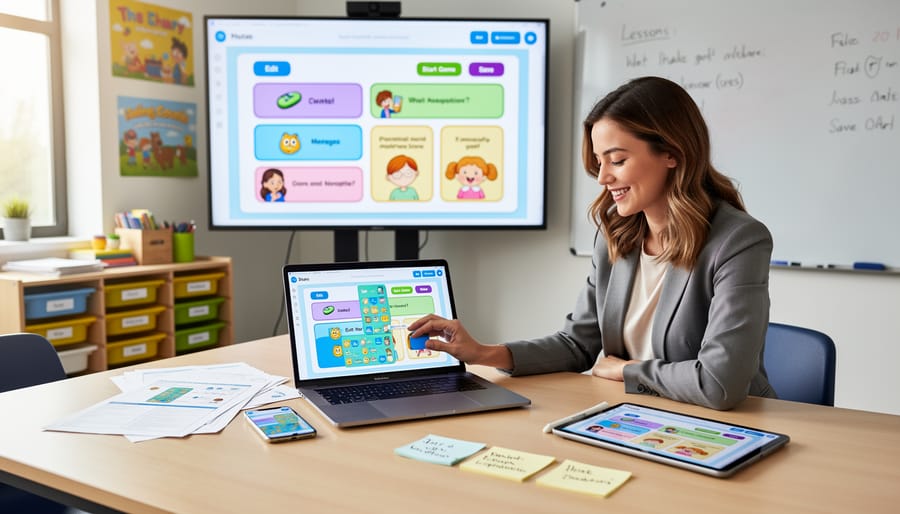
You don’t need to be tech-savvy to create amazing game show experiences for your students. Most templates are designed with busy educators in mind, featuring simple drag-and-drop functions or straightforward text boxes where you can type your questions directly. Just open the template in PowerPoint, Google Slides, or your preferred platform, and start personalizing.
The beauty of these templates is their flexibility. Change questions in minutes, swap out categories to match your lesson plans, and adjust point values to fit your class needs. No complicated formulas or coding required! Many templates even include built-in animations and sound effects that are already set up for you.
Whether you have five minutes or thirty minutes to spare, you can transform a basic template into an exciting review game. Save your customized versions and reuse them throughout the year by simply updating the content. This means less time on prep work and more time focusing on what matters most – engaging with your students and making learning fun.
Popular Game Show Formats That Work in Classrooms
Jeopardy-Style Category Games
Jeopardy-style category games are absolute classroom gold! They’re perfect for reviewing multiple topics at once while keeping your students energized and engaged. The beauty of this format lies in its organized structure: five to six categories across the top, with questions increasing in difficulty (and point value) as students move down each column.
This setup naturally encourages comprehensive review since you can cover different units, concepts, or skills within a single game. Students love choosing their own questions, which gives them agency and keeps everyone invested in the competition. The point system adds excitement and friendly rivalry that motivates even reluctant learners.
Creating these games becomes much easier with a solid template that follows structured game design principles. You can customize categories to match your curriculum, adjust difficulty levels for different grade levels, and even mix review topics with bonus categories for extra fun. The visual board format also helps students see their progress and strategize their next moves, making learning feel like play.

Trivia Competition Templates
Need to keep your students on their toes? Trivia competition templates are your go-to for fast-paced review sessions that get everyone excited! These formats work wonderfully for team challenges, where groups buzz in to answer questions across different categories. The beauty of trivia templates is their flexibility—you can customize them for any subject, from math facts to historical dates to vocabulary words.
Lightning round templates are especially popular because they create an energetic atmosphere in just 10-15 minutes. Students love the competitive edge, and you’ll love how much content you can review in such a short time. Many templates include scoring systems and timer options, so you can easily track which teams are leading. Plus, these formats encourage collaboration since teammates work together to recall information. Whether you’re wrapping up a unit or doing a fun Friday review, trivia templates transform regular Q&A into an engaging experience that students actually look forward to!
Quiz Bowl and Buzzer Games
Buzzer-style game shows bring authentic competition energy to your classroom! These templates work perfectly for review sessions where speed and accuracy matter. Students love the thrill of racing to answer first, and you’ll love how engaged they become.
Your template should include rapid-fire questions with clear, concise answers that students can shout out quickly. Think single-word answers or short phrases rather than lengthy explanations. Organize questions by difficulty level so you can adjust the challenge as you go.
The beauty of buzzer formats is their flexibility. Use physical buzzers, let students raise hands, or try digital buzzer apps that work with any device. Many teachers create point systems that reward both speed and accuracy, keeping everyone motivated throughout the game. These templates are especially effective for subject review before tests, vocabulary practice, or math fact drills. Keep questions snappy and momentum high for maximum excitement!
How to Get Started with Your First Template
Ready to bring game show excitement to your classroom? Getting started is easier than you might think! Let’s walk through the simple steps to launch your first template.
First, choose a template that matches your content and grade level. Browse through available options and select one that fits your subject area—whether it’s math facts, vocabulary review, or science concepts. Download your chosen template to your computer or device.
Next comes the fun part: customization! Open your template and start filling in your questions and answers. Most templates use straightforward formats like PowerPoint or Google Slides, making editing simple even if you’re not tech-savvy. Replace the sample questions with your own content, adjusting difficulty levels to suit your students’ needs. Don’t forget to personalize the theme, colors, or graphics to match your classroom style or upcoming unit.
Before the big reveal, test your game! Click through each slide or section to ensure all links work properly and answers appear correctly. This quick preview helps you catch any typos and gets you comfortable with the flow. Consider doing a practice round with a colleague or at home to smooth out any kinks.
When game day arrives, explain the rules clearly to your students. Keep instructions brief and demonstrate with a sample question so everyone understands how to play. If you’re new to designing classroom games, start with simpler formats before advancing to more complex versions.
Finally, gather feedback after playing. Ask students what they enjoyed and note what worked well for future games. Save your customized template for easy reuse—you’ve just created a valuable resource you can adapt throughout the year!
You’ve got everything you need to transform your classroom into an exciting game show environment! Pre-made, customizable templates are your secret weapon for creating memorable learning experiences without spending hours on preparation. These ready-to-use resources let you focus on what matters most—connecting with your students and making learning stick.
The beauty of game show question templates lies in their flexibility. Whether you’re reviewing math facts, vocabulary words, or science concepts, you can adapt any template to match your curriculum perfectly. Your students will stay engaged, participate eagerly, and retain information better when learning feels like play.
So what are you waiting for? Download your first template today and watch your classroom come alive with energy and excitement. Start small if you’re new to game-based learning—pick one template that matches your teaching style and give it a try. You’ll be amazed at how quickly students respond to this interactive format. Your journey to more dynamic, engaging lessons begins with a single click. Grab a template, customize those questions, and get ready to see your students light up with enthusiasm!