

Never Deal with Students Shouting Over Each Other Again
Picture this: You ask a review question, and five students slam their buzzers simultaneously. Who actually answered first? The confusion kills momentum, disputes arise, and suddenly your fun review game becomes a classroom management headache.
A buzzer lockout system eliminates this chaos by automatically disabling all other buzzers the instant one student responds. Think of it like a game show – once a contestant buzzes in, everyone else is locked out until that question resolves. This simple feature transforms classroom review games from potential disasters into smoothly running competitions where every student knows the rules are fair.
The beauty of lockout systems in game templates is their invisible efficiency. You don’t need special equipment or technical skills. Students see clear visual feedback showing who buzzed first, eliminating arguments before they start. Meanwhile, you maintain complete control, deciding when to reset buzzers for the next question.
For teachers tired of refereeing “I buzzed first!” disputes or watching engaged students lose interest during confusion, buzzer lockout systems restore the excitement and fairness that make review games effective learning tools.
What Is a Buzzer Lockout System?
A buzzer lockout system is a game-show style feature that lets only the first student or team to press their buzzer answer a question. Once that first buzzer goes off, the system automatically locks out all other buzzers for that round, preventing anyone else from buzzing in. Think of it like the game shows you’ve seen on TV, where contestants race to hit their button first!
Here’s how it creates fairness in your classroom: imagine asking a review question to four teams. Without a lockout system, multiple teams might shout out answers at once, or you might struggle to determine who actually responded first. Sound familiar? With a buzzer lockout system, there’s zero confusion. The moment one team buzzes in, everyone knows exactly who gets the chance to answer.
The beauty of this system is its simplicity. Students press a button or key on their device, the system instantly recognizes the first response, and you can clearly see which team earned the right to answer. No arguments, no debates about who was faster, and no hurt feelings from students who thought they answered first.
This creates an exciting, competitive atmosphere where students stay engaged and alert, knowing that speed and accuracy both matter. Plus, it takes the pressure off you as the teacher to be the judge of who buzzed in first, letting you focus on facilitating the learning and keeping the energy high!

Why Your Classroom Needs This Game-Changer
Stops the Chaos of Everyone Talking at Once
Remember that moment when three students slam their buzzers at the exact same time? Without a lockout feature, everyone’s shouting “I was first!” and suddenly your fun review game turns into a debate club. The buzzer lockout system solves this beautifully by automatically recognizing only the first person to buzz in, then temporarily locking out everyone else. Once that student answers, you simply reset the system for the next question. This means no more arguments, no more confusion, and no more wasted time trying to figure out who actually buzzed first. Your students will love the fairness of it, and you’ll love how smoothly your game flows. The best part? The system handles all the timing automatically, so you can focus on facilitating the learning instead of playing referee.
Builds Fairness and Reduces Arguments
Say goodbye to the “But I buzzed first!” debates that can derail your review games. A buzzer lockout system removes all guesswork by automatically recording the exact order students buzz in, down to milliseconds. The system instantly displays who gets to answer, making it crystal clear and completely objective. This transparency means you spend zero time refereeing disputes and more time celebrating correct answers and keeping the energy high. Students quickly learn to trust the system’s fairness, which actually motivates them to stay focused and ready to respond. The result? Smoother gameplay, less stress for you, and a more positive competitive atmosphere where everyone feels the game is played on a level field.
Keeps All Students Engaged and Alert
Here’s the magic: even students who typically hang back suddenly find themselves on the edge of their seats! The competitive element of a buzzer lockout system transforms passive observers into active participants.
When students know they have to be quick to buzz in, there’s no time for daydreaming or checking out mentally. That split-second window keeps everyone focused on the question being asked. Your reluctant learners stay alert because they never know when they might know the answer, and that buzzer represents their chance to shine in front of their peers.
The beauty of using Q&A templates with buzzer lockout is that students can’t predict who’ll get to answer. Unlike traditional hand-raising where the same eager students dominate, the buzzer levels the playing field. Quieter students discover they can compete too, building confidence with each successful buzz-in.
You’ll notice the energy shift immediately. Students lean forward, eyes glued to the screen, fingers hovering over their devices. That friendly competition creates an atmosphere where being engaged isn’t just expected—it’s genuinely fun. Everyone wants their moment to buzz in first and prove their knowledge!
How the Buzzer Lockout Templates Actually Work
Simple Setup in Minutes
Getting started with a buzzer lockout system is incredibly easy and won’t eat into your precious prep time. Simply download your favorite game template and open it in PowerPoint or Google Slides. The beauty of these ready-made templates is that they come pre-programmed with the buzzer lockout feature already built in, so there’s no technical setup required on your part.
Next comes the fun part: customizing your questions! Click into each slide and replace the sample questions with your own content. Whether you’re reviewing multiplication facts, vocabulary words, or historical events, you can tailor everything to match your current lesson. Most templates include answer slides too, making it super simple to keep the game flowing smoothly.
Once your questions are ready, you’re all set to play! Give it a quick test run to familiarize yourself with how the buzzers work, and you’ll be ready to bring exciting, fair competition to your classroom in just minutes.
Playing with Your Students
Once your game is set up, it’s time for the fun to begin! When you display your game template, students will see their team buttons clearly on screen. Here’s where the magic happens: when you read a question, students quickly tap or click their team’s button to buzz in. The moment that first student activates their buzzer, the lockout feature automatically kicks in, disabling all other team buttons instantly. This means only the fastest team gets to answer, just like those exciting quiz shows on TV!
The screen displays which team buzzed in first, making it crystal clear to everyone in the classroom. If that team answers correctly, award them points right on the spot. If they answer incorrectly, simply reset the buzzers and give other teams a chance to respond. You’re in complete control of when to unlock the buttons for the next question.
Many templates include built-in scoreboard timers that add an extra layer of excitement and help keep your game moving at a great pace. You can customize how long students have to answer, creating the perfect balance of challenge and achievability for your class.
Winners are determined by tracking points throughout the game, and watching that scoreboard climb creates such motivation! Students stay engaged because they know every question offers a fair chance to contribute to their team’s success.
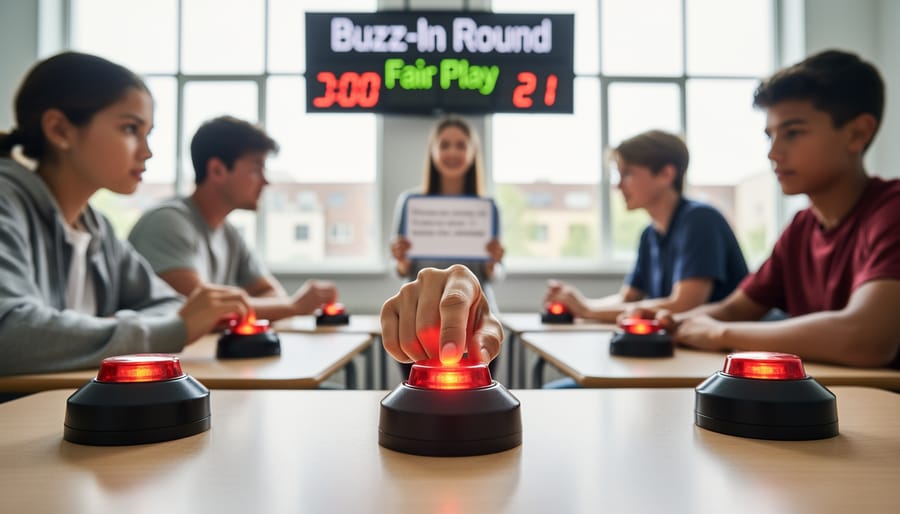
Customizing Your Buzzer Lockout Game
Adding Your Own Questions and Content
The best part? You can customize these templates with your own content in minutes! Simply open the editable slides and replace the sample questions with your subject-specific material. Whether you’re reviewing multiplication facts, vocabulary words, or historical events, the buzzer lockout system works seamlessly with any topic.
Most templates include easy-to-edit question slides where you just click and type. No special technical skills needed! Add your engaging game show questions, adjust point values if desired, and you’re ready to play. You can even mix difficulty levels to challenge different learners in your classroom.
Pro tip: Keep a master copy of your customized template so you can quickly update questions for future review sessions. This makes prep time even faster next time around!
Adjusting Team Sizes and Game Rules
One of the best parts about buzzer lockout systems is how easily they adapt to your unique classroom needs! Whether you have 15 students or 35, you can adjust team sizes to keep everyone engaged and participating.
For smaller classes, try creating 3-4 teams of equal size. This keeps the game moving quickly and gives each student more chances to buzz in. Larger classes work wonderfully with 5-6 teams, which helps maintain order while still building that exciting competitive energy.
Mix up your game rules to match your learning objectives too! You can award bonus points for explaining answers, deduct points for blurting out before buzzing, or allow team huddles before answering. These customizations keep games fresh and support different learning styles.
Consider creating mixed-ability teams to encourage peer teaching, or group students by skill level if you want to differentiate questions. The beauty of the lockout system is that it works seamlessly regardless of how you organize your teams. You’re in complete control of pacing, difficulty, and rules – making every review game perfectly suited to your students’ needs and your teaching goals.
Perfect Moments to Use Buzzer Lockout Games
Buzzer lockout games shine brightest during high-energy review sessions right before tests or quizzes. When students are antsy and need something fast-paced to review vocabulary, math facts, or historical dates, these templates deliver instant engagement. Try them during the last 15 minutes of class when attention tends to wander, or as a Friday afternoon brain boost that still packs educational punch.
These games work wonderfully during test prep week when students need multiple exposures to content without boring repetition. The competitive element keeps energy high while the lockout feature ensures everyone stays focused and ready to participate. They’re also perfect for breaking up longer units, serving as mini-celebrations of progress that reinforce learning without feeling like work.
Morning warm-ups become more exciting with buzzer lockout activities, especially when reviewing concepts from previous lessons. The quick format fits perfectly into those first few minutes while getting brains activated for the day ahead. Similarly, use them as brain breaks between subjects to reset attention and switch gears while still keeping students in learning mode.
Consider incorporating this game design approach when planning parent night demonstrations or open houses. Students love showing off their knowledge, and the fair, exciting format impresses families while showcasing your innovative teaching methods. The templates also work brilliantly for substitute teacher days since they’re self-explanatory and keep students productively engaged.
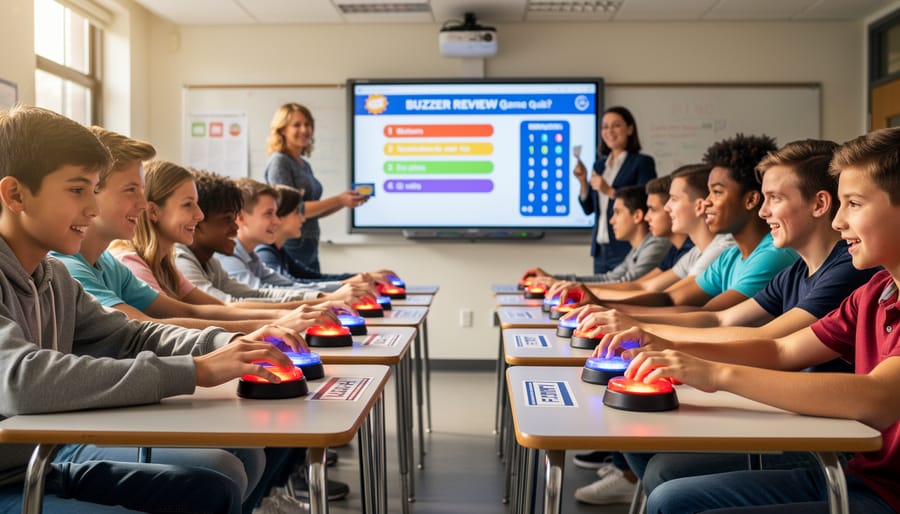
Getting Started with Your First Buzzer Game
Ready to bring the excitement to your classroom? Starting with your first buzzer lockout game is easier than you think! Begin by choosing a simple template and customizing it with content your students are currently reviewing. Keep your first game short—maybe 10-15 questions—so you can get comfortable with the format without feeling overwhelmed.
Before game day, do a quick test run with a few student volunteers during a break or lunch. This helps you iron out any technical glitches and gets a few students excited to spread the word. On game day, take two minutes to explain the buzzer lockout rules clearly: first person to buzz gets to answer, and only that person can respond.
Don’t worry if things feel a bit chaotic at first—that’s normal! Your students will catch on quickly, and you’ll find your rhythm after a few rounds. Start with teams rather than individuals if you’re concerned about classroom management. The energy and engagement you’ll see will make any small hiccups totally worth it. Most teachers report that their students are immediately hooked and start requesting buzzer games regularly. You’ve got this!