

Why Your Classroom Games Need Scoreboard Timers (And How to Use Them)
Add urgency and excitement to your classroom by displaying countdown timers on a digital scoreboard during engaging review games. Set a visible timer that counts down from 30 seconds or 1 minute to keep students focused and moving quickly through questions. Use these timers to prevent overthinking, maintain energy levels, and create that game-show atmosphere kids love. Switch between multiple timer durations based on question difficulty—give 15 seconds for quick recall questions and up to 2 minutes for problem-solving challenges. Display the countdown prominently so every student can see exactly how much time remains, building anticipation as seconds tick away. Scoreboard timers transform ordinary review sessions into thrilling competitions where every second counts, motivating even reluctant learners to participate actively. The visual countdown creates natural urgency without you having to repeatedly call out time warnings, letting you focus on facilitating the game instead. Whether you’re running vocabulary drills, math competitions, or trivia challenges, that ticking clock keeps everyone on their toes and fully engaged in the learning experience.
What Makes Scoreboard Timers Different from Regular Timers
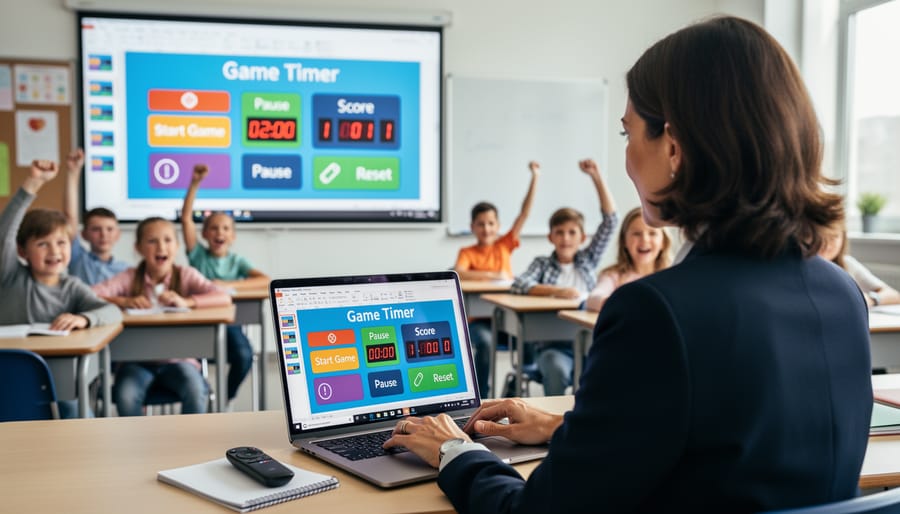
Here’s what makes scoreboard timers truly special: they’re designed to do double duty! Unlike a regular countdown timer that just tracks time, scoreboard timers bring everything together in one convenient package. Think of them as your classroom game control center, all contained within a single PowerPoint slide.
When you use a standard timer, you’re often switching between different tools. You might have a timer running on one device, a scorekeeping sheet on your desk, and maybe even a whiteboard to track points. That’s a lot of juggling, especially when you’re trying to keep students engaged and manage classroom energy!
Scoreboard timers eliminate that hassle. They combine your countdown clock with score tracking for multiple teams, all in one visual display that everyone can see. Students can watch both the ticking clock and their team’s progress simultaneously, which amps up the excitement and keeps competition friendly and transparent.
The integrated design means you’re clicking one button to start the timer while scores update right there on the same screen. No more pausing the action to calculate points or losing precious instructional time fumbling with multiple apps. Everything flows smoothly, keeping your game moving at the perfect pace.
Plus, because these templates live in PowerPoint, you can customize colors, fonts, and layouts to match your classroom theme or the subject you’re teaching. It’s convenience meets creativity, giving you a professional-looking game setup without the tech headaches!
The Real Benefits of Using Timers in Your Review Games
Keep Students Engaged and Focused
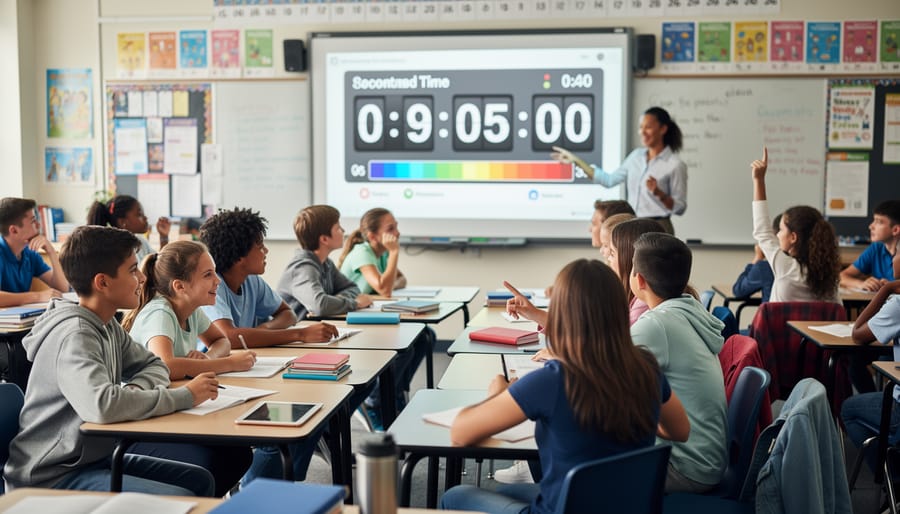
There’s something magical about watching a timer count down during a classroom game. Students who might otherwise drift off suddenly lock in, their eyes glued to that ticking clock. Why? Because visible countdowns create an immediate sense of urgency that keeps everyone on their toes.
When students can see time running out, they naturally focus better. That visual reminder transforms a simple activity into an exciting race against the clock. You’ll notice even your most easily distracted learners staying engaged because they know exactly how much time they have left to think, answer, or strategize with their team.
The best part is how customizable these timers can be for your classroom needs. Set a quick 30-second countdown for rapid-fire review questions, or give teams a full five minutes for more complex challenges. You can adjust the timing based on your students’ age, the difficulty of questions, or how much energy you want to bring to the activity.
This sense of urgency doesn’t just maintain attention—it makes learning fun! Students love the competitive thrill, and you’ll love seeing them fully invested in the lesson. It’s a simple tool that creates big engagement wins in your classroom.
Make Game Management Effortless
Let’s be honest – keeping classroom games fair and on track can feel like juggling while riding a unicycle! That’s where scoreboard timers become your secret weapon. They help you maintain control without constantly watching the clock or playing referee.
With a timer running on your scoreboard, every team gets equal playing time. No more awkward moments when one enthusiastic group accidentally hogs all the fun while others wait impatiently. The timer keeps things moving at just the right pace, so you can focus on encouraging students and enjoying the learning happening in your classroom.
The beauty of built-in timers is their flexibility. Set them for quick 30-second lightning rounds to keep energy high, or allow 2-minute intervals for more thoughtful responses. You’ll find it’s much easier to transition smoothly between teams when everyone can see exactly how much time remains. Plus, students develop time-management skills as they learn to work within these boundaries.
Your game sessions become predictable in the best possible way – structured enough to run smoothly, but flexible enough to adapt when you need those extra few seconds for a brilliant answer.
Build Excitement and Friendly Competition
There’s something magical about watching students lean forward in their seats when a timer starts ticking down. That sense of urgency transforms even routine review activities into thrilling challenges! When your classroom scoreboard displays a countdown clock, students naturally become more focused and engaged.
Timers create healthy, friendly competition that motivates students to participate actively. As seconds tick away, teams work together more efficiently, communicate better, and stay on task. You’ll notice quieter students speak up more often and groups self-manage their time without constant reminders from you.
The best part? This excitement doesn’t create stress when done right. Keep time limits reasonable and celebrate effort alongside speed. Try starting with longer countdowns and gradually reducing time as students become familiar with activities. You can also pause timers if groups need a breather or add bonus seconds for creative thinking.
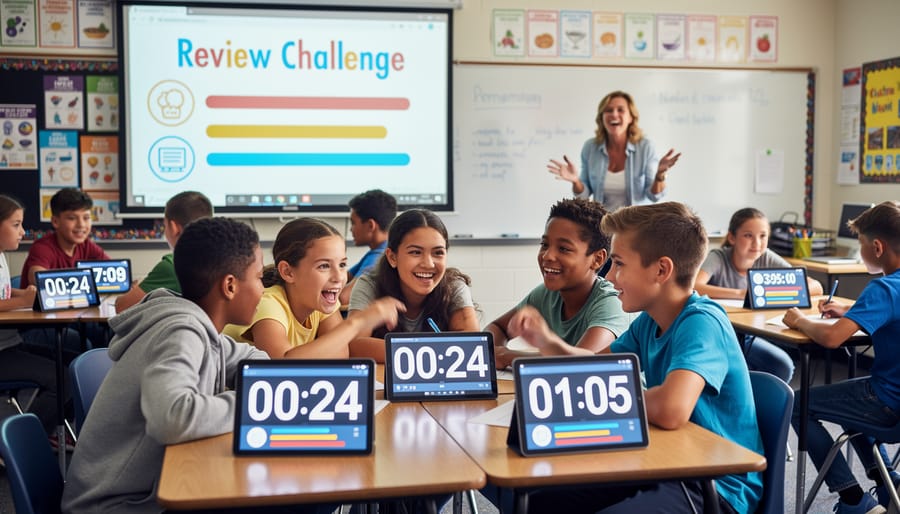
Mix things up by using timers for different purposes: quick-fire rounds, brainstorming sessions, or timed challenges where teams earn points for completing tasks before the buzzer. The visual element of watching time decrease adds drama that keeps everyone invested in the game from start to finish.
How to Choose the Right Timer Template for Your Classroom
Quick Round Timers vs. Full Game Timers
When planning your classroom games, choosing between quick round timers and full game timers makes a big difference in how your activity flows.
Quick round timers work perfectly for fast-paced review games where students answer individual questions. Set a timer for 10-30 seconds per question to keep energy high and prevent overthinking. These work great for vocabulary drills, math facts, or multiple-choice reviews. The ticking clock adds excitement and keeps everyone engaged, plus students who struggle with one question can quickly move on to the next.
Full game timers take a different approach by counting down the entire game session. These work better for team challenges, project-based activities, or games where questions vary in difficulty. Students can strategize which questions to tackle first and manage their time independently. This option reduces pressure and allows deeper thinking.
Your choice depends on your learning goals. Need quick recall and rapid responses? Go with per-question timers. Want to encourage problem-solving and time management skills? Choose full game timers. Many teachers find success mixing both styles throughout the week to keep classroom games fresh and engaging for all learners.
Customization Options That Matter
Not all scoreboard timers are created equal, and the right customization options can make all the difference in your classroom! When you’re evaluating tools, look for timers that let you adjust time increments easily. Whether you need a quick 30-second round or a longer 10-minute challenge, flexible timing keeps your activities flowing smoothly.
Visual styles matter more than you might think. Some students respond better to large, bold displays, while others prefer cleaner, minimal designs. The best timers offer different color schemes and display modes so you can match your classroom aesthetic or switch things up to maintain student interest. Dark backgrounds work great for projector visibility, while bright themes can energize morning activities.
Sound options are your secret weapon for classroom management. Choose timers that let you toggle sounds on or off, adjust volume levels, and select from different alert tones. A gentle chime works beautifully for quiet reading time, while an exciting buzzer adds drama to competitive team games. Some teachers love countdown tick sounds for building anticipation, while others prefer silent countdowns to minimize distractions.
Remember, the goal is finding a timer that adapts to your teaching style and your students’ needs, not the other way around!
Simple Ways to Customize Your Scoreboard Timers
Personalizing your scoreboard timer is easier than you might think, and it can make a huge difference in how well it fits your classroom vibe! Let’s walk through some simple tweaks that’ll have your timer working perfectly for your students.
Start by adjusting the time limits to match your activities. Most scoreboard timers let you set custom durations with just a few clicks. Whether you need 30 seconds for a quick vocabulary round or 5 minutes for a team challenge, find the settings menu and enter your preferred time. Many timers even let you save your favorite durations for quick access later!
Next, have some fun with colors! Changing your timer’s color scheme to match your classroom theme or lesson topic adds an exciting visual element. Celebrating a holiday? Switch to festive colors. Teaching about the ocean? Go with blues and greens. This small touch helps create a cohesive learning environment that students absolutely love.
Don’t forget about sound effects! While that buzzer can be motivating during high-energy games, you might want silence during focused activities or test prep. Most timers include an easy on/off toggle for sounds. Some even offer different sound options, so you can choose what works best for your classroom management style.
Pro tip: Test your customized settings before the lesson begins. Run through a quick practice round to make sure everything looks and sounds just right. Your students will appreciate the polished presentation, and you’ll feel confident jumping straight into learning mode!
Getting Started: Your First Game with Scoreboard Timers
Ready to bring some game-show excitement to your classroom? Getting started with scoreboard timers is easier than you think! First, download your chosen template and open it in PowerPoint or Google Slides. Take a moment to familiarize yourself with the layout—you’ll typically see team name placeholders, score boxes, and a countdown timer.
Start by customizing the team names. Click on the text boxes and type in creative names that match your lesson theme or let students choose their own. Next, decide on your time limit. Most templates let you adjust the timer by editing the slide’s animation settings or using built-in controls. A 30-second response time works great for quick-fire questions, while 60 seconds suits more challenging problems.
Before game day, do a quick test run. Click through the slides, practice starting and stopping the timer, and make sure you know how to update scores. This builds your confidence and helps you troubleshoot any hiccups.
When it’s game time, project the scoreboard where everyone can see it clearly. Explain the rules, start the timer, and watch your students light up with enthusiasm. Remember, you can pause anytime to clarify questions or celebrate great answers. You’ve got this!
Scoreboard timers truly transform the way you manage classroom games, taking the stress out of keeping track while cranking up the excitement for your students. These simple tools handle the logistics automatically, freeing you to focus on what matters most—connecting with your learners and celebrating their success. The energy shift is real when students see that ticking clock and colorful scoreboard lighting up your screen.
Ready to give it a try? Pick a scoreboard timer template that matches your teaching style and add it to your next review session. Your students will love the game-show atmosphere, and you’ll appreciate how effortlessly everything runs. Start small, customize as you go, and watch engagement soar. You’ve got this!