

Stop Wasting Hours on Game Grades: Automate Your Classroom Assessment Workflow
Picture this: You’ve just wrapped up an exciting review game with your students. Energy is high, learning happened, and then… reality hits. You’re facing a mountain of scores to record, results to track, and data to organize. Sound familiar?
RPA grading transforms this time-consuming aftermath into an automated process that handles the busywork for you. RPA stands for Robotic Process Automation, but don’t let the technical name intimidate you. Think of it as your digital teaching assistant that automatically captures, organizes, and records student performance during classroom games without you lifting a finger.
The beauty of RPA grading lies in its simplicity: students play, technology tracks, and you get instant, accurate records ready for your gradebook. No more scrambling with paper tallies, no more manual data entry after class, and no more wondering if you caught every student’s score correctly.
This shift means reclaiming precious time while maintaining the interactive, engaging classroom activities your students love. You keep the fun and excitement of review games while eliminating the administrative headache that usually follows. The result? More energy for teaching, less time on paperwork, and assessment data that’s always accurate and ready when you need it.
What Is RPA Grading? (And Why Teachers Are Loving It)
Imagine spending your evenings hunched over papers, manually recording who scored what in today’s review game. Sound familiar? RPA grading is here to change that routine for good.
RPA stands for Robotic Process Automation, but don’t let the technical name intimidate you. Think of it as your digital teaching assistant that handles the boring, repetitive parts of grading game-based activities. When students play classroom review games, RPA systems automatically capture their responses, calculate scores, and organize results into neat, readable reports. No manual data entry required.
Here’s the beautiful part: while students are having fun competing in your game, the system is quietly working in the background, tracking every answer, point, and achievement. By the time the game ends, your gradebook is already updated. What used to take 30 minutes of after-school work now happens instantly.
Teachers who’ve made the switch are enthusiastic about the time they’ve reclaimed. Instead of sorting through game cards or tallying points from whiteboards, they’re using those precious minutes for lesson planning, one-on-one student support, or simply heading home a bit earlier.
The best part? RPA grading doesn’t sacrifice accuracy for speed. These systems are incredibly precise, eliminating those frustrating calculation errors that happen when you’re manually entering data after a long teaching day. Plus, you can customize how the system records and reports results to match your specific classroom needs.
Think of RPA grading as automation that actually makes sense for teachers. It handles the tedious stuff so you can focus on what you do best: teaching and connecting with your students.
The Problem with Manual Game Assessment
Let’s be honest—running review games in your classroom is incredibly fun and engaging for students, but what happens after the cheering stops? You’re left staring at a mountain of sticky notes, whiteboard scores, and mental notes about who actually participated. Sound familiar?
If you’ve ever hosted a Jeopardy-style review or team competition, you know the challenge. While students are buzzing with excitement, you’re frantically trying to track which team earned points, who answered correctly, and who barely said a word. Then comes the real headache: translating all that game activity into meaningful gradebook entries.
The manual process is exhausting. You might spend 10-15 minutes during class recording scores on paper, then another 20-30 minutes after school converting those scribbles into individual participation grades. Multiply that across multiple class periods, and you’ve lost hours that could have been spent on lesson planning or actually relaxing.
And here’s the tricky part—games naturally focus on team scores, but your gradebook needs individual student data. How do you fairly assess the student who dominated their team versus the one who hung back? Without a systematic approach, you’re making judgment calls that may not reflect actual learning or effort.
This time drain and tracking confusion is exactly why educators are turning to smarter solutions that keep the fun intact while eliminating the post-game chaos.

How Automated Grading Works with Your Classroom Games
Capturing Game Data During Play
The magic of modern review game templates is that they work behind the scenes while your students are having fun! These smart tools automatically capture everything that happens during gameplay without you needing to frantically jot down notes or keep manual tallies.
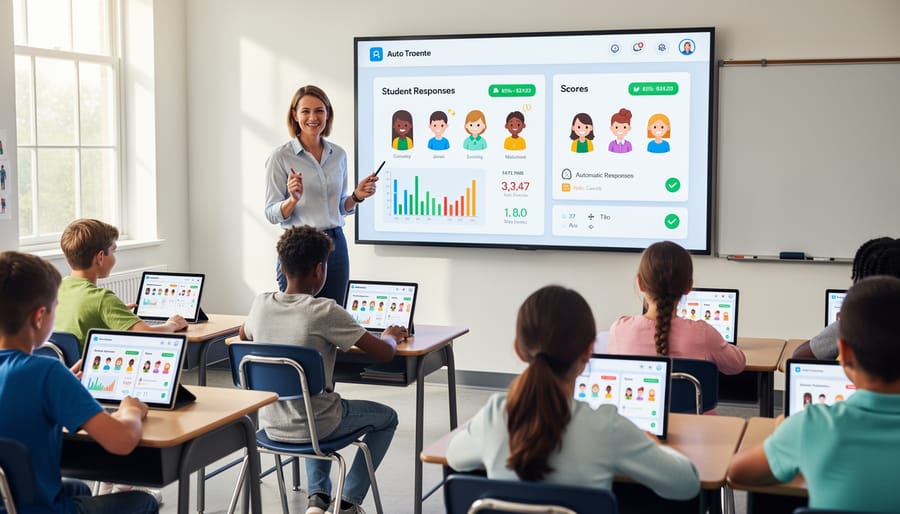
As students buzz in with answers, select multiple-choice responses, or earn points throughout the game, the template quietly records each interaction. Think of it as having a dedicated assistant who never misses a detail. Student names, scores, correct and incorrect responses, participation frequency, and even time stamps get logged in real-time.
This automatic data collection means you can actually enjoy watching your students learn instead of stressing about record-keeping. You’ll see who’s mastering the content, who needs extra support, and which questions are tripping everyone up. The best part? All this information gets organized into easy-to-read formats that you can access immediately after the game ends.
No more lost sticky notes or forgotten tallies. The system does the heavy lifting so you can focus on what really matters—celebrating student success and identifying learning opportunities.
Processing and Organizing Results
Once your review game wraps up, automation takes center stage to handle the heavy lifting! Instead of manually tallying points or sorting through student responses, RPA tools instantly process all the game data in seconds. They calculate individual scores, track team standings, and organize everything into easy-to-read formats that make sense at a glance.
The best part? You can customize how results are displayed based on what matters most to you. Want to see which concepts students struggled with? The system can highlight areas needing review. Need quick access to participation rates? That’s automatically tracked too. With game data analytics, you’ll get organized reports that actually help inform your next lesson plans.
These automation tools also eliminate common grading headaches like lost papers or calculation errors. Everything is stored digitally and backed up, so you’ll never worry about misplacing student work. Plus, results can be exported to your gradebook with just a few clicks, saving you precious time that’s better spent on actual teaching rather than administrative tasks.
Transferring Grades to Your System
Here’s the exciting part—getting those game results where they need to go without lifting a finger! Once your RPA grading system has scored the activity, it can automatically send the data directly to your gradebook or learning management system. No more sitting at your desk after school, manually typing in scores for 30 students.
Most classroom game platforms let you integrate with gradebooks like Google Classroom, Canvas, or Schoology with just a few clicks. You simply connect your accounts once, and from there, the system handles the transfer automatically. Imagine running a Friday review game and having all the scores waiting in your gradebook by Monday morning—without you doing anything extra!
This automation means fewer errors too. We all know how easy it is to accidentally skip a row or mistype a score when entering data manually. When the system handles the transfer, every student’s result goes to exactly the right place, every single time. You can spend your precious planning time actually planning instead of playing data entry clerk!
Real Benefits You’ll See in Your Classroom
Let’s talk about what RPA grading actually means for your daily teaching life. These aren’t abstract benefits—they’re real improvements you’ll notice from day one.
First up, time savings. Imagine wrapping up a review game and having all the scores automatically recorded and calculated. No more staying after school to tally points or second-guessing whether you caught every team’s final score. Teachers using automated grading for their classroom games report saving 15-30 minutes per activity. That’s time you can spend planning engaging lessons or just catching your breath between classes.
Consistency becomes your superpower. We all know that hectic moment when multiple teams shout answers simultaneously or when you’re trying to track points while also managing classroom energy. RPA grading systems eliminate those “wait, did I count that?” moments. Every student gets evaluated by the same criteria, every time. This matters tremendously for maintaining assessment accuracy while keeping the fun atmosphere intact.
Your students benefit too through immediate feedback. When game results process automatically, learners see their progress right away. This instant insight helps them understand exactly what they’ve mastered and what needs more practice—no waiting until next week when the momentum has faded.
Finally, there’s the administrative stress relief. Grade books update themselves. Participation data gets captured without extra effort. When administrators ask about formative assessment, you have clear documentation ready to go. You’re not just playing games—you’re gathering valuable learning data effortlessly.
The beauty of RPA grading is that it handles the tedious tracking work, freeing you to focus on what you do best: facilitating learning, encouraging students, and creating those memorable classroom moments. It’s not about replacing your judgment—it’s about supporting it with reliable, consistent data collection.
Getting Started: Making Your Game Templates Automation-Ready
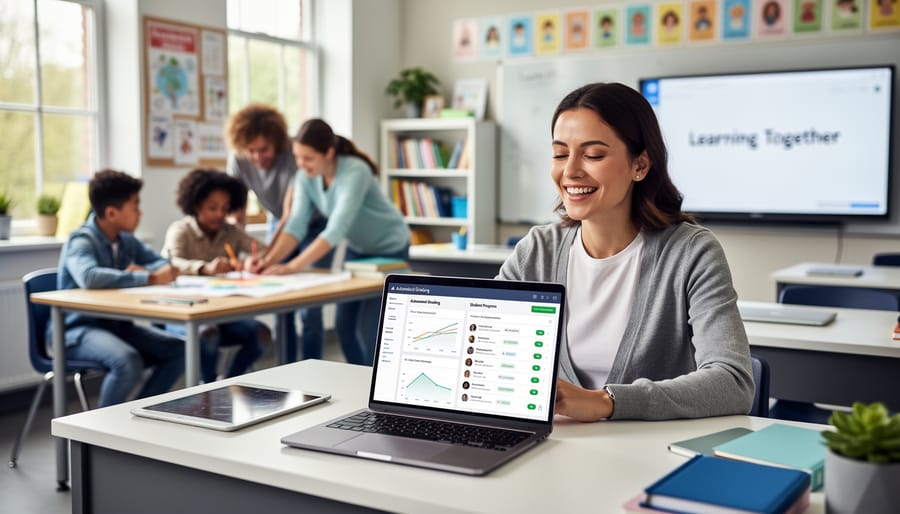
Ready to transform your classroom review games into automation-friendly powerhouses? The good news is that you don’t need to be a tech wizard to get started. With a few simple tweaks, your favorite game templates can work seamlessly with automated grading systems.
First, look for templates that already have built-in response tracking. Many digital game platforms include features like automatic answer collection or scoreboard functions. These are your best friends for automation because they’re already collecting the data you need. When browsing for new templates, check if they mention features like “auto-scoring” or “response recording” in their descriptions.
Next, focus on customization options that support clear answer formats. Games that allow multiple-choice questions, true/false responses, or short answer fields work beautifully with automation. The simpler and more standardized your answer format, the easier it becomes for systems to process and grade automatically. Avoid overly complex free-response questions when you’re just starting out.
Make sure your game template connects to a spreadsheet or gradebook system. This connection is the magic ingredient that turns game data into usable grades. Look for templates that explicitly state they export results to Google Sheets, Excel, or your school’s learning management system.
Start small by choosing one favorite review game and testing it with automation features before rolling it out across all your lessons. This low-pressure approach helps you learn the system without feeling overwhelmed. Remember, the goal is to save you time while keeping learning fun for your students. Once you see how much easier grading becomes, you’ll wonder how you ever managed without it.
You’ve spent enough time buried in paperwork when you could be doing what you love—actually teaching! RPA grading gives you that time back by handling the repetitive tasks of recording scores and tracking game results. Imagine wrapping up a review game and having all your data organized instantly, without staying late or sacrificing your lunch break.
This isn’t about replacing your teaching expertise. It’s about eliminating busywork so you can focus on meaningful student interactions. When you’re not drowning in administrative tasks, you have more energy for the moments that truly matter—answering questions, celebrating breakthroughs, and building relationships with your students. Automated grading workflows transform teaching from overwhelming to enjoyable, letting you customize your approach while technology handles the tedious stuff. Reclaim your time and rediscover why you became a teacher in the first place.