
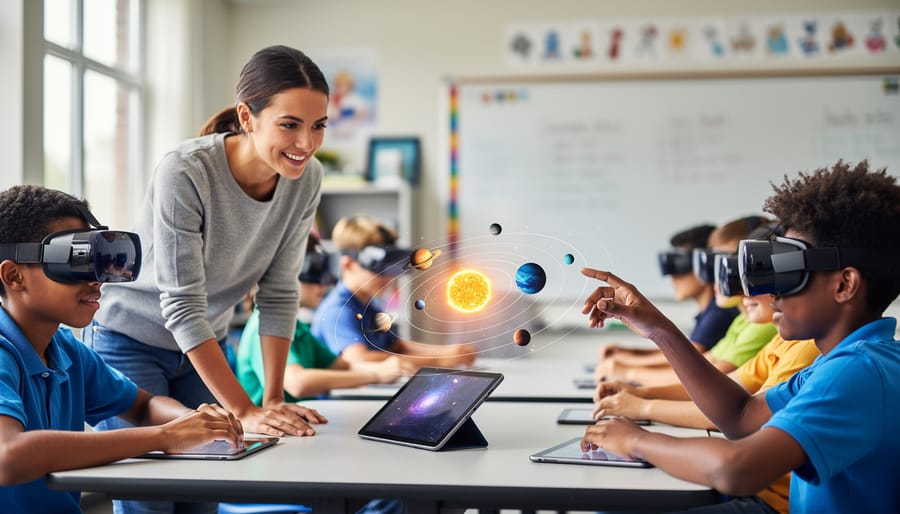
Transform Your Classroom into an Interactive Learning Space with AR, VR, and MR
Transform your classroom into an immersive learning environment by starting with free AR apps like Merge Explorer or Google Expeditions that work on devices you already have. Your students can dissect a virtual frog, walk through ancient Rome, or explore the solar system without leaving their desks—no expensive headsets required.
Extended Reality (XR) is the umbrella term covering Augmented Reality (AR), Virtual Reality (VR), and Mixed Reality (MR), and it’s far more accessible than you think. AR overlays digital content onto the real world through smartphones or tablets, perfect for interactive review games where students hunt for virtual flashcards around the room. VR creates fully immersive digital environments using affordable headsets like Google Cardboard (starting at $15), ideal for virtual field trips when physical ones aren’t possible. MR blends both worlds, letting students manipulate 3D objects that interact with their physical space.
Start small by incorporating one XR element into your existing lesson plans. Use AR to bring textbook diagrams to life during science class, or create VR gallery walks for history presentations. The technology adapts to your teaching style, not the other way around. Students stay engaged because they’re not just reading about concepts—they’re experiencing them. Best of all, most XR tools offer customization options, letting you tailor content to match your curriculum objectives and student needs without any coding knowledge required.
What Are AR, VR, and MR? (XR Made Simple)
Augmented Reality (AR): Adding Digital Magic to Your Real Classroom
Imagine your students gasping with delight as a life-sized T-Rex suddenly appears in your classroom, or watching them rotate a 3D human heart right on their desks. That’s the magic of Augmented Reality! AR overlays digital content onto your real-world environment, blending virtual objects with physical spaces. Unlike VR that transports you elsewhere, AR keeps you grounded in your actual classroom while adding exciting digital layers.
Think of it as bringing textbook illustrations to life. Your students can point their tablets at a worksheet and watch historical figures step off the page, or scan a poster to reveal animated solar system models. The beauty of AR is its simplicity—you don’t need special headsets or fancy equipment. Most AR experiences work perfectly with the tablets or smartphones already in your classroom.
Popular AR apps let you customize learning experiences for any subject. Place virtual dinosaurs around your room for a prehistoric scavenger hunt, project geometric shapes students can walk around and examine, or overlay vocabulary words onto real objects for language learning. It’s interactive, engaging, and surprisingly budget-friendly!
Virtual Reality (VR): Taking Students Anywhere Without Leaving School
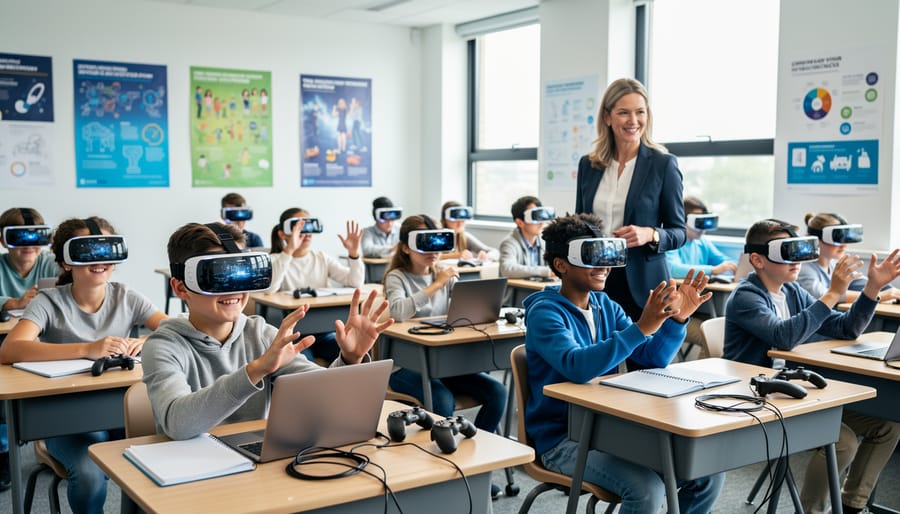
Virtual reality is like giving your students a magic portal right in your classroom! With VR headsets, learners step into completely immersive digital worlds where they become active participants in their learning journey. Imagine your history class exploring the Colosseum in ancient Rome, walking through its corridors and experiencing gladiator battles, or your science students diving deep into coral reefs to observe marine life up close without getting wet.
These virtual field trips make abstract concepts tangible and memorable. Students can visit the International Space Station, walk through the human heart, or explore Egyptian pyramids. The best part? No permission slips, no bus rentals, and no weather cancellations! Many VR experiences now offer educator-friendly platforms with pre-built lessons you can customize to match your curriculum goals. While VR headsets were once expensive, affordable options and classroom sets make this technology increasingly accessible. Your students will remember these immersive adventures long after traditional lessons fade, turning learning into an exciting expedition they’ll talk about for years.
Mixed Reality (MR): The Best of Both Worlds
Mixed Reality (MR) takes things up a notch by blending the real and virtual worlds so they can actually interact with each other. Think of it as AR’s more sophisticated cousin! In an MR experience, digital objects don’t just sit on top of your real environment—they respond to it. For example, imagine students manipulating a 3D solar system model that floats above their desks, where they can physically walk around planets, resize them with hand gestures, and watch how gravity affects orbits in real time. In a history lesson, students might place virtual historical figures around the classroom and interact with them as they move through different time periods. The magic of MR is that virtual elements recognize and respond to real-world surfaces and obstacles, creating truly immersive learning moments. While MR devices can be pricier, the interactive possibilities make complex concepts tangible and unforgettable for your students.
Why XR Technology Is Perfect for Today’s Classrooms
Boost Student Engagement Like Never Before
Imagine your most reluctant learner suddenly asking when they can do that activity again. That’s the power of XR technology! When students put on VR headsets or interact with AR experiences, something magical happens. They’re no longer passive listeners—they become active explorers.
XR technology transforms abstract concepts into touchable, visual experiences that stick in students’ minds. A student who struggles with traditional worksheets might thrive when dissecting a virtual frog or walking through ancient Rome. The immersive nature of these experiences keeps students focused and excited, naturally reducing distractions.
What makes XR especially effective is how it taps into different learning styles simultaneously. Visual learners see concepts in 3D, kinesthetic learners interact through movement, and even auditory learners benefit from spatial audio cues. You can also combine XR with engaging review games to reinforce learning in memorable ways.
The best part? Students don’t even realize how much they’re learning because they’re having too much fun exploring. This natural motivation means less time managing behavior and more time celebrating those lightbulb moments you became a teacher to witness.
Make Abstract Concepts Crystal Clear
Imagine your students actually walking through the chambers of an ancient Egyptian pyramid or manipulating 3D geometric shapes with their hands! That’s the magic XR brings to your classroom. When teaching fractions, students can slice virtual pizzas and pies into equal parts, seeing exactly how denominators work. Science classes transform as learners explore the solar system up close, watching planets orbit in real-time or zooming inside a human cell to observe mitochondria in action.
History lessons become time-travel adventures where students experience historical events firsthand, making dates and facts stick naturally. Math concepts like angles, volume, and symmetry suddenly make sense when kids can rotate objects and view them from every perspective. These hands-on experiences pair beautifully with adaptive learning approaches, letting each student explore at their own pace.
The best part? You can customize these experiences to match your curriculum perfectly, turning abstract ideas that once required imagination into tangible, interactive discoveries that students genuinely get excited about.
Reach Every Type of Learner
Every student learns differently, and XR technology beautifully accommodates all learning styles in one immersive experience. Visual learners thrive when exploring 3D models they can view from every angle, while kinesthetic learners benefit from hands-on manipulation of virtual objects. Auditory learners engage through spatial audio cues and narrated content that brings lessons to life.
This multi-sensory approach means you’re not choosing between teaching methods anymore. Instead, you’re creating personalized learning experiences where students naturally gravitate toward their preferred learning style while still benefiting from others. A student examining a virtual heart model might rotate it for visual understanding, listen to explanations about blood flow, and interact by highlighting different chambers.
The inclusive nature of XR ensures no student feels left behind. Whether they learn best by seeing, doing, or hearing, XR engages them simultaneously, creating classroom moments where every learner feels confident and successful.
Simple Ways to Start Using XR in Your Lessons
Interactive Review Games with AR Elements
Ready to supercharge your review sessions? XR technology transforms traditional classroom review games into unforgettable learning adventures that students absolutely love!
Start simple with AR scavenger hunts. Hide virtual clues around your classroom using free apps like HP Reveal or Metaverse. Students scan QR codes or images to reveal quiz questions, vocabulary words, or math problems. Each correct answer unlocks the next clue, turning review into an exciting quest. You can customize hunts for any subject and grade level in minutes.
Interactive quiz games get a major upgrade with VR headsets or AR apps. Picture students exploring a virtual museum while answering history questions, or solving math problems floating in 3D space around them. Tools like CoSpaces Edu let you create custom review games without coding experience.
The magic happens when students move, collaborate, and interact physically while learning. They’re reviewing content without realizing they’re studying! Plus, you can easily adjust difficulty levels and questions to match your curriculum. Start with one AR element in your next review game and watch engagement soar.
Virtual Field Trips That Bring Learning to Life
Imagine your students exploring ancient Rome without leaving their desks or diving into the Great Barrier Reef during science class. VR field trips make these experiences possible and engaging for learners of all ages.
History comes alive when students walk through virtual recreations of historical landmarks like the pyramids of Egypt or Anne Frank’s house. They’re not just reading about these places anymore—they’re experiencing them firsthand, which helps information stick much better.
Science classes can venture into environments that would be impossible otherwise. Take your students inside a human heart to watch it pump, explore the surface of Mars, or witness a volcanic eruption up close. These immersive experiences spark curiosity and make abstract concepts tangible.
Career exploration becomes meaningful when students can virtually shadow professionals in various fields. They might step into an operating room, experience a day at an architectural firm, or explore marine biology research—helping them envision future possibilities.
The best part? Many of these virtual field trips are free or low-cost, and you don’t need expensive equipment to get started. Even basic smartphone-based VR headsets can transport your classroom to amazing destinations, making every lesson an adventure your students will remember.
3D Models and Simulations for Hands-On Learning
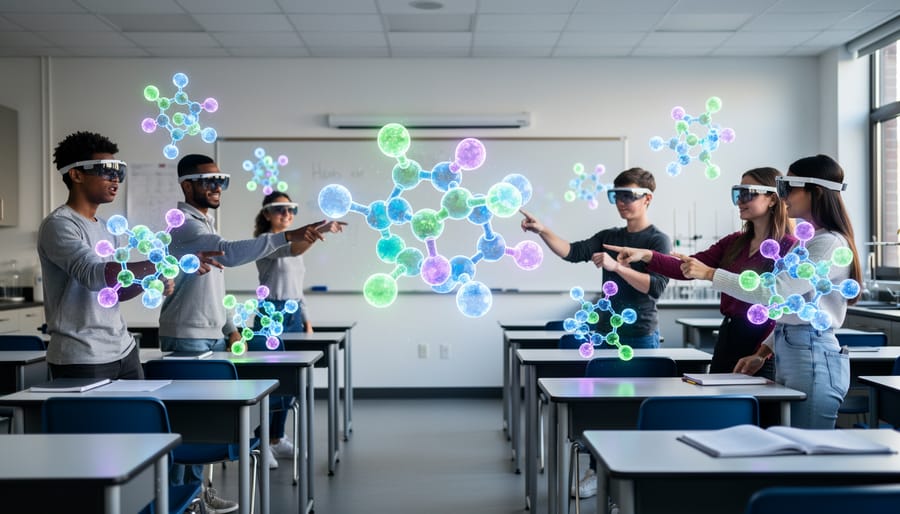
Imagine your students holding a beating human heart in their hands or watching a DNA strand unwind right on their desks. With AR and MR technologies, these experiences become reality! Your classroom transforms into an interactive laboratory where students can rotate 3D molecular structures, examine ancient Egyptian artifacts from every angle, or dissect virtual frogs without the mess.
These tools are surprisingly simple to use. Many apps let students pinch to zoom, rotate objects with their fingertips, and even take objects apart to see how they work inside. Chemistry students can build molecules piece by piece, understanding bonds in ways flat textbook diagrams never allowed. Geometry comes alive when students manipulate 3D shapes, calculating volume and surface area while literally holding pyramids and spheres.
The best part? Students learn by doing, not just watching. They can customize their exploration, spending extra time on tricky concepts while working at their own pace. Whether you’re teaching biology, history, or math, these 3D models create those magical aha moments that make teaching so rewarding.
Student Creation Projects
Let your students become creators, not just consumers! Project-based learning comes alive when kids design their own AR/VR experiences. Using beginner-friendly tools like CoSpaces Edu or Metaverse Studio, students can build virtual museums, create interactive science demonstrations, or design 3D story worlds. These platforms require zero coding knowledge and work on standard classroom devices. Imagine your fifth graders constructing a virtual solar system or your history students recreating historical landmarks. The best part? Students naturally develop problem-solving skills, spatial reasoning, and digital literacy while having a blast. Start small with simple 360-degree photo projects using smartphones, then gradually explore more complex creations. When students share their projects with classmates, they practice presentation skills and take genuine pride in their work. This approach transforms passive learners into confident digital innovators.
Getting Started: What You Actually Need
Budget-Friendly Options for Any Classroom
Great news! You don’t need a hefty budget to bring XR technology into your classroom. There are plenty of free and affordable options that deliver amazing learning experiences without breaking the bank.
Start with smartphone-based AR apps like Google Expeditions, Merge EDU, or CoSpaces Edu, which offer free versions perfect for classroom exploration. These apps transform ordinary devices into portals for virtual field trips, 3D object manipulation, and interactive storytelling. Students can explore ancient civilizations, dissect virtual frogs, or visualize complex math concepts right from their desks.
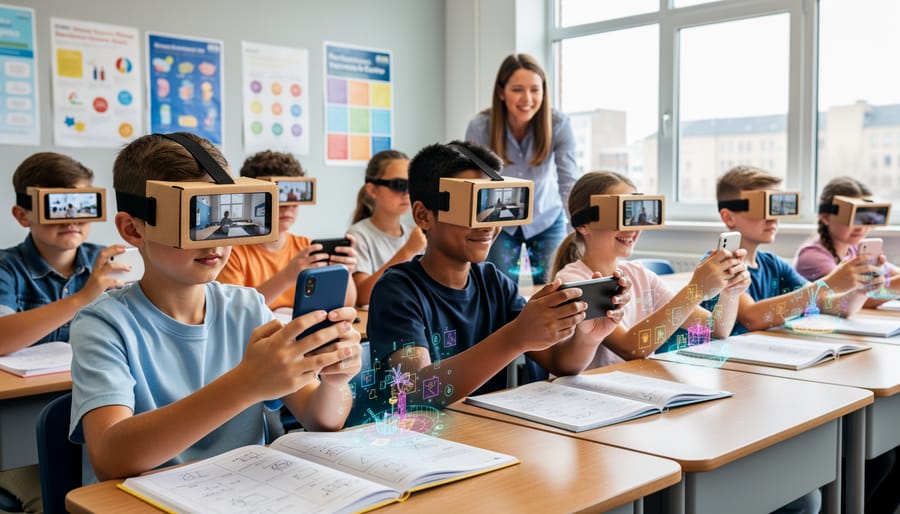
For VR experiences, consider Google Cardboard viewers, which cost just a few dollars each or can even be assembled from free templates. Pair these with free apps like YouTube VR or Google Arts & Culture, and suddenly your students are standing inside the Sistine Chapel or exploring the International Space Station.
Many educational platforms offer free teacher accounts with classroom management features. Sites like Mozilla Hubs and CoSpaces provide drag-and-drop interfaces where students can create their own virtual worlds, encouraging creativity while building digital literacy skills. These budget-friendly tools prove that innovative, engaging XR learning is accessible to every classroom, regardless of funding constraints.
No Tech Expert Required
Here’s the good news: you don’t need to be a tech wizard to bring AR, VR, and MR into your classroom! Most educational XR platforms are specifically designed with teachers in mind, featuring intuitive interfaces that feel as simple as using your favorite apps. Many come with drag-and-drop features and pre-made templates that let you create immersive experiences in minutes, not hours.
Getting started is easier than ever, thanks to extensive video tutorials, step-by-step guides, and vibrant online teacher communities where educators share tips, troubleshoot together, and exchange classroom-ready content. Platforms like ClassVR and Merge EDU offer dedicated teacher support and training resources that walk you through every feature at your own pace.
The best part? Your students often become your greatest helpers! Kids naturally embrace new technology and love showing their peers how things work. Start small with one simple activity, explore the tools alongside your students, and watch your confidence grow. Remember, every tech-savvy teacher started exactly where you are now. You’ve got this, and there’s a whole community ready to support your journey into immersive learning!
Making XR Work with Your Existing Teaching Style
Pairing XR with Your Favorite Classroom Games
You don’t need to start from scratch to bring XR into your classroom! Your favorite review games can become even more exciting with simple XR enhancements. Try adding a virtual scavenger hunt layer to your existing trivia games, where students use tablets to find 3D clues around the room. Turn vocabulary practice into an AR treasure hunt by placing virtual flashcards on classroom walls that students discover through their devices.
Many free AR apps let you overlay digital content onto physical game boards, transforming traditional activities into immersive experiences. For example, place virtual characters or objects on your classroom map during geography reviews, or create AR labels that reveal bonus information when students scan their worksheets.
The beauty of pairing XR with interactive review activities is customization. Start small by adding one AR element to a game you already love, then expand as you get comfortable. Your students will stay motivated while you maintain the classroom structure that works for you.
Quick 10-Minute XR Moments
You don’t need hours to bring XR into your classroom! Think of these as tiny tech-powered moments that pack a big punch. Start your lesson with a 5-minute virtual field trip using Google Expeditions to preview a new topic, instantly transporting students to ancient Rome or the ocean floor. Use AR apps like Merge Explorer during transitions to let students quickly examine a 3D molecule or explore the solar system while you set up the next activity. Try a quick vocabulary review where students scan flashcards to reveal AR animations that bring words to life. End class with a 3-minute AR scavenger hunt around the room where students find and identify historical artifacts or math problems. These micro-moments don’t require special equipment beyond tablets or smartphones you likely already have. The best part? Students stay engaged and excited while you maintain control of your lesson flow. Keep a folder of bookmarked XR resources on your device for spontaneous learning opportunities when you have a few extra minutes.
You’ve made it this far, which means you’re already curious about bringing XR into your classroom—and that’s the perfect first step! The beauty of XR technology is that you don’t need to be a tech expert or have a massive budget to get started. Simple tools and free apps can transform how your students experience learning, making lessons more memorable and engaging than ever before.
Think about the spark you’ll see in your students’ eyes when they explore ancient civilizations in VR or manipulate 3D molecules right at their desks. These aren’t just cool moments—they’re powerful learning experiences that stick with students long after class ends. XR meets learners where they are, offering hands-on exploration that traditional methods simply can’t match.
Start small. Try one app, one lesson, one activity. Customize it to fit your teaching style and your students’ needs. The impact on engagement and understanding will speak for itself, and you’ll quickly discover which tools work best for your classroom. Your willingness to explore new possibilities is exactly what makes great teaching great. Take that first step—your students are ready for the adventure!